# react-html5-video-editor
React / redux video element with a crop marker. Crop markers emit Redux actions when dragged.
[](https://www.npmjs.com/package/react-html5-video-editor)
[](https://travis-ci.org/evgenity/react-html5-video-editor)
[](https://david-dm.org/evgenity/react-html5-video-editor)
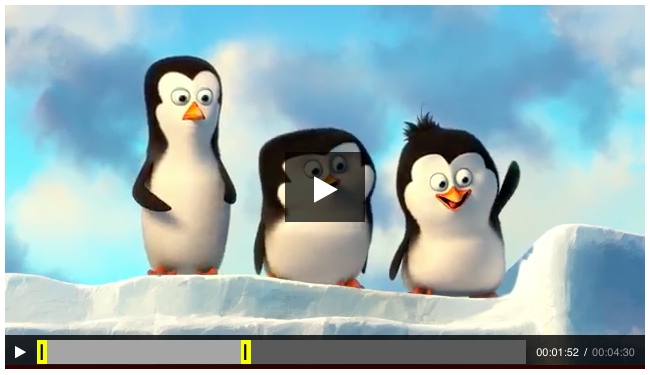
## Features:
- simple & clean
- video crop
- effect composer
- numerous formats support
- customizable
Do not hesitate to post an issue to request a feature (seriously).
## Roadmap
- enhanced video previews
- effect composer
- multiple tracks
## Quickstart
### Install
```
npm init
npm install react-html5-video-editor --save
ls node_modules/react-html5-video-editor/dist/bundle.js
```
### Basic usage
```html
```
```javascript
import {RdxVideo, Overlay, Controls} from 'react-html5-video-editor'
ReactDOM.render(
,
document.getElementById('root')
);
```
### Configuration
```javascript
RdxVideo.Props = {
autoPlay: false,
loop: false,
controls: true,
volume: 1.0,
preload: "auto",
cropEnabled: true;
}
```
## License
Code released under [GNU GPLv3](https://github.com/evgenity/react-html5-video-editor/blob/master/LICENSE.txt)