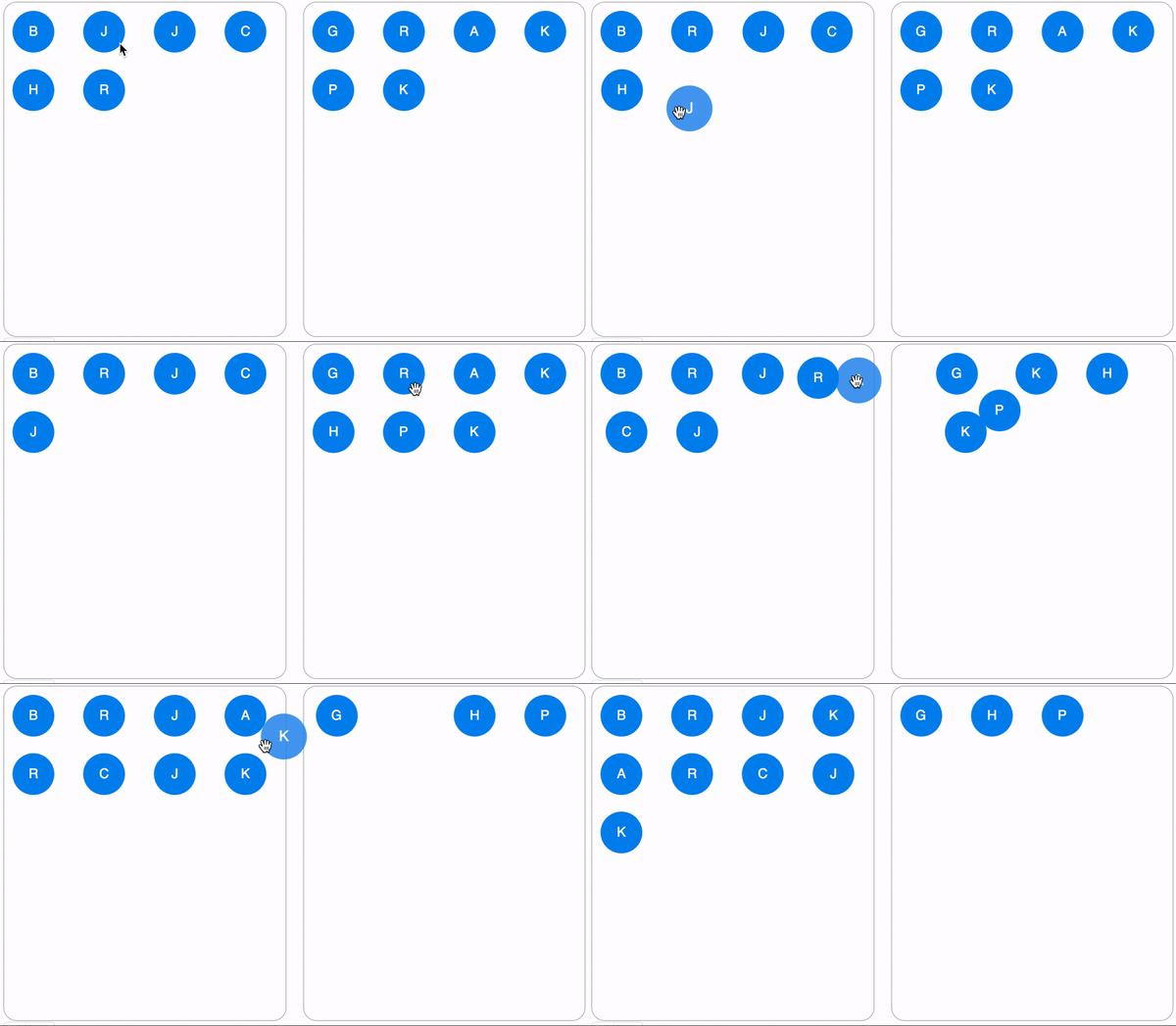
<div align="center">
 <img 
    max-width="300px"
    alt="A demo showing views being swiped left and right."
     src="https://raw.githubusercontent.com/bmcmahen/react-dnd-grid/master/demo.gif">
</div>

# react-grid-dnd

[![npm package](https://img.shields.io/npm/v/react-dnd-grid/latest.svg)](https://www.npmjs.com/package/react-dnd-grid)
[![Follow on Twitter](https://img.shields.io/twitter/follow/benmcmahen.svg?style=social&logo=twitter)](https://twitter.com/intent/follow?screen_name=benmcmahen)

Grid style drag and drop, built with React. See a live example on [codesandbox](https://codesandbox.io/embed/gracious-wozniak-kj9w8). You can also see it in action [here](https://react-gesture-responder.netlify.com/).

## Features

- **Supports dragging between arbitrary number of lists**.
- **Built with [react-gesture-responder](https://github.com/bmcmahen/react-gesture-responder) to enable better control over gesture delegation.**
- **Disable drop targets or dragging altogether**
- **Animated with react-spring**

## Install

Install `react-grid-dnd` and `react-gesture-responder` using yarn or npm.

```
yarn add react-grid-dnd react-gesture-responder
```

## Usage

Because `GridItem` components are rendered with absolute positioning, you need to ensure that `GridDropZone` has a specified height or flex, like in the example below.

```jsx
import {
  GridContextProvider,
  GridDropZone,
  GridItem,
  swap
} from "react-grid-dnd";

function Example() {
  const [items, setItems] = React.useState([1, 2, 3, 4]); // supply your own state

  // target id will only be set if dragging from one dropzone to another.
  function onChange(sourceId, sourceIndex, targetIndex, targetId) {
    const nextState = swap(items, sourceIndex, targetIndex);
    setItems(nextState);
  }

  return (
    <GridContextProvider onChange={onChange}>
      <GridDropZone
        id="items"
        boxesPerRow={4}
        rowHeight={100}
        style={{ height: "400px" }}
      >
        {items.map(item => (
          <GridItem key={item}>
            <div
              style={{
                width: "100%",
                height: "100%"
              }}
            >
              {item}
            </div>
          </GridItem>
        ))}
      </GridDropZone>
    </GridContextProvider>
  );
}
```

## Dragging between lists

You can see this example in action on [codesandbox](https://codesandbox.io/embed/gracious-wozniak-kj9w8).

```jsx
import {
  GridContextProvider,
  GridDropZone,
  GridItem,
  swap,
  move
} from "react-grid-dnd";

function App() {
  const [items, setItems] = React.useState({
    left: [
      { id: 1, name: "ben" },
      { id: 2, name: "joe" },
      { id: 3, name: "jason" },
      { id: 4, name: "chris" },
      { id: 5, name: "heather" },
      { id: 6, name: "Richard" }
    ],
    right: [
      { id: 7, name: "george" },
      { id: 8, name: "rupert" },
      { id: 9, name: "alice" },
      { id: 10, name: "katherine" },
      { id: 11, name: "pam" },
      { id: 12, name: "katie" }
    ]
  });

  function onChange(sourceId, sourceIndex, targetIndex, targetId) {
    if (targetId) {
      const result = move(
        items[sourceId],
        items[targetId],
        sourceIndex,
        targetIndex
      );
      return setItems({
        ...items,
        [sourceId]: result[0],
        [targetId]: result[1]
      });
    }

    const result = swap(items[sourceId], sourceIndex, targetIndex);
    return setItems({
      ...items,
      [sourceId]: result
    });
  }

  return (
    <GridContextProvider onChange={onChange}>
      <div className="container">
        <GridDropZone
          className="dropzone left"
          id="left"
          boxesPerRow={4}
          rowHeight={70}
        >
          {items.left.map(item => (
            <GridItem key={item.name}>
              <div className="grid-item">
                <div className="grid-item-content">
                  {item.name[0].toUpperCase()}
                </div>
              </div>
            </GridItem>
          ))}
        </GridDropZone>
        <GridDropZone
          className="dropzone right"
          id="right"
          boxesPerRow={4}
          rowHeight={70}
        >
          {items.right.map(item => (
            <GridItem key={item.name}>
              <div className="grid-item">
                <div className="grid-item-content">
                  {item.name[0].toUpperCase()}
                </div>
              </div>
            </GridItem>
          ))}
        </GridDropZone>
      </div>
    </GridContextProvider>
  );
}
```