react-form-wizard comes bundled with bootstrap
### `example forms`
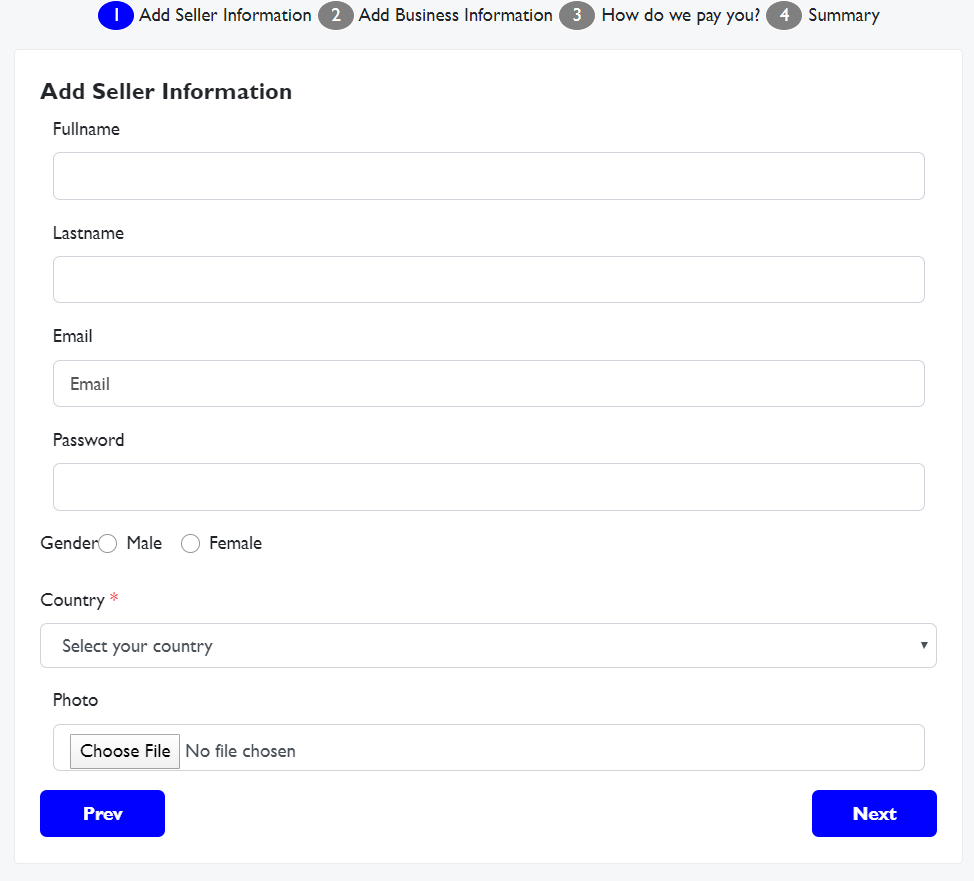
## Available Scripts
In the project directory, you can run:
### `npm install react-form-wizard`
Usage in component.
```
import FormWizard from "react-form-wizard"
state = {
totalSteps: 2,
steps: {
1: "Add Profile Information",
2: "Add Contact Details",
},
stepsData: {
1: {
input: {
text: {
total: 2,
names: [
{ id: "fullname", label: "Fullname", required: true },
{ id: "lastname", label: "Lastname" },
],
required: true,
},
},
},
2: {
input: {
text: {
total: 2,
names: [
{ id: "country", label: "Country" },
{ id: "region", label: "Region" },
],
},
email: {
total: 1,
names: [{ id: "contact", label: "Contact" }],
},
},
},
},
};
render () {
return (
)
}
```
### `The component requires the following props`
- steps = {number of steps}
- stepsData = {data to be shown on form e.g inputs, their names and types}
- totalSteps = {number of steps}
### `The component also return the following as props`
- data = {returns current form values}
- submit = {returns final form values}
This project will continue to be maintained and it is expected to include more features.
### `This component is a react component`