react-drag-elements
📱🕹
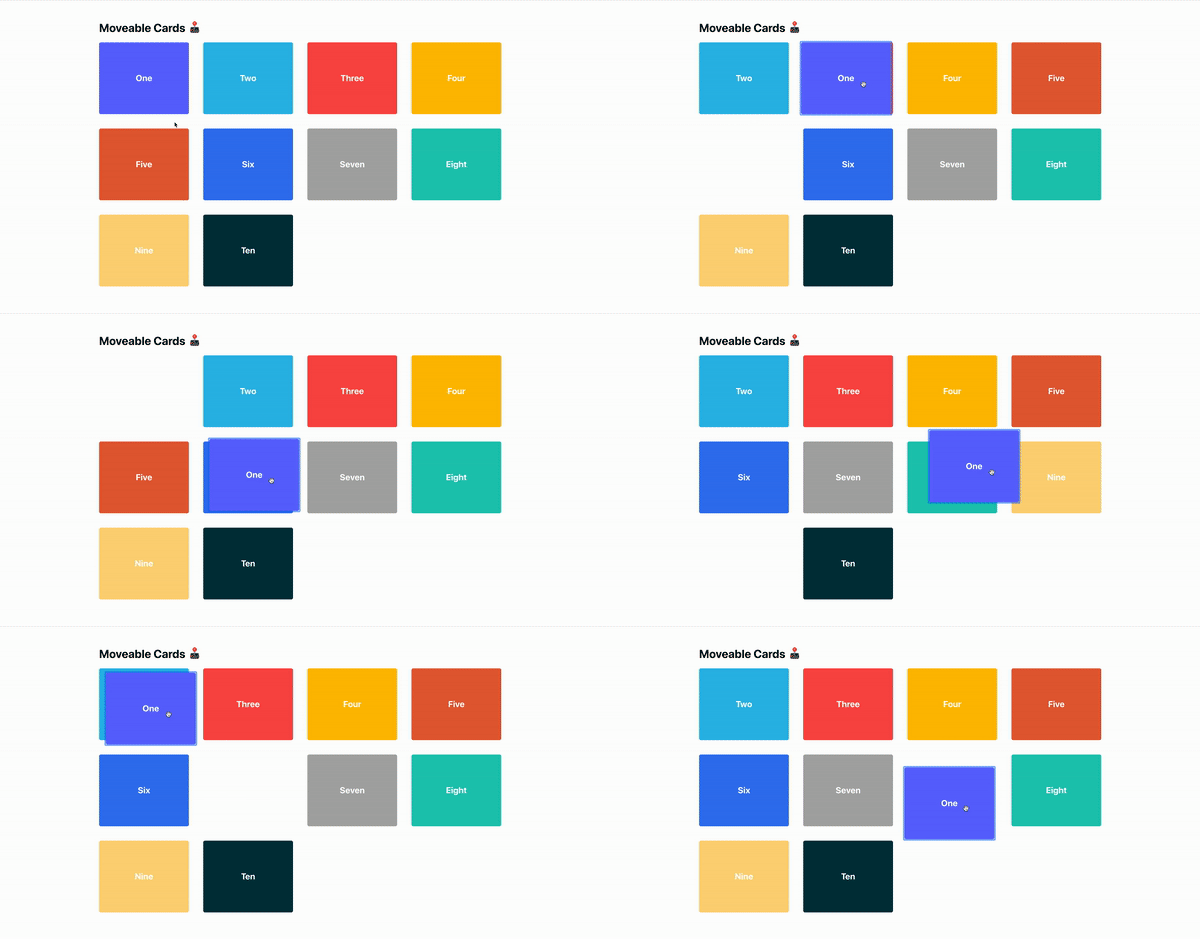
A light weight and efficient Hook that make DOM elements draggable & reorganizable.
## About
This project is inspired by the MacOS Launchpad iOS Springboard UI, where items can be dragged
around and reordered.
## Setup
```
yarn add react-drag-elements
```
or
```
npm install react-drag-elements
```
## Usage
```
import useDragElements from 'react-drag-elements'
const initialItems = [
{ id: 0, text: 'One', color: '#616AFF' },
{ id: 1, text: 'Two', color: '#2DBAE7' },
{ id: 2, text: 'Three', color: '#fd4e4e' },
]
export default function App() {
const { items, getItemProps } = useDragElements({
initialItems,
delay: 200, // optional
debounceMs: 200, // optional
easeFunction: `ease-out` // optional
})
return (
{items.map((item: any) => (
-
))}
)
}
```
## Props
### initialItems
> Array of objects with each item containing a unique id
### delay
> number, defaults to 250
### debounceMs
> number, defaults to 200
### easeFunction
> string, defaults to a subtle springy `cubic-bezier(.39,.28,.13,1.14)`
## Example
```
git clone git@github.com:timc1/react-drag-elements.git
```
```
cd react-drag-elements/example
```
```
yarn
```
```
yarn start
```