# react-custom-switcher

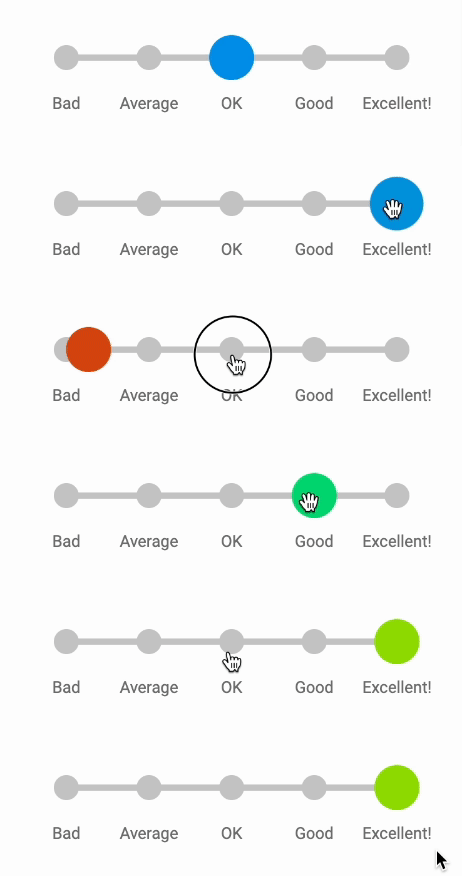
Multi-option Switch/Toggle component for React with dragging, snap and customizable UI.
## Installation
```
npm install react-custom-switcher
```
or
```
yarn add react-custom-switcher
```
## Basic Usage
```typescript
import React from 'react';
import { CustomSwitcher } from 'react-custom-switcher';
export const CustomSwitcherExample: React.FC = () => {
return (
console.log(currentValue)}
/>
);
};
```
## API
CustomSwitcher component accepts a list of props corresponding to **ICustomSwitcherProps** interface:
```typescript
interface ICustomSwitcherProps {
options: CustomSwitcherOption[];
value: OptionValue;
containerWidth: number;
variant?: CustomSwitcherVariant;
switchSize?: number;
dragEnabled?: boolean;
disabled?: boolean;
scaleWhileDrag?: boolean | number;
cssOverrides?: CSSOverrides;
callback(currentValue: OptionValue): unknown;
}
```
Lets look at them one by one.
### options (required)
type: *CustomerSwitcherOption[]*
Required array of options to switch between. Every option is array should have a shape corresponding to **CustomSwitcherOption**:
```typescript
type CustomSwitcherOption = {
value: OptionValue;
label?: string | React.ReactElement;
color?: string;
};
```
### value (required)
type: *OptionValue* (defaults to *unknown*)
A value from options there switch will be set by default. You can use it as a controlled value. [See example](https://codesandbox.io/s/react-custom-switcher-extended-customisation-demo-6h5ygd)
### containerWidth (required)
type: *number*
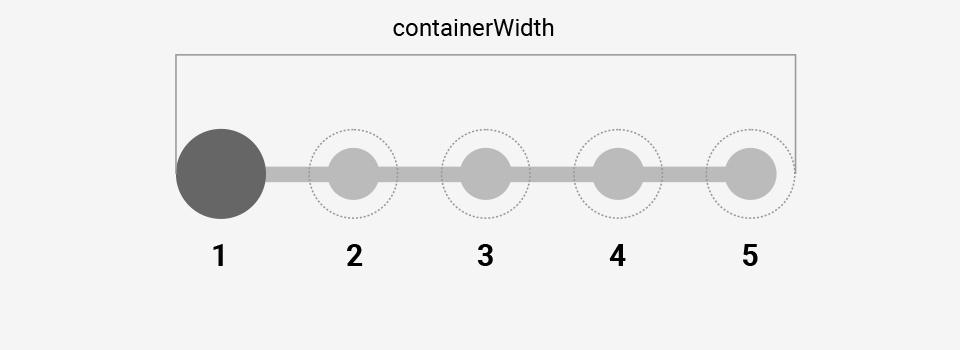
Width of the container where all the options will be rendered.
### variant (optional, defaults to *'primary'*)
type: *CustomSwitcherVariant* = *'primary' | 'secondary'*
There are only two basic variants of CustomSwitcher UI. All the customizations are based on one of those variants.
#### The anatomy of primary variant
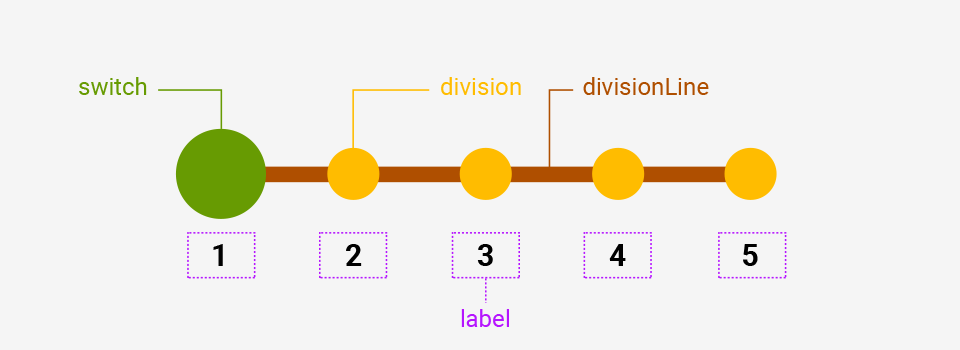
Primary variant has all the elements like switch, division line, divisions and options labels at the bottom.
Switcher is filled and background color is transitioned in case optional **color** properties were provided in **options** array.
#### The anatomy of secondary variant

Secondary variant has only main switch and labels at the center of divisions areas. Divisions and division line elements are hidden but this can be overridden by **cssOverrides** prop (*see below*).
Switch element is transparent but has a border. Border color is transitioned in case optional **color** properties were provided in **options** array.
### switchSize (optional)
type: *number*
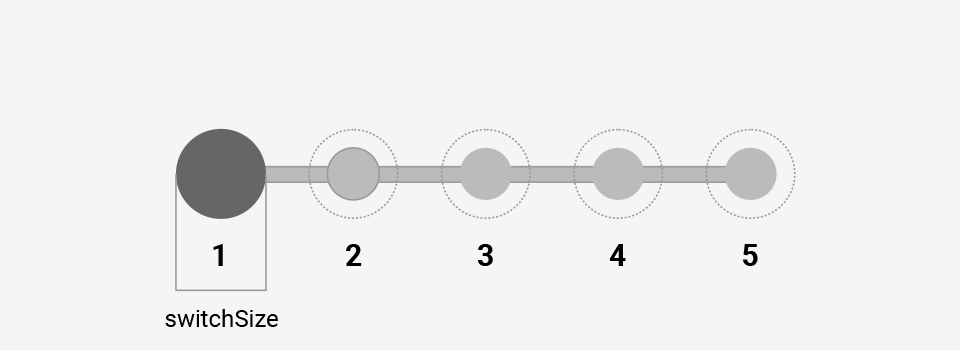
As is.
### dragEnabled (optional, defaults to *true*)
type: *boolean*
You can disable drag and it can be useful in some cases, for example when using value as a controlled value.
### disabled (optional, defaults to *false*)
type: *boolean*
In case you need to disable interaction with CustomSwitcher.
### scaleWhileDrag (optional, defaults to *true*)
type: *boolean | number*
You can turn off scaling of switch element while dragging by providing *false*. Or you can define a custom scale by providing a number, e.g *1.5* will mean a 150% switch size while dragging like when using CSS scale property.
### cssOverrides (optional)
type: *CSSOverrides*
You can pass an object of CSS overrides corresponding to this shape:
```typescript
type CSSOverrides = {
cursorDefault?: CSSProperties['cursor'];
cursorGrab?: CSSProperties['cursor'];
cursorGrabbing?: CSSProperties['cursor'];
cursorDisabled?: CSSProperties['cursor'];
switch?: CSSProperties;
switchDisabled?: CSSProperties;
division?: CSSProperties;
divisionLine?: CSSProperties;
label?: CSSProperties;
};
```
With this you can add and/or modify existing CSS properties of different elements and some behaviors.
### callback (required)
type: *(currentValue: string) => unknown*
A callback which is fired when user selects an option either by using drag or just clicking on needed option.
## Examples
- [Basic Primary Variant Switcher](https://codesandbox.io/s/react-custom-switcher-basic-primary-variant-example-pplkz5)
- [Basic Secondary Variant Switcher](https://codesandbox.io/s/react-custom-switcher-basic-secondary-variant-example-pwjhmj)
- ["Emoji" Switcher](https://codesandbox.io/s/react-custom-switcher-emoji-switcher-customisation-example-8p8mcr)
- ["Impressions" Switcher](https://codesandbox.io/s/react-custom-switcher-impressions-switcher-customisation-example-7crc6g)
- ["Tip" Switcher](https://codesandbox.io/s/react-custom-switcher-tip-switcher-customisation-example-tmlms2)
- [Range-like Switcher](https://codesandbox.io/s/react-custom-switcher-range-like-switcher-customisation-example-3kjhlj)
- [IOS-like Switcher](https://codesandbox.io/s/react-custom-switcher-ios-like-switcher-customisation-example-gsg82w)
- [Material UI-like Switcher](https://codesandbox.io/s/react-custom-switcher-material-ui-like-switcher-customisation-example-8t5csm)
- [Extended customization demo](https://codesandbox.io/s/react-custom-switcher-extended-customisation-demo-6h5ygd)