# React-admin Demo
This is a demo of the [react-admin](https://github.com/marmelab/react-admin) library for React.js. It creates a working administration for a fake poster shop named Posters Galore. You can test it online at http://marmelab.com/react-admin-demo.
[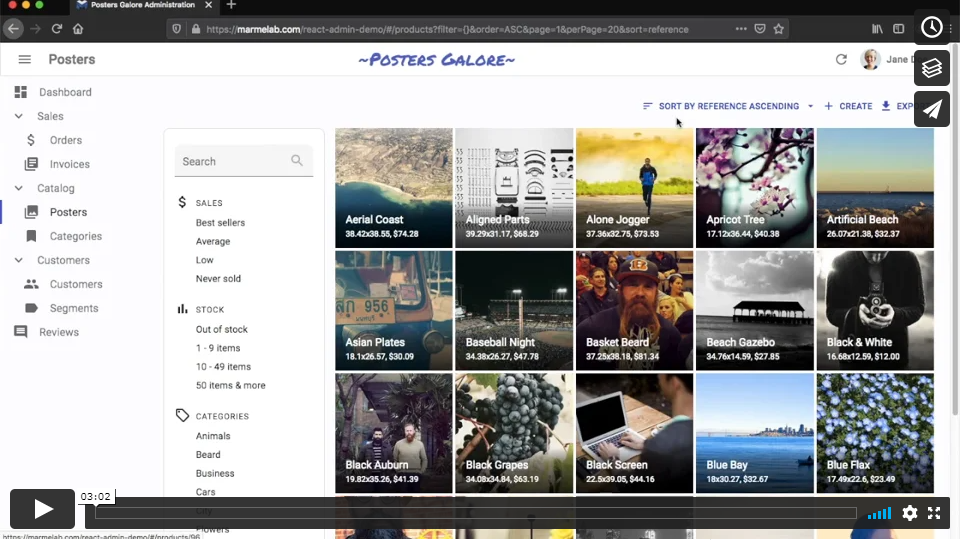](https://vimeo.com/268958716)
React-admin usually requires a REST/GraphQL server to provide data. In this demo however, the API is simulated by the browser (using [FakeRest](https://github.com/marmelab/FakeRest)). The source data is generated at runtime by a package called [data-generator](https://github.com/marmelab/react-admin/tree/master/examples/data-generator).
To explore the source code, start with [src/App.js](https://github.com/marmelab/react-admin/blob/master/examples/demo/src/App.js).
**Note**: This project was bootstrapped with [Create React App](https://github.com/facebookincubator/create-react-app).
## How to run
After having cloned the react-admin repository, run the following commands at the react-admin root:
```sh
make install
make build
make run-demo
```
## Available Scripts
In the project directory, you can run:
### `npm start`
Runs the app in the development mode.
Open [http://localhost:3000](http://localhost:3000) to view it in the browser.
The page will reload if you make edits.
You will also see any lint errors in the console.
### `npm test`
Launches the test runner in the interactive watch mode.
See the section about [running tests](#running-tests) for more information.
### `npm run build`
Builds the app for production to the `build` folder.
It correctly bundles React in production mode and optimizes the build for the best performance.
The build is minified and the filenames include the hashes.
Your app is ready to be deployed!
### `npm run deploy`
Deploy the build to GitHub gh-pages.