# Quick Autosave
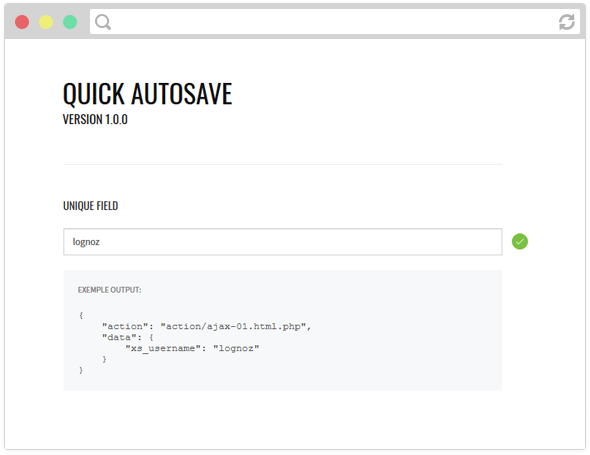
Making good form that improves user experience is not supposed to be hard to do. Many web developers prefer to prioritize time production over quality. Quick Autosave is the simplest, fastest way to send ajax request when form changes.
[](https://www.npmjs.com/package/quick-autosave)
[](https://www.npmjs.com/package/quick-autosave)
[](https://www.jsdelivr.com/package/npm/quick-autosave)
## Installation
Include jQuery library, you can use cdn from [jquery.com](http://jquery.com/download/)
```html
```
### Direct download
Include it via [jsDelivr CDN](https://www.jsdelivr.com/package/npm/quick-autosave)
```html
```
Or download the script [here](https://github.com/lognoz/quick-autosave/blob/master/src/quick-autosave.js) and include it
```html
```
### Package Managers
You can get it on [npm](https://www.npmjs.com/package/quick-autosave) or on [bower](https://bower.io/search/?q=quick-autosave) under the name `quick-autosave`.
## Setup
You can configure your autosave with jQuery selector.
```js
$(".exemple").autosave();
```
There are two ways to create a DOM element that can be used by Quick Autosave. The library uses the `action` by default or the `data-action` of your selector for your ajax call. You can also overwrite the ajax call by using `data-action` on your form element (`input`, `select`, `textarea`).
***Initialization with action***
```html
```
***Initialization with data-action***
```html
```
***Overwrite action for xs_phone***
```html
```
## Timer
To saving a form element with a timer, you can use the `data-timer` attribute.
***Save textarea every 10 seconds***
```html
```
***Save all form elements every 10 seconds***
```html
```
## Send group of field
To create a group, you can use the `data-group` attribute.
```html
```
```js
{
"xs_username": "a",
"xs_token": "D3YrsxHKPM"
}
```
## Contenteditable
If you want to use `contenteditable` as form element, you can use the `data-name` attribute.
```html
```
## Advanced Options
If you want to catch data returned by Quick Autosave before sending ajax request, you can set `before` function. It can be useful to validate your form content. You will need to return `true` if you want to procceed the ajax call.
```js
$(".exemple").autosave({
before : function (parameter) {
return true;
}
});
```
You can process your ajax data return. If MySQL update request is not successful, you can forward it to your fail function .
To use `fail` function, you need to set a function as an option. Quick Autosave will call it if ajax request is not working or if you forward your success function to this one.
To improve user experience, you can use `parameter` send as arguments for output retry message and a link that will resend the ajax request. For instance, if you want to use it, you will simply need `parameter.retry` function and send a jQuery selector.
***Basic usage***
```js
var func = {
before : function (parameter) {
if (parameter.data !== "")
return true;
},
success : function (data, parameter) {
if (!data)
func.fail(parameter);
},
fail : function (parameter) {
parameter.retry($(".retry"));
}
};
$(".exemple").autosave(func);
```
***Custom retry message***
```js
var func = {
fail : function (parameter) {
parameter.retry($(".retry"), "Sorry, an error happened, please try again.");
}
};
```
Autosave will send an object to your custom function `before`, `success` and `fail`.
***parameter.action***
Ajax page called define with your action attribute.
***parameter.before***
Element value before the update.
***parameter.data***
Value list of element updated.
***parameter.retry***
Function that can be use to output a "try again" message.
***parameter.target***
jQuery selector updated.
## Author
Marc-Antoine Loignon -