
A simple library to generate 3D printable QR codes on both NodeJS and browser web apps!
[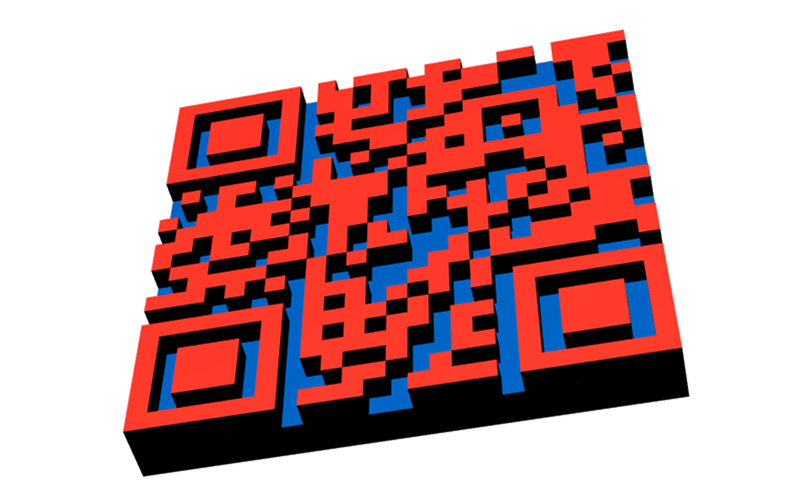](https://github.com/kaelhem/qr3d/blob/master/resources/sample.stl)
## Install
```bash
# with npm
npm i qr3d --save
# or with yarn:
yarn add qr3d
```
## Use
### NodeJs
```js
const qr3D = require('qr3d')
const fs = require('fs')
const stl = qr3D('https://www.npmjs.com/package/qr3d').data
fs.writeFileSync('sample.stl', stl)
```
### Modern web
```js
import qr3D from 'qr3d'
import { saveAs } from 'file-saver'
const stl = qr3D(content).data
saveAs(new Blob([stl], {type: 'text/plain;charset=utf-8'}), 'sample.stl')
```
### Good old web
```html
```
--
You can also have a look at the _samples_ folder for a [react sample](https://github.com/kaelhem/qr3d/blob/master/samples/web/sample-react.js).
### API
**qr3D** expose only one function with 2 signatures:
* qr3D(_stringToEncode_, _options_)
* qr3D(_options_)
_stringToEncode_ should be a string. It's the string to encode into QRCode.
_options_ will copy this string into his "text" property.
In this scenario, a given "text" in the _options_ object will be replaced by the _stringToEncode_ value.
The _options_ parameters are :
|Name|Type|Default value|Description
|---|---|---|---
|**text**|`String`| |The text to QR-encode
|**bitSize**|`Number`|4|Width/Depth (mm) of the cells composing the QRcode grid
|**height**|`Number`|2|Height (mm) of the qrcode part
|**base**|`Number`|2|Height (mm) of the solid base part
|**binary**|`Boolean`|true|Output .stl content as Buffer/ArrayBuffer (depending on platform)
|**baseColor\***|`Array`|[0, 0, 0]|_this parameter is only available in binary format_
Color of the solid base part
|**qrColor\***|`Array`|[0, 0, 31]|_this parameter is only available in binary format_
Color of the qrcode part
**\*** _baseColor_ and _qrColor_ are special parameters to add color information in .stl content output.
The format of these colors is an _rgb_ array where _r_,_g_, and _b_ are 5 bits integers (between 0 and 31).
> Those colors are not in the official specification and are **available in binary format only**. Furthermore there are generally not usued by softwares, so don't expect to much with it...
> [read more on wikipedia](https://en.wikipedia.org/wiki/STL_(file_format)#Color_in_binary_STL)
Return value is an `Object` with these properties :
```js
{
data, // .stl content as String, Buffer or ArrayBuffer
qrcode // the qrcode raw data
}
```
## Contributing
Contributions in any form are welcome! If you find a bug, please [file an issue.](https://github.com/kaelhem/qr3d/issues)
## License
This project is licensed under the MIT license. See the [LICENSE file](./LICENSE.md) for more details.