# qui-toast
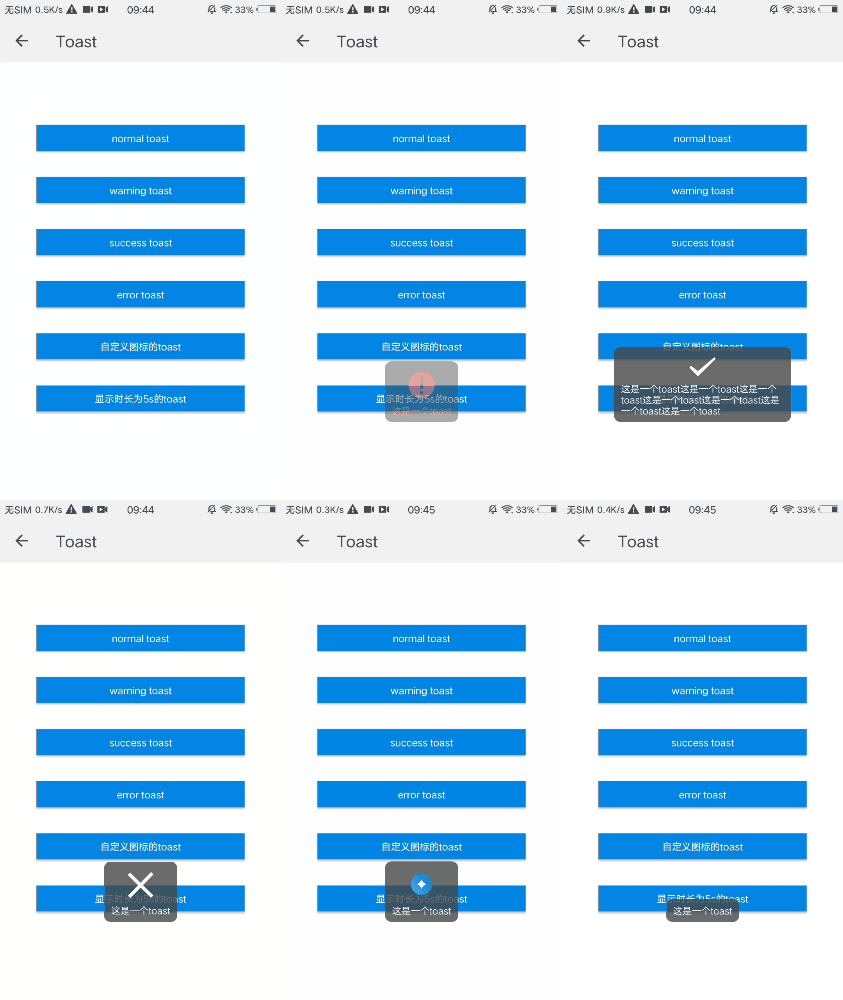
> toast组件,支持常规的文本toast和带图标的toast
## 预览
 ## 依赖接口
无依赖
## 使用方法
```ux
## 依赖接口
无依赖
## 使用方法
```ux
...
...
```
更详细代码可以参考[qui-toast demo](https://github.com/qapp-ui/qapp-ui/blob/master/src/Toast/index.ux)
## 参数
qui-toast通过调用组件实例对象的show方法来显示,该方法接受一个对象参数,各属性如下
| 名称 | 类型 | 必填 | 默认值 | 描述 |
|-------|-----|-----|-----|-----|
| type | `String` | `N` | `-` |表示toast的图标的类型,可以为success|warning|error|自定义图片src,不填则无图标 |
| duration | `Number` | `N` | `3000` | toast显示的时长,默认为3000ms |
| text | `String` | `Y` | `-` | toast的文本 |
## 方法
| 方法名 | 参数 | 描述 |
|-------|-----|-----|
| show | `-` | 支持外部Api形式,通过调用show可以显示toast组件 |
## 注意点
**使用时要给组件设置唯一的id,然后调用this.$child('id').show方法来显示toast**