# qui-flow
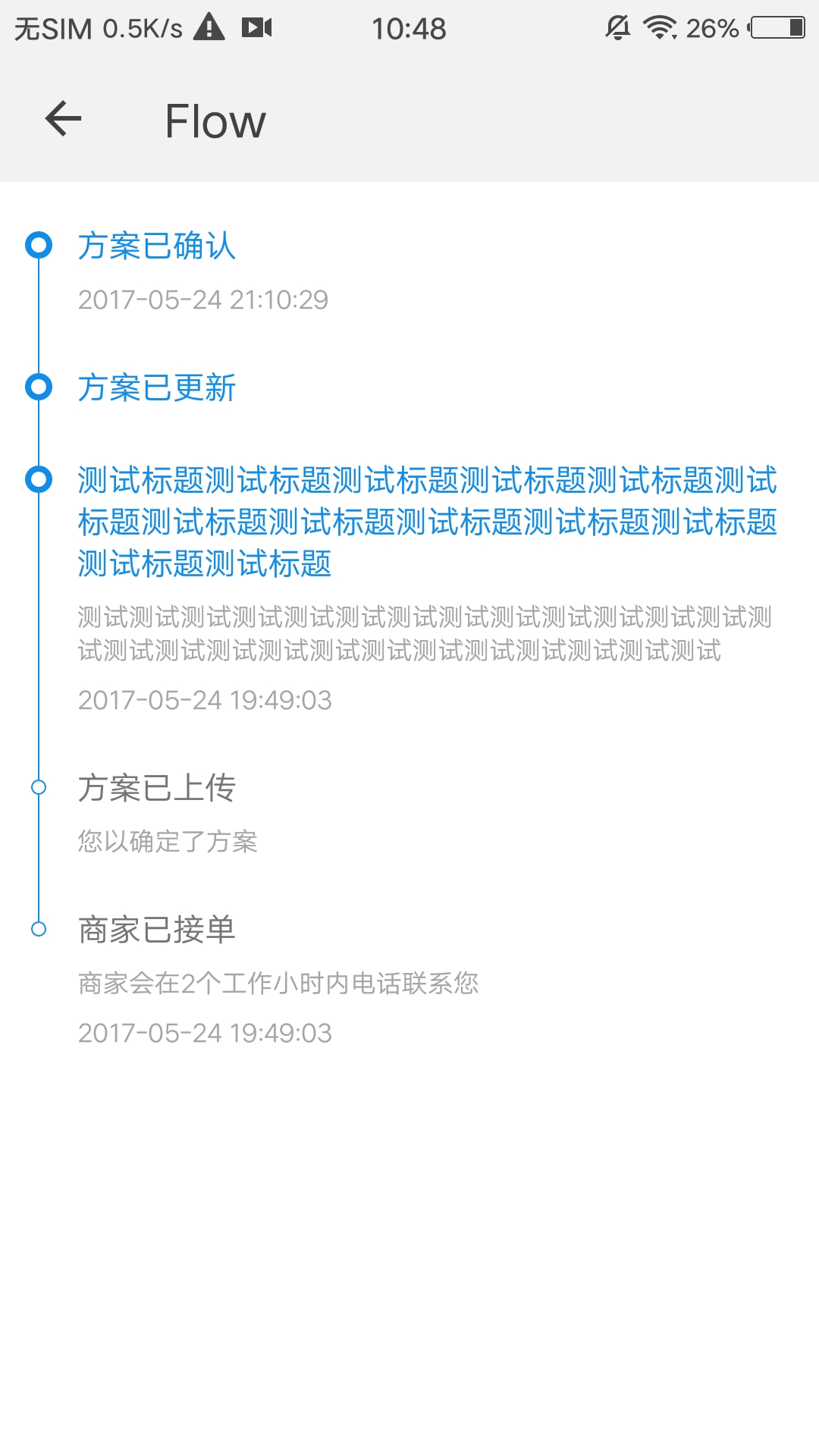
> 一个简易流程图组件
## 预览
 ## 依赖接口
无依赖
## 使用方法
```ux
```
更详细代码可以参考[qui-flow demo](https://github.com/qapp-ui/qapp-ui/blob/master/src/Flow/index.ux)
## 参数
qui-flow只接受属性option,option为对象,各属性如下
| 名称 | 类型 | 必填 | 默认值 | 描述 |
|----------|-----------|--------|-------|-----|
| list | `Array` | `Y` | `-` |流程图数据 |
| list[{title}] | `String` | `Y` | `-` | 标题 |
| list[{desc}] | `String` | `N` | `-` |描述 |
| list[{time}] | `String` | `N` | `-` | 时间 |
| line | `String` | `N` | `#ffc300` | 线条颜色 |
| background | `String` | `N` | `#fff0bd` | 流程节点的背景色 |
| border | `String` | `N` | `#ee9900` | 流程节点的边框颜色 |
| highlightTitle | `String` | `N` | `#ee9900` | 高亮流程节点的标题颜色 |
| highlightBackground | `String` | `N` | `#ee9900` | 高亮流程节点的背景色 |
| highlightBorder| `String` | `N` | `#fff0bd` | 高亮流程节点的边框颜色 |
## 依赖接口
无依赖
## 使用方法
```ux
```
更详细代码可以参考[qui-flow demo](https://github.com/qapp-ui/qapp-ui/blob/master/src/Flow/index.ux)
## 参数
qui-flow只接受属性option,option为对象,各属性如下
| 名称 | 类型 | 必填 | 默认值 | 描述 |
|----------|-----------|--------|-------|-----|
| list | `Array` | `Y` | `-` |流程图数据 |
| list[{title}] | `String` | `Y` | `-` | 标题 |
| list[{desc}] | `String` | `N` | `-` |描述 |
| list[{time}] | `String` | `N` | `-` | 时间 |
| line | `String` | `N` | `#ffc300` | 线条颜色 |
| background | `String` | `N` | `#fff0bd` | 流程节点的背景色 |
| border | `String` | `N` | `#ee9900` | 流程节点的边框颜色 |
| highlightTitle | `String` | `N` | `#ee9900` | 高亮流程节点的标题颜色 |
| highlightBackground | `String` | `N` | `#ee9900` | 高亮流程节点的背景色 |
| highlightBorder| `String` | `N` | `#fff0bd` | 高亮流程节点的边框颜色 |