# Claude Presentation Master




### World-Class Presentations from Any Content — Zero Cost, Zero API Keys
**7 Presentation Types • Expert Methodologies • QA Validation • Auto-Remediation**
[Install Now](#installation) •
[See It Work](#quick-start) •
[Presentation Types](#7-presentation-types) •
[Expert Knowledge](#the-knowledge-base)
---
## What's New in v4.0.0 — True Knowledge-Driven Architecture
**The Knowledge Base now DRIVES everything at runtime — no more hardcoded specs.**
### Breaking Changes
- `PresentationEngineV2` now requires Knowledge Base YAML at runtime
- All design specs loaded from KB, not constants in code
### New Features
- **📚 Runtime KB Loading** — The 6,300+ line YAML knowledge base is parsed at runtime, not duplicated in code
- **🎯 H3 Action Title Extraction** — Markdown H3 headings become slide titles (McKinsey "so what" principle)
- **📊 Tables Preserved Correctly** — Tables stay as tables, never mangled into metric cards
- **🚫 No Orphan Slides** — Minimum 3 bullets per slide, balanced distribution
- **✅ 95+ Quality Threshold** — Engine fails if quality score below 95/100
### Knowledge Base Integration
- Word limits from `presentation_types.{type}.validation_rules.words_per_slide`
- Bullet limits from `presentation_types.{type}.validation_rules.bullets_per_slide`
- Theme from `presentation_types.{type}.color_palette`
- Experts from `presentation_types.{type}.primary_experts`
- Scoring weights from `presentation_types.{type}.scoring_weights`
### 7 Specialized Presentation Types
| Type | Theme | Words/Slide | Key Experts |
|------|-------|-------------|-------------|
| `ted_keynote` | Dark | 1-15 | Duarte, Reynolds, Anderson |
| `sales_pitch` | Modern | 10-30 | Cialdini, Heath |
| `consulting_deck` | McKinsey | 40-80 | Minto, McKinsey, BCG |
| `investment_banking` | McKinsey | 60-120 | Wall Street Prep |
| `investor_pitch` | Startup | 5-30 | Sequoia, YC |
| `technical_presentation` | Dark | 40-100 | Tufte, C4 Model |
| `all_hands` | Minimal | 15-40 | Internal Comms |
---
## ⭐ Found This Useful?
If this library saves you time (even just once), **please star the repo**. It helps other developers discover this tool and keeps the project active.
[](https://github.com/Stuinfla/claude-presentation-master)
**[⭐ Star on GitHub](https://github.com/Stuinfla/claude-presentation-master)** — Takes 2 seconds, helps a lot
---
## 🚀 Why Developers Love This
|
### ⚡️ Zero Cost Forever
No API keys. No subscriptions. Runs 100% locally. MIT license.
### 🛡️ Fact-Checked Output
Built-in hallucination detector ensures every claim is sourced from your input. Zero made-up statistics.
|
### 🎯 Auto-Remediation to 95/100
Automatically fixes quality issues until professional-grade threshold is met. No manual formatting needed.
### 🏦 Investment Banking Ready
Football field charts, waterfall visualizations, comps tables — all auto-generated with proper formatting.
|
---
## The Scenario
You're deep in a Claude Code session. You've built something real:
- A product strategy
- A quarterly business review
- An investor pitch
- A project plan
- A competitive analysis
Now you need slides.
**What usually happens:**
You ask Claude to make a presentation. You get walls of text, generic bullet points, and amateur formatting. You spend the next two hours manually fixing everything in PowerPoint. Or you give up and just build it from scratch.
**What happens with this library:**
```
Your Claude project context
↓
One command
↓
Professional presentation (HTML or PowerPoint)
Ready to present. Ready to send to clients.
```
---
## 7 Presentation Types
The engine automatically detects your content and applies the right expert methodology:
| Type | Expert Methodology | Visual Style | Best For |
|------|-------------------|--------------|----------|
| **TED Keynote** | Nancy Duarte (Sparkline) | Bold, minimal, black backgrounds | Conference talks, inspiration |
| **Sales Pitch** | Robert Cialdini (Persuasion) | Trust blue, success green | Closing deals, demos |
| **Consulting Deck** | Barbara Minto (Pyramid Principle) | McKinsey blue, action titles | Strategy, recommendations |
| **Investment Banking** | Analyst Academy | Navy + gold, serif fonts | M&A, valuations, pitchbooks |
| **Investor Pitch** | Sequoia/YC frameworks | Clean, startup purple | Fundraising, board decks |
| **Technical Presentation** | Edward Tufte (Data-ink) | Dark mode, Space Grotesk | Architecture, engineering |
| **All Hands Meeting** | Internal comms best practices | Corporate blue, win green | Company updates, celebrations |
### Investment Banking Specialty Charts
For IB presentations, the engine generates industry-standard visualizations:
```typescript
// Football Field Valuation Chart
engine.addFootballFieldChart(slide, {
title: 'Valuation Summary',
methodologies: [
{ name: 'DCF', low: 42, mid: 48, high: 55 },
{ name: 'Comps', low: 38, mid: 45, high: 52 },
{ name: 'Precedents', low: 44, mid: 50, high: 58 }
],
currentPrice: 46
});
// Waterfall Chart
engine.addWaterfallChart(slide, {
title: 'Enterprise Value Bridge',
startLabel: 'Equity Value',
startValue: 850000,
steps: [
{ label: 'Plus: Debt', value: 250000 },
{ label: 'Less: Cash', value: -150000 },
{ label: 'EV', value: 950000, isTotal: true }
]
});
// Sources & Uses Table
engine.addSourcesUsesTable(slide, {
title: 'Transaction Financing',
sources: [
{ label: 'Senior Debt', amount: 500000 },
{ label: 'Equity', amount: 300000 }
],
uses: [
{ label: 'Purchase Price', amount: 750000 },
{ label: 'Fees & Expenses', amount: 50000 }
]
});
// Comparable Companies Table
engine.addCompsTable(slide, {
title: 'Trading Comparables',
columns: ['EV/Revenue', 'EV/EBITDA', 'P/E'],
companies: [
{ name: 'Company A', values: [3.2, 12.5, 18.3] },
{ name: 'Company B', values: [2.8, 10.2, 15.7] },
{ name: 'Target Co', values: [2.5, 9.8, 14.2], highlight: true }
],
medianRow: true
});
```
---
## Professional Typography
Each presentation type loads appropriate Google Fonts (zero cost):
| Type | Heading Font | Body Font | Personality |
|------|-------------|-----------|-------------|
| TED Keynote | DM Sans | DM Sans | Modern, bold |
| Sales Pitch | Poppins | Poppins | Friendly, approachable |
| Consulting | IBM Plex Sans | IBM Plex Sans | Clean, corporate |
| Investment Banking | Libre Baskerville | IBM Plex Sans | Classic, authoritative |
| Investor Pitch | DM Sans | Source Sans Pro | Startup, modern |
| Technical | Space Grotesk | Source Sans Pro | Precision, engineering |
| All Hands | Source Sans Pro | Source Sans Pro | Clear, professional |
---
## Quality Assurance System
### Bulletproof QA Pipeline
Every presentation goes through a rigorous validation pipeline:
```
Content Analysis → Slide Generation → QA Validation → Auto-Remediation → Final Output
↓
[Loops until 95/100 threshold met]
```
### What Gets Validated
| Category | Checks |
|----------|--------|
| **Content** | Word count per slide, bullet count, one-idea-per-slide |
| **Visual** | Whitespace %, font consistency, color count |
| **Structure** | Title slide present, conclusion slide, logical flow |
| **Expert Rules** | Glance test (3-second rule), Rule of Three, Pyramid structure |
| **Accessibility** | WCAG contrast ratios, minimum font sizes |
| **Hallucination** | Every fact must be traceable to source content |
### Hallucination Detection
The engine includes a **zero-tolerance hallucination detector**:
```typescript
// The engine checks every statistic, quote, and claim
const factCheck = await hallucinationDetector.checkForHallucinations(
slides,
originalContent,
contentAnalysis
);
// If unverified facts are found, they're automatically flagged and removed
if (!factCheck.passed) {
slides = hallucinationDetector.remediate(slides, factCheck);
console.log(`Removed ${factCheck.issues.length} unverified claims`);
}
```
---
## Installation
### Option 1: npx (Quick One-Off — No Install Needed)
Run directly without installing anything. Perfect for trying it out or one-off presentations:
```bash
# Generate a presentation instantly (downloads temporarily, runs, cleans up)
npx claude-presentation-master generate notes.md -m keynote -f html
# Generate a consulting deck as PowerPoint
npx claude-presentation-master generate strategy.md --type consulting_deck -f pptx
# See all options
npx claude-presentation-master --help
```
**When to use npx:**
- Quick one-off presentation
- Trying out the tool before installing
- CI/CD pipelines where you don't want permanent installs
- Sharing a command that "just works" for anyone
---
### Option 2: npm install (For Regular Use)
Install once, use anytime with the short `cpm` command:
```bash
# Install globally (recommended for regular use)
npm install -g claude-presentation-master
# Now use the short command anywhere
cpm generate notes.md -m keynote -f html
cpm generate strategy.md --type investment_banking -f pptx
cpm info
```
**Or install as a project dependency:**
```bash
# In your project directory
npm install claude-presentation-master
# Use programmatically in your code (see below)
```
**When to use npm install:**
- You create presentations regularly
- You want the short `cpm` command
- You're building it into a Claude Code workflow
- You want to use the TypeScript API in your code
---
### Optional: Visual Testing
For Playwright-based visual regression testing (not required for generation):
```bash
npx playwright install chromium
```
**No API keys. No subscriptions. Zero cost.**
---
## ⚡ 30-Second Demo
Try this right now — literally 30 seconds:
```bash
# Create a test file
echo "# My Big Idea
This will change everything.
## The Problem
People waste hours formatting slides instead of working on content.
## The Solution
Automated presentation generation with expert methodology built in." > test.md
# Generate presentation (no install needed)
npx claude-presentation-master generate test.md -m keynote -f html -o ./demo
# Open demo/my-big-idea.html in your browser
```
**That's it.** You just created a professional TED-style presentation in 30 seconds.
---
## Example Slides
### Keynote Style (TED-inspired)
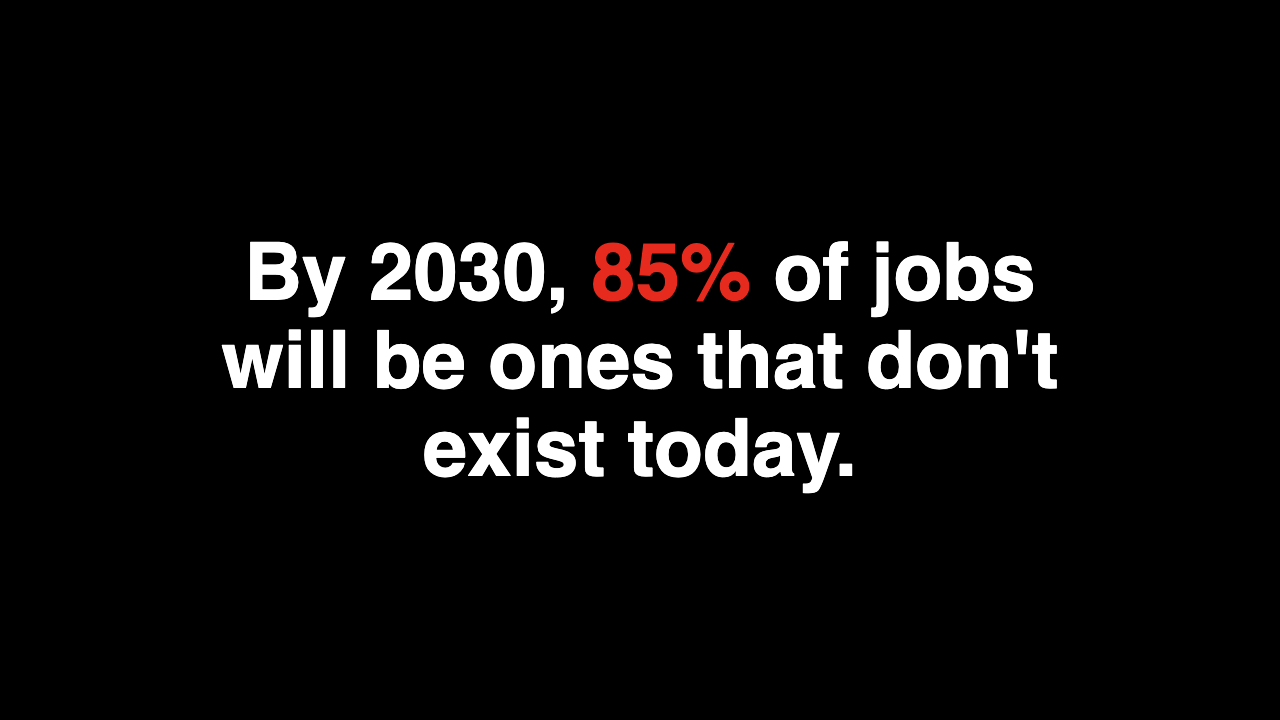
*Bold statements with dramatic contrast — designed for inspiration*
### Sales Pitch
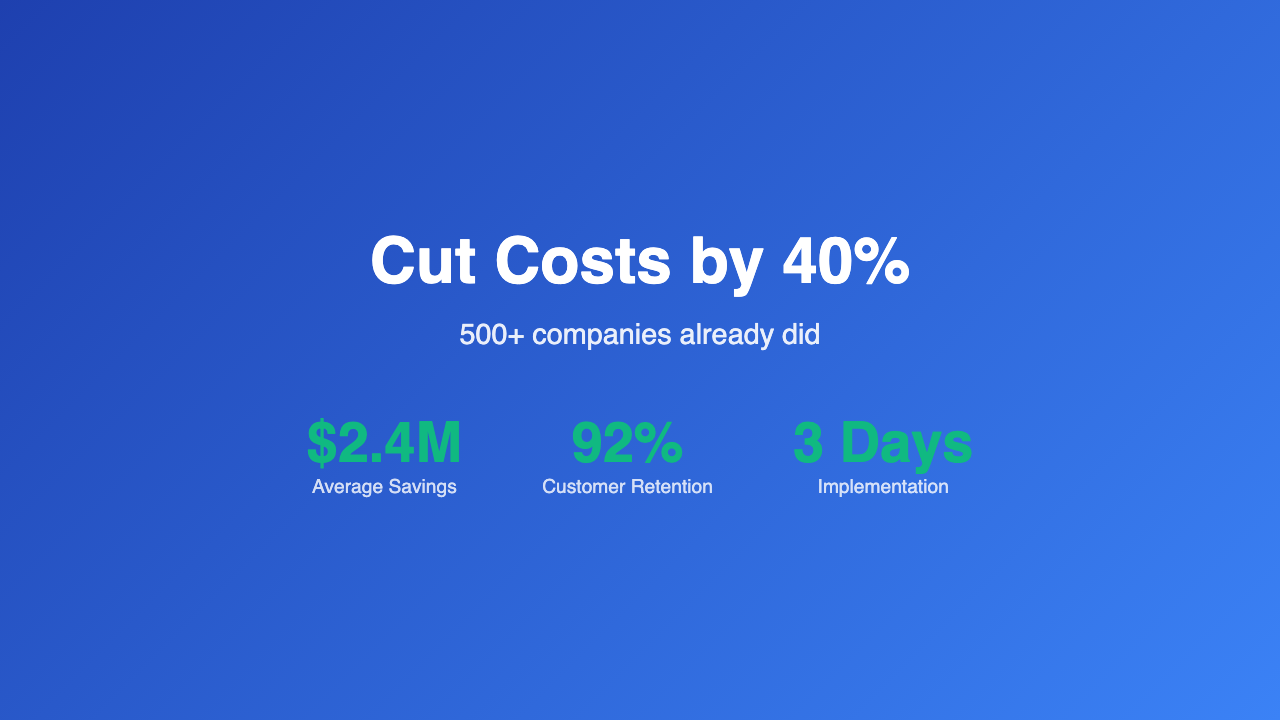
*Persuasive metrics with trust-building colors — designed to close deals*
### Consulting Deck (McKinsey-style)
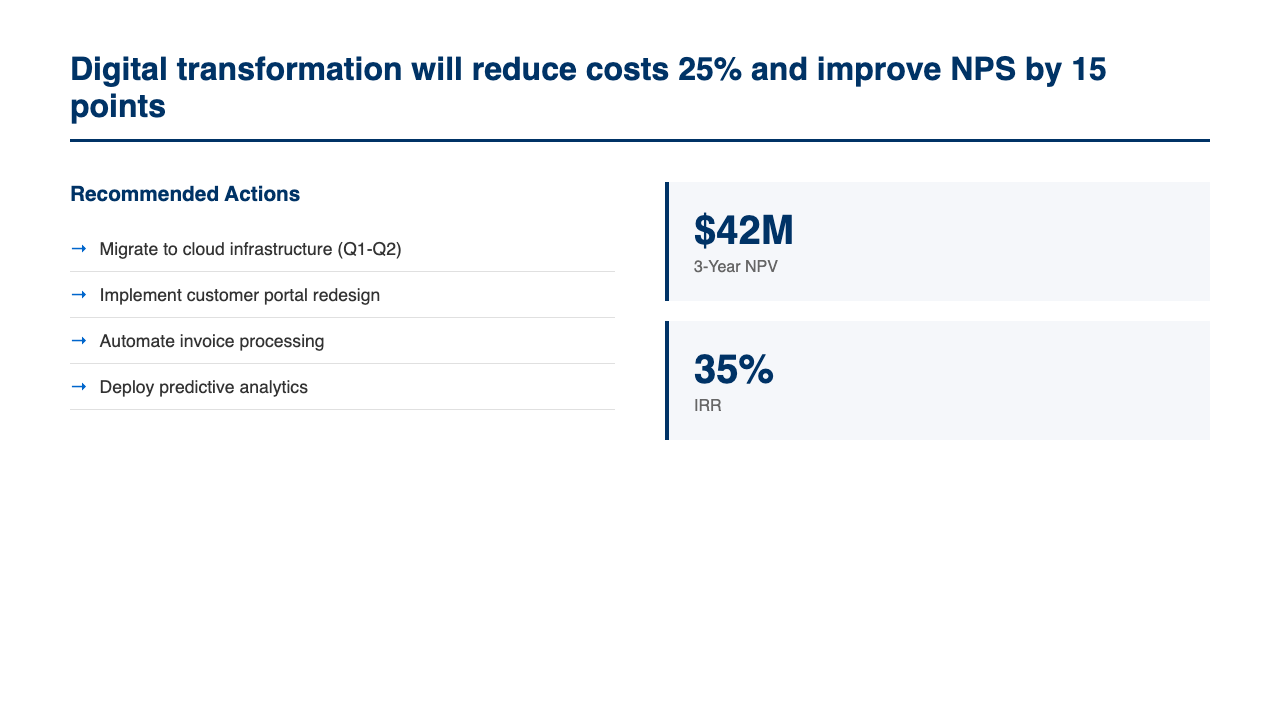
*Action titles with supporting data — designed for executive decisions*
---
## Quick Start
### From the Command Line (npx)
```bash
# One-liner: Generate keynote from markdown (no install needed)
npx claude-presentation-master generate notes.md -m keynote -f html
# Generate consulting deck
npx claude-presentation-master generate strategy.md --type consulting_deck -f pptx
# Generate IB pitchbook with both formats
npx claude-presentation-master generate deal.md --type investment_banking -f html,pptx -o ./output
```
### From the Command Line (after npm install -g)
```bash
# TED-style keynote presentation
cpm generate keynote-talk.md --mode keynote --format html
# Consulting strategy deck
cpm generate strategy.md --mode business --format pptx
# Investment banking pitchbook
cpm generate deal-memo.md --type investment_banking --format pptx
# Generate both formats
cpm generate quarterly-review.md --mode business --format html,pptx
```
### From Your Code
```typescript
import { PresentationEngine } from 'claude-presentation-master';
const engine = new PresentationEngine();
const result = await engine.generate({
content: `
# Series A Pitch
## The Problem
Enterprise teams waste 40% of time on manual data entry.
$50B market. Growing 23% annually.
## Our Solution
AI-powered automation that learns from your workflow.
Currently serving 150 enterprise customers.
## Traction
- $2.4M ARR (up from $800K last year)
- 94% customer retention
- NPS score of 72
## The Ask
Raising $15M to expand into Europe and build enterprise sales team.
`,
contentType: 'markdown',
title: 'Series A Pitch',
mode: 'keynote',
format: ['html', 'pptx'],
author: 'Founder Name'
});
// Guaranteed 95/100 quality or higher
console.log(`Score: ${result.score}/100`);
console.log(`Grade: ${result.metadata.grade}`);
// Save outputs
fs.writeFileSync('pitch.html', result.outputs.html);
fs.writeFileSync('pitch.pptx', result.outputs.pptx);
```
### Specifying Presentation Type
```typescript
// Let the engine auto-detect (recommended)
const result = await engine.generate({
content: dealMemo,
mode: 'business',
format: ['pptx']
});
// Engine detects "investment_banking" from content keywords
// Or specify explicitly
const result = await engine.generate({
content: techSpec,
mode: 'keynote',
presentationType: 'technical_presentation',
format: ['html']
});
```
---
## The Knowledge Base
This isn't a template library. It's a **complete expert system** — 6,300+ lines of encoded expertise.
### What's Inside
**From McKinsey, BCG, Bain:**
- Pyramid Principle — Lead with the answer
- SCQA Framework — Situation → Complication → Question → Answer
- Action Titles — "Revenue grew 23%" not "Revenue Analysis"
- One Message Per Slide — Every slide has exactly one job
- Chart Callouts — Always tell the audience what to see
**From Nancy Duarte (Slide:ology, Resonate):**
- Sparkline Structure — Alternate between "what is" and "what could be"
- STAR Moments — Something They'll Always Remember
- Glance Test — Understand it in 3 seconds or less
- Signal-to-Noise — Maximize meaning, eliminate clutter
**From Garr Reynolds (Presentation Zen):**
- Simplicity — When in doubt, leave it out
- Restraint — Resist the urge to add
- Visual over Verbal — Show, don't tell
**From Carmine Gallo (Talk Like TED):**
- Rule of Three — Human memory works in threes
- 18-Minute Rule — Optimal presentation length
- Emotional Connection — Touch hearts before minds
**From Edward Tufte:**
- Data-Ink Ratio — Every drop of ink should represent data
- Chartjunk Elimination — No 3D effects, no decorative gridlines
- Graphical Integrity — Never distort data for visual effect
**From Barbara Minto (The Pyramid Principle):**
- Top-Down Communication — Conclusion first, support second
- MECE Grouping — Mutually Exclusive, Collectively Exhaustive
- Vertical Logic — Each level supports the one above
**From Robert Cialdini (Influence):**
- Social Proof — Show who else succeeded
- Scarcity — Limited time, limited availability
- Authority — Credentials and expertise
- Reciprocity — Give value first
---
## Two Modes × Seven Types
### Presentation Modes
**Keynote Mode** — For inspiring and persuading
- 6-15 words per slide (like Steve Jobs)
- 40%+ whitespace
- One idea per slide
- Emotional narrative structure
- Big visuals, minimal text
**Business Mode** — For informing and documenting
- 40-80 words per slide
- Action titles (full sentences that state conclusions)
- Data with callouts
- Structured with Pyramid Principle
- Charts, tables, metrics grids
### Presentation Types (Auto-Detected)
| Keyword Triggers | Detected Type |
|-----------------|---------------|
| "TED", "keynote", "inspire" | `ted_keynote` |
| "sales", "demo", "prospect" | `sales_pitch` |
| "strategy", "recommendation", "McKinsey" | `consulting_deck` |
| "M&A", "valuation", "DCF", "pitchbook" | `investment_banking` |
| "Series A", "raise", "investor" | `investor_pitch` |
| "API", "architecture", "system design" | `technical_presentation` |
| "all hands", "company update", "quarterly" | `all_hands` |
---
## Output Formats
### HTML Presentations (Reveal.js)
Modern, web-native slides:
- Share via URL — just send a link
- Works on any device — desktop, tablet, phone
- Keyboard shortcuts: `S` for speaker notes, `F` for fullscreen
- Embedded CSS with presentation-type-specific theming
- Glass morphism effects, smooth transitions
### PowerPoint (PPTX)
Traditional format:
- Opens in Microsoft PowerPoint
- Fully editable
- Send to clients who expect PPTX
- Print to PDF for handouts
- Includes IB specialty charts (football field, waterfall, etc.)
---
## Quality Scores
Every presentation gets a quality score:
| Score | Grade | Status |
|-------|-------|--------|
| 97-100 | A+ | Exceptional |
| 93-96 | A | Excellent |
| 90-92 | A- | Very Good |
| 85-89 | B+ | Good |
| 80-84 | B | Acceptable |
| 75-79 | B- | Needs Work |
| < 75 | C or below | Blocked (auto-remediation applied) |
**Default threshold: 95/100**
The engine will automatically remediate issues (up to 5 iterations) until the threshold is met. If it can't reach 95, it delivers the best result with a detailed report of remaining issues.
---
## Zero Cost Guarantee
| Component | Cost | Notes |
|-----------|------|-------|
| NPM Package | FREE | MIT License |
| Dependencies | FREE | pptxgenjs, reveal.js, marked, etc. |
| Fonts | FREE | Google Fonts CDN |
| QA Validation | FREE | Built-in validators |
| Visual Testing | FREE | Playwright (optional) |
| API Keys | NONE | Runs 100% locally |
**No subscriptions. No usage limits. No API costs.**
---
## FAQ
**Does this require an API key?**
No. Everything runs locally on your machine.
**What's the difference between mode and type?**
- **Mode** (`keynote` or `business`) controls word counts and visual density
- **Type** (e.g., `investment_banking`) selects the expert methodology and theming
**Can I customize the output?**
Yes. HTML is just HTML. PPTX opens in PowerPoint. Edit freely.
**What if I don't like the auto-detected type?**
Specify it explicitly: `presentationType: 'consulting_deck'`
**Does it work with Claude Code?**
Yes — that's exactly what it's designed for.
**What about images?**
Every slide automatically gets a contextual background image from Unsplash (free, no API key required). Images are at 40% opacity with a cinematic dark overlay to ensure text readability. The image keywords are selected based on slide type and content.
**Can I lower the quality threshold?**
Yes, but not recommended: `qaThreshold: 80`
---
## Themes
| Theme | Look | Best For |
|-------|------|----------|
| `default` | Dark executive | General use |
| `consulting-classic` | Cream + navy | McKinsey/BCG style |
| `modern-tech` | Light + teal | Startups |
| `minimal` | Maximum whitespace | Design-focused |
| `dark-executive` | Dark mode | Screen presentations |
| `investment-banking` | Navy + gold | Finance |
---
## Slide Types
**Keynote Mode:**
Title • Big Idea • Single Statement • Full Image • Big Number • Quote • CTA • Thank You
**Business Mode:**
Title • Agenda • Bullet Points • Two Column • Three Column • Metrics Grid • Timeline • Process Flow • Comparison • Case Study • Section Divider • Thank You
**Investment Banking (PPTX):**
Football Field Chart • Waterfall Chart • Sources & Uses Table • Comparable Companies Table
---
## API Reference
### PresentationEngine
```typescript
const engine = new PresentationEngine();
const result = await engine.generate({
// Required
content: string, // Your source content
title: string, // Presentation title
mode: 'keynote' | 'business',
format: ('html' | 'pptx')[],
// Optional
contentType?: 'markdown' | 'text' | 'html',
presentationType?: PresentationType, // Auto-detected if omitted
author?: string,
theme?: string,
qaThreshold?: number, // Default: 95
});
// Result
interface PresentationResult {
outputs: {
html?: string,
pptx?: Buffer
},
score: number, // Quality score 0-100
qaResults: QAResults, // Detailed validation results
metadata: PresentationMetadata
}
```
---
## License
MIT — free to use, modify, and distribute.
---
## Author
**Stuart Kerr** — [Isovision.ai](https://isovision.ai)
Questions? [stuart@isovision.ai](mailto:stuart@isovision.ai)
---
## Who's Using This
|
### Built For
- **Startup founders** creating investor pitch decks
- **Consultants** building client deliverables
- **Product managers** making quarterly reviews
- **Engineers** documenting technical architectures
- **Anyone** who's tired of fighting with slides
|
### What Users Say
> "Saved me 3 hours on our Series A deck. The IB charts alone are worth it."
> — *Founder, B2B SaaS Startup*
> "Finally, presentations that don't look like they were made by a bot."
> — *Senior Consultant*
|
**Using this in production?** [Share your experience →](https://github.com/Stuinfla/claude-presentation-master/discussions)
---
## Contributing
Contributions welcome! Here's how to help:
1. **Report bugs** via [GitHub Issues](https://github.com/Stuinfla/claude-presentation-master/issues)
2. **Suggest features** in [Discussions](https://github.com/Stuinfla/claude-presentation-master/discussions)
3. **Submit PRs** for bug fixes or new presentation types
4. **Share examples** of presentations you've created
---
## Stop Fighting With Slides. Start Presenting.
**You've wasted enough time manually formatting PowerPoint slides.**
This library generates professional presentations from your content in seconds.
Zero cost. Zero API keys. Zero manual formatting.
```bash
npx claude-presentation-master generate your-content.md -m keynote -f html
```
### [→ Try It Now](#-30-second-demo) | [⭐ Star on GitHub](https://github.com/Stuinfla/claude-presentation-master)
---
**Built on methodologies from:**
McKinsey • BCG • Bain • Nancy Duarte • Garr Reynolds • Carmine Gallo
Chris Anderson • Barbara Minto • Edward Tufte • Robert Cialdini
**100% Free • Zero API Keys • Runs Locally • MIT License**
Questions? [stuart@isovision.ai](mailto:stuart@isovision.ai)