Piscord



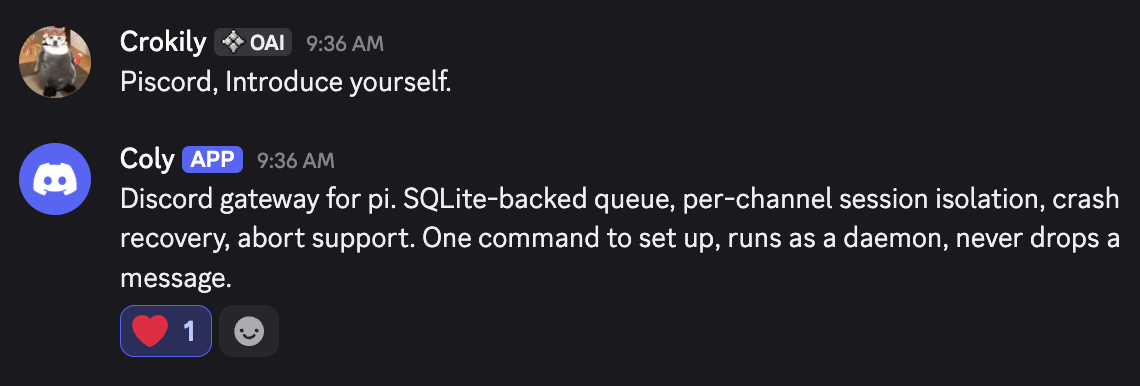
A lightweight Discord gateway for [pi coding agent](https://github.com/badlogic/pi-mono). SQLite-backed queue, per-channel session isolation, crash recovery, abort support. One command to set up, runs as a daemon, never drops a message.
**Latest release:** see the npm version badge above and [Changelog](./CHANGELOG.md) for details.
```bash
npm install -g piscord
piscord setup # interactive wizard -- walks you through everything
```
That's it. The setup wizard checks prerequisites, asks for your Discord bot token, lets you pick a channel policy, and optionally installs + starts a background service. Your bot is live in under a minute.
## Prerequisites
- **Node.js** ≥ 20
- **Linux, macOS, or Windows**
- **[pi](https://github.com/badlogic/pi-mono)** ≥ 0.74.0 installed and on `PATH`, with login completed (`~/.pi/agent/auth.json`)
- **Discord bot token** — [create one here](https://discord.com/developers/applications)
- Enable **Message Content Intent** under Privileged Gateway Intents
- Bot permissions: `Send Messages`, `Read Message History`, `View Channels`, `Attach Files`
## Features
- **Bridges to your existing `pi`** — shells out to the `pi` binary and reuses your login + model access
- **Per-channel sessions** — each Discord channel gets its own persistent conversation history
- **Per-channel working directories** — optionally override `PI_CWD` for specific channels without changing the global default
- **Channel access policy** — `open` (all channels), `open-trigger` (all channels, @mention required), or `allowlist` (manual registration only)
- **SQLite message queue** — survives crashes, auto-recovers stuck messages
- **Concurrency control** — per-channel serial processing + configurable global limit
- **DM auto-registration** — direct messages work out of the box
- **Discord slash commands** — `/pi status`, `/pi model`, `/pi thinking`, `/pi new`, `/pi stop`
- **Abort command** — `/pi stop` terminates the running task and clears queued messages
- **Attachment relay** — Discord file uploads are downloaded and passed to `pi` by local path so agents can inspect or convert any supported file type without flooding context
- **Message and file sending** — `piscord send` lets pi send plain text, files, or both to any Discord channel
- **Scheduled tasks** — cron or one-time tasks that trigger pi sessions on schedule
- **Archive auto-cleanup** — archived sessions are cleaned up after a configurable retention period
- **Cross-platform** — runs on Linux, macOS, and Windows with platform-aware defaults
- **Typing indicators** — shows "bot is typing" while `pi` processes
- **Message splitting** — handles Discord's 2000-character limit automatically
- **Daemon management** — systemd on Linux, launchd on macOS
- **Platform-aware paths** — XDG on Linux, `~/Library/Application Support` on macOS, `%LOCALAPPDATA%` on Windows
## How It Works
```
Discord ──discord.js──→ Gateway ──pi subprocess──→ Pi Agent
│ │
SQLite Session dirs
(message queue) (per channel)
```
The gateway **does not embed or replace `pi`**. It finds and runs your installed `pi`:
1. **Binary discovery** — uses `PI_BIN` config or finds `pi` in `PATH`
2. **Auth reuse** — `pi` reads its own `~/.pi/agent/auth.json` when invoked
3. **Model catalog** — the gateway imports the pi SDK to populate slash command autocomplete
4. **Invocation** — each message is processed as `pi --session-dir --continue -p `
## Channel Policy
During setup you pick one of three policies. This controls how the bot interacts with server channels:
| Policy | Behavior |
| -------------- | ---------------------------------------------------------------------- |
| `open` | All guild channels auto-register on first message. No @mention needed. |
| `open-trigger` | All guild channels auto-register, but only respond when @mentioned. |
| `allowlist` | Only manually registered channels are active. |
- DMs always auto-register when `AUTO_REGISTER_DMS=true` (the default).
- Use `EXCLUDED_CHANNELS` to block specific channels from auto-registration in `open` / `open-trigger` mode.
If you chose `allowlist`, register channels manually:
```bash
piscord register 123456789012345678 "my-server #general" --no-trigger
piscord register 123456789012345678 "my-server #general" --cwd /srv/repos/app
```
Re-running `piscord register` with `--cwd` updates that channel's working directory override. If no override is set, the gateway uses the global `PI_CWD`.
## Slash Commands
The gateway registers a global `/pi` command on Discord:
| Subcommand | Description |
| ----------------- | ------------------------------------------------------------------ |
| `/pi status` | Show model, thinking, working directory, session info, token usage |
| `/pi model` | Set the channel's model (autocomplete from pi's available models) |
| `/pi reset-model` | Clear the channel's model override |
| `/pi thinking` | Set thinking level: off / minimal / low / medium / high / xhigh |
| `/pi new` | Start a fresh session for this channel |
| `/pi stop` | Abort the current task and clear queued messages |
## Tools for Pi
The gateway exposes two capabilities through its CLI that **pi itself can invoke**. You don't type these commands in your terminal — you just tell pi in Discord, and it handles the rest.
For example, you can say to pi:
> _"Create a daily task at 9am UTC that generates a summary report"_
> _"Send me report.pdf with a message saying here you go"_
> _"Set a one-time reminder for the 2pm meeting today"_
pi will run the appropriate `piscord task` or `piscord send` command behind the scenes.
### Scheduled tasks
pi can schedule cron-based or one-time prompts through the gateway's scheduler. Tasks are injected into the normal message queue, so they use the channel's configured model, thinking level, and working directory.
Under the hood, pi runs commands like:
```bash
piscord task add \
--name "daily-report" \
--schedule "0 9 * * *" \
--channel dc:123456789 \
--prompt "Generate today's summary report"
piscord task add \
--name "meeting-reminder" \
--schedule "2026-04-05T14:00:00Z" \
--channel dc:123456789 \
--prompt "Remind Colin about the 2pm meeting" \
--once
```
The `--schedule` value uses standard 5-field cron syntax (`minute hour day month weekday`). For one-time tasks, add `--once` and pass an ISO 8601 datetime.
**Task management** — also available via pi:
```bash
piscord task list # List all tasks
piscord task disable # Pause
piscord task enable # Resume
piscord task remove # Delete
```
### Sending messages and files to Discord
pi can send plain text messages, files, or both to any Discord channel using the gateway's built-in relay.
When you ask pi to send something, it runs commands like:
```bash
piscord send --channel dc:123456789 --text "hello"
piscord send --channel dc:123456789 --file /path/to/report.pdf --text "Here's the report"
piscord send --channel dc:123456789 --file chart.png --file data.csv
```
- `--text` works on its own
- Up to 10 files per message (Discord limit)
- Respects `MAX_ATTACHMENT_BYTES` per file
- Works independently — no running gateway daemon required
## Daemon Management
The setup wizard offers to install a background service automatically. You can also manage it manually:
```bash
piscord daemon install # Generate + enable service
piscord daemon start # Start
piscord daemon status # Check status
piscord daemon logs # Tail log output
piscord daemon stop # Stop
piscord daemon uninstall # Remove the service
```
- **Linux** — uses a systemd user service
- **macOS** — uses a launchd user agent
- **Windows** — daemon management is not yet supported; run `piscord start` in a terminal or use Task Scheduler manually
> **Headless Linux servers**: enable user lingering so the service runs without an active login session:
>
> ```bash
> sudo loginctl enable-linger $USER
> ```
## Configuration Reference
Config file location depends on your OS (see Data Locations). On Linux: `~/.config/pi-discord-gateway/config.env`
Most users won't need to edit this file directly — `piscord setup` generates it for you. If you do want to tweak advanced settings, you can edit the file manually, or ask your pi to configure it for you. Run `piscord status` to see the config path on your system.
| Variable | Default | Description |
| ---------------------------- | ------------------------------- | -------------------------------------------------------------------------- |
| `DISCORD_BOT_TOKEN` | _(required)_ | Discord bot token |
| `PI_BIN` | `pi` | Path to pi binary |
| `PI_MODEL` | _(none)_ | Default model override |
| `PI_THINKING` | _(none)_ | Default thinking level |
| `PI_CWD` | `$HOME` | Default working directory for pi; can be overridden per registered channel |
| `PI_EXTRA_FLAGS` | _(none)_ | Extra flags passed to pi |
| `TRIGGER_NAME` | `pi` | Bot trigger name for @mentions |
| `CHANNEL_POLICY` | `open` | Channel access: `open`, `open-trigger`, or `allowlist` |
| `EXCLUDED_CHANNELS` | _(none)_ | Comma-separated channel IDs to exclude from auto-registration |
| `MAX_CONCURRENCY` | `3` | Max parallel pi invocations |
| `MAX_SCHEDULED_CONCURRENCY` | `1` | Max scheduled tasks enqueued per tick |
| `POLL_INTERVAL_MS` | `1000` | Queue poll interval (ms) |
| `SHUTDOWN_TIMEOUT_MS` | `15000` | Graceful shutdown timeout (ms) |
| `AUTO_REGISTER_DMS` | `true` | Auto-register DM channels |
| `ARCHIVE_RETENTION_DAYS` | `30` | Days to keep archived sessions (0 = never clean) |
| `MAX_ATTACHMENT_BYTES` | `26214400` | Max size per attachment (0 = no limit) |
| `MAX_TOTAL_ATTACHMENT_BYTES` | `52428800` | Max combined attachment size (0 = no limit) |
| `MEDIA_RETENTION_HOURS` | `168` | Hours to keep downloaded attachment files for path-based agent access |
| `SESSIONS_DIR` | _(platform default)_/sessions | Session storage directory (see Data Locations) |
| `DB_PATH` | _(platform default)_/gateway.db | SQLite database path (see Data Locations) |
| `LOG_LEVEL` | `info` | Log level: debug/info/warn/error |
After changing config, restart the service: `piscord daemon stop && piscord daemon start`
## CLI Reference
```
piscord setup [token] Interactive setup wizard
piscord start Start gateway (foreground)
piscord status Show diagnostics
piscord channels List registered channels
piscord register [options] Register a channel
piscord unregister Unregister a channel
piscord send --channel [--text ] [--file ...]
piscord task add --name --schedule --channel --prompt [--once]
piscord task list | remove | enable | disable
piscord archive list List archived sessions
piscord archive cleanup [--dry-run] Clean up expired archived sessions
piscord daemon install | uninstall | start | stop | status | logs
piscord help Show help
```
### Register options
| Flag | Effect |
| ----------------- | --------------------------------------------- |
| `--no-trigger` | Respond to all messages (not just @mentions) |
| `--main` | Mark as main channel (implies `--no-trigger`) |
| `--folder ` | Custom session folder name |
| `--cwd ` | Override `PI_CWD` for this channel only |
## Data Locations
Paths are platform-aware. Defaults by OS:
| Item | Linux | macOS | Windows |
| -------- | ------------------------------------------- | ---------------------------------------------------------- | ------------------------------------------- |
| Config | `~/.config/pi-discord-gateway/config.env` | `~/Library/Application Support/piscord-gateway/config.env` | `%APPDATA%\piscord-gateway\config.env` |
| Database | `~/.local/share/piscord-gateway/gateway.db` | `~/Library/Application Support/piscord-gateway/gateway.db` | `%LOCALAPPDATA%\piscord-gateway\gateway.db` |
| Sessions | `~/.local/share/piscord-gateway/sessions/` | `~/Library/Application Support/piscord-gateway/sessions/` | `%LOCALAPPDATA%\piscord-gateway\sessions\` |
| pi auth | `~/.pi/agent/auth.json` | `~/.pi/agent/auth.json` | `~/.pi/agent/auth.json` |
## Alternative Installation
### npx (quick trial, no global install)
```bash
npx piscord@latest setup
```
### From source
```bash
git clone https://github.com/Crokily/pi-discord-gateway.git
cd pi-discord-gateway
npm install && npm run build
node dist/cli/index.js setup
```
## Troubleshooting
pi not found in PATH
`piscord status` shows "Pi binary: not found".
- Check `pi --version` works in the same shell
- Set `PI_BIN=/full/path/to/pi` in config.env
- Restart: `piscord daemon stop && piscord daemon start`
Missing auth.json
`piscord status` shows "Pi auth: missing".
- Run `pi` and complete the login flow
- Confirm `~/.pi/agent/auth.json` exists for the same user running the gateway
Daemon service won't start
- `piscord daemon status` — check for errors
- `piscord daemon logs` — see log output
- **Linux**: for headless servers, run `sudo loginctl enable-linger $USER`
- **macOS**: check `~/Library/Logs/piscord-gateway/` for launchd output
Bot is online but doesn't respond
- `open` policy: check `EXCLUDED_CHANNELS` doesn't include your channel
- `allowlist` policy: run `piscord channels` — at least one channel must be registered
- For trigger-only channels: mention the bot by name or use `@TriggerName`
- DMs auto-register when `AUTO_REGISTER_DMS=true`
## Development
```bash
npm install
npm run dev # Start with tsx (no build needed)
npm run build # Compile TypeScript
npm test # Run Vitest suite
```
## Security
- Protect `config.env` — it contains your Discord bot token
- Anyone who can message a registered channel can spend your pi usage
- Review attachment size limits before exposing the bot
- Run the service as a normal user, not root
## License
MIT
## Version History
| Version | Date | Changes |
| ------- | ---------- | ----------------------------------------------------------- |
| 1.6.1 | 2026-06-15 | Fixed README version metadata |
| 1.6.0 | 2026-06-15 | Path-based attachment relay and clearer empty-output errors |
| 1.5.3 | 2026-05-19 | Fix ESM peer-dep check, cross-platform test fixes |
| 1.5.1 | 2026-05-15 | Startup check for legacy `@mariozechner/pi-ai` package |
| 1.5.0 | 2026-05-15 | Cross-platform support (macOS, Windows), launchd, new deps |
| 1.4.3 | 2026-05-03 | Compatibility with older pi-ai thinking APIs |
| 1.4.2 | 2026-04-06 | Fixed default XDG data directory mismatch |
| 1.4.1 | 2026-04-06 | Fixed text-only sends via piscord send |
| 1.4.0 | 2026-04-06 | Added per-channel working directories |
| 1.3.0 | 2026-04-04 | Improved setup UX, faster install |
| 1.2.0 | 2026-04-04 | Added channel policy, abort, scheduler, send-file |
| 1.1.0 | 2026-03-31 | Renamed package to piscord |
| 1.0.0 | 2026-03-28 | Initial release |
See [Changelog](./CHANGELOG.md) for full details.
## Acknowledgments
- Architecture inspired by [NanoClaw](https://github.com/qwibitai/nanoclaw)
- Built for [pi-mono](https://github.com/badlogic/pi-mono) by [@badlogic](https://github.com/badlogic)