# pi-skillrefs
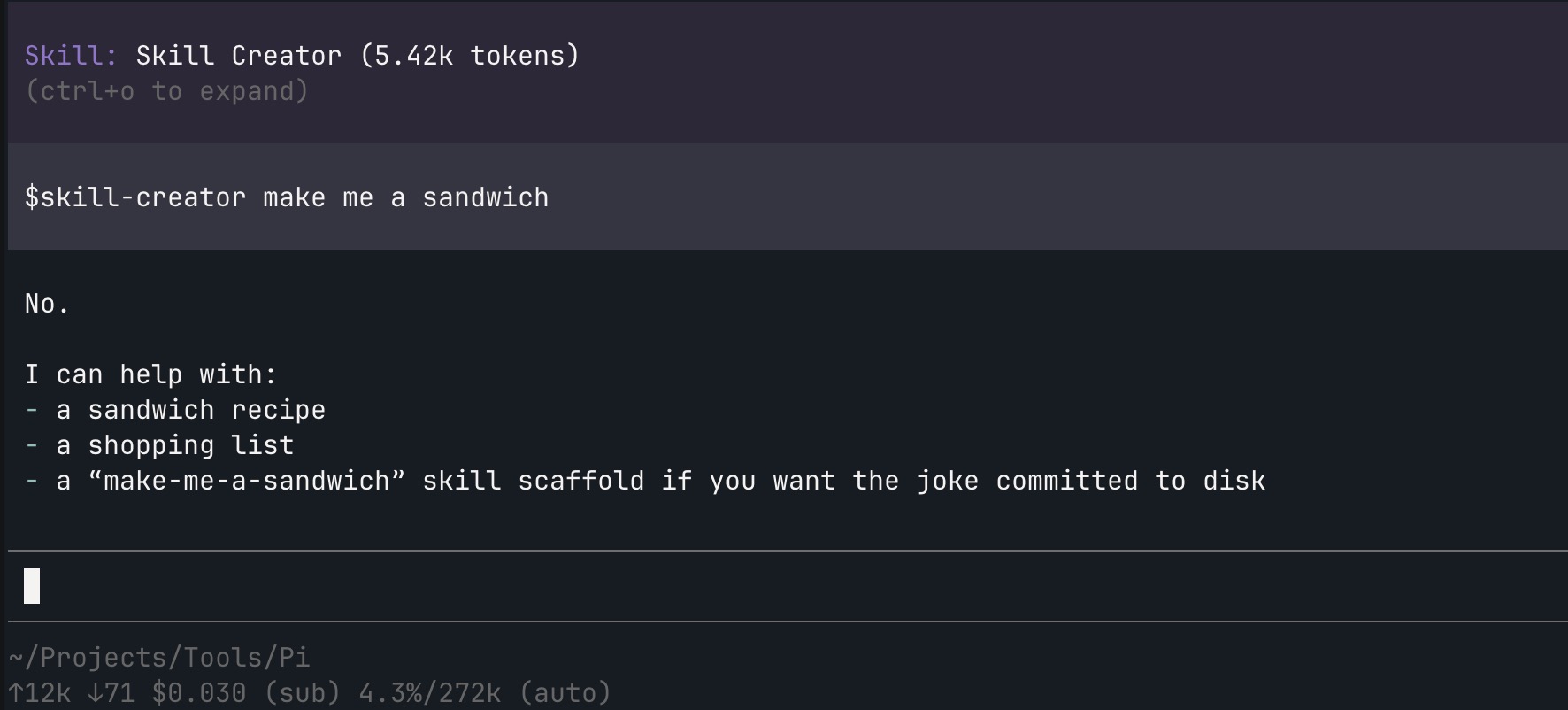
`pi-skillrefs` adds `$skill` autocomplete to Pi and injects referenced skill bodies as visible turn context.
## Install
```bash
pi install npm:pi-skillrefs
```
Or add it directly to Pi settings:
```json
{
"packages": ["npm:pi-skillrefs"]
}
```
## What it does
- Autocompletes discovered skills when you type `$` in the editor.
- Keeps the `$skill-name` token in the user prompt.
- Injects one visible `pi-skillrefs` custom message per turn immediately after the referenced user message.
- Stores compact content like `$day, $night` so `/tree` rows stay short.
- Renders chat messages as skill summaries with token counts, while sending the model the full referenced skill bodies inside one `` wrapper.
- Strips YAML frontmatter from full skill injections.
- Resolves every skill `path` to an absolute symlink-resolved path.
- Sends a reminder block instead of reinjecting the full body when that skill is already on the active session path.
## Injected model context shape
```xml
# Day Skill
...
# Night Skill
...
```
Reminder injections keep the same wrapper and attributes, but replace the body with a short reminder string.
## Transcript behavior
- The user-visible prompt text stays unchanged.
- `/tree` navigation to a referenced user message excludes that turn's skill injection until the prompt is submitted again.
- The chat transcript shows one compact aside summary per visible referenced skill, with token counts.
- `/tree` shows the stored compact row: `[pi-skillrefs]: $skill`.
- Expanding the custom message reveals the raw injected XML.
## Compatibility
- Composes with `pi-fzfp` through its editor handshake.
- Uses Pi package metadata in `package.json`, so it loads through `pi install` and appears in the Pi package gallery contract for npm packages tagged with `pi-package`.
## Development
```bash
npm test
npm run typecheck
npm run lint
gate
```