# Pi Remote WeCom
English · [简体中文](README.zh-CN.md)
Control your local [Pi coding agent](https://pi.dev) from WeCom on your phone. One bot connects to a local daemon that manages multiple Pi sessions.
- Resume a running session or find a previous conversation.
- Create terminal or background sessions, send text and attachments, switch models, and stop tasks.
- Keep terminal tab titles and phone session names in sync, with optional model-generated names.
- Connect directly through the official WeCom WebSocket SDK. No public server or callback endpoint is required.
## Screenshots
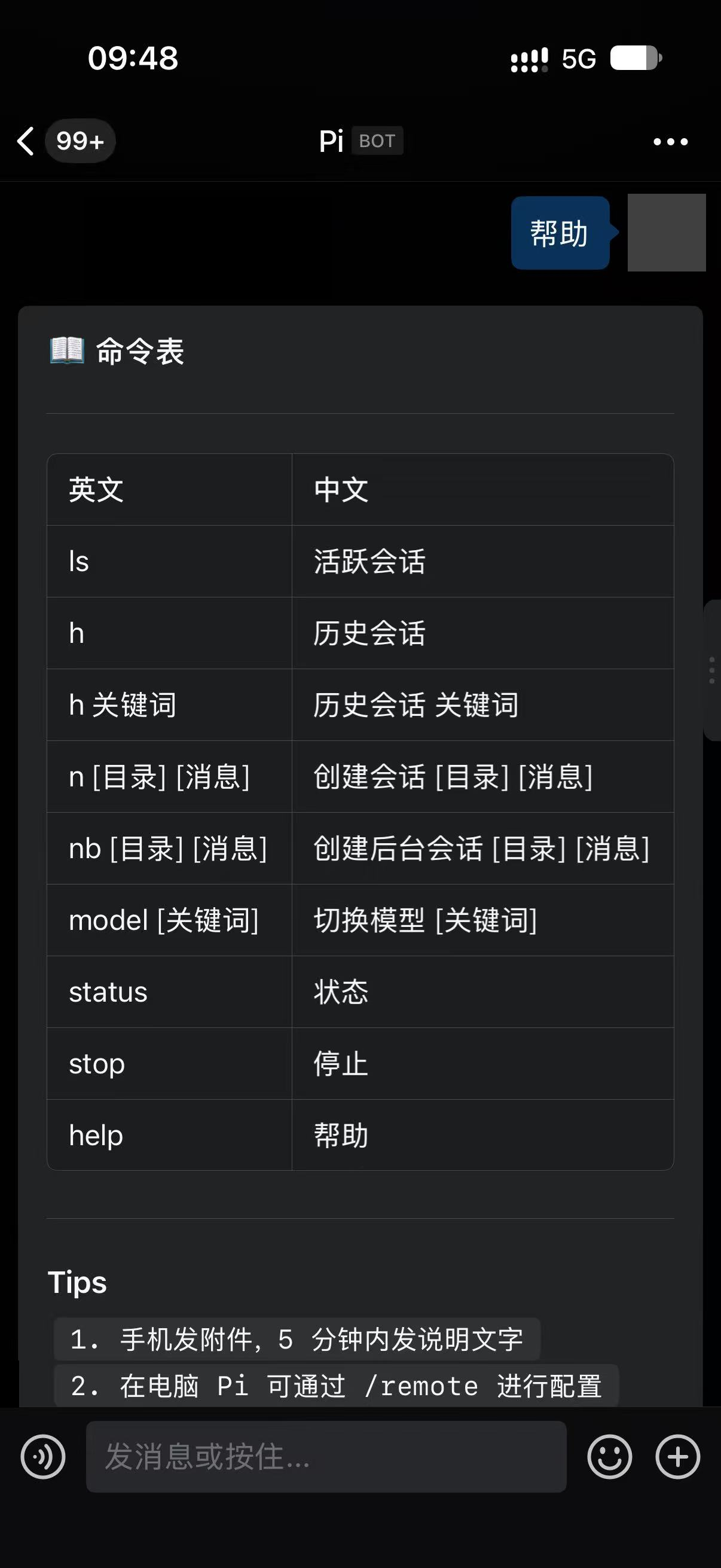
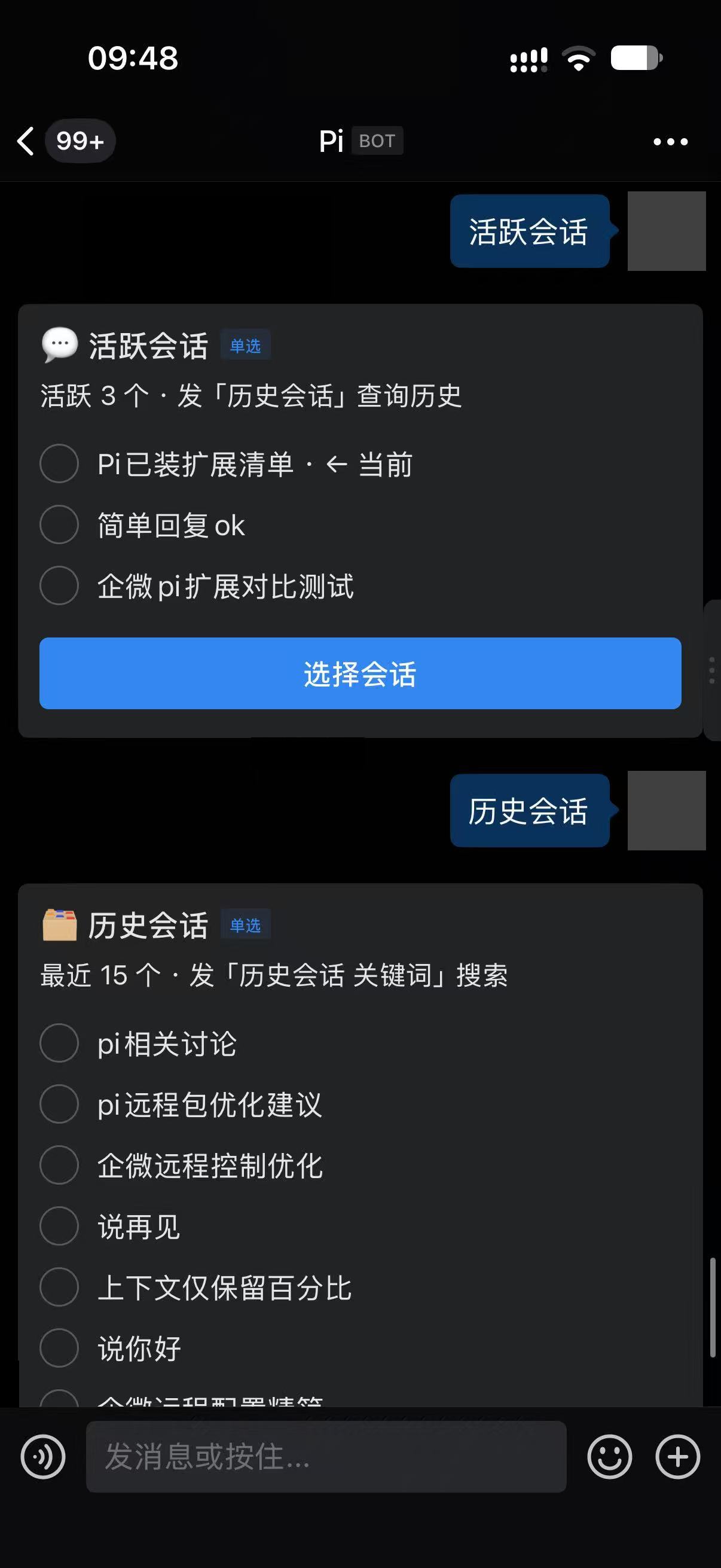
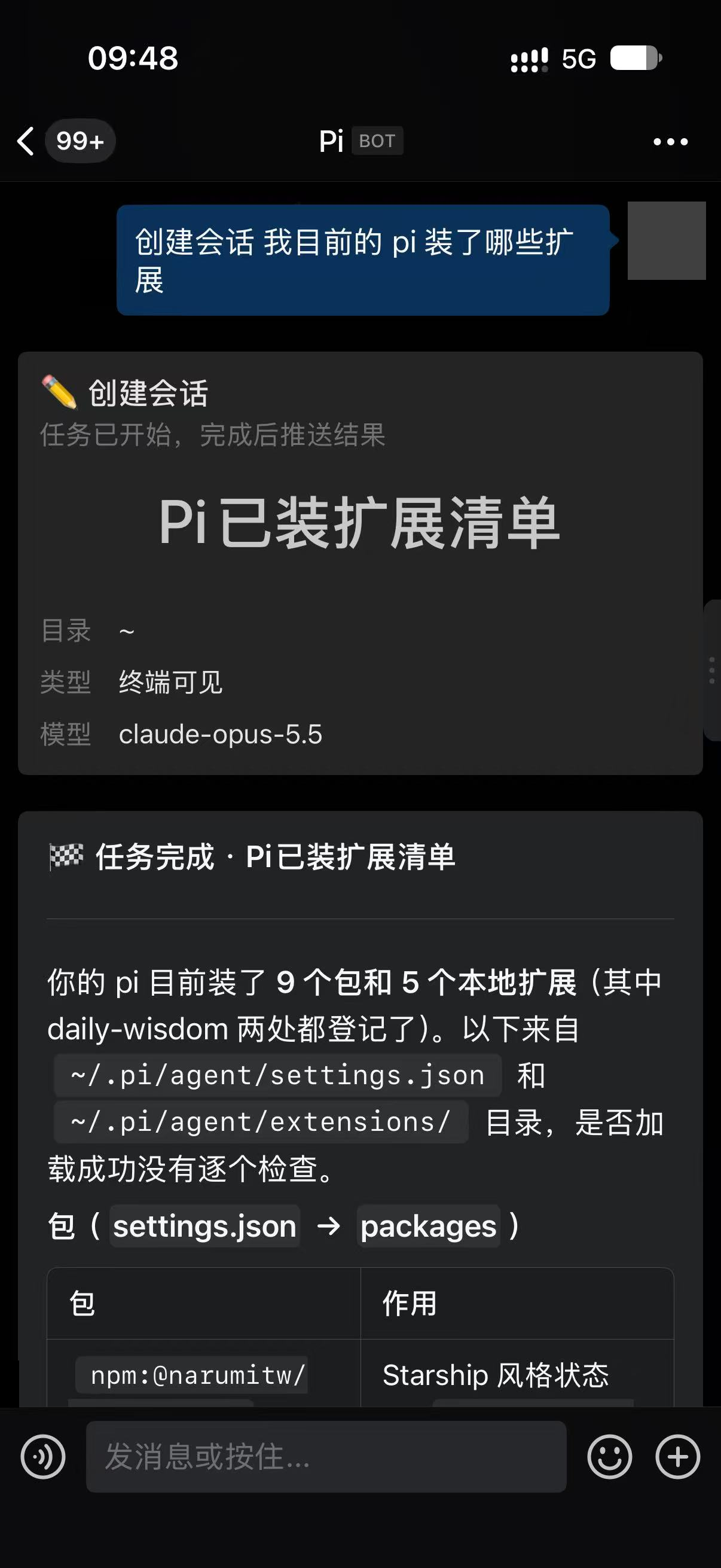
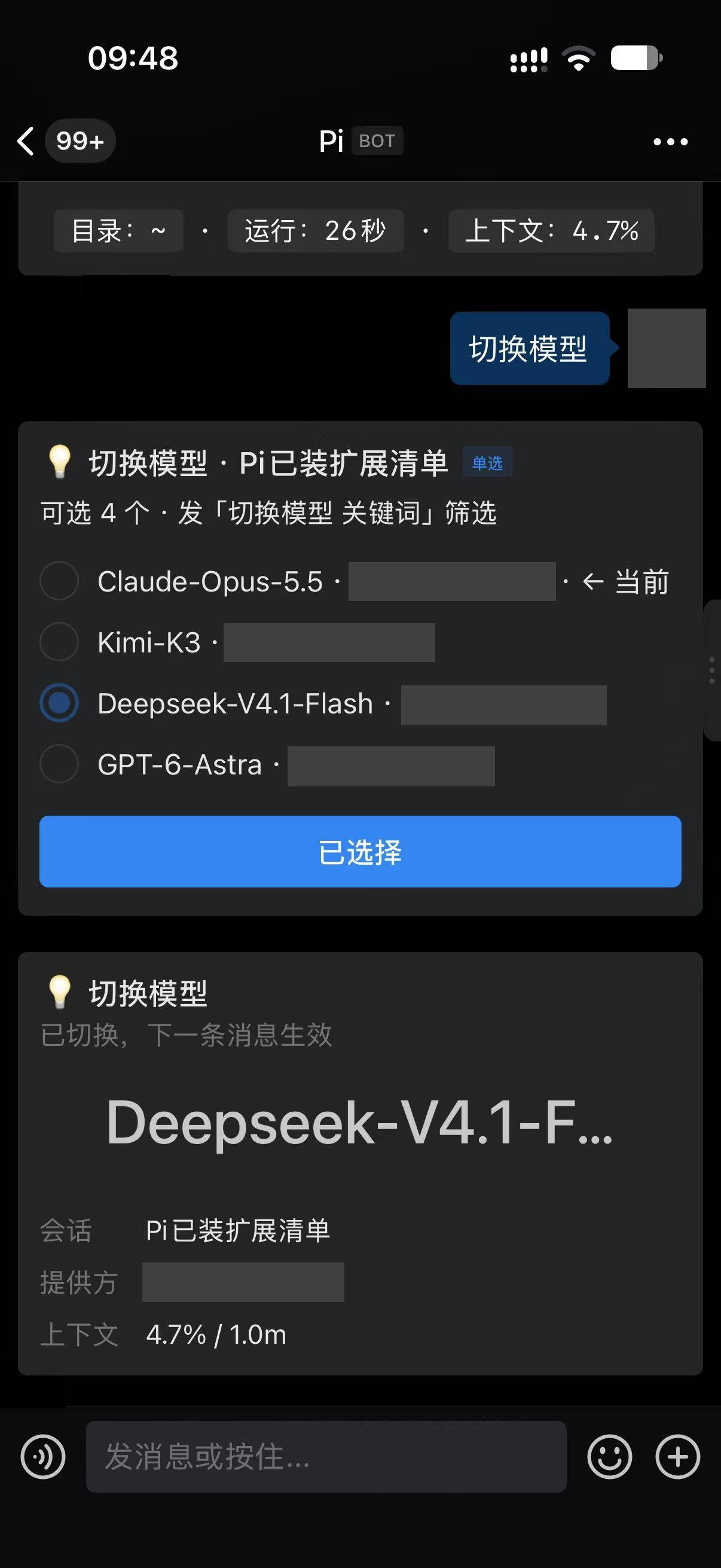
| Commands | Sessions | New session | Switch models | Task results |
| --- | --- | --- | --- | --- |
|  |
 |
 |
 |
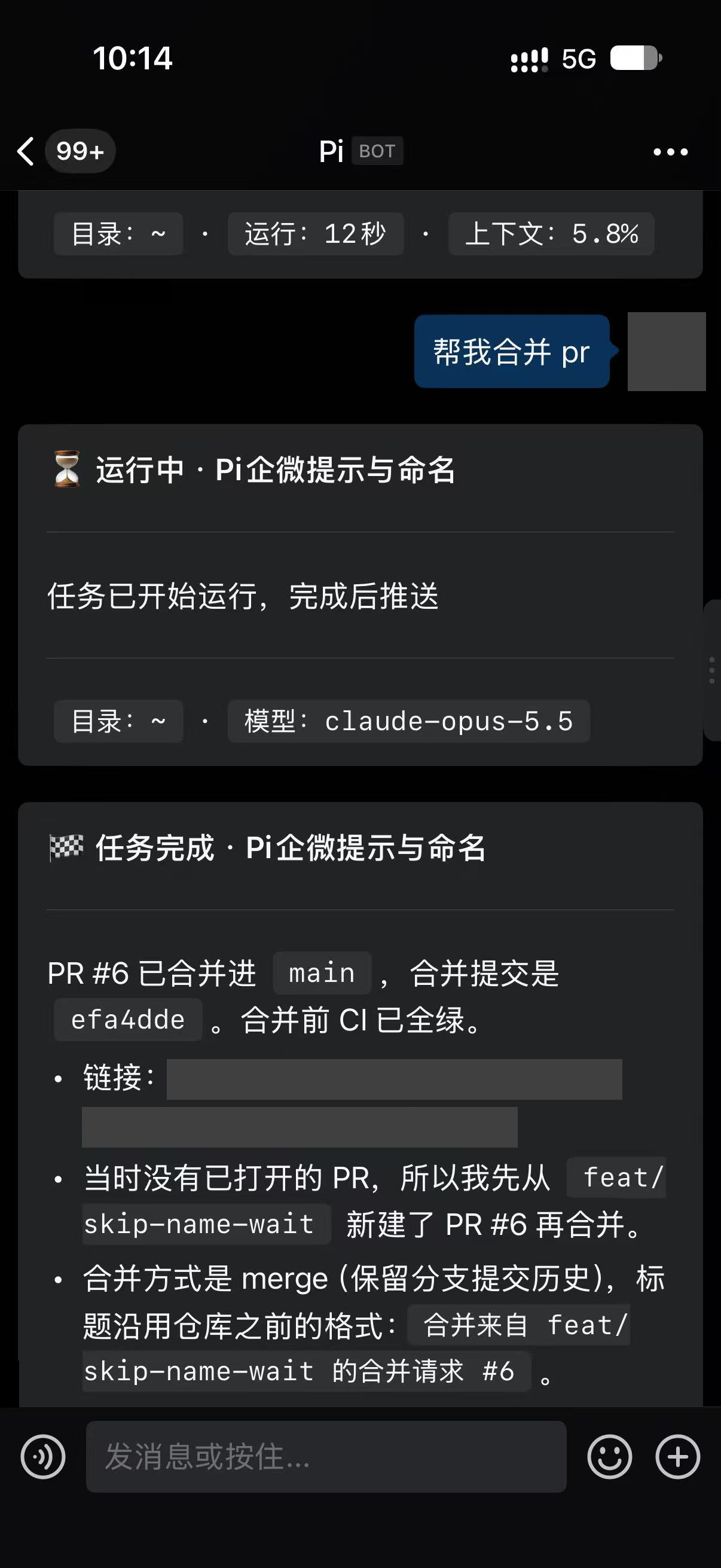 |
## Install
Requires **macOS, Node.js ≥22.19, Pi Coding Agent** (tested with 0.87.1), and a dedicated WeCom intelligent bot with **API mode → persistent connection** enabled. A regular group webhook bot is not sufficient. Feature availability depends on your enterprise; use with external enterprise accounts has not been separately verified.
Install from npm:
```sh
pi install npm:pi-remote-wecom
```
Or from Git:
```sh
pi install git:github.com/lukeinx/pi-remote-wecom
```
Alternatively, install from a source checkout:
```sh
npm ci --ignore-scripts
pi install "$PWD"
```
1. Create a dedicated intelligent bot in WeCom and copy its BotID and Secret. Share it with yourself so you can find it on your phone. Do not reuse a bot connected to another client.
2. In Pi, run `/reload`, then `/remote setup`. Enter the BotID and Secret and choose binding by code. The extension starts the daemon, registers macOS login startup, and displays a six-digit code locally.
3. Send that code in a direct message to the bot. After binding succeeds, choose **活跃会话** or send `ls` to select a session. Only the bound account can control Pi.
The UI and bot replies are currently primarily in Chinese. English command aliases are supported.
**Automatic naming:** new sessions are named from their first input, using Pi's global default model (`defaultProvider`/`defaultModel` in `settings.json`) unless you choose a separate naming model with `/remote name model`; a lightweight model is recommended. `/remote name off` disables naming. When naming is off or Pi has no default model, no naming request is made and the session list uses the first input.
## Commands
On your phone, select a session and send a message to continue it. Quote a pushed result to reply to the session it came from; that session becomes the current one. If other sessions have pushed since your last message, an unquoted message is held and a card asks whether to send it to the current session or one of those that pushed; your pick delivers it without resending.
| Command | Action |
|---|---|
| `ls` | Select an active terminal or background session |
| `h [keywords]` | Search and resume session history |
| `n [directory] [message]` | Create a terminal session |
| `nb [directory] [message]` | Create a background RPC session |
| `model [keywords]` | Switch the current session's model; the list follows your scope (enabledModels), keywords search all authenticated models |
| `think [level]` | Switch the current session's thinking level; the list only shows levels the current model supports |
| `compact [note]` | Manually compact the current session's context; the optional note guides the summary. Not allowed while running; auto-compaction stays with Pi |
| `cd [alias]` | Pick the default directory for new sessions from your directory aliases (default `~`); existing sessions are unaffected |
| `restart [force]` | Restart the remote-control daemon (loads new code); refused while a task is running unless `force` is given |
| `status` | Show the current session's status: directory and branch, model and thinking level, context, cost, and statuses set by other extensions via `setStatus`, optionally limited by the `statusKeys` allowlist in config (built-in footer layout; no footer extension required) |
| `remote` / `mute` | Leaving the computer: `remote` (`关注`) watches every running terminal task and pushes each result when it finishes. Back at the computer: `mute` (`取关`, `取消关注`, `静音`) stops pushing tasks started on the computer, including running ones; phone-initiated tasks are still pushed. Mute lasts until `remote`, switching sessions on the phone, or a daemon restart |
| `stop` | Interrupt the current task |
| `help` | Show all commands |
Send an image or file, then add instructions within five minutes. Up to four attachments are accepted per batch (a project limit); each may be at most 100 MiB (104,857,600 bytes), implemented from WeCom's documented "100M" callback limit, which states no exact byte definition — inbound only. Completed tasks send their results back; long results arrive as a Markdown file, and outbound files are bounded by the SDK's chunked upload at roughly 50 MiB.
In Pi:
| Command | Action |
|---|---|
| `/remote` | View connection status and manage the daemon |
| `/remote setup` | Configure the bot |
| `/remote name` | Session naming: `model` chooses the naming model (`model default` follows Pi's default model), `off` disables it, `auto` regenerates, any other text renames |
| `/remote alias` | Manage directory aliases |
| `/remote bind` | Bind or rebind your WeCom account |
| `/remote restart` / `/remote stop` | Start or restart / stop the daemon |
## Terminals and configuration
Adapters are provided for **Ghostty, cmux, iTerm2, WezTerm, kitty, and tmux**. Automatic selection uses an available terminal; if none is available or the screen is locked, session creation can fall back to background mode. Opening a terminal tab may change focus.
Set `terminal` in `~/.config/pi-remote-wecom/config.json`, then run `/remote restart` while idle:
| Terminal | Value | Requirements |
|---|---|---|
| Ghostty | `ghostty` | ≥1.3; macOS Automation permission |
| cmux | `cmux` | `cmux ping` available |
| iTerm2 | `iterm` | macOS Automation permission |
| WezTerm | `wezterm` | `wezterm cli list` available |
| kitty | `kitty` | Remote control enabled; set `kittySocket` to its Unix socket |
| tmux | `tmux` | ≥3.0; optional `tmuxSession` |
Use `auto` for automatic selection or `none` for background sessions only. See [configuration examples](config.example.json) and [terminal setup details](README.zh-CN.md#支持的终端).
macOS is the primary supported platform. Other systems can run `node bin/remote.mjs run` in the foreground, but full platform support is not claimed.
## Updates and removal
For a source checkout, update the code and run `npm ci --ignore-scripts`. For Pi-managed Git/npm installs, use `pi update --extensions`; pinned versions or tags require changing the source explicitly. Then run `/reload` in Pi and `/remote restart` while idle. Restart after dependency updates as well.
Before removing the package, run `node bin/remote.mjs uninstall` from its installed directory to stop the daemon and remove login startup. Then run `pi remove ` and `/reload`. Removing the Pi package alone does not remove its launchd service. Configuration, logs, and attachments remain in `~/.config/pi-remote-wecom/` for manual cleanup.
## Validation and boundaries
The maintainer has confirmed real-device testing of the main workflow and major commands. Automated checks also cover offline Pi loading, session routing, binding, deduplication, attachments, and card callbacks. This does not claim exhaustive validation of every terminal, external enterprise account, or sleep/network failure scenario.
Only the bound user's direct messages are accepted. The computer must remain awake and online. Background sessions have the same capabilities as terminal sessions: they load your installed extensions and can read, write, and run commands. Opening a background session with `pi -r` moves it into that terminal; if it is still running, the terminal waits for it to finish and then reloads automatically.
**Extension prompts on the phone**: during a phone-initiated task, extension confirmations and selections (for example computer-use authorization) are sent to WeCom as cards; in terminal sessions whichever side answers first wins. Unanswered prompts follow `remoteConfirm`: `ask-then-allow` (default; allow after `remoteConfirmTimeoutMs`, 10 minutes), `ask` (deny on timeout), or `allow` (allow without asking). Text-input prompts cannot be filled on the phone: background sessions cancel them, terminal sessions keep them open on the computer until the timeout. If an extension asks for confirmation while a background session is starting, creation fails with a hint to use a terminal session.
**Question tools on the phone**: compatible with Pi's example `question` / `questionnaire` tools and AskUserQuestion-style tools (e.g. `@juicesharp/rpiv-ask-user-question`; multi-select questions use multi-select cards). Unrecognized blocking prompts trigger a reminder to handle them on the computer. In the currently bound terminal session (turns started from either the computer or the phone), questions are sent as WeCom cards with the session name in the card description; questions from unbound sessions are held back and sent once you switch to that session; when free-form answers are allowed, tap "write your own" or simply reply with text (while the current session has a pending question, a plain message is taken as the answer). Multiple questions are asked one by one; whichever side answers first wins; unanswered questions are cancelled on timeout. Background sessions are not supported.
Credentials stay on the local machine, but setup does not mask the Secret input. See [security and data handling](SECURITY.md).
## Development
```sh
npm ci --ignore-scripts
npm run check
npm run test:package
```
Tests use isolated temporary directories and fake credentials, without changing your Pi settings, starting launchd services, or calling a model. See [Contributing](CONTRIBUTING.md) for workflow and [Releasing](RELEASING.md) for distribution.
[MIT License](LICENSE) · [Changelog](CHANGELOG.md) · [Source notices](NOTICE.md) · [Pi package format](https://pi.dev/docs/latest/packages)