# ◌ pi-glance
**[Pi](https://github.com/earendil-works/pi) 的圆角编辑器与状态栏。**
[English](./README.md) · 简体中文
[](https://www.npmjs.com/package/pi-glance)
[](https://github.com/LinYS77/pi-glance/actions/workflows/ci.yml)
[](LICENSE)
[](https://pi.dev/packages/pi-glance)

## 安装
```bash
# 仅在当前会话试用
pi -e npm:pi-glance
# 或长期安装
pi install npm:pi-glance
```
重启 Pi,或执行 `/reload`。
## 功能
- **圆角编辑器** — 保留 Pi 原有的编辑、历史、自动补全和快捷键。
- **自适应状态栏** — Git · 费用 · 模型速度 · 上下文 · Tokens · 模型,随终端宽度折叠。
- **Working 扫光** — Pi 工作时,扫光沿工作区标题和连接线移动。
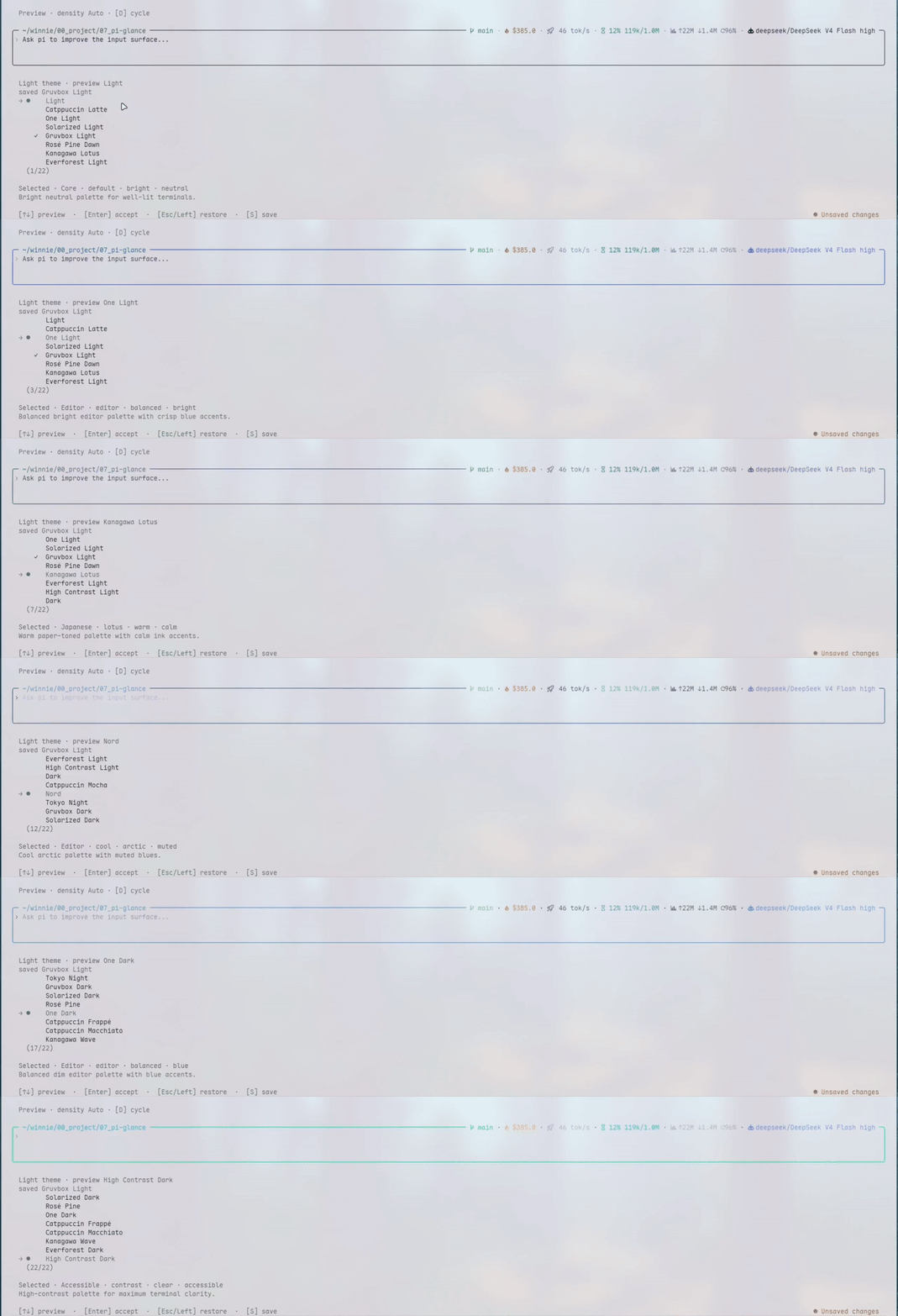
- **22 套配色** — 分别选择亮色与暗色方案,实时预览。
无额外运行时依赖,不收集遥测数据。
## 设置
运行 `/glance`,选择配色、开关状态项或调整顺序。修改会实时预览,按 `S` 保存。

## 说明
- 默认使用 Nerd Font 图标。使用普通字体时,可在 `/glance` → **General** → **Icons** 中选择 `plain`。
- Pi 只提供一个自定义编辑器位置,最后加载的编辑器扩展会生效。
- 已在 Pi 0.84.4 和 0.85.1 上验证,需要 Node.js 22.19.0 或更高版本。
## 更新
```bash
pi update npm:pi-glance
```
## 参与贡献
欢迎提交 Issue 和 Pull Request。开发说明见 [CONTEXT.md](./CONTEXT.md)。
## 许可证
[MIT](LICENSE) © 2026 linys77