<p align="center">
  <br>
  <a href="https://pencere.productdevbook.com">
    <img src="https://raw.githubusercontent.com/productdevbook/pencere/main/.github/assets/cover.png" alt="pencere — Modern, accessible, framework-agnostic lightbox" width="100%">
  </a>
  <br><br>
  <b style="font-size: 2em;">pencere</b>
  <br><br>
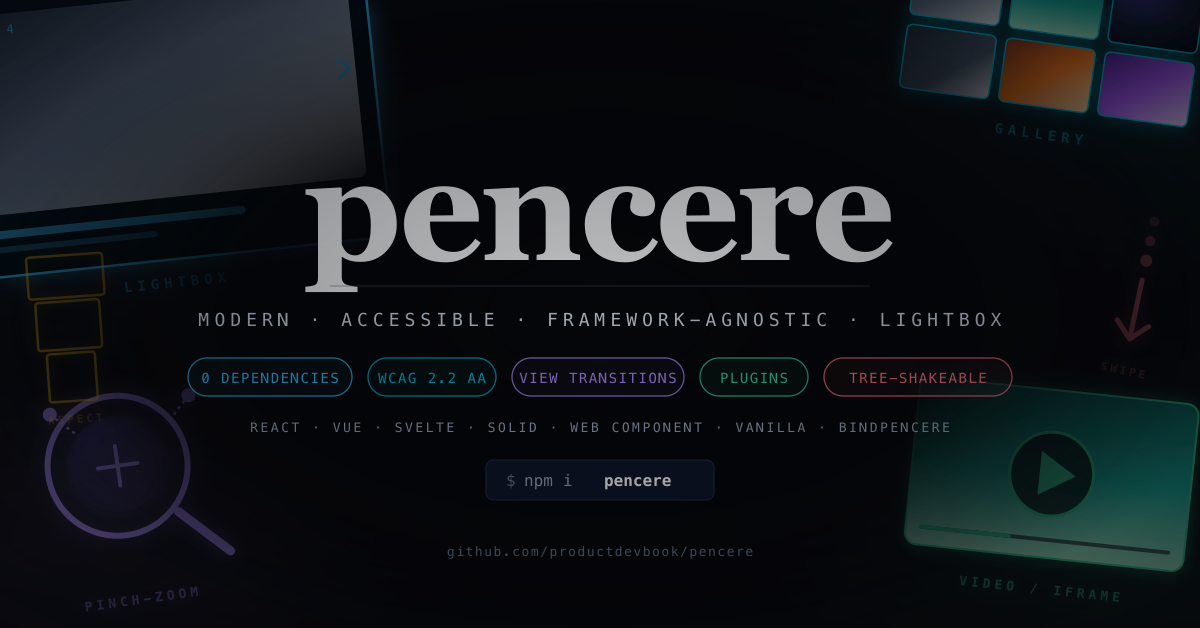
  Modern, accessible, framework-agnostic lightbox — pure TypeScript, zero runtime dependencies.
  <br>
  View Transitions API morph, WCAG 2.2 AA, plugins, controlled mode, tree-shakeable. Works everywhere.
  <br><br>
  <a href="https://pencere.productdevbook.com"><b>Live demo →</b></a>
  <br><br>
  <a href="https://npmjs.com/package/pencere"><img src="https://img.shields.io/npm/v/pencere?style=flat&colorA=18181B&colorB=F0DB4F" alt="npm version"></a>
  <a href="https://npmjs.com/package/pencere"><img src="https://img.shields.io/npm/dm/pencere?style=flat&colorA=18181B&colorB=F0DB4F" alt="npm downloads"></a>
  <a href="https://bundlephobia.com/result?p=pencere"><img src="https://img.shields.io/bundlephobia/minzip/pencere?style=flat&colorA=18181B&colorB=F0DB4F" alt="bundle size"></a>
  <a href="https://github.com/productdevbook/pencere/blob/main/LICENSE"><img src="https://img.shields.io/github/license/productdevbook/pencere?style=flat&colorA=18181B&colorB=F0DB4F" alt="license"></a>
</p>

> [!IMPORTANT]
> **What's inside:** image / video / iframe / custom renderers, View Transitions API morph (#12), hash-based deep linking (#p1, #p2…), pinch + wheel zoom, drag-to-dismiss, Fullscreen API, lifecycle hooks (`willOpen`, `didRender`, `didNavigate`), plugin system with narrow `PencereContext` (#4), controlled mode for React / Vue router sync (#6), injectable `ImageLoader` DI (#9), automatic RTL, Trusted Types helper, IME-safe keyboard.
>
> **Adapters:** React, Vue, Svelte, Solid, Web Component, plus `bindPencere()` declarative DOM scanner for plain HTML.
>
> **Status:** Early development — public API is frozen in spirit but not in signature. Feedback on [GitHub Issues](https://github.com/productdevbook/pencere/issues) and PRs welcome.

## Quick Start

```sh
npm install pencere
```

Or use the CDN (SRI hash is published with every [release](https://github.com/productdevbook/pencere/releases)):

```html
<script
  type="module"
  src="https://cdn.jsdelivr.net/npm/pencere/dist/index.mjs"
  crossorigin="anonymous"
></script>
```

```ts
import { PencereViewer } from "pencere"

const viewer = new PencereViewer({
  items: [
    { type: "image", src: "/a.jpg", alt: "Mountain lake", caption: "Yosemite Valley" },
    { type: "image", src: "/b.jpg", alt: "Bosphorus at dusk" },
  ],
  loop: true,
  viewTransition: true,
  routing: true,
})

// Pass the clicked thumbnail so the UA morphs thumb → lightbox natively.
document
  .querySelector<HTMLButtonElement>("#open")
  ?.addEventListener("click", (e) => viewer.open(0, e.currentTarget))
```

## Declarative HTML

```html
<a href="/a.jpg" data-pencere data-gallery="trip" data-caption="Day 1">
  <img src="/a-thumb.jpg" alt="Mountain lake" />
</a>

<script type="module">
  import { bindPencere } from "pencere"
  bindPencere("[data-pencere]")
</script>
```

### React

```tsx
import { useLightbox } from "pencere/react"

function Gallery() {
  const { open } = useLightbox({
    items: [{ type: "image", src: "/a.jpg", alt: "A" }],
    useNativeDialog: true,
  })
  return <button onClick={() => open(0)}>View</button>
}
```

### Vue 3

```ts
import { usePencere } from "pencere/vue"

const { open } = usePencere({
  items: [{ type: "image", src: "/a.jpg", alt: "A" }],
})
```

### Svelte

```svelte
<div use:pencere={{ items: [{ type: "image", src: "/a.jpg" }] }} />

<script>
  import { pencere } from "pencere/svelte";
</script>
```

### Web Component

```html
<script type="module">
  import { registerPencereElement } from "pencere/element"
  registerPencereElement()
</script>

<pencere-lightbox items='[{"src":"/a.jpg","alt":"A"}]' start-index="0"> </pencere-lightbox>
```

## Why pencere?

| Library                                                                                   | License     | Framework-agnostic | Zoom | Video  | Thumbs | TS-first | WCAG 2.2 AA | View Transitions |
| ----------------------------------------------------------------------------------------- | ----------- | ------------------ | ---- | ------ | ------ | -------- | ----------- | ---------------- |
| **pencere**                                                                               | **MIT**     | ✅                 | ✅   | ✅     | ❌     | ✅       | ✅          | ✅               |
| [PhotoSwipe v5](https://github.com/dimsemenov/PhotoSwipe)                                 | MIT         | ✅                 | ✅   | plugin | plugin | ~        | ~           | ❌               |
| [GLightbox](https://github.com/biati-digital/glightbox)                                   | MIT         | ✅                 | ~    | ✅     | ❌     | ❌       | ~           | ❌               |
| [Fancybox v6 (@fancyapps/ui)](https://github.com/fancyapps/ui)                            | **GPL / ₺** | ✅                 | ✅   | ✅     | ✅     | ✅       | ✅          | ❌               |
| [yet-another-react-lightbox](https://github.com/igordanchenko/yet-another-react-lightbox) | MIT         | React only         | ~    | plugin | plugin | ✅       | ✅          | ❌               |
| [lightGallery](https://github.com/sachinchoolur/lightGallery)                             | **GPL / ₺** | ✅                 | ✅   | ✅     | ✅     | ✅       | ✅          | ❌               |
| [basicLightbox](https://github.com/electerious/basicLightbox)                             | MIT         | ✅                 | ❌   | ❌     | ❌     | ~        | ❌          | ❌               |
| [Spotlight.js](https://github.com/nextapps-de/spotlight)                                  | Apache      | ✅                 | ~    | ✅     | ❌     | ~        | ❌          | ❌               |
| [Swiper (lightbox mode)](https://github.com/nolimits4web/swiper)                          | MIT         | ✅                 | ~    | ❌     | ✅     | ✅       | ~           | ❌               |

Key differentiators:

- **License freedom.** Fancybox and lightGallery — the two most feature-complete options — are GPL/commercial. `pencere` is MIT end to end.
- **Zero runtime dependencies.** Framework adapters are optional peer deps.
- **WCAG 2.2 AA from the start.** APG Dialog + Carousel patterns, focus trap with shadow-DOM-aware tabbable detection, 44×44 target sizes, `prefers-reduced-motion` respected, `forced-colors` mapping for Windows High Contrast.
- **Strict CSP compatible.** Zero inline styles. Stylesheet ships through `adoptedStyleSheets` (no `style-src` impact) with a `<style nonce>` fallback. Runtime values go through CSS custom properties. Trusted Types policy helper for consumers who opt into HTML captions.
- **Bidirectional.** Auto-detects `dir=rtl` from the host document and flips arrow keys, swipes, and layout via CSS logical properties.
- **TypeScript-first.** Strict types, generic `Pencere<T>`, typed event emitter.
- **IME-safe keyboard.** Arrow keys and Escape ignore `isComposing` so Japanese, Korean, and Chinese users do not dismiss the lightbox while confirming IME input.
- **SSR-safe.** No `window`/`document` access at module import time; adapters use lazy mount hooks.

## Keyboard

| Key                                | Action                                    |
| ---------------------------------- | ----------------------------------------- |
| <kbd>Esc</kbd>                     | Close (Android back via CloseWatcher too) |
| <kbd>←</kbd> / <kbd>PageUp</kbd>   | Previous image                            |
| <kbd>→</kbd> / <kbd>PageDown</kbd> | Next image                                |
| <kbd>Home</kbd> / <kbd>End</kbd>   | Jump to first / last                      |
| <kbd>+</kbd> / <kbd>=</kbd>        | Zoom in 1.25×                             |
| <kbd>-</kbd>                       | Zoom out 1.25×                            |
| <kbd>0</kbd>                       | Reset zoom                                |

All shortcuts are IME-safe (ignored during `isComposing`) and can be remapped or disabled via the `keyboard` option.

**Dragging alternative (WCAG 2.5.7).** While zoomed in, the arrow
keys pan the image one step at a time (<kbd>←</kbd>/<kbd>→</kbd>
horizontal, <kbd>↑</kbd>/<kbd>↓</kbd> vertical). This gives
keyboard-only users the same reach as a one-finger pan gesture.

## Gestures

- **Swipe left / right** at fit scale navigates between slides.
- **Swipe down** dismisses the viewer with a backdrop fade.
- **Pinch** zooms around the centroid, clamped to 1×–8×.
- **Double-tap** toggles 1× ↔ 2× zoom at the image center.
- **Mouse wheel** zooms exponentially at the cursor; zooming out past 1× snaps back to identity.
- **Pan** (one-finger drag) works once zoomed in.

## Accessibility

`pencere` is designed against the following standards:

- [WCAG 2.2 AA](https://www.w3.org/TR/WCAG22/) — focus management, keyboard operability, target size (2.5.8), focus not obscured (2.4.11), dragging alternatives (2.5.7).
- [ARIA APG Dialog (Modal)](https://www.w3.org/WAI/ARIA/apg/patterns/dialog-modal/)
- [ARIA APG Carousel](https://www.w3.org/WAI/ARIA/apg/patterns/carousel/)
- [EN 301 549 v3.2.1](https://www.etsi.org/deliver/etsi_en/301500_301599/301549/) (EU Accessibility Act)
- [JIS X 8341-3:2016](https://waic.jp/) (Japan)
- [RGAA 4.1](https://accessibilite.numerique.gouv.fr/) (France)
- [GB/T 37668-2019](http://www.gb688.cn/) (China)
- [BITV 2.0 / BFSG](https://bundesfachstelle-barrierefreiheit.de/) (Germany)
- [KWCAG 2.2](https://nuli.navercorp.com/) (South Korea)

### Right-to-left

`pencere` auto-detects writing direction from the host document's
`<html dir>` (or any ancestor with an explicit `dir` attribute). You
can also force it with `dir: "rtl"`. Under RTL:

- Layout flips via CSS logical properties (`inset-inline-start/end`),
  so prev/next buttons swap sides automatically.
- `ArrowLeft` advances to the **next** slide and `ArrowRight` goes
  **back** — matching the APG Carousel pattern and user expectation.
- Horizontal swipe flips too: dragging right in RTL pulls the next
  slide in from the left.

Built-in translations: English, German, French, Spanish, Italian,
Portuguese (BR), Russian, Turkish, Arabic, Hebrew, Japanese, Simplified
Chinese, Traditional Chinese, Korean. Override any string via `strings`
option or plug in your own translator via `i18n`.

## Content Security Policy cookbook

`pencere` is written to work under a strict CSP. The minimum headers
it requires are:

```http
Content-Security-Policy:
  default-src 'self';
  img-src 'self' https: data: blob:;
  style-src 'self' 'nonce-RANDOM';
  script-src 'self' 'nonce-RANDOM';
  trusted-types pencere;
  require-trusted-types-for 'script';
```

- `style-src 'nonce-...'` — pass the same nonce to the viewer via
  `new PencereViewer({ ..., nonce: "RANDOM" })`. On modern engines
  pencere attaches its stylesheet through `adoptedStyleSheets`, which
  bypasses `style-src` entirely; the nonce is only used as a fallback
  for older browsers where a `<style nonce="...">` element is created.
  All runtime values (transform, opacity, aspect ratio) are written
  via `style.setProperty('--pc-*', ...)` so no inline `style=""`
  attribute is ever generated.
- `img-src` — `data:` and `blob:` are needed if you use LQIP or
  `URL.createObjectURL()` placeholders.
- `trusted-types pencere` — enables the library's trusted-types policy
  (only relevant if you opt into HTML captions via DOMPurify).

  ```ts
  import DOMPurify from "dompurify"
  import { createTrustedTypesPolicy } from "pencere"

  const policy = createTrustedTypesPolicy({
    sanitize: (html) => DOMPurify.sanitize(html),
  })
  // pencere itself writes nothing via innerHTML; the policy exists so
  // consumers who need HTML captions can route sanitized strings
  // through a `TrustedHTML` sink without tripping
  // `require-trusted-types-for 'script'`.
  ```

### Subresource Integrity (CDN)

```html
<script
  type="module"
  crossorigin="anonymous"
  src="https://unpkg.com/pencere@0.0.1/dist/index.mjs"
  integrity="sha384-REPLACE_ME_PER_RELEASE"
></script>
```

SRI hashes are published in the GitHub release notes for every tag.

## Security

See [`SECURITY.md`](./SECURITY.md) for the disclosure policy. Highlights:

- URL protocol allowlist (`javascript:`, `vbscript:`, `file:` rejected,
  including whitespace-smuggling variants).
- `textContent` for captions by default.
- `referrerpolicy="strict-origin-when-cross-origin"` on every generated
  `<img>`.
- npm releases published with `--provenance` (SLSA attestation)
  from a GitHub-hosted runner via OIDC. Verify locally with:

  ```bash
  npm audit signatures pencere
  ```

  The output should show a `verified registry signature` and a
  `verified attestation` line for every published version.

## Theming

Every visual hook is a CSS custom property. Override them anywhere in
your cascade — no build step, no CSS-in-JS:

```css
:root {
  --pc-bg: oklch(0.16 0.02 260 / 0.94); /* backdrop             */
  --pc-fg: #f5f5f5; /* toolbar + caption    */
  --pc-font: "Inter", system-ui, sans-serif;
  --pc-focus: #facc15; /* focus ring color     */
}
```

Under `@media (forced-colors: active)` pencere automatically swaps to
system color keywords (`Canvas`, `CanvasText`, `ButtonFace`,
`ButtonText`, `Highlight`, `GrayText`) so Windows High Contrast users
see a legible, AT-friendly UI without any configuration.

## Recipes

### Remap keyboard shortcuts

```ts
new PencereViewer({
  items,
  keyboard: {
    overrides: {
      close: ["Escape", "q"], // add `q` as a second close key
      next: ["ArrowRight", "l"], // vim-style forward
      prev: ["ArrowLeft", "h"],
    },
    disable: ["toggleSlideshow"], // space should scroll the page instead
  },
})
```

### Force right-to-left

```ts
new PencereViewer({
  items,
  dir: "rtl", // or omit to inherit from <html dir>
})
```

In RTL, `ArrowLeft` becomes **next**, `ArrowRight` becomes **prev**,
and horizontal swipes flip accordingly — so "forward" always means
toward the end of the reading flow.

### Strict CSP with a nonce

```ts
new PencereViewer({
  items,
  nonce: document.querySelector<HTMLMetaElement>("meta[name='csp-nonce']")?.content,
})
```

Pass the same nonce you use for `style-src 'nonce-…'`. On engines that
support `adoptedStyleSheets` (Chrome 73+, Firefox 101+, Safari 16.4+)
pencere bypasses `style-src` entirely; the nonce is only stamped on
the fallback `<style>` element for older browsers.

### HTML captions with Trusted Types

```ts
import DOMPurify from "dompurify"
import { createTrustedTypesPolicy } from "pencere"

const policy = createTrustedTypesPolicy({
  sanitize: (html) => DOMPurify.sanitize(html),
})

// Any surface of your own app that needs to render rich captions:
captionEl.innerHTML = policy.createHTML(item.richCaption) as string
```

### Custom container (SPA shell / portal)

```ts
new PencereViewer({
  items,
  container: document.getElementById("app-shell")!,
  useNativeDialog: false, // opt out of <dialog>
})
```

pencere's `DialogController` walks the root's ancestors and marks
every sibling `inert` at each level — even when mounted deep inside a
custom container, the rest of the page becomes unreachable to keyboard
and AT while the viewer is open.

### Responsive images (AVIF / WebP / srcset)

```ts
new PencereViewer({
  items: [
    {
      type: "image",
      src: "/a-1600.jpg", // bare fallback for legacy UAs
      alt: "Yosemite Valley",
      width: 1600,
      height: 1067,
      // Per-item srcset/sizes are forwarded straight to the <img>.
      srcset: "/a-800.jpg 800w, /a-1600.jpg 1600w, /a-2400.jpg 2400w",
      sizes: "100vw",
      // Declaring `sources` wraps the <img> in a <picture> so the UA
      // can pick AVIF or WebP automatically — no user-agent sniffing.
      sources: [
        { type: "image/avif", srcset: "/a-800.avif 800w, /a-1600.avif 1600w", sizes: "100vw" },
        { type: "image/webp", srcset: "/a-800.webp 800w, /a-1600.webp 1600w", sizes: "100vw" },
      ],
    },
  ],
})
```

### Hash-based deep linking

```ts
const viewer = new PencereViewer({
  items,
  routing: true, // writes #p1, #p2, … on open + slide change
})

// On page load, open the slide named in the URL (e.g. /gallery#p3).
void viewer.openFromLocation()
```

The browser **Back** button (and Safari / Firefox edge-swipe back
gestures) close the viewer naturally because pencere listens for
`popstate`. Customize the fragment with
`routing: { pattern: (i) => \`#photo/\${i + 1}\`, parse: (h) => … }`.

### Declarative HTML (no JS wiring)

```html
<a href="/a.jpg" data-pencere data-gallery="trip" data-caption="Day 1">
  <img src="/a-thumb.jpg" alt="Mountain lake" />
</a>
<a href="/b.jpg" data-pencere data-gallery="trip" data-caption="Day 2">
  <img src="/b-thumb.jpg" alt="River valley" />
</a>

<script type="module">
  import { bindPencere } from "pencere"
  bindPencere("[data-pencere]")
</script>
```

`bindPencere` registers a delegated click handler, scans `data-*`
attributes (`data-src`, `data-alt`, `data-caption`, `data-longdesc`,
`data-width`, `data-height`, `data-srcset`, `data-sizes`,
`data-placeholder`, `data-lang`), groups links by `data-gallery`,
and lazy-constructs a viewer on first click. Modifier clicks
(Cmd/Ctrl+click) still open in a new tab. Call the returned
function to unbind.

### Haptic feedback

```ts
new PencereViewer({
  items,
  haptics: true, // or { patterns: { dismiss: [20, 30, 20] } }
})
```

Opt-in only. Gated on `matchMedia('(any-pointer: coarse)')` so
desktop trackpads never buzz, and no-ops on iOS Safari which does
not expose the Vibration API. Fires on swipe-to-dismiss commit,
wheel-zoom snap-back, and double-tap toggles.

### Thumbnail → lightbox morph

```ts
const viewer = new PencereViewer({ items, viewTransition: true })

thumbButton.addEventListener("click", () => {
  // Passing the trigger tags both the thumbnail and the lightbox
  // image with a shared `view-transition-name` so the UA animates
  // the morph natively. Falls back to an instant open where the
  // View Transitions API is unavailable.
  void viewer.open(index, thumbButton)
})
```

### Hash-based deep linking

```ts
const viewer = new PencereViewer({
  items,
  routing: true, // writes #p1, #p2, … on open + slide change
})

// On page load, open the slide named in the URL (e.g. /gallery#p3).
void viewer.openFromLocation()
```

The browser **Back** button (and Safari / Firefox edge-swipe back
gestures) close the viewer naturally because pencere listens for
`popstate`. Customize the fragment with
`routing: { pattern: (i) => \`#photo/\${i + 1}\`, parse: (h) => … }`.

### Fullscreen API

```ts
const viewer = new PencereViewer({ items, fullscreen: true })

fullscreenButton.addEventListener("click", () => {
  void viewer.toggleFullscreen()
})
```

Uses `element.requestFullscreen()` where available, falls back to
a CSS faux-fullscreen class on iOS Safari (which only grants the
Fullscreen API to `<video>`). The faux path pins the root with
`position: fixed; inset: 0; height: 100dvh` over any page chrome.

### Responsive images (AVIF / WebP / srcset)

```ts
new PencereViewer({
  items: [
    {
      type: "image",
      src: "/a-1600.jpg", // bare fallback for legacy UAs
      alt: "Yosemite Valley",
      width: 1600,
      height: 1067,
      srcset: "/a-800.jpg 800w, /a-1600.jpg 1600w, /a-2400.jpg 2400w",
      sizes: "100vw",
      sources: [
        { type: "image/avif", srcset: "/a-800.avif 800w, /a-1600.avif 1600w", sizes: "100vw" },
        { type: "image/webp", srcset: "/a-800.webp 800w, /a-1600.webp 1600w", sizes: "100vw" },
      ],
    },
  ],
})
```

When `sources` is present pencere wraps the `<img>` in a
`<picture>` so the UA picks AVIF or WebP automatically — no
user-agent sniffing.

### ThumbHash / BlurHash placeholder

```ts
{
  type: "image",
  src: "/a.jpg",
  alt: "Yosemite Valley",
  // Any CSS background value: data URL, plain color, gradient.
  // The viewer cross-fades from this to the decoded image.
  placeholder: "url(data:image/png;base64,…)",
}
```

### Video / iframe / custom renderers

```ts
import { PencereViewer } from "pencere"

const viewer = new PencereViewer({
  items: [
    { type: "video", src: "/clip.mp4", poster: "/clip.jpg", autoplay: true },
    { type: "iframe", src: "https://example.com/embed" },
    { type: "html", html: () => buildRichSlide() },
  ],
})
```

Built-in renderers ship for `video`, `iframe`, and `html`. Add your
own via `renderers: [...]`:

```ts
import type { Renderer } from "pencere"

const modelRenderer: Renderer = {
  canHandle: (item) => item.type === "custom:model",
  mount: (item, { document }) => {
    const el = document.createElement("model-viewer")
    el.setAttribute("src", (item as any).data.url)
    return el
  },
  unmount: (el) => el.remove(),
}

new PencereViewer({ items, renderers: [modelRenderer] })
```

### Controlled via external state

```ts
viewer.core.events.on("change", ({ to }) => {
  // Sync pencere state to your router / store.
  history.replaceState(null, "", `?p=${to + 1}`)
})
```

### Respond to events

```ts
viewer.core.events.on("change", ({ index, item }) => {
  history.replaceState(null, "", `#p${index + 1}`)
})
viewer.core.events.on("slideLoad", ({ index }) => {
  analytics.track("slide_view", { index })
})
viewer.core.events.on("close", ({ reason }) => {
  console.log("closed via", reason) // "escape" | "backdrop" | "user" | "api"
})
```

## Options

```ts
interface PencereViewerOptions<T extends Item = Item> {
  items: T[]
  startIndex?: number
  loop?: boolean
  container?: HTMLElement
  strings?: Partial<PencereStrings>
  i18n?: (key: keyof PencereStrings, vars?: Record<string, string | number>) => string
  keyboard?: {
    overrides?: Partial<Record<KeyboardAction, string[]>>
    disable?: KeyboardAction[]
  }
  image?: {
    crossOrigin?: "anonymous" | "use-credentials" | null
    referrerPolicy?: ReferrerPolicy
  }
  reducedMotion?: "auto" | "always" | "never"
  useNativeDialog?: boolean
  lockScroll?: boolean
  /** CSP nonce for the fallback <style> element. */
  nonce?: string
  /** Writing direction. `"auto"` inherits from <html dir>. */
  dir?: "ltr" | "rtl" | "auto"
  /** Opt-in haptic feedback on coarse-pointer devices. */
  haptics?: boolean | HapticsOptions
  /** Hash-based deep linking (#p1, #p2, …). */
  routing?: boolean | RoutingOptions
  /** Expose enterFullscreen() / toggleFullscreen() with iOS fallback. */
  fullscreen?: boolean
  /** Wrap open() in document.startViewTransition() when supported. */
  viewTransition?: boolean
  /** Custom renderer registry (video, iframe, html, custom:*). */
  renderers?: Renderer[]
}
```

## Roadmap

**Shipped**

- [x] Swipe nav + drag-to-dismiss + pinch + double-tap + wheel zoom (#40 #41 #42 #43 #44)
- [x] Pinch chaining + re-grip support (#45)
- [x] rAF-throttled gesture handlers + will-change lifecycle (#34)
- [x] Keyboard zoom in / out / reset
- [x] Arrow-key pan as a dragging alternative (#25)
- [x] CloseWatcher integration (Android back button) (#11)
- [x] Fullscreen API with iOS faux-fullscreen fallback (#14)
- [x] View Transitions API thumbnail → lightbox morph (#12)
- [x] Hash-based deep linking with browser-back to close (#75)
- [x] Responsive `<picture>` / AVIF / WebP / srcset (#33)
- [x] ThumbHash / BlurHash placeholder background (#29)
- [x] Custom renderer registry with built-in video / iframe / html (#8)
- [x] `bindPencere()` declarative DOM scanner (#7)
- [x] Opt-in haptic feedback via Vibration API (#46)
- [x] Strict CSP: adoptedStyleSheets + nonce fallback, zero inline styles (#50)
- [x] Trusted Types policy helper (#49)
- [x] RTL support — direction-aware keys, swipes, layout (#59)
- [x] Per-slide `lang` attribute + CJK/Arabic font stacks (#65)
- [x] CJK-aware caption line-breaking (#61)
- [x] `longDescription` wired to `aria-describedby` (#26)
- [x] Focus-not-obscured guard (WCAG 2.4.11) (#23)
- [x] Target size 44×44 (WCAG 2.5.5) (#24)
- [x] `forced-colors` / Windows High Contrast mapping (#22)
- [x] Inert fallback walks ancestor tree for nested dialogs (#13)
- [x] AbortController-based listener cleanup (#31)
- [x] SSR-safe imports verified under node environment (#74)

**In flight**

- [ ] Virtualized thumbnail strip
- [ ] Angular + Qwik adapters (#72)
- [x] Plugin architecture (#4)
- [x] Controlled-mode contract (#6)
- [x] ImageLoader DI (#9)
- [x] SRI hashes in release artifacts (#56)
- [ ] van Wijk zoom-pan curve (#47)

## Acknowledgments

`pencere` stands on the shoulders of a decade of lightbox craft. Big
thanks to the maintainers whose work we studied, learned from, and
drew direct inspiration from while designing this library:

- [**PhotoSwipe**](https://github.com/dimsemenov/PhotoSwipe) by Dmytro Semenov — the gold standard for zero-dep image viewers; its focus trap + gesture engine shaped ours.
- [**Fancybox**](https://github.com/fancyapps/ui) by fancyapps — the most feature-complete commercial option; its UX polish (caption animation, renderer registry shape) set the bar for our defaults.
- [**lightGallery**](https://github.com/sachinchoolur/lightGallery) by Sachin Neravath — the thumbnail strip interaction patterns and plugin system ergonomics.
- [**GLightbox**](https://github.com/biati-digital/glightbox) by biati-digital — `data-*` declarative markup was a direct reference for `bindPencere()`.
- [**yet-another-react-lightbox**](https://github.com/igordanchenko/yet-another-react-lightbox) by Igor Danchenko — the cleanest typed React API in the ecosystem; strongly influenced our controlled-mode contract.
- [**basicLightbox**](https://github.com/electerious/basicLightbox) by Tobias Reich — proof that 2 kB can still feel great; a constant reminder to keep core small.
- [**Spotlight.js**](https://github.com/nextapps-de/spotlight) by Thomas Wilkerling — the compact gesture-first mobile UX benchmark.
- [**Swiper**](https://github.com/nolimits4web/swiper) by Vladimir Kharlampidi — the touchstone for swipe navigation physics, axis locking, and momentum.
- [**Lightbox2**](https://github.com/lokesh/lightbox2) by Lokesh Dhakar — the original. Every web lightbox traces back here.

## License

MIT © [productdevbook](https://github.com/productdevbook)

