# peepshow-sink-whatsapp
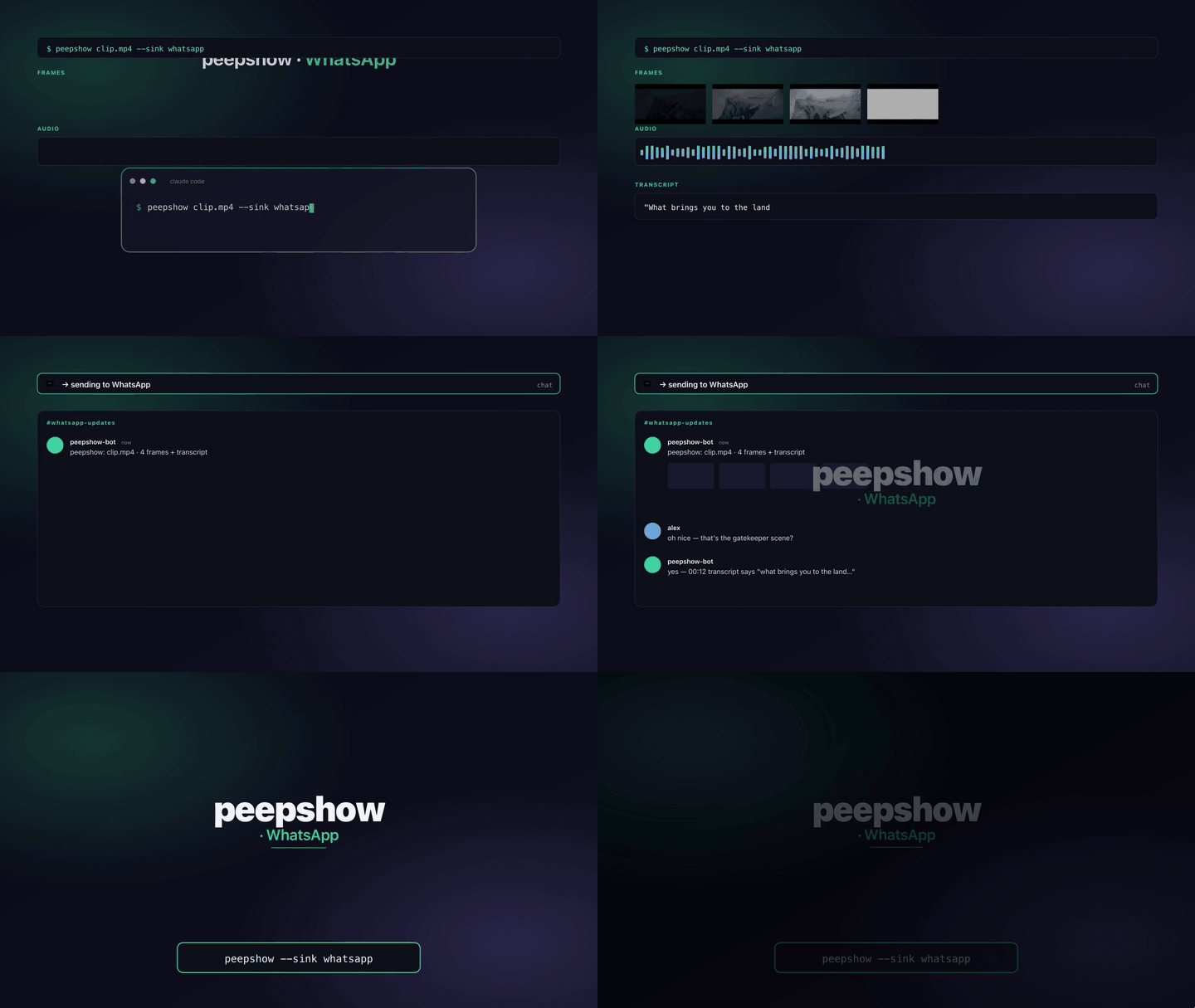
Post a peepshow run to a WhatsApp chat via the **[WhatsApp Cloud
API](https://developers.facebook.com/docs/whatsapp/cloud-api)** (Meta's
business-messaging REST API). Each run uploads up to
`WHATSAPP_MAX_FRAMES` frames with `POST /media`, sends a text message
containing the run summary + container tags, then sends one image
message per uploaded frame with an ordinal caption.
## Configuration
| Env | Required | Default | Purpose |
|-----|----------|---------|---------|
| `WHATSAPP_PHONE_NUMBER_ID` | ✓ | — | Your Cloud API phone number id (the `` path segment in Meta's docs — **not** the display number). |
| `WHATSAPP_TOKEN` | ✓ | — | Long-lived access token (system-user or permanent). |
| `WHATSAPP_TO` | ✓ | — | Recipient phone number in E.164 digits, **no `+`** (e.g. `15551234567`). A leading `+` is tolerated and stripped. |
| `WHATSAPP_MAX_FRAMES` | | `4` | Cap on images sent per run. Clamped to the range `[1, 30]`. |
| `WHATSAPP_CAPTION` | | `peepshow — · frame N/M` | Override for the per-image caption. |
| `WHATSAPP_API_URL` | | `https://graph.facebook.com/v20.0` | Graph API base (bump the version or point at a staging gateway). |
## Why the `WHATSAPP_MAX_FRAMES` default is low
The Cloud API has **much stricter rate limits than Telegram or
Slack** — on the default tier you may only send ~80 messages per second
*and* no more than the per-business-messaging-tier cap (1K → 10K → 100K
→ unlimited users/day). Every frame counts as a separate message, so a
50-frame run burns through your budget fast. Four frames per run is the
conservative default; raise it once you've moved into a higher tier.
## Template-message rules (IMPORTANT)
WhatsApp Cloud does **not** let you send arbitrary media to a user you've
never spoken to. The rules:
1. **First contact must be a *pre-approved template message*** — Meta
moderates templates upfront; you can't DM a cold recipient.
2. **After the recipient replies**, you have a 24-hour "customer service
window" in which you may send any freeform message (including the
image + text messages this sink produces).
3. **If the 24-hour window closes** before your next peepshow run, you
must start that run with a template message before the sink's
freeform sends will be accepted.
This sink only sends freeform messages, so it's designed for:
- **Internal ops / debug chats** where you or a teammate recently sent a
message to the bot number (opening a 24-hour window).
- **Sandbox testing** — Meta's test numbers auto-open the window.
- **Chained workflows** where an upstream template send has already
opened the window.
If the API returns `131051` / `131047` / `131053`, the window has closed
— send a template message from another tool, then retry peepshow.
## Exit codes
| Code | Meaning |
|------|---------|
| 0 | Summary + per-frame images accepted. |
| 2 | Missing required env or malformed `WHATSAPP_TO`. |
| 4 | stdin malformed. |
| 5 | WhatsApp Cloud returned non-2xx on media upload or messages send. |
## Use with an LLM agent
Every peepshow sink is a zero-config extension point for any LLM CLI —
Claude Code, Cursor, Windsurf, Codex, Gemini, or any agent that can shell
out. The LLM doesn't need a plugin; it just needs `peepshow` on `PATH`
and the sink's env vars in the shell it runs under.
### 1. Set the environment
```sh
export WHATSAPP_PHONE_NUMBER_ID="123456789012345"
export WHATSAPP_TOKEN="EAAG…"
export WHATSAPP_TO="15551234567" # E.164, no "+"
export WHATSAPP_MAX_FRAMES=4 # optional, 1..30
```
### 2. Register as an auto-sink
```sh
peepshow sinks add whatsapp
# Optional: only fire for matching inputs
peepshow sinks add whatsapp --when extension=mp4,mov
peepshow sinks add whatsapp --when studio=Pixar
```
### 3. Send a run
```sh
peepshow ./clip.mp4 --sink whatsapp
```
### 4. What the sink sees
The sink receives the complete `--emit json` payload on stdin — not just
the frame paths. That includes:
- `video` — codec, duration, resolution, container tags (director /
studio / title etc).
- `frames[]` — every extracted frame path + byte size.
- `audio` — `path`, `durationSeconds`, codec, loudness peak, silence
ratio.
- `audio.transcript` — `segments[]` with timestamps, full `text`,
language — populated when transcription is enabled (v0.4.0+).
- `extraction` — strategy, thresholds, ffmpeg path used.
Only the summary line + per-frame captions reach WhatsApp; the rest of
the payload is dropped on the floor (the Cloud API is message-oriented,
not document-oriented).
## Caveats
- **Rate limits are aggressive.** Keep `WHATSAPP_MAX_FRAMES` low and
consider combining with `--when` to only fire for specific videos.
- **Image size limit**: Cloud API caps images at 5 MB. Frames are
well below this, but if you bump JPEG quality significantly you may
hit it.
- **Token rotation.** Meta access tokens expire; use a
[system-user permanent token](https://developers.facebook.com/docs/whatsapp/business-management-api/get-started)
for anything long-lived.
- **Freeform window only.** See the template-message section above.