# peepshow-sink-opsgenie
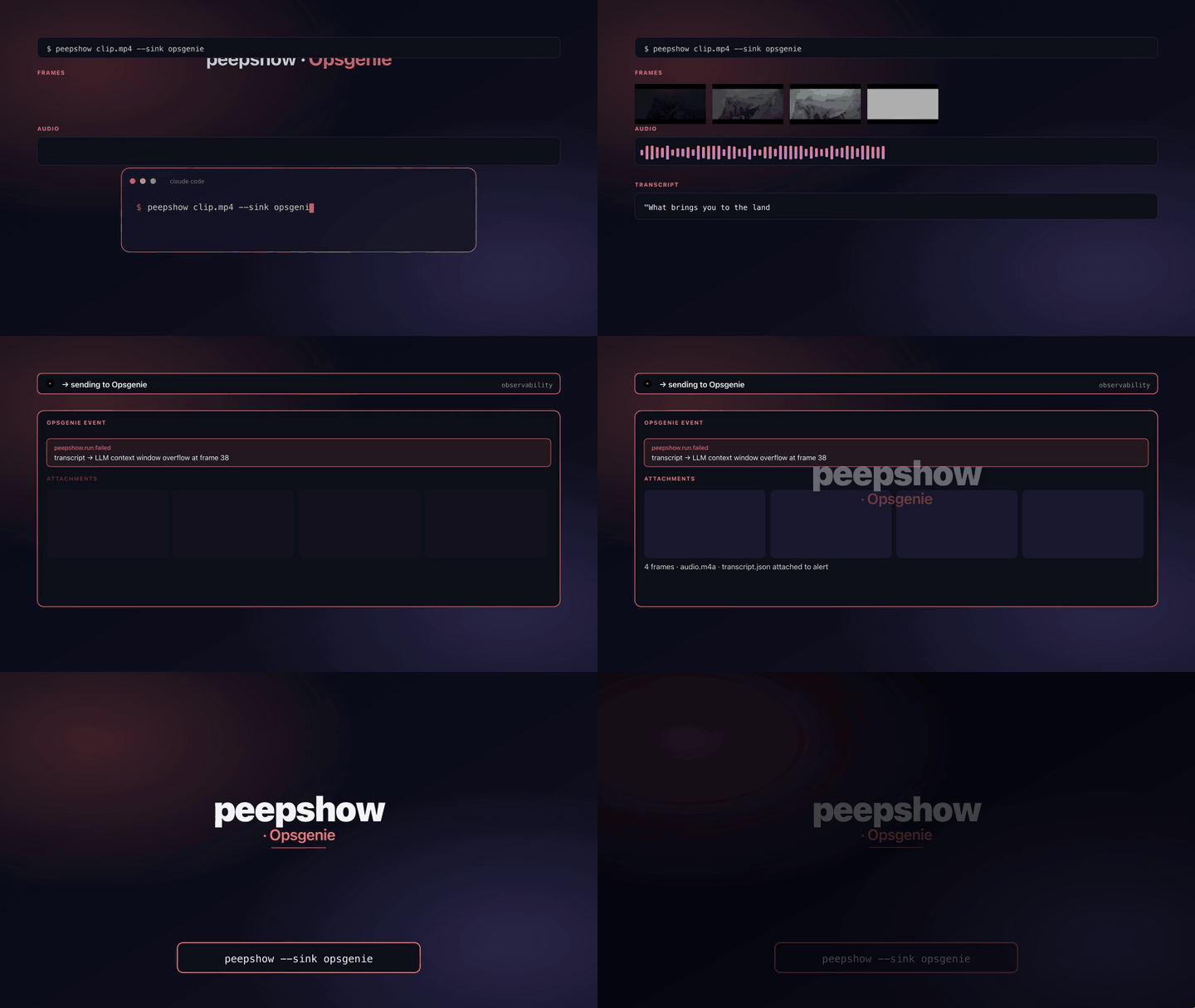
Create an [Opsgenie alert](https://docs.opsgenie.com/docs/alert-api) so a
peepshow run lands on an on-call timeline. The sink POSTs JSON to
`https://api.opsgenie.com/v2/alerts` (or `api.eu.opsgenie.com` for the EU
region) and exits on 202 Accepted.
## Configuration
| Env | Required | Default | Purpose |
|-----|----------|---------|---------|
| `OPSGENIE_API_KEY` | ✓ | — | API token from a Team API integration. Sent as `Authorization: GenieKey `. |
| `OPSGENIE_REGION` | | `us` | `us` \| `eu`. Unknown values clamp to `us`. |
| `OPSGENIE_PRIORITY` | | `P3` | `P1` \| `P2` \| `P3` \| `P4` \| `P5`. Unknown values fall back to `P3`. |
| `OPSGENIE_MESSAGE` | | — | Override for the alert `message` title. Clamped to Opsgenie's 130-char limit. |
## Payload shape
- `message`: `peepshow: (<N> frames)` — clamped to 130 chars. `title` is `video.tags.title`, then `video.tags.show`, then `"peepshow run"`. Fully overridable with `OPSGENIE_MESSAGE`.
- `description`: Markdown body with a header line, a codec/container/duration/resolution summary, every `video.tags[key]` as a bullet, and the full list of frame paths.
- `priority`: from `OPSGENIE_PRIORITY`.
- `tags`: `peepshow`, `strategy-<scene|fps>`, plus `codec-*`, `container-*`, and `run-<dirname>` slugged to Opsgenie's tag rules.
- `details`: flat string map — `strategy`, `frames`, `output_dir`, `codec`, `container`, `duration_s`, `resolution`, plus every `video.tags[key]` that doesn't collide with a reserved key.
- `source`: always `peepshow`.
## Exit codes
| 0 | Alert accepted (202). |
| 2 | Missing `OPSGENIE_API_KEY`. |
| 4 | stdin malformed / not a peepshow `--emit json` payload. |
| 5 | Opsgenie returned non-2xx. |
## Use with an LLM agent
Every peepshow sink is a zero-config extension point for any LLM CLI —
Claude Code, Cursor, Windsurf, Codex, Gemini, or any agent that can shell
out. The LLM doesn't need a plugin; it just needs `peepshow` on `PATH` and
the sink's env vars in the shell it runs under.
### 1. Set the environment
Add the sink's required env vars to your shell rc (`~/.zshrc`,
`~/.bashrc`, PowerShell profile) or a project-local `.env` that your
agent tooling loads. Example:
```sh
export OPSGENIE_API_KEY="…"
# Optional: EU-region tenant
export OPSGENIE_REGION=eu
# Optional: escalate critical runs
export OPSGENIE_PRIORITY=P1
```
### 2. Register as an auto-sink
Auto-sinks fire on every `peepshow` run without per-invocation flags,
so the LLM doesn't have to remember a pipeline — the routing is
declarative:
```sh
peepshow sinks add opsgenie
# Optional: only fire for matching inputs
peepshow sinks add opsgenie --when extension=mp4,mov
peepshow sinks add opsgenie --when environment=prod
```
See [`peepshow sinks`](../../docs/PLUGINS.md) for the full matching
vocabulary.
### 3. An LLM session, end-to-end
> **You**: drop a `outage.mov` into Claude Code (or ask
> "what's in ~/bugs/outage.mov?")
>
> **Claude Code**: the `UserPromptSubmit` hook detects the video and
> auto-invokes `/peepshow:slides ~/bugs/outage.mov`. peepshow extracts
> frames + audio, transcribes locally if `whisper.cpp` is on `PATH`,
> then forwards the run to the `Opsgenie` sink.
>
> **`Opsgenie`**: creates a new alert with the clip title as the
> message, a markdown description listing every frame, and tags that
> cluster repeat runs (`codec-*`, `container-*`, `run-*`).
>
> **Claude Code**: reads the frames back as images, combines them with
> the audio transcript, and writes a summary that references the
> downstream alert.
### 4. What the sink sees
The sink receives the complete `--emit json` payload on stdin — not just
the frame paths. That includes:
- `video` — codec, duration, resolution, container tags (director / studio
/ title etc).
- `frames[]` — every extracted frame path + byte size.
- `audio` — `path`, `durationSeconds`, codec, loudness peak, silence
ratio.
- `audio.transcript` — `segments[]` with timestamps, full `text`,
language — populated when transcription is enabled (v0.4.0+).
- `extraction` — strategy, thresholds, ffmpeg path used.
> **Transcript handling**: transcript metadata tags the alert; the full text is stored in the alert description.
## Usage
```sh
OPSGENIE_API_KEY=... \
OPSGENIE_PRIORITY=P2 \
peepshow ./trigger.mp4 --sink opsgenie
```
EU region:
```sh
OPSGENIE_API_KEY=... \
OPSGENIE_REGION=eu \
peepshow ./trigger.mp4 --sink opsgenie
```
Custom title:
```sh
OPSGENIE_API_KEY=... \
OPSGENIE_MESSAGE="Pipeline regression on trigger.mp4" \
peepshow ./trigger.mp4 --sink opsgenie
```