# peepshow-sink-miro
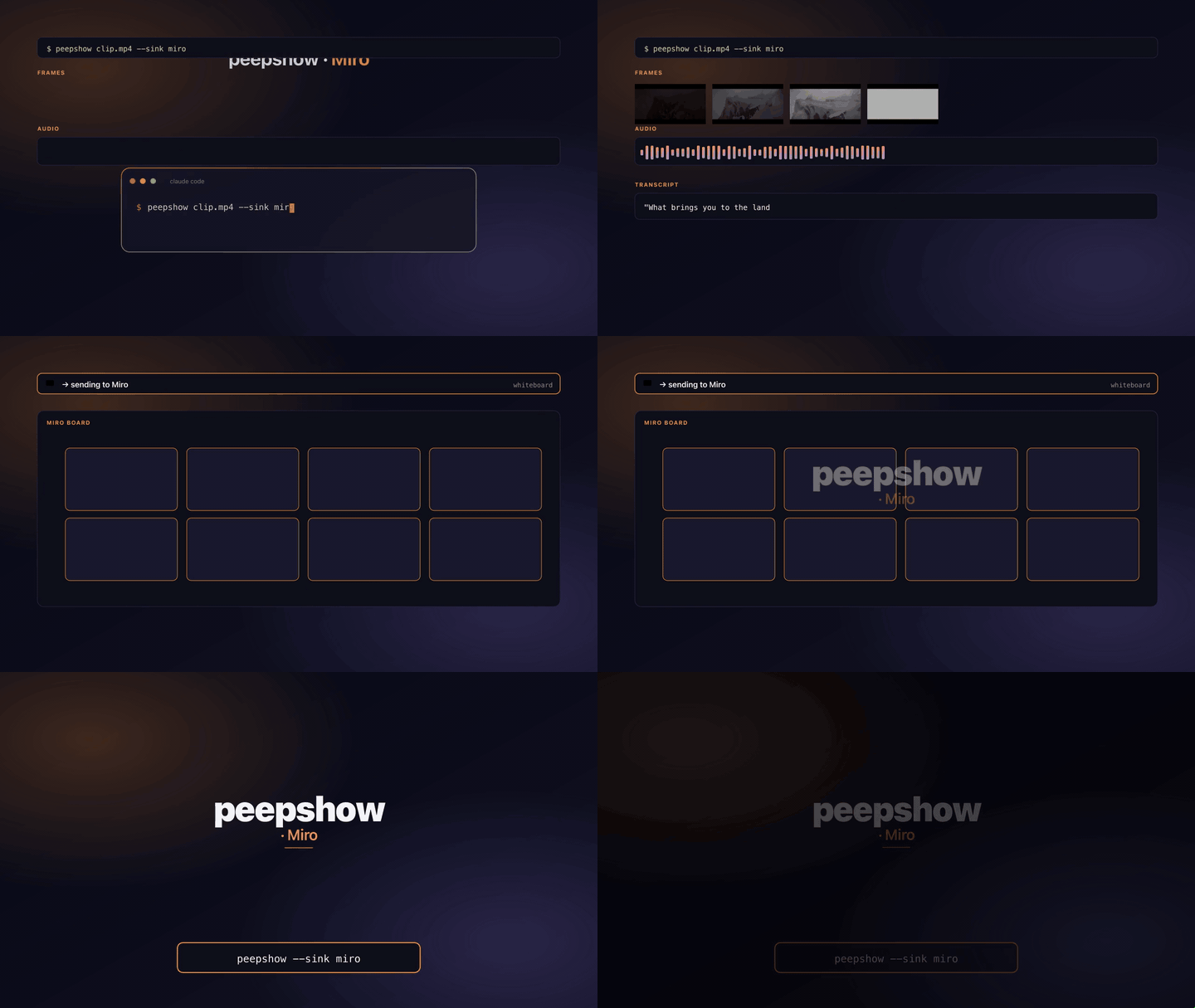
<!-- gif:sink:miro -->
<p align="center">
  <img src="https://raw.githubusercontent.com/t0mtaylor/peepshow/main/docs/sink-gifs/miro.gif" alt="peepshow → miro demo" width="720">
</p>
<!-- /gif:sink:miro -->


Upload each peepshow frame to a [Miro](https://miro.com) board as an
image item. Frames are laid out on a grid (ordinal-driven columns/rows)
so a run reads left-to-right, top-to-bottom like a comic strip.

Uses the [Create image item (file from device)][api] endpoint
(`POST /v2/boards/{board_id}/images`) with `multipart/form-data`:

- `resource` — the image file.
- `data` — a JSON part carrying `title`, `position` (`{x, y, origin: "center"}`),
  and `geometry` (`{width}`).

[api]: https://developers.miro.com/reference/create-image-item-using-file-from-device

## Configuration

| Env | Required | Default | Purpose |
|-----|----------|---------|---------|
| `MIRO_TOKEN`         | ✓ | — | OAuth access token (sent as `Bearer`). |
| `MIRO_BOARD_ID`      | ✓ | — | Target board id (URL-safe; includes the `uX…` prefix). |
| `MIRO_TILE_WIDTH`    |   | `320` | Per-tile width in px. Miro preserves aspect — height follows the source frame. |
| `MIRO_TILES_PER_ROW` |   | `6`   | Grid columns. Row 1 holds frames 1..N, row 2 holds N+1..2N, etc. |
| `MIRO_GAP`           |   | `40`  | Gap between tiles in px (applied on both axes). |
| `MIRO_ORIGIN_X`      |   | `0`   | Grid origin x (centre of frame 1). |
| `MIRO_ORIGIN_Y`      |   | `0`   | Grid origin y (centre of frame 1). |
| `MIRO_API_URL`       |   | `https://api.miro.com/v2` | Override for self-hosted / staging gateways. |

## Layout

For each 1-based frame ordinal:

```
column = (ordinal - 1) % MIRO_TILES_PER_ROW
row    = floor((ordinal - 1) / MIRO_TILES_PER_ROW)
x      = MIRO_ORIGIN_X + column * (MIRO_TILE_WIDTH + MIRO_GAP)
y      = MIRO_ORIGIN_Y + row    * (MIRO_TILE_WIDTH + MIRO_GAP)
```

Heights aren't known upfront — Miro preserves the source aspect ratio —
so vertical spacing reuses `MIRO_TILE_WIDTH + MIRO_GAP`. That's close
enough for a scene-detected timeline; nudge `MIRO_GAP` up if tall
portraits overlap.

## Item title

Each image item gets a title of the form:

```
<video title> — frame NNNN
```

where `<video title>` is `video.tags.title` → `video.tags.show` →
`"peepshow run"` (first non-empty), and `NNNN` is the 1-based ordinal
zero-padded to four digits.

## Exit codes

| 0 | All frames uploaded. |
| 2 | Missing `MIRO_TOKEN` or `MIRO_BOARD_ID`. |
| 4 | stdin malformed / not a peepshow JSON payload. |
| 5 | Miro returned non-2xx for one of the image uploads. |

## Use with an LLM agent

Every peepshow sink is a zero-config extension point for any LLM CLI —
Claude Code, Cursor, Windsurf, Codex, Gemini, or any agent that can shell
out. The LLM doesn't need a plugin; it just needs `peepshow` on `PATH` and
the sink's env vars in the shell it runs under.

### 1. Set the environment

Add the sink's required env vars to your shell rc (`~/.zshrc`,
`~/.bashrc`, PowerShell profile) or a project-local `.env` that your
agent tooling loads. Example:

```sh
export MIRO_TOKEN="…"
export MIRO_BOARD_ID="your-value"
```

### 2. Register as an auto-sink

Auto-sinks fire on every `peepshow` run without per-invocation flags,
so the LLM doesn't have to remember a pipeline — the routing is
declarative:

```sh
peepshow sinks add miro
# Optional: only fire for matching inputs
peepshow sinks add miro --when extension=mp4,mov
peepshow sinks add miro --when project=storyboard
```

See [`peepshow sinks`](../../docs/PLUGINS.md) for the full matching
vocabulary.

### 3. An LLM session, end-to-end

> **You**: drop a `clip.mov` into Claude Code (or ask
> "what's in ~/bugs/crash.mov?")
>
> **Claude Code**: the `UserPromptSubmit` hook detects the video and
> auto-invokes `/peepshow:slides ~/bugs/crash.mov`. peepshow extracts
> frames + audio, transcribes locally if `whisper.cpp` is on `PATH`,
> then forwards the run to the `Miro` sink.
>
> **`Miro`**: uploads each frame to a Miro board laid out on a configurable grid so the run reads left-to-right like a comic strip.
>
> **Claude Code**: reads the frames back as images, combines them with
> the audio transcript, and writes a summary that references the
> downstream record.

### 4. What the sink sees

The sink receives the complete `--emit json` payload on stdin — not just
the frame paths. That includes:

- `video` — codec, duration, resolution, container tags (director / studio
  / title etc).
- `frames[]` — every extracted frame path + byte size.
- `audio` — `path`, `durationSeconds`, codec, loudness peak, silence
  ratio.
- `audio.transcript` — `segments[]` with timestamps, full `text`,
  language — populated when transcription is enabled (v0.4.0+).
- `extraction` — strategy, thresholds, ffmpeg path used.

> **Transcript handling**: transcript text can be overlaid as a board item underneath the frame collage.
