# peepshow-sink-mempalace
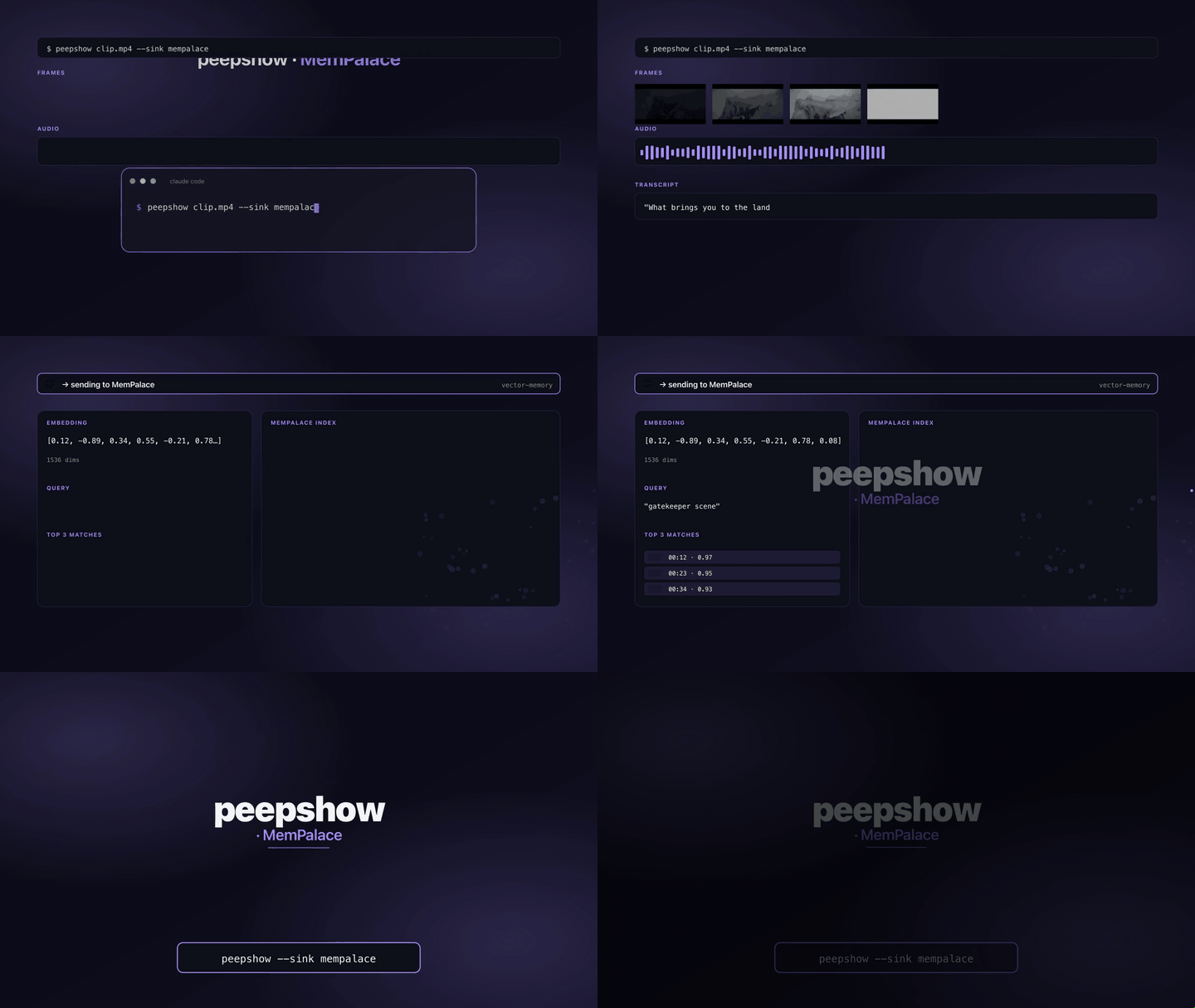
Writes a per-run markdown note into a directory that [MemPalace](https://github.com/MemPalace/mempalace) already mines. MemPalace is a local-first AI memory system that stores content verbatim and retrieves it via semantic search — no API keys, no cloud. The sink turns every peepshow run into a mineable markdown artefact so the video's container tags + extraction metadata + frame paths all become recallable through `mempalace search`.
Supports mempalace's **wing** / **room** scoping by writing into the matching subdirectory, and can optionally spawn `mempalace mine` after each note is written so ingestion happens synchronously in your pipeline instead of waiting for the next manual mine.
## Config
| Env var | Required | Default | Purpose |
| :------ | :------- | :------ | :------ |
| `PEEPSHOW_MEMPALACE_DIR` | yes | — | absolute path to a directory mempalace mines (your project root, or a dedicated watch folder) |
| `PEEPSHOW_MEMPALACE_WING` | no | — | wing name; becomes a normalised subdirectory under the mine dir |
| `PEEPSHOW_MEMPALACE_ROOM` | no | — | room name; nested under the wing |
| `PEEPSHOW_MEMPALACE_COPY` | no | `1` | `0` to leave frames in their original `outputDir` and reference absolute paths in the note |
| `PEEPSHOW_MEMPALACE_AUTOMINE` | no | `0` | `1` to spawn `mempalace mine [--wing ]` after writing the note |
| `PEEPSHOW_MEMPALACE_BIN` | no | `mempalace` | override the `mempalace` executable path |
## Use
```bash
pip install mempalace
mempalace init ~/projects/myapp
export PEEPSHOW_MEMPALACE_DIR=~/projects/myapp
export PEEPSHOW_MEMPALACE_WING=myapp
peepshow sinks add mempalace
peepshow ./demo.mp4
```
Then, either wait for your next routine `mempalace mine ~/projects/myapp`, or set:
```bash
export PEEPSHOW_MEMPALACE_AUTOMINE=1
```
so each peepshow run ingests itself before returning.
## Layout
```
/
myapp/ # wing (optional)
costs/ # room (optional)
20260422-124857-the-heist.md # note with frontmatter + metadata + frame refs
frames/
20260422-124857-the-heist/
frame_0001.jpg
frame_0002.jpg
```
## Note body
```markdown
---
source: peepshow
strategy: scene
wing: myapp
room: costs
duration: 42
resolution: "1920x1080"
codec: h264
container: mov
frames: 12
title: "The Heist"
director: "Kubrick"
---
# The Heist
- **strategy:** scene
- **frames:** 12 emitted, 0 pruned
- **duration:** 42.00s
- **resolution:** 1920×1080
- **codec:** h264
- **ffmpeg:** system (/opt/homebrew/bin/ffmpeg)
## Frames
### Frame 1

### Frame 2

```
MemPalace's default miner chunks character-wise and does not parse the markdown, so the YAML frontmatter and bullet-list metadata end up verbatim in retrieved drawers — which is what you want for semantic recall. The title and tags survive as-is in `search` hits.
## Caveats
- Wing and room names are slugified (`lowercase, [^\w\s-] stripped, whitespace → "-"`) before they become directory names. This keeps mempalace's own wing/room normalisation consistent with what it detects from folder structure in `mempalace init`.
- `PEEPSHOW_MEMPALACE_AUTOMINE=1` waits for `mempalace mine` to exit before returning. On a large project this can take tens of seconds — prefer leaving it off and running mines on a cron/hook if that's a problem.
- If `mempalace` is not on `PATH` when automine is enabled, the sink exits with code `3` (missingDep) and prints the `pip install mempalace` hint.
- Frames copied into the mine dir are subject to whatever retention policy you've set; mempalace ignores binaries, so they stay on disk as references but don't inflate the index.
- No dependency on `mempalace` itself unless `AUTOMINE=1` — the note-writing path is pure filesystem I/O, no Python required.
## Use with an LLM agent
Every peepshow sink is a zero-config extension point for any LLM CLI —
Claude Code, Cursor, Windsurf, Codex, Gemini, or any agent that can shell
out. The LLM doesn't need a plugin; it just needs `peepshow` on `PATH` and
the sink's env vars in the shell it runs under.
### 1. Set the environment
Add the sink's required env vars to your shell rc (`~/.zshrc`,
`~/.bashrc`, PowerShell profile) or a project-local `.env` that your
agent tooling loads. Example:
```sh
export PEEPSHOW_MEMPALACE_DIR="…"
```
### 2. Register as an auto-sink
Auto-sinks fire on every `peepshow` run without per-invocation flags,
so the LLM doesn't have to remember a pipeline — the routing is
declarative:
```sh
peepshow sinks add mempalace
# Optional: only fire for matching inputs
peepshow sinks add mempalace --when extension=mp4,mov
peepshow sinks add mempalace --when genre=tutorial
```
See [`peepshow sinks`](../../docs/PLUGINS.md) for the full matching
vocabulary.
### 3. An LLM session, end-to-end
> **You**: drop a `clip.mov` into Claude Code (or ask
> "what's in ~/bugs/crash.mov?")
>
> **Claude Code**: the `UserPromptSubmit` hook detects the video and
> auto-invokes `/peepshow:slides ~/bugs/crash.mov`. peepshow extracts
> frames + audio, transcribes locally if `whisper.cpp` is on `PATH`,
> then forwards the run to the `MemPalace` sink.
>
> **`MemPalace`**: writes a markdown note (YAML frontmatter + frame refs) into a MemPalace-mined directory, optionally auto-mining after each write.
>
> **Claude Code**: reads the frames back as images, combines them with
> the audio transcript, and writes a summary that references the
> downstream record.
### 4. What the sink sees
The sink receives the complete `--emit json` payload on stdin — not just
the frame paths. That includes:
- `video` — codec, duration, resolution, container tags (director / studio
/ title etc).
- `frames[]` — every extracted frame path + byte size.
- `audio` — `path`, `durationSeconds`, codec, loudness peak, silence
ratio.
- `audio.transcript` — `segments[]` with timestamps, full `text`,
language — populated when transcription is enabled (v0.4.0+).
- `extraction` — strategy, thresholds, ffmpeg path used.
> **Transcript handling**: the transcript text is a natural embedding target — indexed alongside the frames so later retrieval covers spoken content too.