# peepshow-sink-box
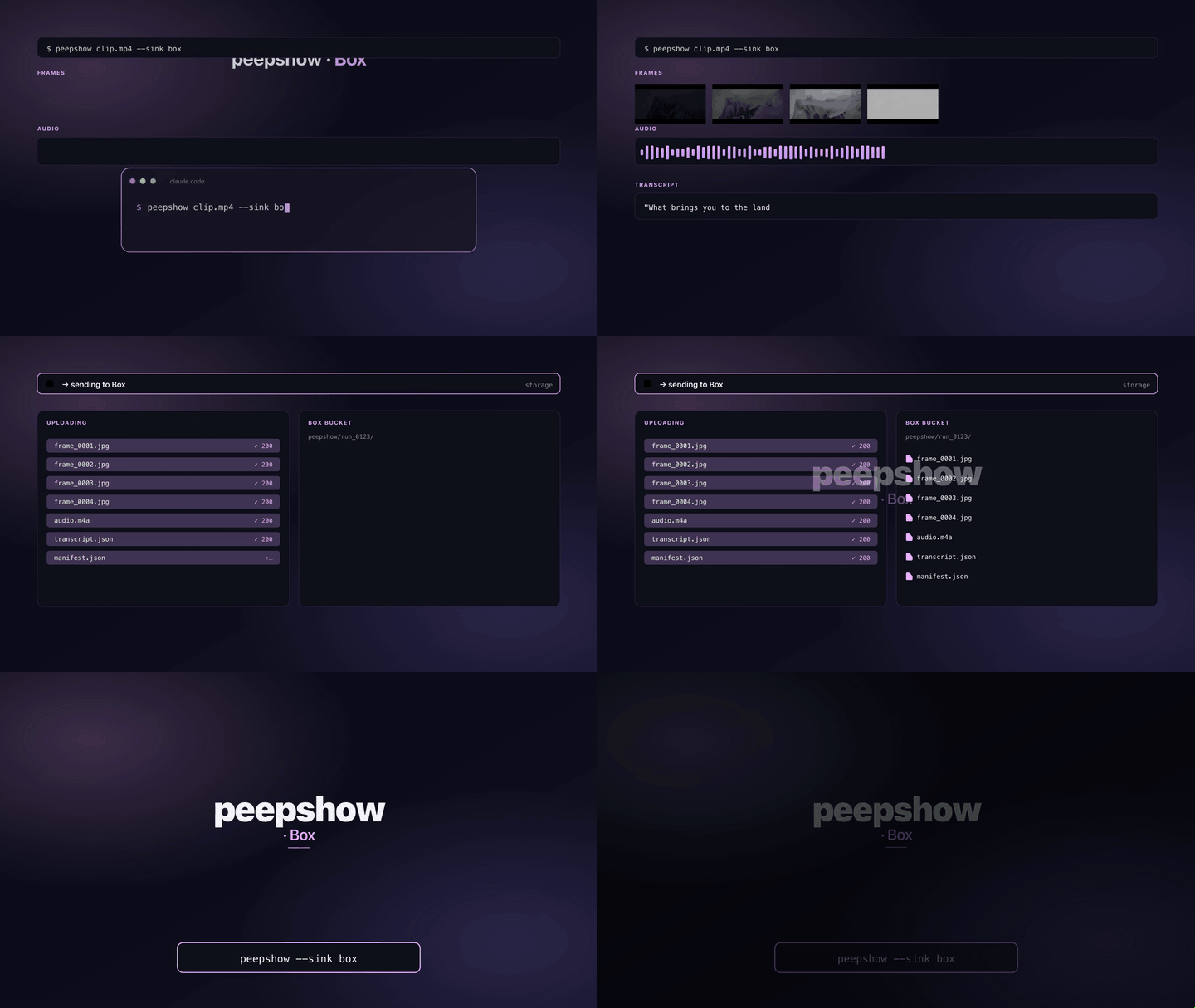
Creates a per-run subfolder under a Box parent folder, then uploads every frame plus a `manifest.json` using the Box v2 **simple upload** endpoint (`POST /2.0/files/content`).
## Simple upload vs. `upload_sessions`
Box exposes two upload flows:
| Flow | When to use | Cost |
| :--- | :---------- | :--- |
| `POST /2.0/files/content` (simple) | Files ≤ 50 MB | One request per file. |
| `POST /2.0/files/upload_sessions` (chunked) | Files > 50 MB | Create session → upload parts → commit (3+ roundtrips). |
Peepshow frames are tiny JPEGs (tens/hundreds of KB), so the simple endpoint wins on every axis: fewer roundtrips, less code, no chunk-size/checksum bookkeeping. If Box ever starts rejecting small payloads on `/files/content` the sink would need to switch — today it's the right call.
## Config
| Env var | Required | Default | Purpose |
| :------ | :------- | :------ | :------ |
| `BOX_ACCESS_TOKEN` | yes | — | OAuth 2, JWT app, or developer bearer token. |
| `BOX_PARENT_FOLDER_ID` | yes | — | Numeric folder id. `"0"` is the authenticated user's root folder. |
| `BOX_API_URL` | no | `https://api.box.com/2.0` | Override for Box for Government / private hosts. |
| `BOX_UPLOAD_URL` | no | `https://upload.box.com/api/2.0` | Override for the upload host. |
| `BOX_RUN_FOLDER_NAME` | no | `--` | Pin the subfolder name instead of deriving a timestamp. |
## Auth
Any valid Box bearer token works — developer token from the Box developer console, OAuth 2 user token, or JWT / CCG app token exchanged via the Box SDK. The sink just sets `Authorization: Bearer `.
If you're on a long-lived deployment, use a Box Custom App with JWT auth and refresh `BOX_ACCESS_TOKEN` out-of-band — peepshow does not refresh tokens itself.
## Use
```bash
export BOX_ACCESS_TOKEN=xxxxxxxxxxxxxxxx
export BOX_PARENT_FOLDER_ID=123456789 # find this in the Box web UI URL
peepshow sinks add box
peepshow ./video.mp4
```
## Layout in Box
```
/
--/ ← new folder per run
frame_0001.jpg
frame_0002.jpg
...
manifest.json
```
`manifest.json` bundles the full peepshow `--emit json` payload — `outputDir`, `strategy`, `frames`, `video`, `extraction` — so a downstream job can reconstruct the run from Box alone.
## Idempotency
When the folder-create request returns `409 item_name_in_use`, the sink extracts `context_info.conflicts[0].id` from the response and reuses that existing folder. That means two runs that collide on `BOX_RUN_FOLDER_NAME` (or the second-precision timestamp) land in the same subfolder rather than erroring. Filenames inside the folder collide the same way: Box will 409 on the second upload of `frame_0001.jpg`, which surfaces as a run-level error.
## Caveats
- Frames are uploaded sequentially (one POST per file). A future revision could parallelise with a concurrency cap.
- `Content-Type` is not explicitly set on the file part — Box infers it from the filename.
- The access token must have `root_readwrite` scope (or equivalent) and the target folder must be writable by the authenticated user or app service account.
- Box enterprises with strict content policies may trigger `403` or `409` on upload; configure the sink with a folder the app has explicit access to.
## Use with an LLM agent
Every peepshow sink is a zero-config extension point for any LLM CLI —
Claude Code, Cursor, Windsurf, Codex, Gemini, or any agent that can shell
out. The LLM doesn't need a plugin; it just needs `peepshow` on `PATH` and
the sink's env vars in the shell it runs under.
### 1. Set the environment
Add the sink's required env vars to your shell rc (`~/.zshrc`,
`~/.bashrc`, PowerShell profile) or a project-local `.env` that your
agent tooling loads. Example:
```sh
export BOX_ACCESS_TOKEN="…"
export BOX_PARENT_FOLDER_ID="your-value"
```
### 2. Register as an auto-sink
Auto-sinks fire on every `peepshow` run without per-invocation flags,
so the LLM doesn't have to remember a pipeline — the routing is
declarative:
```sh
peepshow sinks add box
# Optional: only fire for matching inputs
peepshow sinks add box --when extension=mp4,mov
peepshow sinks add box --when retention=long
```
See [`peepshow sinks`](../../docs/PLUGINS.md) for the full matching
vocabulary.
### 3. An LLM session, end-to-end
> **You**: drop a `clip.mov` into Claude Code (or ask
> "what's in ~/bugs/crash.mov?")
>
> **Claude Code**: the `UserPromptSubmit` hook detects the video and
> auto-invokes `/peepshow:slides ~/bugs/crash.mov`. peepshow extracts
> frames + audio, transcribes locally if `whisper.cpp` is on `PATH`,
> then forwards the run to the `Box` sink.
>
> **`Box`**: creates a per-run subfolder under a Box parent and uploads every frame plus a `manifest.json` via the simple-upload endpoint.
>
> **Claude Code**: reads the frames back as images, combines them with
> the audio transcript, and writes a summary that references the
> downstream record.
### 4. What the sink sees
The sink receives the complete `--emit json` payload on stdin — not just
the frame paths. That includes:
- `video` — codec, duration, resolution, container tags (director / studio
/ title etc).
- `frames[]` — every extracted frame path + byte size.
- `audio` — `path`, `durationSeconds`, codec, loudness peak, silence
ratio.
- `audio.transcript` — `segments[]` with timestamps, full `text`,
language — populated when transcription is enabled (v0.4.0+).
- `extraction` — strategy, thresholds, ffmpeg path used.
> **Transcript handling**: the full transcript JSON is saved next to the frames in the per-run manifest.