# peepshow-sink-bear
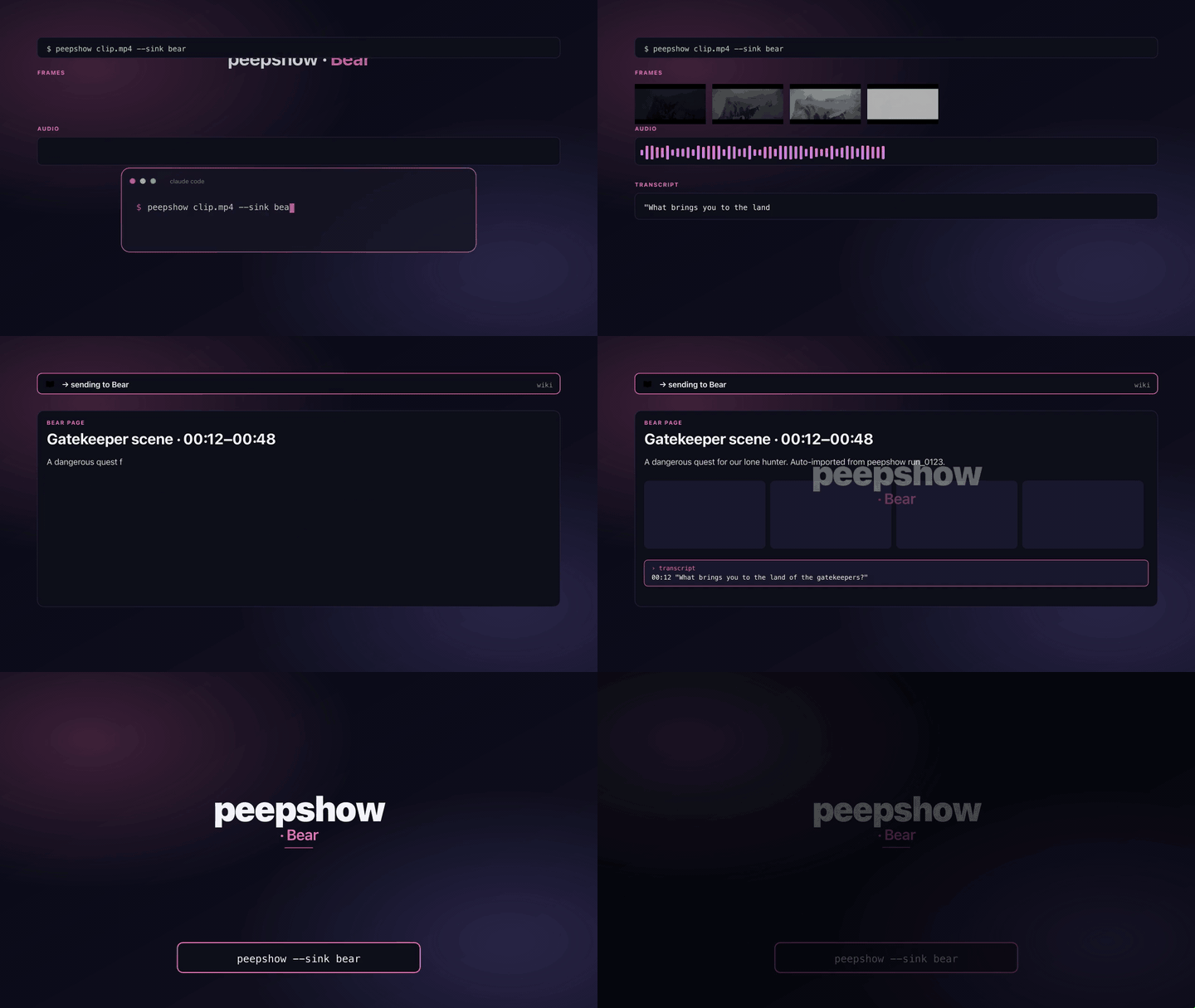
File every peepshow run as a markdown note in **[Bear](https://bear.app)** on macOS / iOS. The sink builds a markdown body (metadata, tags, frame links, transcript), encodes it into a `bear://x-callback-url/create` (or `/add-text` in append mode) URL, and dispatches it via macOS `open` so Bear's URL handler picks it up.
## Install
Ships built-in with peepshow:
```bash
npm i -g peepshow
```
Register as an auto-sink so every run lands in Bear automatically:
```bash
peepshow sinks add bear
```
## Configuration
| Env | Required | Default | Purpose |
|-----|----------|---------|---------|
| `BEAR_TITLE` | — | derived | Override the derived title. |
| `BEAR_TAGS` | — | — | Comma-separated tags (no `#` needed; sink prefixes). `#peepshow` is always added. |
| `BEAR_OPEN_NOTE` | — | `no` | `yes` to surface the note after writing it; anything else clamps to `no`. |
| `BEAR_TOKEN` | — | — | Bear → settings → advanced API token. Not required for `create` / `add-text`; needed only for token-only operations. |
| `BEAR_MODE` | — | `create` | `create` (new note) or `append` (add to an existing note via `/add-text`). |
| `BEAR_NOTE_ID` | when `BEAR_MODE=append` | — | Existing note's unique identifier (Bear → share → copy link to note). |
| `BEAR_ALLOW_NON_DARWIN` | — | — | Set to `1` to force-run on non-darwin platforms (CI / debug). |
## Platform behaviour
Bear is a macOS / iOS app. On Linux or Windows the sink **skips silently** (exit 0) with a stderr note, unless `BEAR_ALLOW_NON_DARWIN=1` is set — useful for unit testing the URL builder in CI without a real Bear install.
## What gets written
One new note per run, with:
- **Title** — from `BEAR_TITLE`, else `video.tags.title`, else `video.tags.show`, else `peepshow run (N frames)`.
- **Metadata section** — strategy, frame count, duration, resolution, codec, container.
- **Tags section** — every entry in `video.tags` (`director`, `studio`, any container metadata peepshow surfaces) as markdown bullets.
- **Frames section** — each frame rendered as `[frame_NNNN.jpg](file:///abs/path)`. Bear can't inline arbitrary `file://` images, but the link is clickable and resolves locally.
- **Transcript** — when peepshow's audio pass produced segments, each one appears as `**mm:ss** text`.
In **append mode** the markdown body is added to an existing note via `/add-text` instead of creating a new one.
## URL shape
The dispatched URL looks like this (truncated for readability):
```
bear://x-callback-url/create?
title=The%20Heist&
text=%23%23%20Metadata%0A...&
tags=peepshow,research&
open_note=no&
new_window=no
```
Bear documents the full scheme at .
## URL length
Bear handles URLs up to ~32 KB reliably. If the markdown body exceeds that ceiling, the sink truncates on a newline boundary and appends a footer pointing back at the on-disk frames directory so you can still resolve the full data.
## Exit codes
| Code | Meaning |
|------|---------|
| 0 | Wrote the note (or skipped silently on non-darwin). |
| 2 | Bad config — invalid `BEAR_MODE`, or `BEAR_MODE=append` without `BEAR_NOTE_ID`. |
| 3 | `open` not on PATH. |
| 4 | stdin malformed. |
| 5 | `open` exited non-zero. |
## Caveats
- Bear's URL scheme is one-shot fire-and-forget — the sink doesn't read back a confirmation, so an exit 0 means `open` succeeded, not that Bear necessarily processed the URL. In practice failures are loud (Bear surfaces a UI error) but absence-of-error isn't proof of write.
- Frames are linked, not embedded. Bear renders local images only when they're added to the note via the share sheet or drag-and-drop; arbitrary `file://` URLs in markdown render as clickable links rather than inline images.
- `BEAR_TOKEN` isn't required for `create` / `add-text`. It's forwarded when set so the sink stays compatible with Bear's token-gated endpoints (`/create-note`, `/replace-note`) if a future revision starts using them.
- Bear treats commas in `tags=` as the tag separator. Tag names that themselves contain commas aren't supported — split them up.
- Append mode (`BEAR_MODE=append`) writes the *full* peepshow body into the target note. If you'd rather append a one-line summary, build a smaller body with `--sink-cmd` instead.
## Use with an LLM agent
Every peepshow sink is a zero-config extension point for any LLM CLI —
Claude Code, Cursor, Windsurf, Codex, Gemini, or any agent that can shell
out. The LLM doesn't need a plugin; it just needs `peepshow` on `PATH` and
the sink's env vars in the shell it runs under.
### 1. Set the environment
Defaults work on macOS with no config. Optional overrides:
```sh
export BEAR_TAGS="research,kubrick"
export BEAR_OPEN_NOTE="no"
```
### 2. Register as an auto-sink
```sh
peepshow sinks add bear
# Optional: only fire for matching inputs
peepshow sinks add bear --when extension=mp4,mov
peepshow sinks add bear --when director=Kubrick
```
See [`peepshow sinks`](../../docs/PLUGINS.md) for the full matching
vocabulary.
### 3. An LLM session, end-to-end
> **You**: drop a `clip.mov` into Claude Code (or ask
> "what's in ~/lectures/2026-04-24.mp4?")
>
> **Claude Code**: the `UserPromptSubmit` hook detects the video and
> auto-invokes `/peepshow:slides ~/lectures/2026-04-24.mp4`. peepshow
> extracts frames + audio, transcribes locally if `whisper.cpp` is on
> `PATH`, then forwards the run to the `bear` sink.
>
> **`bear`**: builds a markdown body and dispatches a
> `bear://x-callback-url/create` URL. Bear creates a new note with the
> title, metadata, frame links, and transcript.
>
> **Claude Code**: reads the frames back as images, combines them with
> the audio transcript, and writes a summary that references the
> downstream record.
### 4. What the sink sees
The sink receives the complete `--emit json` payload on stdin — not just
the frame paths. That includes:
- `video` — codec, duration, resolution, container tags (director / studio
/ title etc).
- `frames[]` — every extracted frame path + byte size.
- `audio` — `path`, `durationSeconds`, codec, loudness peak, silence
ratio.
- `audio.transcript` — `segments[]` with timestamps, full `text`,
language — populated when transcription is enabled (v0.4.0+).
- `extraction` — strategy, thresholds, ffmpeg path used.
> **Transcript handling**: transcript segments are rendered inline in the markdown body with `mm:ss` prefixes, so the note reads as a timeline even without reopening the original video.
*Full list + links: [docs/sinks/README.md](./README.md).*