# peepshow-sink-apple-notes
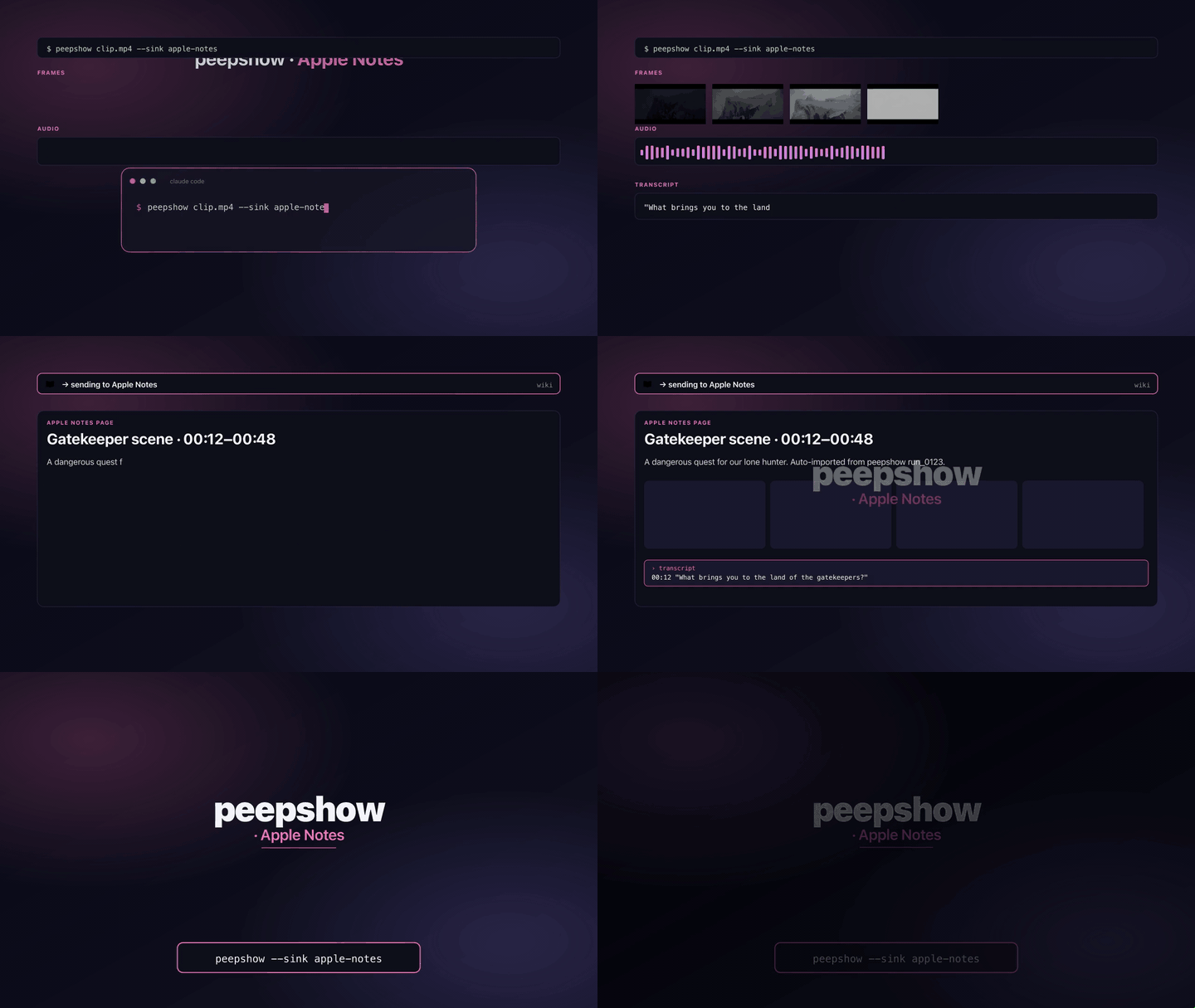
File every peepshow run into **Apple Notes** on macOS. The sink builds an HTML body (Notes' native markup), drives `osascript -` with a generated AppleScript program, and drops a new note under the folder of your choice.
## Install
Ships built-in with peepshow:
```bash
npm i -g peepshow
```
Register as an auto-sink so every run lands in Notes automatically:
```bash
peepshow sinks add apple-notes
```
## Configuration
| Env | Required | Default | Purpose |
|-----|----------|---------|---------|
| `APPLE_NOTES_FOLDER` | — | `Notes` | Top-level folder inside Notes.app to file the note under. |
| `PEEPSHOW_APPLE_NOTES_FOLDER` | — | — | Alias for `APPLE_NOTES_FOLDER`. Wins when both are set. |
| `APPLE_NOTES_TITLE` | — | — | Override the derived title. |
| `APPLE_NOTES_ACCOUNT` | — | — | Target a specific account (`iCloud`, `On My Mac`, etc.). Uses the default account when unset. |
| `APPLE_NOTES_ALLOW_NON_DARWIN` | — | — | Set to `1` to force-run on non-darwin platforms (CI / debug). |
## Platform behaviour
Apple Notes is macOS-only. On Linux or Windows the sink **skips silently** (exit 0) with a stderr note, unless `APPLE_NOTES_ALLOW_NON_DARWIN=1` is set — useful for unit testing the script generation in CI without a real Notes.app.
## What gets written
One new note per run, with:
- **Title** — from `APPLE_NOTES_TITLE`, else `video.tags.title`, else `video.tags.show`, else `peepshow — `.
- **Metadata list** — strategy, frame count, duration, resolution, codec, container.
- **Tags list** — every entry in `video.tags` (`director`, `studio`, any container metadata peepshow surfaces).
- **Frames list** — each frame rendered inline via ` ` plus an anchor tag so the absolute path is clickable.
- **Transcript** — when peepshow's audio pass produced segments, each one appears as `
` plus an anchor tag so the absolute path is clickable.
- **Transcript** — when peepshow's audio pass produced segments, each one appears as `mm:ss text
`.
Notes.app renders the HTML natively — no plugin or manual paste required.
## AppleScript shape
The generated program looks like this (account-scoped when `APPLE_NOTES_ACCOUNT` is set):
```applescript
tell application "Notes"
tell account "iCloud"
tell folder "Research"
make new note with properties {name:"The Heist", body:"...
..."}
end tell
end tell
end tell
```
When no account is given, the middle `tell account` block is omitted and the folder is resolved on the default account.
## Exit codes
| Code | Meaning |
|------|---------|
| 0 | Wrote the note (or skipped silently on non-darwin). |
| 3 | `osascript` not on PATH. |
| 4 | stdin malformed. |
| 5 | osascript exited non-zero. |
## Caveats
- Notes.app must be installed and have consented to Automation access for the controlling process on first run — you'll see a macOS permission prompt the first time the sink fires. Approve it once.
- The sink **always creates a new note**. Appending to an existing note by name is deferred pending a clean story for deduplication.
- Sandboxed environments (Homebrew services running under a different user, some CI runners) will fail with an Automation-denied error; in that case, either run peepshow under your GUI user or set `APPLE_NOTES_ALLOW_NON_DARWIN=1` on a non-macOS host.
- Frames are referenced by **absolute file path** via `file://` — if you move the output folder after the note is written, the inline images break.
## Use with an LLM agent
Every peepshow sink is a zero-config extension point for any LLM CLI —
Claude Code, Cursor, Windsurf, Codex, Gemini, or any agent that can shell
out. The LLM doesn't need a plugin; it just needs `peepshow` on `PATH` and
the sink's env vars in the shell it runs under.
### 1. Set the environment
Defaults work on macOS with no config. Optional overrides:
```sh
export APPLE_NOTES_FOLDER="Research"
export APPLE_NOTES_ACCOUNT="iCloud"
```
### 2. Register as an auto-sink
```sh
peepshow sinks add apple-notes
# Optional: only fire for matching inputs
peepshow sinks add apple-notes --when extension=mp4,mov
```
See [`peepshow sinks`](../../docs/PLUGINS.md) for the full matching
vocabulary.
### 3. An LLM session, end-to-end
> **You**: drop a `clip.mov` into Claude Code (or ask
> "what's in ~/lectures/2026-04-24.mp4?")
>
> **Claude Code**: the `UserPromptSubmit` hook detects the video and
> auto-invokes `/peepshow:slides ~/lectures/2026-04-24.mp4`. peepshow
> extracts frames + audio, transcribes locally if `whisper.cpp` is on
> `PATH`, then forwards the run to the `apple-notes` sink.
>
> **`apple-notes`**: creates a new note under the configured folder with
> the title, metadata, inline frames, and transcript.
>
> **Claude Code**: reads the frames back as images, combines them with
> the audio transcript, and writes a summary that references the
> downstream record.
### 4. What the sink sees
The sink receives the complete `--emit json` payload on stdin — not just
the frame paths. That includes:
- `video` — codec, duration, resolution, container tags (director / studio
/ title etc).
- `frames[]` — every extracted frame path + byte size.
- `audio` — `path`, `durationSeconds`, codec, loudness peak, silence
ratio.
- `audio.transcript` — `segments[]` with timestamps, full `text`,
language — populated when transcription is enabled (v0.4.0+).
- `extraction` — strategy, thresholds, ffmpeg path used.
> **Transcript handling**: transcript segments are rendered inline in the note body with `mm:ss` prefixes, so the note reads as a timeline even without reopening the original video.
*Full list + links: [docs/sinks/README.md](./README.md).*