# pagewalker
[日本語](./README.ja.md)
Pagewalker is a tool for implementing E2E tests in JavaScript (Node.js).
## Features
* Uses Chrome as the browser for test execution (via Puppeteer).
* Headless execution is possible.
* Everything can be run in Docker (no need to install Node.js on the host machine).
* The execution in the Docker container can be monitored in a web browser.
 ## Setup
### Running in a Docker environment
To run in a Docker environment, navigate to an empty project directory and retrieve the files with the following command:
```
curl https://raw.githubusercontent.com/xketanaka/pagewalker/master/dist/pagewalker-docker.tar.gz | tar zxvf -
```
When you run this, `Dockerfile` and `docker-compose.yml` will be placed in the directory.
Start the execution environment with `docker compose`.
```
docker compose up -d
```
The `pagewalker` Docker container allows you to view the execution status in a GUI (web browser). It uses port 8010 for this purpose. If you want to change the port number, please edit `docker-compose.yml`.
Once the Docker container is running, execute the `pagewalker` initialization command (`init-pagewalker-project`).
```
docker compose exec app npx --package=pagewalker -- init-pagewalker-project
```
When the initialization command finishes successfully, `package.json` and the necessary directories will be created.
Next, install the npm packages.
```
docker compose exec app npm install
```
Now you are ready to run.
Run the default sample scenario (`01_sample_scenario.js`) with `npm test`.
```
docker compose exec app npm test
```
You can check the operation of `pagewalker` by accessing `http://localhost:8010/vnc.html` in your web browser.
## Setup
### Running in a Docker environment
To run in a Docker environment, navigate to an empty project directory and retrieve the files with the following command:
```
curl https://raw.githubusercontent.com/xketanaka/pagewalker/master/dist/pagewalker-docker.tar.gz | tar zxvf -
```
When you run this, `Dockerfile` and `docker-compose.yml` will be placed in the directory.
Start the execution environment with `docker compose`.
```
docker compose up -d
```
The `pagewalker` Docker container allows you to view the execution status in a GUI (web browser). It uses port 8010 for this purpose. If you want to change the port number, please edit `docker-compose.yml`.
Once the Docker container is running, execute the `pagewalker` initialization command (`init-pagewalker-project`).
```
docker compose exec app npx --package=pagewalker -- init-pagewalker-project
```
When the initialization command finishes successfully, `package.json` and the necessary directories will be created.
Next, install the npm packages.
```
docker compose exec app npm install
```
Now you are ready to run.
Run the default sample scenario (`01_sample_scenario.js`) with `npm test`.
```
docker compose exec app npm test
```
You can check the operation of `pagewalker` by accessing `http://localhost:8010/vnc.html` in your web browser.
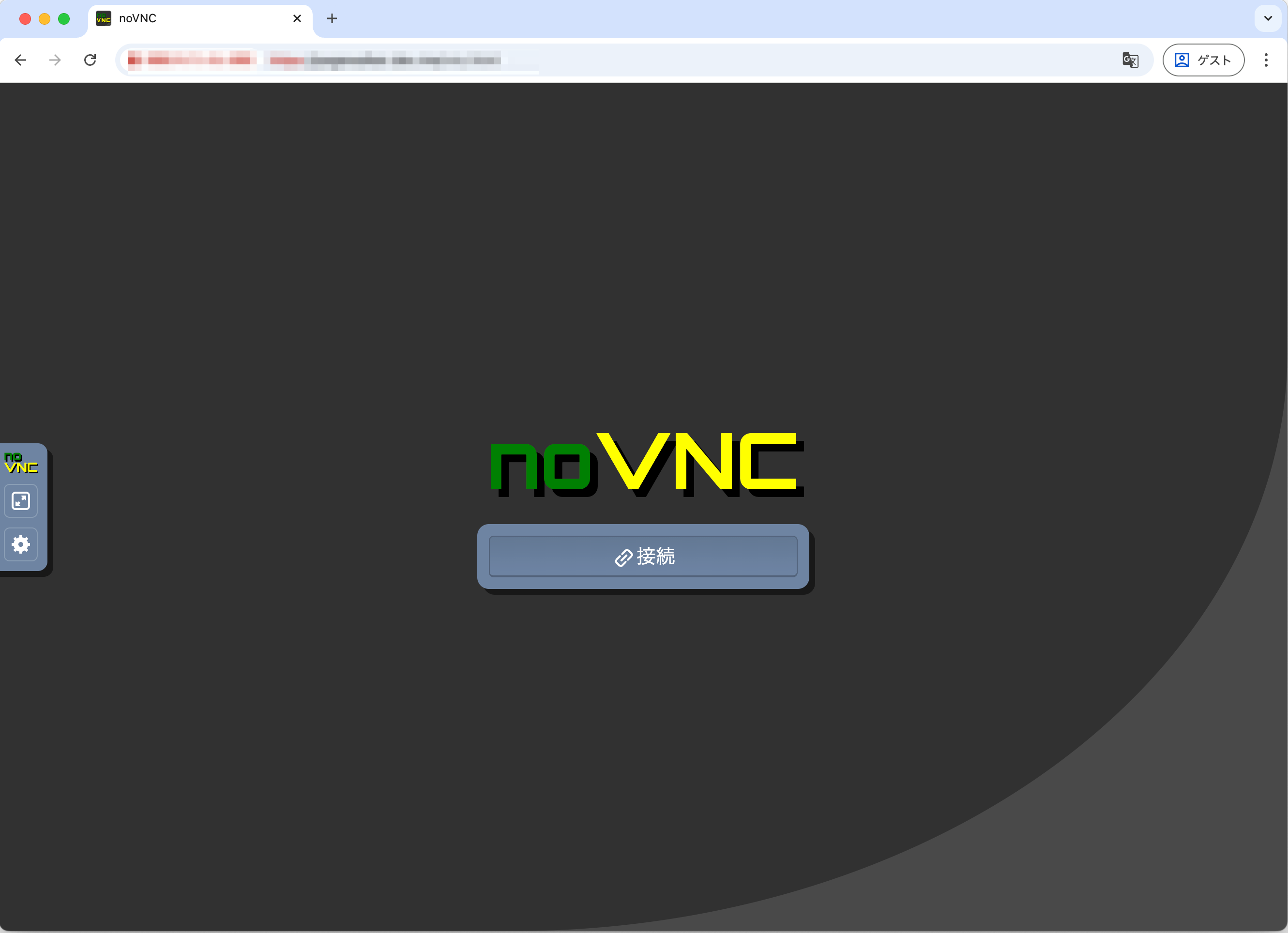 Click the [Connect] button.
### Running directly on the host environment
It is assumed that Node.js/NPM is installed on the host environment.
Navigate to an empty project directory and execute the initialization command (`init-pagewalker-project`).
```
npx --package=pagewalker -- init-pagewalker-project
```
When the initialization command finishes successfully, `package.json` and the necessary directories will be created.
Next, install the npm packages.
```
npm install
```
Now you are ready to run.
Run the default sample scenario (`01_sample_scenario.js`) with `npm test`.
```
npm test
```
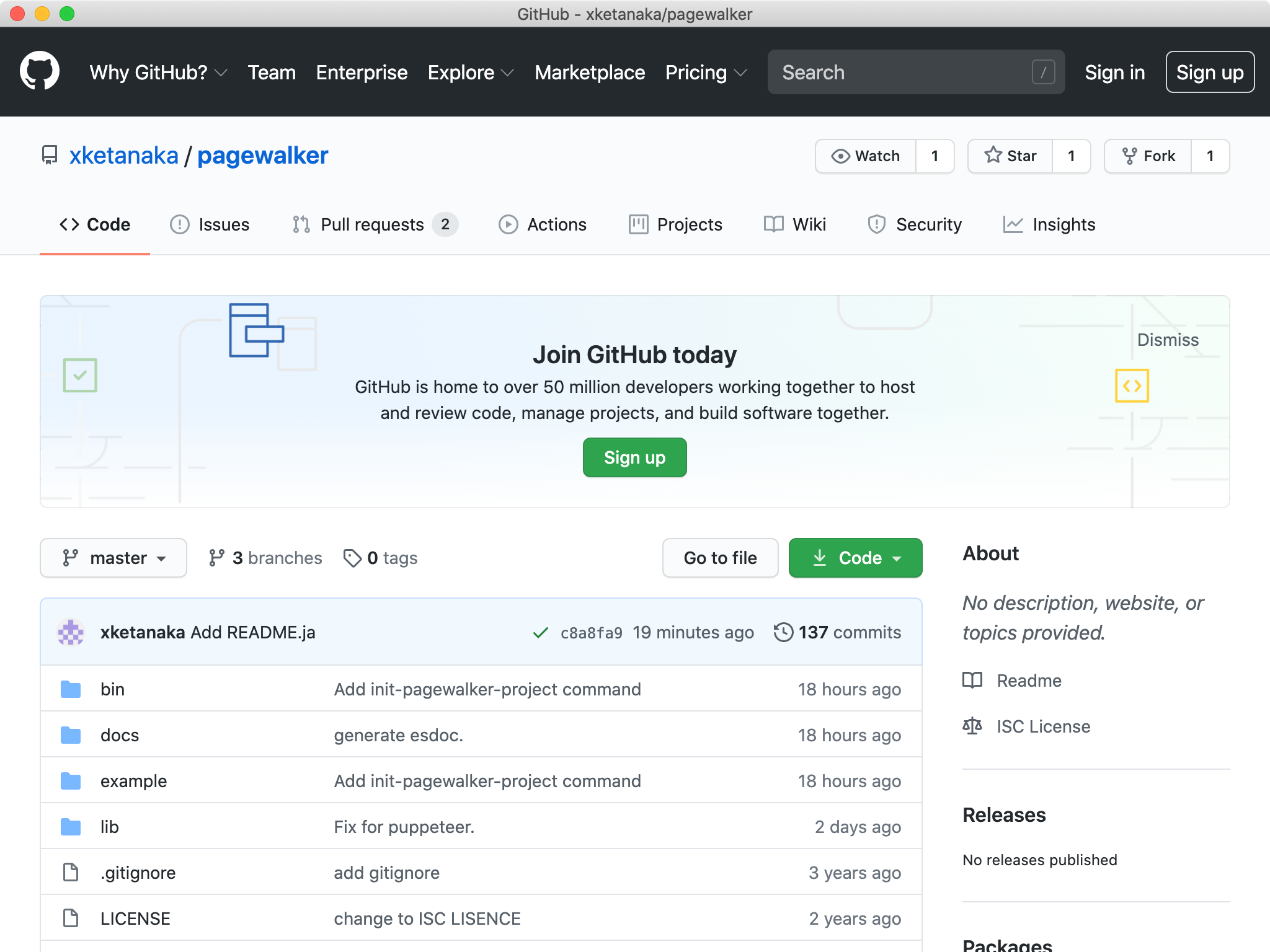
When you run it, you can see the browser start up and navigate to the `pagewalker` GitHub page.
Click the [Connect] button.
### Running directly on the host environment
It is assumed that Node.js/NPM is installed on the host environment.
Navigate to an empty project directory and execute the initialization command (`init-pagewalker-project`).
```
npx --package=pagewalker -- init-pagewalker-project
```
When the initialization command finishes successfully, `package.json` and the necessary directories will be created.
Next, install the npm packages.
```
npm install
```
Now you are ready to run.
Run the default sample scenario (`01_sample_scenario.js`) with `npm test`.
```
npm test
```
When you run it, you can see the browser start up and navigate to the `pagewalker` GitHub page.
 ## Writing Scenarios
First, let's look at the sample (`01_sample_scenario.js`) created by `init-pagewalker-project`.
```javascript
const {page} = require('pagewalker');
const assert = require('assert');
describe('First example', ()=>{
it('Visit Github and Inspect code', async function(){
await page.load('https://github.com/xketanaka/pagewalker');
await assert.strictEqual(page.url, 'https://github.com/xketanaka/pagewalker');
await page.find('div.search-input-container button').click();
await page.find('input#query-builder-test').fillIn("repo:xketanaka/pagewalker 01_sample_scenario.js");
await page.find('input#query-builder-test').submit();
await page.waitForFinder(page.find("h2#search-filters-title").haveText("Filter by"));
await page.find('a').textIncludes("Updating 01_sample_scenario").click();
await page.waitForFinder(page.find("h1").textIncludes("Updating 01_sample_scenario.js"));
await page.find("div#issue-body-viewer a").haveText("01_sample_scenario").click();
await page.waitForSelector("textarea#read-only-cursor-text-area");
const expected = 'We have verified that this text exists.';
assert(await page.find("textarea#read-only-cursor-text-area").textIncludes(expected).exist());
});
});
```
pagewalker uses [mocha](https://mochajs.org/) as its testing framework.
We will write scenarios using `describe` and `it`.
To operate the browser, use the `page` object provided by `pagewalker`.
Many of the methods of the `page` object return a `Promise`.
We will write scenarios using `async/await` as in the sample.
More practical code samples can be found in [example](https://github.com/xketanaka/pagewalker/tree/master/example).
## API Reference
https://xketanaka.github.io/pagewalker/
## Writing Scenarios
First, let's look at the sample (`01_sample_scenario.js`) created by `init-pagewalker-project`.
```javascript
const {page} = require('pagewalker');
const assert = require('assert');
describe('First example', ()=>{
it('Visit Github and Inspect code', async function(){
await page.load('https://github.com/xketanaka/pagewalker');
await assert.strictEqual(page.url, 'https://github.com/xketanaka/pagewalker');
await page.find('div.search-input-container button').click();
await page.find('input#query-builder-test').fillIn("repo:xketanaka/pagewalker 01_sample_scenario.js");
await page.find('input#query-builder-test').submit();
await page.waitForFinder(page.find("h2#search-filters-title").haveText("Filter by"));
await page.find('a').textIncludes("Updating 01_sample_scenario").click();
await page.waitForFinder(page.find("h1").textIncludes("Updating 01_sample_scenario.js"));
await page.find("div#issue-body-viewer a").haveText("01_sample_scenario").click();
await page.waitForSelector("textarea#read-only-cursor-text-area");
const expected = 'We have verified that this text exists.';
assert(await page.find("textarea#read-only-cursor-text-area").textIncludes(expected).exist());
});
});
```
pagewalker uses [mocha](https://mochajs.org/) as its testing framework.
We will write scenarios using `describe` and `it`.
To operate the browser, use the `page` object provided by `pagewalker`.
Many of the methods of the `page` object return a `Promise`.
We will write scenarios using `async/await` as in the sample.
More practical code samples can be found in [example](https://github.com/xketanaka/pagewalker/tree/master/example).
## API Reference
https://xketanaka.github.io/pagewalker/