Use this guide when you need to inspect or operate Oysterun from a terminal. You will find the supported product modules, resolve the intended Host, distinguish read-only commands from commands that change state, and use the exact dry-run and confirmation boundary for protected mutations.
Before you start
Oysterun is installed on the machine where you will run the command.
You know which Oysterun Host the command is meant to reach.
You already have approved access for that Host, either from an authenticated operator terminal or the current live Session environment.
You have the exact Session, schedule, Loop, Mail, Website, or Agent identifier needed by the operation.
Starting screen: open a terminal on the machine that owns or can reach the intended Host. Do not begin by guessing an action name.
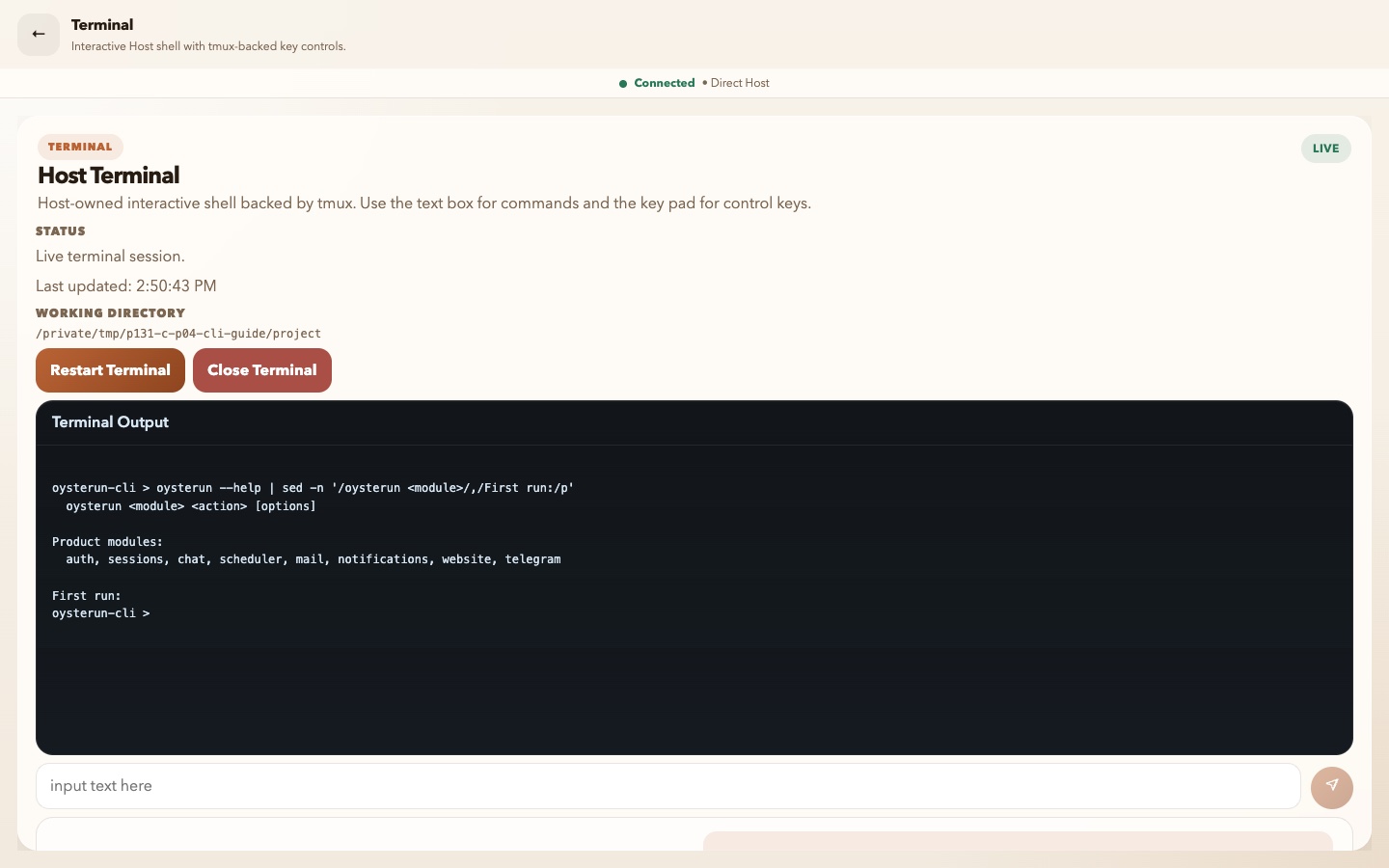
1. Find the supported product modules
Visible checkpoint: oysterun --help shows the command shape and the current supported modules in a clean terminal.
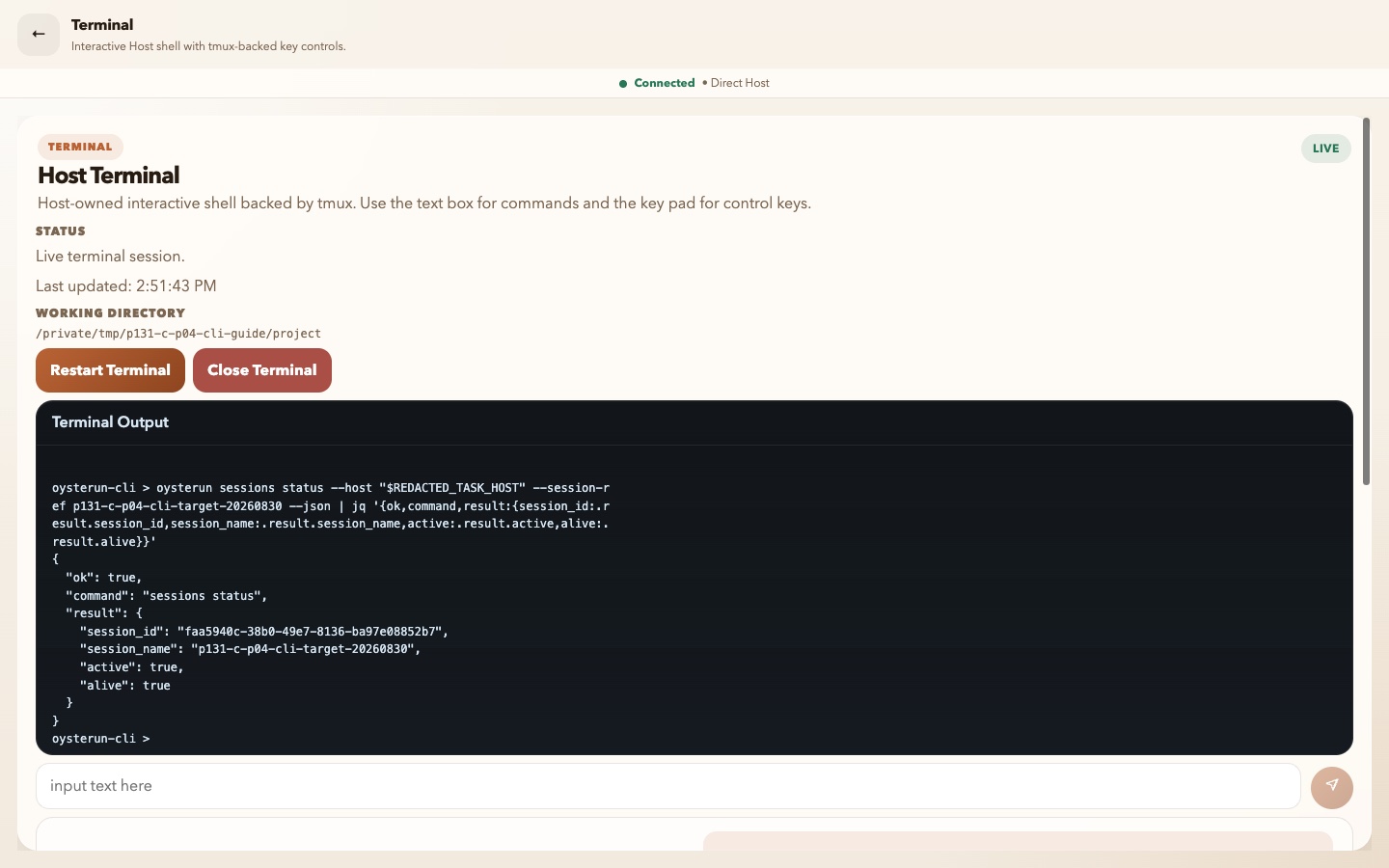
Visible checkpoint: the redacted Host read returns ok, sessions status, and the intended exact Session in the result envelope.
When more than one Host is available, pass an explicit --host value. Start with a read:
oysterun sessions list --host <HOST_ORIGIN> --json
If you are using previously approved dashboard CLI access, you can check it without changing a Session:
oysterun auth status --host <HOST_ORIGIN> --json
Read the target and returned status.
Confirm that the listed Sessions belong to the intended Host.
Copy an exact identifier only from this trusted read result; do not guess from a display name.
3. Recognize read-only operations
These supported actions inspect current state without requesting a product mutation:
Module
Read-only actions
Typical result
auth
status
Current dashboard CLI sign-in status
sessions
list, status, url, profile get
Session identity, state, URL, or profile
chat
recent, messages, messages-around, search, loop list
Bounded messages, context, search matches, or Loop definitions
scheduler
list, get, runs, run-log
Schedules and their recorded run information
mail
unread-count, list, get
Mail counts, lists, or one item
notifications
status
Current notification readiness
website
status, url, validate, access get
Website state, URL, validation, or access mode
telegram
status; sessions telegram get
Telegram or per-Session Telegram state
Add --json when you need the structured envelope. It includes ok, command, contract, result, and error.
4. Recognize mutations that do not wait for confirmation
The following action families change product state when their required inputs and authorization are accepted. They are not made safe by the absence of a confirmation prompt:
Recheck the explicit Host in the command you typed. In the redacted plan, verify the request method and path plus the exact target identifier.
If anything is wrong or unclear, stop. The dry run made no mutation.
Only when the mutation is explicitly authorized, rerun the same reviewed command with the bare --confirm flag instead of --dry-run. That second command performs the mutation.
6. Read output without exposing private data
Human-readable output is the default. Use --json when you need to verify the exact command/result envelope or a dry-run plan.
Normal output redacts secret-like fields, but Host origins, Session identifiers, message content, and filenames can still be private.
On success, verify ok, command, and the expected result. On failure, read error before changing the command.
Share only the smallest redacted excerpt needed for support. Never share an auth option or your complete environment.
7. Recover without turning a read into a mutation
Unknown command or action: stop and return to oysterun --help. Do not try nearby action names.
Host origin is required or the wrong Host responds: stop, obtain the approved Host origin, and rerun a read with explicit --host.
Authorization is required: use the approved sign-in path for that Host or the current live Session authority. Do not paste a broad token as a shortcut.
The CLI requires --confirm: do not append it immediately. Run the same protected operation with --dry-run --json, review the plan, then request authorization if it is not already explicit.
A target name is ambiguous: use a read command to obtain the exact identifier, then retry only the intended operation.
A dry-run plan lacks dry_run: true: do not proceed to confirmation. Preserve the redacted output and check the current command guidance; never use an undocumented dry-run as a safety test.
8. Finish with a safety check
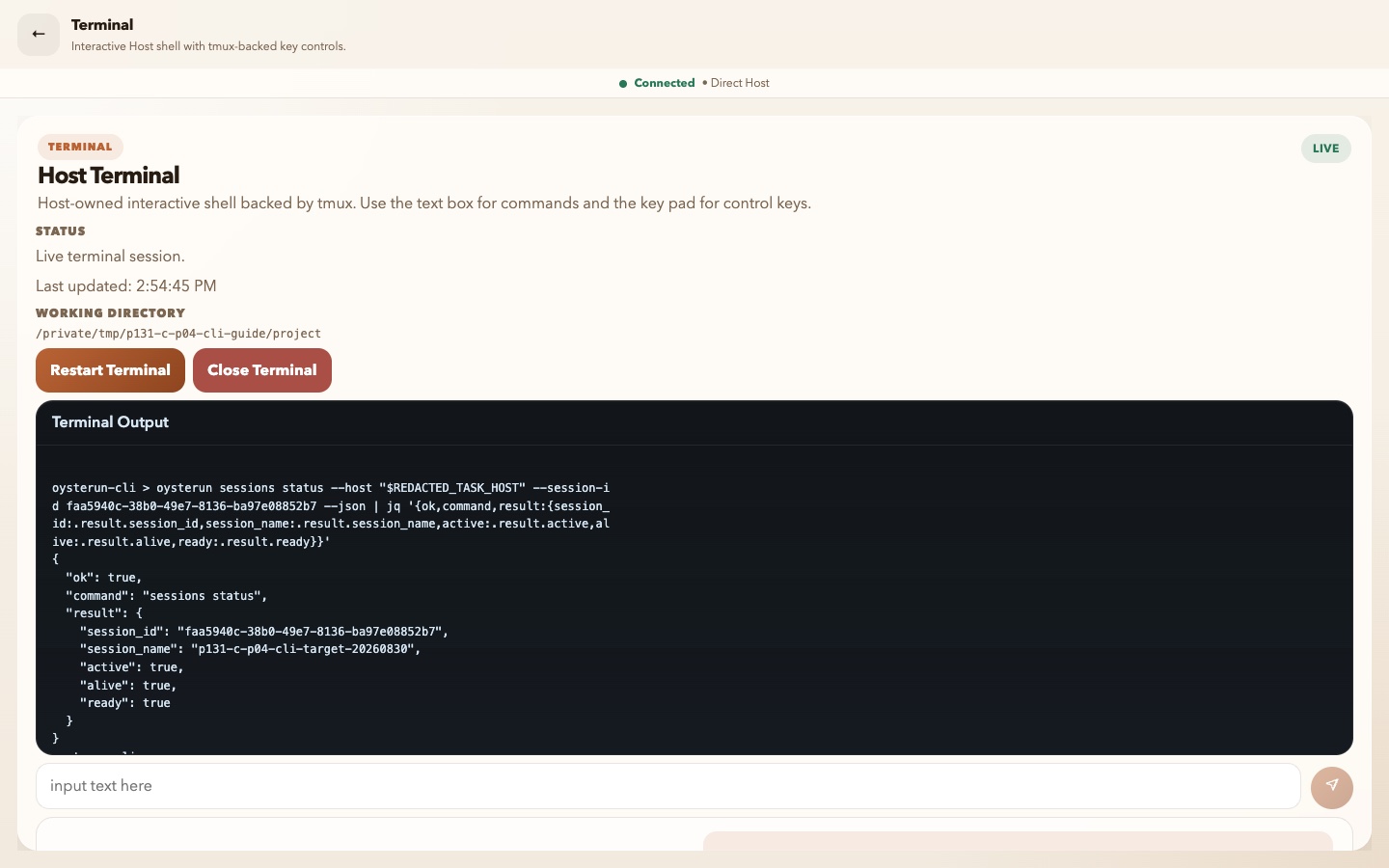
Visible checkpoint: a final read-only status confirms the same exact Session remains active, alive, and ready after the dry run.
active, alive, and ready are lifecycle and readiness fields. Alone, they do not prove that the provider is responding, typing, occupied, or making useful progress.
Confirm the Host and exact target one final time.
Classify the command as a read, ordinary mutation, or protected mutation.
For a protected mutation, retain the dry-run result and the authority for the confirmed action.
After every ordinary or confirmed protected mutation, run the relevant read-only command against the same Host and exact target. After a dry run, use the post-read to verify that the planned change did not occur.