opencv4nodejs
=============
[](http://travis-ci.org/justadudewhohacks/opencv4nodejs)
[](https://ci.appveyor.com/project/justadudewhohacks/opencv4nodejs/branch/master)
[](https://codecov.io/gh/justadudewhohacks/opencv4nodejs)
[](https://www.npmjs.com/package/opencv4nodejs)
[](http://nodejs.org/download/)
**By its nature, JavaScript lacks the performance to implement Computer Vision tasks efficiently. Therefore this package brings the performance of the native OpenCV library to your Node.js application. Supports all OpenCV 3 versions. The bindings are available as an asynchronous (via promises or callbacks) and synchronous API.**
**The ultimate goal of this project is to provide a collection of Node.js bindings, which supports the entire OpenCV and OpenCV-contrib API. An overview of available bindings can be found in the [API Documentation](https://opencv4nodejs.herokuapp.com/docs). The implementation of missing bindings can be specifically prioritized by [requesting new features](#request-features). Furthermore, contribution is highly appreciated. If you want to get involved you can have a look at the contribution guide.**
* **[Examples](#examples)**
* **[How to install](#how-to-install)**
* **[Usage with Docker](#usage-with-docker)**
* **[Usage with Electron](#usage-with-electron)**
* **[Quick Start](#quick-start)**
* **[Async API](#async-api)**
* **[Available Modules](#available-modules)**
* **[Request new Features](#request-features)**
## Examples
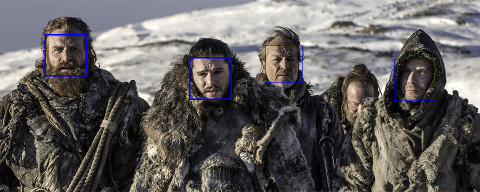
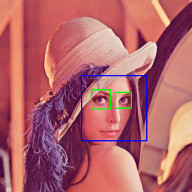
See examples for implementation.
### Face Detection
### Face Recognition
Check out my article about face recognition.

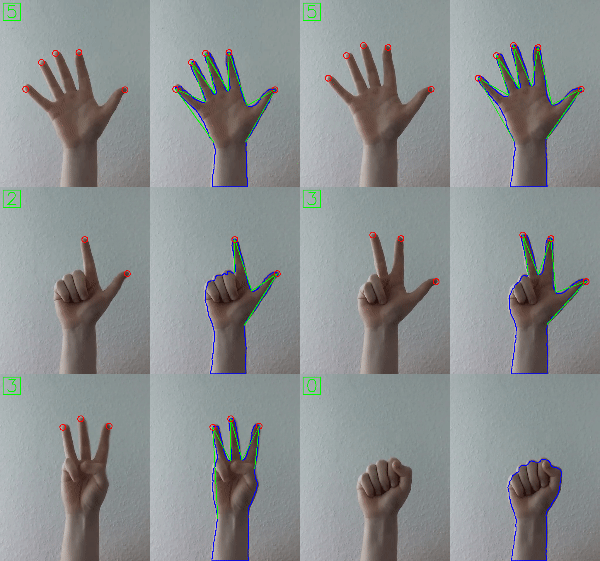
### Hand Gesture Recognition
Check out my article about fingertip detection.
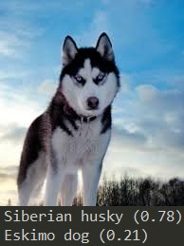
### Object Recognition with Deep Neural Networks
Check out my article about using OpenCV's Deep Neural Networks with Node.js.
#### Tensorflow Inception
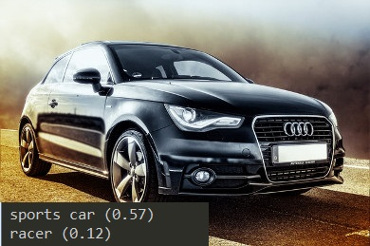
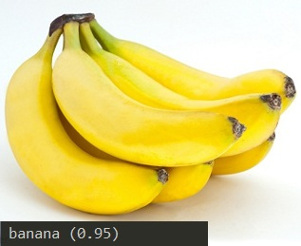
#### Single Shot Multibox Detector with COCO
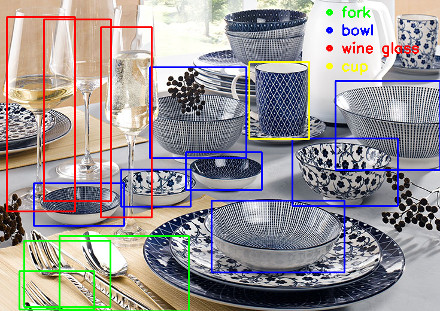
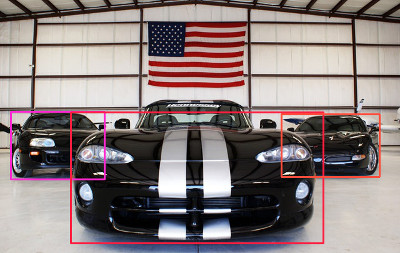
### Machine Learning
Check out my article about recognition of handwritten letters using Histogram of oriented Gradients (HOG) and Support Vector Machines (SVM).

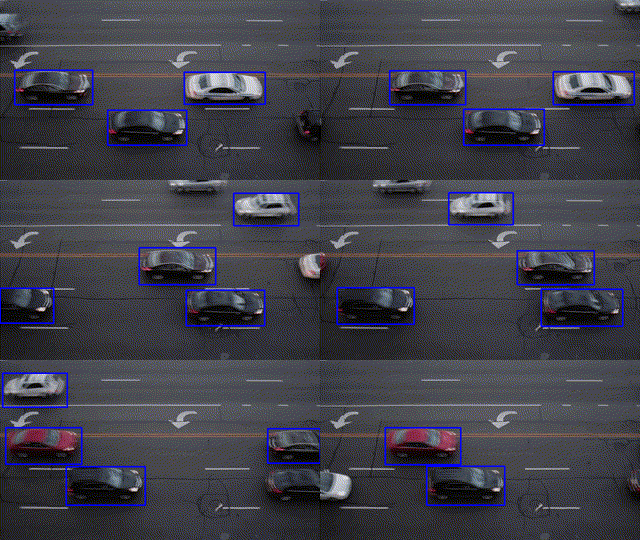
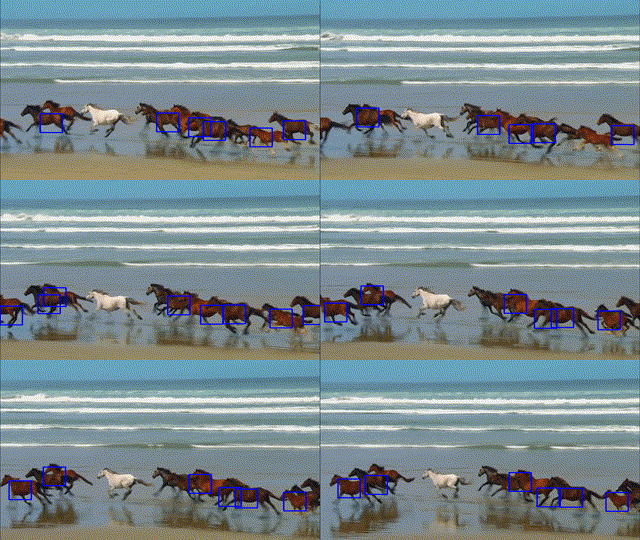
### Object Tracking
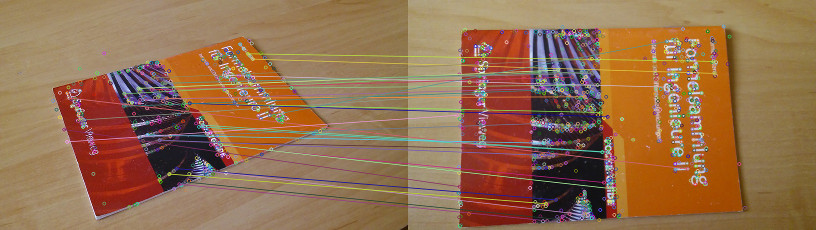
### Feature Matching
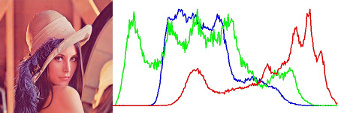
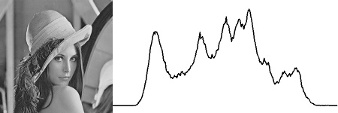
### Image Histogram
## How to install
``` bash
$ npm install --save opencv4nodejs
```
Make sure to have OpenCV 3+ ( extra modules are optional ) installed on your System https://github.com/opencv/opencv/releases/. In case you are running on Windows or have OpenCV set up in a custom directory make sure to set the following environment variables:
1. OPENCV_DIR pointing to the root path containing include directory or set OPENCV_INCLUDE_DIR explicitly.
2. OPENCV_LIB_DIR pointing to the library dir containing the OpenCV .lib, .so or .dylib files.
### On Windows
On windows you will need the windows build tools to compile opencv4nodejs:
```
npm install --global windows-build-tools
```
Also you will need to add the OpenCV binaries to your system path:
- Add an environment variable OPENCV_BIN_DIR pointing to the library dir containing the OpenCV .dll files.
- Append `;%OPENCV_BIN_DIR%;` to your path variable.
Note: Restart your current console session after making changes to your environment.
If you are running into issues also check the requirements for node-gyp specific to your OS: https://github.com/nodejs/node-gyp.
## Usage with Docker
### [opencv-express](https://github.com/justadudewhohacks/opencv-express) - example for opencv4nodejs with express.js and docker
Or simply pull from [justadudewhohacks/opencv-nodejs](https://hub.docker.com/r/justadudewhohacks/opencv-nodejs/) for opencv-3.2 + contrib-3.2 with opencv4nodejs globally installed:
``` docker
FROM justadudewhohacks/opencv-nodejs
```
Different OpenCV 3.x base images can be found here: https://hub.docker.com/r/justadudewhohacks/.
## Usage with Electron
### [opencv-electron](https://github.com/justadudewhohacks/opencv-electron) - example for opencv4nodejs with electron
Add the following script to your package.json:
``` python
"electron-rebuild": "electron-rebuild -w opencv4nodejs"
```
Run the script:
``` bash
$ npm run electron-rebuild
```
Require it in the application:
``` javascript
const electron = require('electron');
const cv = electron.remote.require('opencv4nodejs');
```
## Quick Start
``` javascript
const cv = require('opencv4nodejs');
```
### Initializing Mat (image matrix), Vec, Point
``` javascript
const rows = 100; // height
const cols = 100; // width
// empty Mat
const emptyMat = new cv.Mat(rows, cols, cv.CV_8UC3);
// fill the Mat with default value
const whiteMat = new cv.Mat(rows, cols, cv.CV_8UC1, 255);
const blueMat = new cv.Mat(rows, cols, cv.CV_8UC3, [255, 0, 0]);
// from array (3x3 Matrix, 3 channels)
const matData = [
[[255, 0, 0], [255, 0, 0], [255, 0, 0]],
[[0, 0, 0], [0, 0, 0], [0, 0, 0]],
[[255, 0, 0], [255, 0, 0], [255, 0, 0]]
];
const matFromArray = new cv.Mat(matData, cv.CV_8UC3);
// from node buffer
const charData = [255, 0, ...];
const matFromArray = new cv.Mat(new Buffer.from(charData), rows, cols, cv.CV_8UC3);
// Point
const pt2 = new cv.Point(100, 100);
const pt3 = new cv.Point(100, 100, 0.5);
// Vector
const vec2 = new cv.Vec(100, 100);
const vec3 = new cv.Vec(100, 100, 0.5);
const vec4 = new cv.Vec(100, 100, 0.5, 0.5);
```
### Mat and Vec operations
``` javascript
const mat0 = new cv.Mat(...);
const mat1 = new cv.Mat(...);
// arithmetic operations for Mats and Vecs
const matMultipliedByScalar = mat0.mul(0.5); // scalar multiplication
const matDividedByScalar = mat0.div(2); // scalar division
const mat0PlusMat1 = mat0.add(mat1); // addition
const mat0MinusMat1 = mat0.sub(mat1); // subtraction
const mat0MulMat1 = mat0.hMul(mat1); // elementwise multiplication
const mat0DivMat1 = mat0.hDiv(mat1); // elementwise division
// logical operations Mat only
const mat0AndMat1 = mat0.and(mat1);
const mat0OrMat1 = mat0.or(mat1);
const mat0bwAndMat1 = mat0.bitwiseAnd(mat1);
const mat0bwOrMat1 = mat0.bitwiseOr(mat1);
const mat0bwXorMat1 = mat0.bitwiseXor(mat1);
const mat0bwNot = mat0.bitwiseNot();
```
### Accessing Mat data
``` javascript
const matBGR = new cv.Mat(..., cv.CV_8UC3);
const matGray = new cv.Mat(..., cv.CV_8UC1);
// get pixel value as vector or number value
const vec3 = matBGR.at(200, 100);
const grayVal = matGray.at(200, 100);
// get raw pixel value as array
const [b, g, r] = matBGR.atRaw(200, 100);
// set single pixel values
matBGR.set(50, 50, [255, 0, 0]);
matBGR.set(50, 50, new Vec(255, 0, 0));
matGray.set(50, 50, 255);
// get a 25x25 sub region of the Mat at offset (50, 50)
const width = 25;
const height = 25;
const region = matBGR.getRegion(new cv.Rect(50, 50, width, height));
// get a node buffer with raw Mat data
const matAsBuffer = matBGR.getData();
// get entire Mat data as JS array
const matAsArray = matBGR.getDataAsArray();
```
### IO
``` javascript
// load image from file
const mat = cv.imread('./path/img.jpg');
cv.imreadAsync('./path/img.jpg', (err, mat) => {
...
})
// save image
cv.imwrite('./path/img.png', mat);
cv.imwriteAsync('./path/img.jpg', mat,(err) => {
...
})
// show image
cv.imshow('a window name', mat);
cv.waitKey();
// open capture from webcam
const devicePort = 0;
const wCap = new cv.VideoCapture(devicePort);
// open video capture
const vCap = new cv.VideoCapture('./path/video.mp4');
// read frames from capture
const frame = vCap.read();
vCap.readAsync((err, frame) => {
...
});
// loop through the capture
const delay = 10;
let done = false;
while (!done) {
let frame = vCap.read();
// loop back to start on end of stream reached
if (frame.empty) {
vCap.reset();
frame = vCap.read();
}
// ...
const key = cv.waitKey(delay);
done = key !== 255;
}
```
### Useful Mat methods
``` javascript
const matBGR = new cv.Mat(..., cv.CV_8UC3);
// convert types
const matSignedInt = matBGR.convertTo(cv.CV_32SC3);
const matDoublePrecision = matBGR.convertTo(cv.CV_64FC3);
// convert color space
const matGray = matBGR.bgrToGray();
const matHSV = matBGR.cvtColor(cv.COLOR_BGR2HSV);
const matLab = matBGR.cvtColor(cv.COLOR_BGR2Lab);
// resize
const matHalfSize = matBGR.rescale(0.5);
const mat100x100 = matBGR.resize(100, 100);
const matMaxDimIs100 = matBGR.resizeToMax(100);
// extract channels and create Mat from channels
const [matB, matG, matR] = matBGR.splitChannels();
const matRGB = new cv.Mat([matR, matB, matG]);
```
### Drawing a Mat into HTML Canvas
``` javascript
const img = ...
// convert your image to rgba color space
const matRGBA = img.channels === 1
? img.cvtColor(cv.COLOR_GRAY2RGBA)
: img.cvtColor(cv.COLOR_BGR2RGBA);
// create new ImageData from raw mat data
const imgData = new ImageData(
new Uint8ClampedArray(matRGBA.getData()),
img.cols,
img.rows
);
// set canvas dimensions
const canvas = document.getElementById('myCanvas');
canvas.height = img.rows;
canvas.width = img.cols;
// set image data
const ctx = canvas.getContext('2d');
ctx.putImageData(imgData, 0, 0);
```
### Method Interface
OpenCV method interface from official docs or src:
``` c++
void GaussianBlur(InputArray src, OutputArray dst, Size ksize, double sigmaX, double sigmaY = 0, int borderType = BORDER_DEFAULT);
```
translates to:
``` javascript
const src = new cv.Mat(...);
// invoke with required arguments
const dst0 = src.gaussianBlur(new cv.Size(5, 5), 1.2);
// with optional paramaters
const dst2 = src.gaussianBlur(new cv.Size(5, 5), 1.2, 0.8, cv.BORDER_REFLECT);
// or pass specific optional parameters
const optionalArgs = {
borderType: cv.BORDER_CONSTANT
};
const dst2 = src.gaussianBlur(new cv.Size(5, 5), 1.2, optionalArgs);
```
## Async API
The async API can be consumed by passing a callback as the last argument of the function call. By default, if an async method is called without passing a callback, the function call will yield a Promise.
### Async Face Detection
``` javascript
const classifier = new cv.CascadeClassifier(cv.HAAR_FRONTALFACE_ALT2);
// by nesting callbacks
cv.imreadAsync('./faceimg.jpg', (err, img) => {
if (err) { return console.error(err); }
const grayImg = img.bgrToGray();
classifier.detectMultiScaleAsync(grayImg, (err, res) => {
if (err) { return console.error(err); }
const { objects, numDetections } = res;
...
});
});
// via Promise
cv.imreadAsync('./faceimg.jpg')
.then(img =>
img.bgrToGrayAsync()
.then(grayImg => classifier.detectMultiScaleAsync(grayImg))
.then((res) => {
const { objects, numDetections } = res;
...
})
)
.catch(err => console.error(err));
// using async await
try {
const img = await cv.imreadAsync('./faceimg.jpg');
const grayImg = await img.bgrToGrayAsync();
const { objects, numDetections } = await classifier.detectMultiScaleAsync(grayImg);
...
} catch (err) {
console.error(err);
}
```
## Available Modules
### API doc overview
* core
* io
* imgproc
* ximgproc
* objdetect
* machinelearning
* deepneuralnetworks
* video
* calib3d
* photo
* features2d
* xfeatures2d
* tracking
* text
* face
## Request new Features
Are you missing some functions from OpenCV (overview of available bindings) or have an idea for utility in regards to the OpenCV API, which you would like to be added to this package? No problem! Open a new issue with a listing of the desired function bindings or features and you will find them in this package soon.