# OBJY - Abstract, powerful JavaScript objects

An object-driven programming framework, that uses behaviour-driven objects for building use cases. 

<a href="https://objy.xyz/#/DOCUMENTATION.md" style="border: 1px solid #AAAAAA;
    padding: 5px 10px;
    border-radius: 100px;
    text-decoration: none;">FULL DOCUMENTATION</a>

![OBJY LOGO](https://objy.xyz/assets/img/objy-arch-objects-slim.png "OBJY")

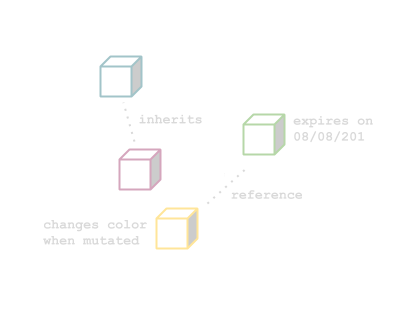
OBJY Objects:

* are plain JavaScript objects
* have dynamic origins
* have behaviour
* and more...


# Installing

***Node***

```shell
npm install objy
```

***Browser***

```html
<script src="https://cdn.jsdelivr.net/npm/objy/dist/browser.js">
```

# Quick example

Programming on OBJY is done in two simple steps:

1. Define an object family (a bucket of objects)
2. Build and handle objects and tell them what to do.


```javascript
// 1. Define Object Family
OBJY.define({
   name: "object", // singular constructor name
   pluralName: "objects" // plural constructor name
})

// 2. Use objects
OBJY.object({
   expired: false,
   expiration_date: {
      date: "12/31/2022",
      action: () => {
         obj.setProperty('expired', true).update();
      }
   },
   maintenance: {
      interval: "1PY",
      action: () => {
         console.log('annually maintenence');
      }
   }
})
```


# Handling objects

Objects are handled using an OBJY wrapper: OBJY.object().

```javascript
// Create an object (onCreate handlers will trigger)
var myObj = OBJY.object({
   name: "Hello"
}).add();

// Update an object (onChange handlers will trigger)
myObj.name = "Hello World";

// or use the built-in methods:
myObj.addProperty('color', 'blue');

// Delete an object (onDelete handlers will trigger)
myObj.remove();
```

# Date or interval-based events:

Events can either have a date or an interval. OBJY takes care of running the associated action.

```javascript
OBJY.object({
   ...
   expiration_date: {
      date: "12/31/2022",
      action: () => {
         obj.setProperty('expired', true).update();
      }
   },
   maintenance: {
      interval: "1PY",
      action: () => {
         console.log('annually maintenence');
      }
   }
})
```

# Handlers

Use onCreate, onChange or onDelete to capture these events and OBJY runs a custom action.

```javascript
OBJY.object({
   ...
   onDelete: {
      quit: {
         action: () => {
            console.log('Im now gone...')
         }}
   }
})
```

# Inheritance

```javascript
// first object
OBJY.object({
   _id: 123,
   type: "yogurt"
})
// second object that inherits from first object
// inherit from one or more other objects using their id
OBJY.object({
   ... 
   inherits: [123], 
   // type: "yogurt" and all other props are present here
})
``` 

# Querying objects

Every object you create lives inside the OBJY instance. For accessing and working with all your objects, OBJY offers the following built-in query API:

```javascript
// Query all active objects
OBJY.objects({json query}).get(objects => {
   console.log(objects) // an array containing the matched objects
})
```


# Custom Mappers

```javascript
OBJY.define({
   ...
   // Attach your own storage (can be anything that supports crud)
   storage: OBJY.customStorage({
      add: () => {},
      getById: () => {},
      ...
   }),
   // Customize, how actions are executed
   processor: OBJY.customProcessor({
      execute: (action) => {}, 
      ...
   }),
   // Observe events yourself
   observer: OBJY.customObserver({
      run: () => {}
   })
})
```