# Nofan
[](https://github.com/fanfoujs/nofan/actions)
[](https://www.npmjs.com/package/nofan)
[](https://github.com/fanfoujs/nofan/blob/master/LICENSE)
[](https://www.youtube.com/watch?v=9auOCbH5Ns4)
[](https://github.com/xojs/xo)
CLI for Fanfou
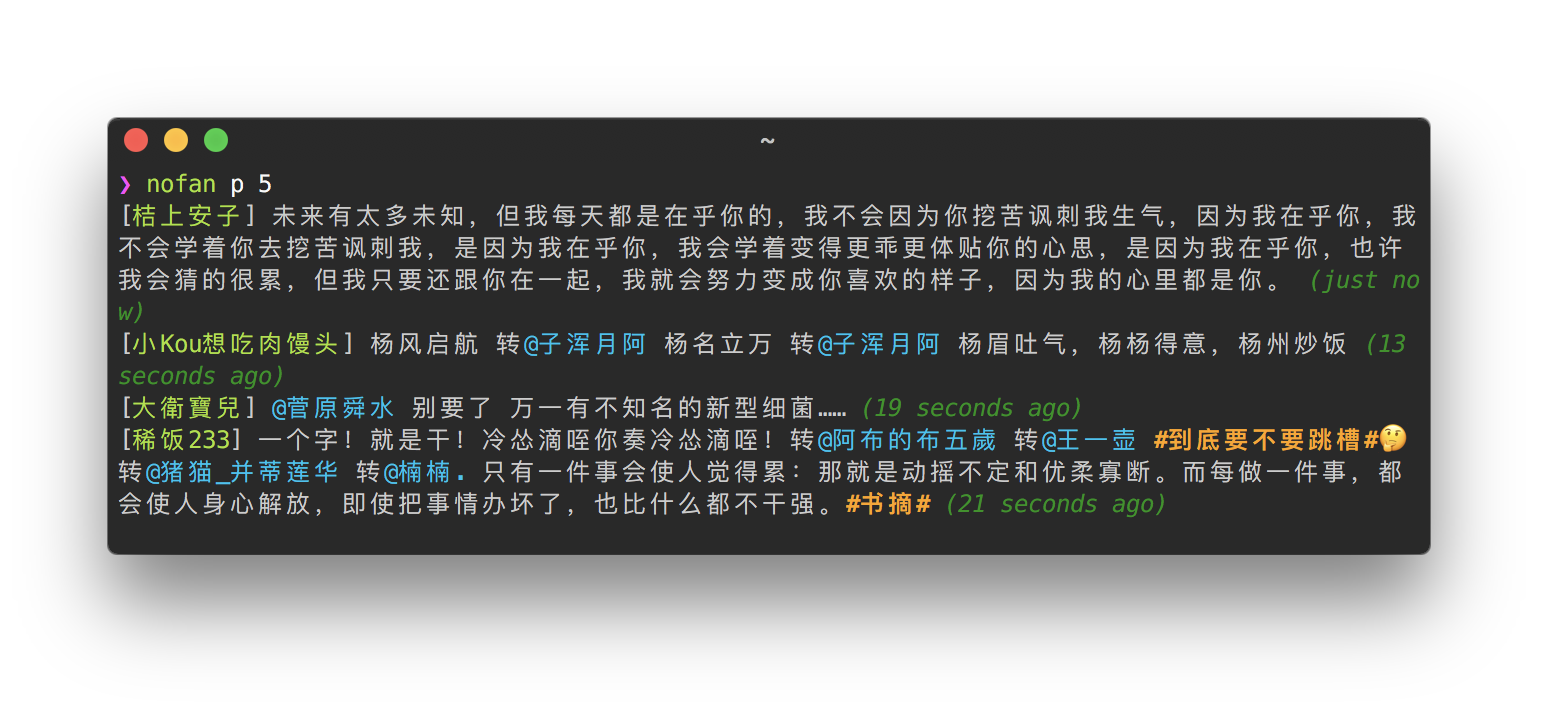
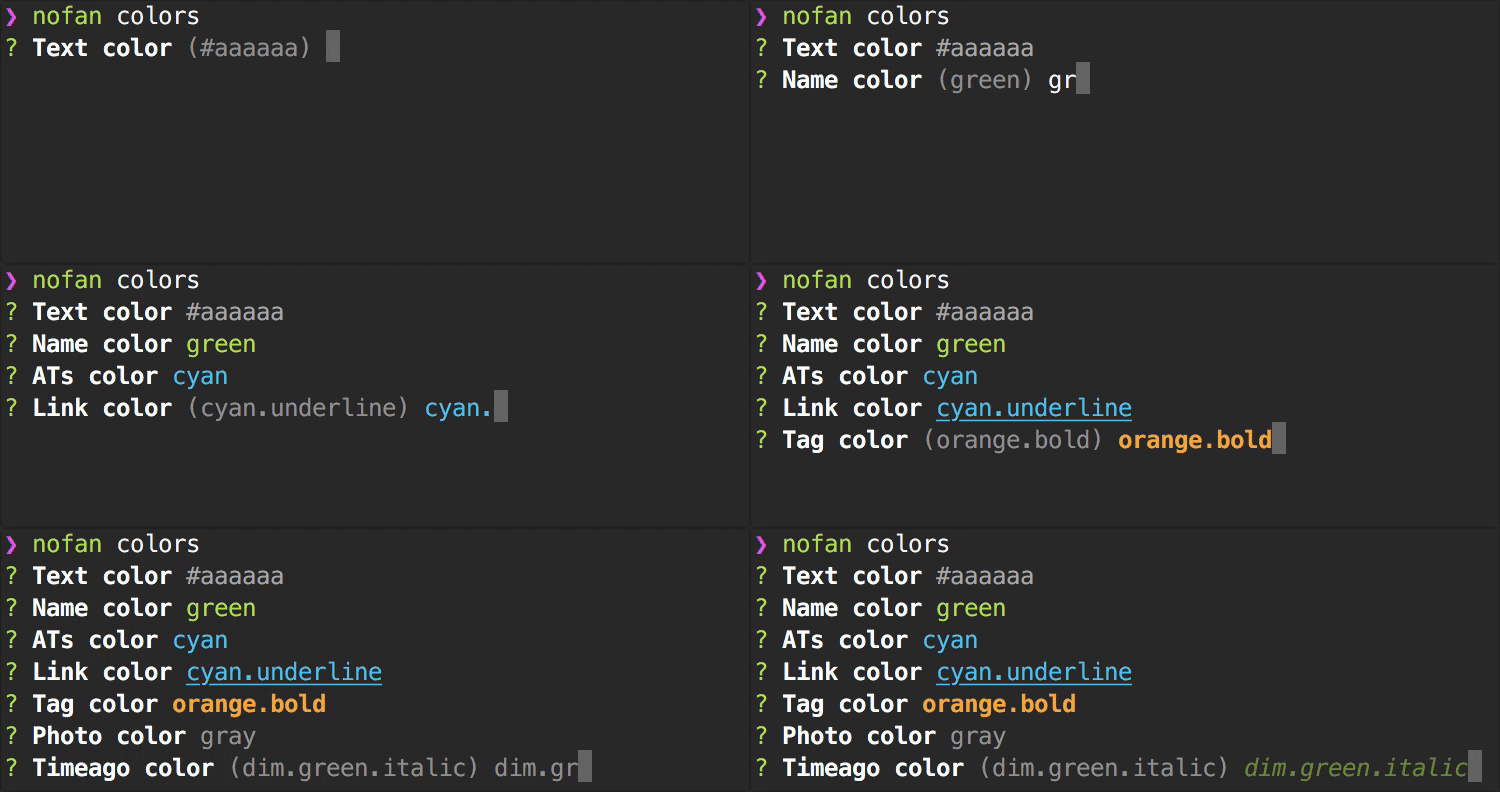 **Format**
Use dot `.` to separeate multiple styles.
Here is [valid styles list](https://github.com/LitoMore/chalk-pipe#valid-styles).
**Example**
```
> #ff99cc
> bold.#ff0000
> pink.underline
> cyanBright
> orange.inverse.underline
> bgYellow.black
```
### Photos Posting
Nofan support post a photo from a local path or clipboard:
#### Use `-p` or `--photo` to post photo from local path
```sh
nofan unicorn -p ~/Desktop/heart.png
```
#### Use `-c` or `--clipboard` to post photo from clipboard (only support macOS, Windows and WSL)
```sh
nofan hi my love -c
```
### Verbose Mode
Now we have a verbose mode for the timeline.
**Format**
Use dot `.` to separeate multiple styles.
Here is [valid styles list](https://github.com/LitoMore/chalk-pipe#valid-styles).
**Example**
```
> #ff99cc
> bold.#ff0000
> pink.underline
> cyanBright
> orange.inverse.underline
> bgYellow.black
```
### Photos Posting
Nofan support post a photo from a local path or clipboard:
#### Use `-p` or `--photo` to post photo from local path
```sh
nofan unicorn -p ~/Desktop/heart.png
```
#### Use `-c` or `--clipboard` to post photo from clipboard (only support macOS, Windows and WSL)
```sh
nofan hi my love -c
```
### Verbose Mode
Now we have a verbose mode for the timeline.
 ### Reply & Repost
You could do a quick action by use `reply` and `repost` command:
#### Use `re` or `reply` to reply
```sh
nofan re _5gqZTpjAlM hi litomore
```
#### Use `rt` or `repost` to repost
```sh
nofan rt _5gqZTpjAlM hi litomore
```
### API Parameter Flags
Nofan is very easy to use, but also very powerful. You could pass to [API](https://github.com/FanfouAPI/FanFouAPIDoc/wiki/Apicategory) parameters as flags to the CLI.
#### Fetch home-timeline with pagination
```sh
nofan --page=2
```
#### Search statuses with specific page size
```sh
nofan search unicron --count=60
```
### Customizable GET/POST Request
Use `nofan get` or `nofan post` to make a GET/POST request:
#### Make a GET request
```sh
nofan get account/notification
```
#### Make a GET request with parameters
```sh
nofan get statuses/home_timeline --mode=lite
```
#### Make a POST request with parameters
```sh
nofan post statuses/update --status=hi
```
#### Specify a console type
You could specify a [console type](https://nodejs.org/dist/latest/docs/api/console.html) for output, default is `console.log`:
```sh
nofan get account/notification --console-type=table
```
#### REPL
You could use `--repl` option to inspect the result in [REPL](https://nodejs.org/dist/latest/docs/api/repl.html):
```sh
nofan get users/show --id=litomore --repl
#=> result.name
#=> 'LitoMore'
```
## Related
- [fanfou-sdk](https://github.com/fanfoujs/fanfou-sdk-node) - Fanfou SDK for Node.js
- [bitbar-fanfou](https://github.com/LitoMore/bitbar-fanfou) - Fanfou notification indicator on BitBar
## License
MIT
### Reply & Repost
You could do a quick action by use `reply` and `repost` command:
#### Use `re` or `reply` to reply
```sh
nofan re _5gqZTpjAlM hi litomore
```
#### Use `rt` or `repost` to repost
```sh
nofan rt _5gqZTpjAlM hi litomore
```
### API Parameter Flags
Nofan is very easy to use, but also very powerful. You could pass to [API](https://github.com/FanfouAPI/FanFouAPIDoc/wiki/Apicategory) parameters as flags to the CLI.
#### Fetch home-timeline with pagination
```sh
nofan --page=2
```
#### Search statuses with specific page size
```sh
nofan search unicron --count=60
```
### Customizable GET/POST Request
Use `nofan get` or `nofan post` to make a GET/POST request:
#### Make a GET request
```sh
nofan get account/notification
```
#### Make a GET request with parameters
```sh
nofan get statuses/home_timeline --mode=lite
```
#### Make a POST request with parameters
```sh
nofan post statuses/update --status=hi
```
#### Specify a console type
You could specify a [console type](https://nodejs.org/dist/latest/docs/api/console.html) for output, default is `console.log`:
```sh
nofan get account/notification --console-type=table
```
#### REPL
You could use `--repl` option to inspect the result in [REPL](https://nodejs.org/dist/latest/docs/api/repl.html):
```sh
nofan get users/show --id=litomore --repl
#=> result.name
#=> 'LitoMore'
```
## Related
- [fanfou-sdk](https://github.com/fanfoujs/fanfou-sdk-node) - Fanfou SDK for Node.js
- [bitbar-fanfou](https://github.com/LitoMore/bitbar-fanfou) - Fanfou notification indicator on BitBar
## License
MIT