
NocoDB ✨ Free & Self-hostable Airtable alternative ✨
NocoDB is the fastest and easiest way to build databases online.
Website • Discord • Community • Twitter • Reddit • Documentation
 ](markdown/readme/languages/chinese.md)
[
](markdown/readme/languages/chinese.md)
[ ](markdown/readme/languages/french.md)
[
](markdown/readme/languages/french.md)
[ ](markdown/readme/languages/german.md)
[
](markdown/readme/languages/german.md)
[ ](markdown/readme/languages/spanish.md)
[
](markdown/readme/languages/spanish.md)
[ ](markdown/readme/languages/portuguese.md)
[
](markdown/readme/languages/portuguese.md)
[ ](markdown/readme/languages/italian.md)
[
](markdown/readme/languages/italian.md)
[ ](markdown/readme/languages/japanese.md)
[
](markdown/readme/languages/japanese.md)
[ ](markdown/readme/languages/korean.md)
[
](markdown/readme/languages/korean.md)
[ ](markdown/readme/languages/russian.md)
 # Join Our Team

 [](https://github.com/nocodb/nocodb/stargazers)
# Quick try
## Docker
```bash
# for SQLite
docker run -d --name nocodb \
-v "$(pwd)"/nocodb:/usr/app/data/ \
-p 8080:8080 \
nocodb/nocodb:latest
# for PostgreSQL
docker run -d --name nocodb-postgres \
-v "$(pwd)"/nocodb:/usr/app/data/ \
-p 8080:8080 \
-e NC_DB="pg://host.docker.internal:5432?u=root&p=password&d=d1" \
-e NC_AUTH_JWT_SECRET="569a1821-0a93-45e8-87ab-eb857f20a010" \
nocodb/nocodb:latest
```
> To persist data in docker you can mount volume at `/usr/app/data/` since 0.10.6. Otherwise your data will be lost after recreating the container.
> If you plan to input some special characters, you may need to change the character set and collation yourself when creating the database. Please check out the examples for [MySQL Docker](https://github.com/nocodb/nocodb/issues/1340#issuecomment-1049481043).
## Binaries
##### MacOS (x64)
```bash
curl http://get.nocodb.com/macos-x64 -o nocodb -L && chmod +x nocodb && ./nocodb
```
##### MacOS (arm64)
```bash
curl http://get.nocodb.com/macos-arm64 -o nocodb -L && chmod +x nocodb && ./nocodb
```
##### Linux (x64)
```bash
curl http://get.nocodb.com/linux-x64 -o nocodb -L && chmod +x nocodb && ./nocodb
```
##### Linux (arm64)
```bash
curl http://get.nocodb.com/linux-arm64 -o nocodb -L && chmod +x nocodb && ./nocodb
```
##### Windows (x64)
```bash
iwr http://get.nocodb.com/win-x64.exe
.\Noco-win-x64.exe
```
##### Windows (arm64)
```bash
iwr http://get.nocodb.com/win-arm64.exe
.\Noco-win-arm64.exe
```
## Docker Compose
We provide different docker-compose.yml files under [this directory](https://github.com/nocodb/nocodb/tree/master/docker-compose). Here are some examples.
```bash
git clone https://github.com/nocodb/nocodb
# for PostgreSQL
cd nocodb/docker-compose/2_pg
docker compose up -d
```
> To persist data in docker, you can mount volume at `/usr/app/data/` since 0.10.6. Otherwise your data will be lost after recreating the container.
> If you plan to input some special characters, you may need to change the character set and collation yourself when creating the database. Please check out the examples for [MySQL Docker Compose](https://github.com/nocodb/nocodb/issues/1313#issuecomment-1046625974).
# GUI
Access Dashboard using: [http://localhost:8080/dashboard](http://localhost:8080/dashboard)
# Screenshots




# Table of Contents
- [Quick try](#quick-try)
- [NPX](#npx)
- [Node Application](#node-application)
- [Docker](#docker)
- [Docker Compose](#docker-compose)
- [GUI](#gui)
- [Join Our Community](#join-our-community)
- [Screenshots](#screenshots)
- [Table of Contents](#table-of-contents)
- [Features](#features)
- [Rich Spreadsheet Interface](#rich-spreadsheet-interface)
- [App Store for Workflow Automations](#app-store-for-workflow-automations)
- [Programmatic Access](#programmatic-access)
- [Sync Schema](#sync-schema)
- [Audit](#audit)
- [Production Setup](#production-setup)
- [Environment variables](#environment-variables)
- [Development Setup](#development-setup)
- [Contributing](#contributing)
- [Why are we building this?](#why-are-we-building-this)
- [Our Mission](#our-mission)
- [License](#license)
- [Contributors](#contributors)
# Features
### Rich Spreadsheet Interface
- ⚡ Basic Operations: Create, Read, Update and Delete Tables, Columns, and Rows
- ⚡ Fields Operations: Sort, Filter, Hide / Unhide Columns
- ⚡ Multiple Views Types: Grid (By default), Gallery, Form View and Kanban View
- ⚡ View Permissions Types: Collaborative Views, & Locked Views
- ⚡ Share Bases / Views: either Public or Private (with Password Protected)
- ⚡ Variant Cell Types: ID, LinkToAnotherRecord, Lookup, Rollup, SingleLineText, Attachment, Currency, Formula, etc
- ⚡ Access Control with Roles: Fine-grained Access Control at different levels
- ⚡ and more ...
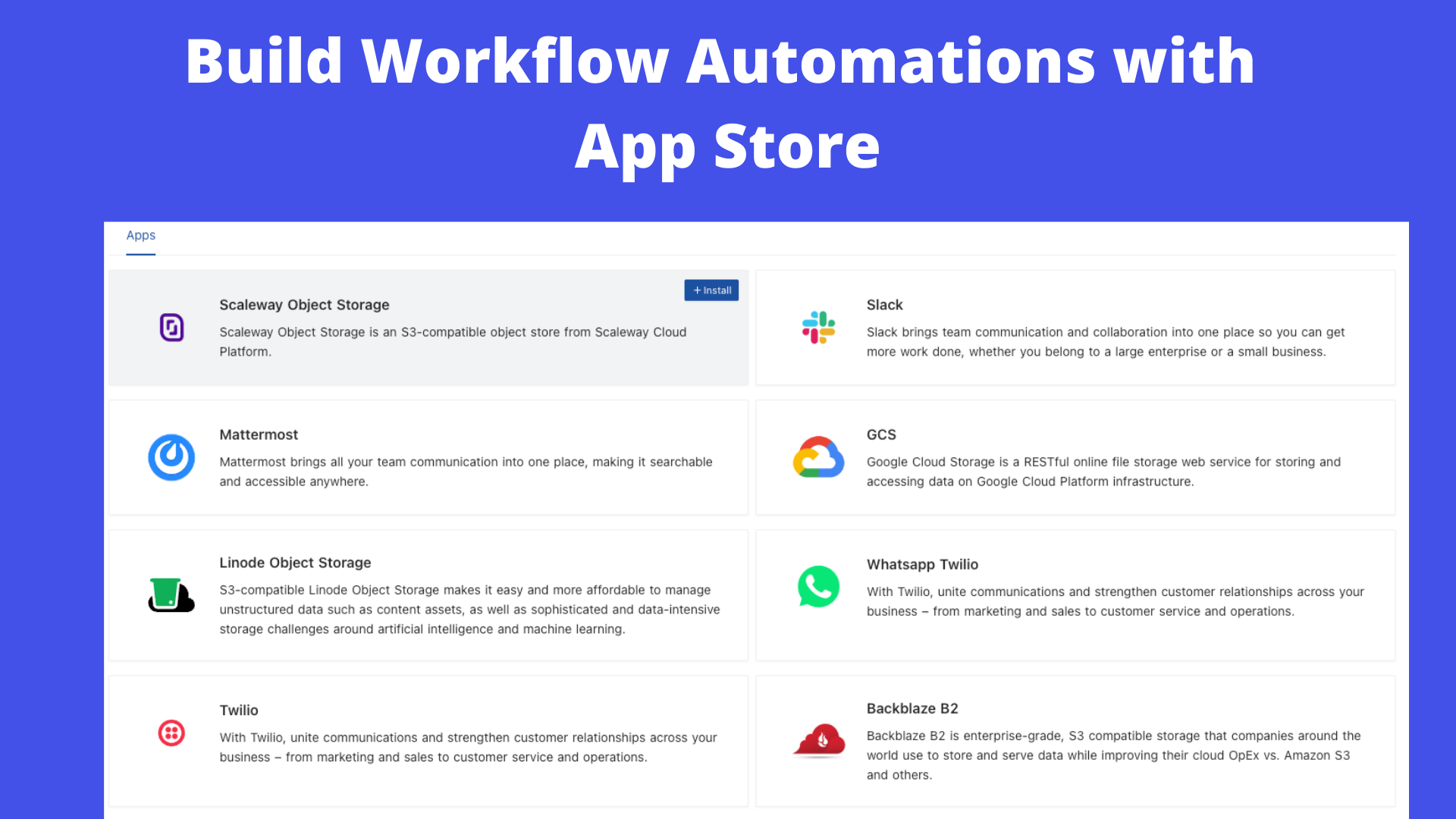
### App Store for Workflow Automations
We provide different integrations in three main categories. See App Store for details.
- ⚡ Chat: Slack, Discord, Mattermost, and etc
- ⚡ Email: AWS SES, SMTP, MailerSend, and etc
- ⚡ Storage: AWS S3, Google Cloud Storage, Minio, and etc
### Programmatic Access
We provide the following ways to let users programmatically invoke actions. You can use a token (either JWT or Social Auth) to sign your requests for authorization to NocoDB.
- ⚡ REST APIs
- ⚡ NocoDB SDK
### Sync Schema
We allow you to sync schema changes if you have made changes outside NocoDB GUI. However, it has to be noted then you will have to bring your own schema migrations for moving from one environment to another. See Sync Schema for details.
### Audit
We are keeping all the user operation logs in one place. See Audit for details.
# Production Setup
By default, SQLite is used for storing metadata. However, you can specify your database. The connection parameters for this database can be specified in `NC_DB` environment variable. Moreover, we also provide the below environment variables for configuration.
## Environment variables
Please refer to the [Environment variables](https://docs.nocodb.com/getting-started/self-hosted/environment-variables)
# Development Setup
Please refer to [Development Setup](https://docs.nocodb.com/engineering/development-setup)
# Contributing
Please refer to [Contribution Guide](https://github.com/nocodb/nocodb/blob/master/.github/CONTRIBUTING.md).
# Why are we building this?
Most internet businesses equip themselves with either spreadsheet or a database to solve their business needs. Spreadsheets are used by Billion+ humans collaboratively every single day. However, we are way off working at similar speeds on databases which are way more powerful tools when it comes to computing. Attempts to solve this with SaaS offerings have meant horrible access controls, vendor lock-in, data lock-in, abrupt price changes & most importantly a glass ceiling on what's possible in the future.
# Our Mission
Our mission is to provide the most powerful no-code interface for databases, accessible to every internet business across the world. By making this capability broadly available under a fair and sustainable model, we aim to democratise access to powerful computing tools and enable a billion-plus people to develop radical tinkering and building abilities on the internet.
# License
[](https://github.com/nocodb/nocodb/stargazers)
# Quick try
## Docker
```bash
# for SQLite
docker run -d --name nocodb \
-v "$(pwd)"/nocodb:/usr/app/data/ \
-p 8080:8080 \
nocodb/nocodb:latest
# for PostgreSQL
docker run -d --name nocodb-postgres \
-v "$(pwd)"/nocodb:/usr/app/data/ \
-p 8080:8080 \
-e NC_DB="pg://host.docker.internal:5432?u=root&p=password&d=d1" \
-e NC_AUTH_JWT_SECRET="569a1821-0a93-45e8-87ab-eb857f20a010" \
nocodb/nocodb:latest
```
> To persist data in docker you can mount volume at `/usr/app/data/` since 0.10.6. Otherwise your data will be lost after recreating the container.
> If you plan to input some special characters, you may need to change the character set and collation yourself when creating the database. Please check out the examples for [MySQL Docker](https://github.com/nocodb/nocodb/issues/1340#issuecomment-1049481043).
## Binaries
##### MacOS (x64)
```bash
curl http://get.nocodb.com/macos-x64 -o nocodb -L && chmod +x nocodb && ./nocodb
```
##### MacOS (arm64)
```bash
curl http://get.nocodb.com/macos-arm64 -o nocodb -L && chmod +x nocodb && ./nocodb
```
##### Linux (x64)
```bash
curl http://get.nocodb.com/linux-x64 -o nocodb -L && chmod +x nocodb && ./nocodb
```
##### Linux (arm64)
```bash
curl http://get.nocodb.com/linux-arm64 -o nocodb -L && chmod +x nocodb && ./nocodb
```
##### Windows (x64)
```bash
iwr http://get.nocodb.com/win-x64.exe
.\Noco-win-x64.exe
```
##### Windows (arm64)
```bash
iwr http://get.nocodb.com/win-arm64.exe
.\Noco-win-arm64.exe
```
## Docker Compose
We provide different docker-compose.yml files under [this directory](https://github.com/nocodb/nocodb/tree/master/docker-compose). Here are some examples.
```bash
git clone https://github.com/nocodb/nocodb
# for PostgreSQL
cd nocodb/docker-compose/2_pg
docker compose up -d
```
> To persist data in docker, you can mount volume at `/usr/app/data/` since 0.10.6. Otherwise your data will be lost after recreating the container.
> If you plan to input some special characters, you may need to change the character set and collation yourself when creating the database. Please check out the examples for [MySQL Docker Compose](https://github.com/nocodb/nocodb/issues/1313#issuecomment-1046625974).
# GUI
Access Dashboard using: [http://localhost:8080/dashboard](http://localhost:8080/dashboard)
# Screenshots





# Table of Contents
- [Quick try](#quick-try)
- [NPX](#npx)
- [Node Application](#node-application)
- [Docker](#docker)
- [Docker Compose](#docker-compose)
- [GUI](#gui)
- [Join Our Community](#join-our-community)
- [Screenshots](#screenshots)
- [Table of Contents](#table-of-contents)
- [Features](#features)
- [Rich Spreadsheet Interface](#rich-spreadsheet-interface)
- [App Store for Workflow Automations](#app-store-for-workflow-automations)
- [Programmatic Access](#programmatic-access)
- [Sync Schema](#sync-schema)
- [Audit](#audit)
- [Production Setup](#production-setup)
- [Environment variables](#environment-variables)
- [Development Setup](#development-setup)
- [Contributing](#contributing)
- [Why are we building this?](#why-are-we-building-this)
- [Our Mission](#our-mission)
- [License](#license)
- [Contributors](#contributors)
# Features
### Rich Spreadsheet Interface
- ⚡ Basic Operations: Create, Read, Update and Delete Tables, Columns, and Rows
- ⚡ Fields Operations: Sort, Filter, Hide / Unhide Columns
- ⚡ Multiple Views Types: Grid (By default), Gallery, Form View and Kanban View
- ⚡ View Permissions Types: Collaborative Views, & Locked Views
- ⚡ Share Bases / Views: either Public or Private (with Password Protected)
- ⚡ Variant Cell Types: ID, LinkToAnotherRecord, Lookup, Rollup, SingleLineText, Attachment, Currency, Formula, etc
- ⚡ Access Control with Roles: Fine-grained Access Control at different levels
- ⚡ and more ...
### App Store for Workflow Automations
We provide different integrations in three main categories. See App Store for details.
- ⚡ Chat: Slack, Discord, Mattermost, and etc
- ⚡ Email: AWS SES, SMTP, MailerSend, and etc
- ⚡ Storage: AWS S3, Google Cloud Storage, Minio, and etc
### Programmatic Access
We provide the following ways to let users programmatically invoke actions. You can use a token (either JWT or Social Auth) to sign your requests for authorization to NocoDB.
- ⚡ REST APIs
- ⚡ NocoDB SDK
### Sync Schema
We allow you to sync schema changes if you have made changes outside NocoDB GUI. However, it has to be noted then you will have to bring your own schema migrations for moving from one environment to another. See Sync Schema for details.
### Audit
We are keeping all the user operation logs in one place. See Audit for details.
# Production Setup
By default, SQLite is used for storing metadata. However, you can specify your database. The connection parameters for this database can be specified in `NC_DB` environment variable. Moreover, we also provide the below environment variables for configuration.
## Environment variables
Please refer to the [Environment variables](https://docs.nocodb.com/getting-started/self-hosted/environment-variables)
# Development Setup
Please refer to [Development Setup](https://docs.nocodb.com/engineering/development-setup)
# Contributing
Please refer to [Contribution Guide](https://github.com/nocodb/nocodb/blob/master/.github/CONTRIBUTING.md).
# Why are we building this?
Most internet businesses equip themselves with either spreadsheet or a database to solve their business needs. Spreadsheets are used by Billion+ humans collaboratively every single day. However, we are way off working at similar speeds on databases which are way more powerful tools when it comes to computing. Attempts to solve this with SaaS offerings have meant horrible access controls, vendor lock-in, data lock-in, abrupt price changes & most importantly a glass ceiling on what's possible in the future.
# Our Mission
Our mission is to provide the most powerful no-code interface for databases, accessible to every internet business across the world. By making this capability broadly available under a fair and sustainable model, we aim to democratise access to powerful computing tools and enable a billion-plus people to develop radical tinkering and building abilities on the internet.
# License
This project is licensed under Sustainable Use License.
# Contributors Thank you for your contributions! We appreciate all the contributions from the community.