[](https://github.com/lekhmanrus/ngx-multiple-dates/actions/workflows/build.yml)
[](https://github.com/lekhmanrus/ngx-multiple-dates/actions/workflows/publish.yml)
[](https://codecov.io/gh/lekhmanrus/ngx-multiple-dates)
[](https://www.npmjs.com/package/ngx-multiple-dates)
[](https://www.npmjs.com/package/ngx-multiple-dates)
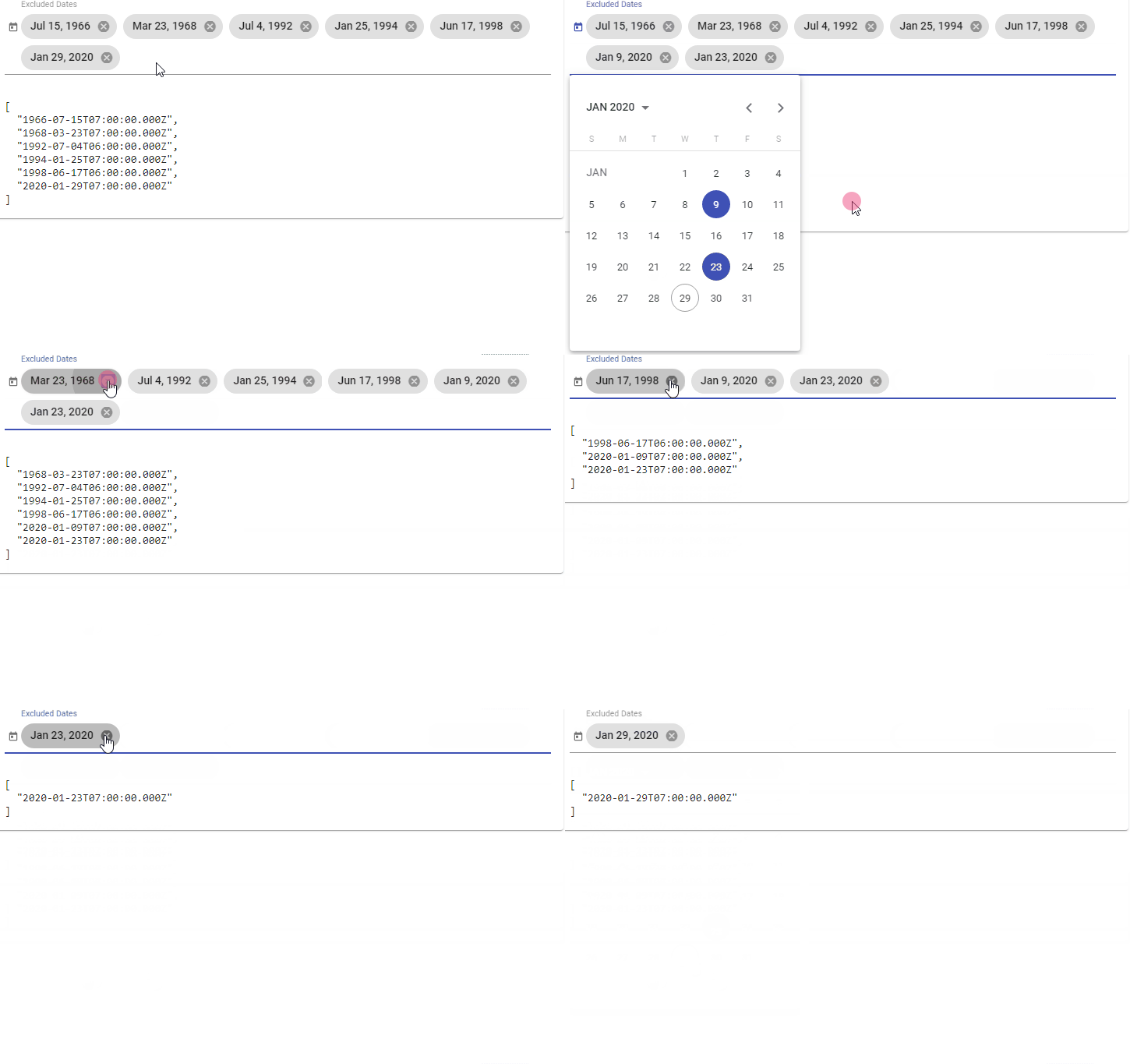
## Installation
1. Install dependency:
```sh
npm install --save ngx-multiple-dates
```
2. Include `NgxMultipleDatesModule ` to your module:
```ts
import { NgModule } from '@angular/core';
import { BrowserModule } from '@angular/platform-browser';
import { BrowserAnimationsModule } from '@angular/platform-browser/animations';
// Any of the supported date adapter should be imported. For more details - see
// https://material.angular.io/components/datepicker/overview#choosing-a-date-implementation-and-date-format-settings
import { MatNativeDateModule } from '@angular/material/core';
// import { MatDateFnsModule } from '@angular/material-date-fns-adapter';
// import { MatLuxonDateModule } from '@angular/material-luxon-adapter';
// import { MatMomentDateModule } from '@angular/material-moment-adapter';
import { MatDatepickerModule } from '@angular/material/datepicker';
import { MatIconModule } from '@angular/material/icon';
import { NgxMultipleDatesModule } from 'ngx-multiple-dates'; // module import
@NgModule({
imports: [
BrowserModule,
BrowserAnimationsModule,
MatNativeDateModule, // any of the supported date adapter should be imported
MatDatepickerModule,
MatIconModule,
NgxMultipleDatesModule // import to Angular
// ...
],
// ...
})
export class AppModule { }
```
3. Styles:
* Add one of the prebuilt themes to `angular.json` or your styles file:
```css
@import 'ngx-multiple-dates/prebuilt-themes/azure-blue.css';
```
* Or you can use custom SCSS theme
* Angular **< 12.x.x**:
```scss
@import '~@angular/material/theming';
@import '~ngx-multiple-dates/theming'; // import library theme
@include mat-core();
// Palette
$primary: mat-palette($mat-indigo);
$accent: mat-palette($mat-pink);
$theme: mat-light-theme($primary, $accent); // theme
@include angular-material-theme($theme); // apply Angular Material styles
@include ngx-multiple-dates-theme($theme); // apply Angular Multiple Dates styles
// ...
```
* Angular **>= 12.x.x** && **< 18.x.x**:
```scss
@use '@angular/material' as mat;
@import '~ngx-multiple-dates/theming'; // import library theme
@include mat.core;
// Palette
$primary: mat.define-palette(mat.$indigo-palette);
$accent: mat.define-palette(mat.$pink-palette);
$theme: mat.define-light-theme($primary, $accent); // theme
@include mat.all-component-themes($theme); // apply Angular Material styles
@include ngx-multiple-dates-theme($theme); // apply Angular Multiple Dates styles
// ...
```
* Starting Angular Multiple Dates **= 14.x.x** SASS `@use` rule supported:
```scss
@use '@angular/material' as mat;
@use 'ngx-multiple-dates' as ngxMultipleDates; // use library theme
@include mat.core;
// Palette
$primary: mat.define-palette(mat.$indigo-palette);
$accent: mat.define-palette(mat.$pink-palette);
$theme: mat.define-light-theme($primary, $accent); // theme
@include mat.all-component-themes($theme); // apply Angular Material styles
@include ngxMultipleDates.multiple-dates-theme($theme); // apply Angular Multiple Dates styles
// ...
```
* Angular Multiple Dates **>= 15.x.x** && **< 18.x.x**:
```scss
@use '@angular/material' as mat;
@use 'ngx-multiple-dates' as ngxMultipleDates; // use library theme
@include mat.core;
// Palette
$primary: mat.define-palette(mat.$indigo-palette);
$accent: mat.define-palette(mat.$pink-palette);
$theme: mat.define-light-theme((
color: (
primary: $primary,
accent: $accent
)
)); // theme
@include mat.all-component-themes($theme); // apply Angular Material styles
@include ngxMultipleDates.multiple-dates-theme($theme); // apply Angular Multiple Dates styles
// ...
```
* Angular Multiple Dates **>= 18.x.x**:
```scss
@use '@angular/material' as mat;
@use 'ngx-multiple-dates' as ngxMultipleDates; // use library theme
@include mat.core;
// Theme
$my-theme: mat.define-theme(
(
color: (
theme-type: light,
primary: mat.$azure-palette,
tertiary: mat.$blue-palette
),
density: (
scale: 0
)
)
);
@include mat.all-component-themes($theme); // apply Angular Material styles
@include ngxMultipleDates.multiple-dates-theme($theme); // apply Angular Multiple Dates styles
// ...
```
### Available pre-built themes:
* `azure-blue.css`
* `cyan-orange.css`
* `magenta-violet.css`
* `rose-red.css`
## Versioning
Library tested for Angular / CDK / Material versions **>= 9.x.x**.
Use Angular Multiple Dates `1.x.x` for Angular Components `<= 11.x.x`
Later versions are consistant with major Angular Components version. E.g.:
Use `v13.x.x` with Angular Components `13.x.x`.
Use `v12.x.x` with Angular Components `12.x.x`.
## Dependencies
* Angular
* Angular CDK
* Angular Material
* RxJs
## Examples
### Date Picker
```html
```
### Calendar (inline)
```html
```
### More
For more examples please visit the [Demo](https://lekhmanrus.github.io/ngx-multiple-dates/) page.
Its source code is located [here](https://github.com/lekhmanrus/ngx-multiple-dates/tree/master/projects/ngx-multiple-dates-app/src/app/components/root).
## API reference
### MultipleDatesComponent
Selector: `ngx-multiple-dates`
Exported as: `ngxMultipleDates`
**Properties**
| Name | Description |
|---------------------|--------------------------------------------------------------------------|
| **Input** | |
| `@Input()` `value: D \| null` | The value of the `ngx-multiple-dates` control. |
| `@Input()` `matDatepicker: MatDatepicker \| MatCalendar` | The datepicker (or calendar - for inline view) that this `ngx-multiple-dates` element is associated with. |
| `@Input()` `color: ThemePalette` | Theme color palette for the component. This API is supported in M2 themes only, it has no effect in M3 themes. For information on applying color variants in M3, see [Using component color variants](https://material.angular.io/guide/theming#using-component-color-variants). |
| `@Input()` `placeholder: string` | Placeholder to be shown if no value has been selected. |
| `@Input()` `required: boolean` | Whether the component is required. |
| `@Input()` `disabled: boolean` | Whether the component is disabled. |
| `@Input()` `matDatepickerFilter: (date: D) => boolean` | Function that can be used to filter out dates within the datepicker. |
| `@Input()` `max: D \| null` | The maximum valid date. |
| `@Input()` `min: D \| null` | The minimum valid date. |
| `@Input()` `classes: Array>` | Custom date classes. |
| `@Input()` `id: string` | Unique id of the element. |
| `@Input()` `errorStateMatcher: ErrorStateMatcher` | An object used to control when error messages are shown. |
| `@Input()` `format: string` | The date/time components to include, using predefined options or a custom format string. See [DatePipe Usage notes](https://angular.io/api/common/DatePipe#usage-notes) for more information. Note: Works only with the date adapters supporting dates formatting (e.g. [@angular/material-date-fns-adapter](https://www.npmjs.com/package/@angular/material-date-fns-adapter), [@angular/material-luxon-adapter](https://www.npmjs.com/package/@angular/material-luxon-adapter), [@angular/material-moment-adapter](https://www.npmjs.com/package/@angular/material-moment-adapter)). |
| **Output** | |
| `@Output()` `dateChange: EventEmitter>` | Emits when a change event is fired on this `ngx-multiple-dates` element. |
| `@Output()` `remove: EventEmitter>` | Emits on a date removal. |
| **Properties** | |
| `resetModel: Date` | Model used to reset datepicker selected value, so unselect just selected date will be possible. |
| `closeOnSelected: boolean` | Whether datepicker should be closed on date selected, or opened to select more dates. |
| `empty: boolean` | Whether the select has a value. |
| `shouldLabelFloat: boolean` | Whether the `MatFormField` label should try to float. |
| `focused: boolean` | Whether `ngx-multiple-dates` element has focus. |
| `errorState: boolean` | Whether the control is in an error state. |
| `stateChanges: Observable` | Stream that emits whenever the state of the control changes such that the parent `MatFormField` needs to run change detection. |
| `ngControl: NgControl` | Form control to manage component. |
| `controlType: 'ngx-multiple-dates'` | A name for this control that can be used by mat-form-field. |
**Methods**
* `focus` Focuses the `ngx-multiple-dates` element.
* `blur` Used to leave focus from the `ngx-multiple-dates` element.
* `setDescribedByIds` Sets the list of element IDs that currently describe this control.
| **Parameters** | |
|---------------------|-----------------------------------------------------------------------------|
| `ids: string[]` | Ids to set. |
* `onContainerClick` Handles a click on the control's container.
* `validate` Performs synchronous validation for the control.
| **Parameters** | |
|----------------------------|----------------------------------------------------------------------|
| `control: AbstractControl` | The control to validate against. |
| **Returns** |
| `ValidationErrors \| null` | A map of validation errors if validation fails, otherwise `null`. |
* `dateClass` Function used to add CSS classes to selected dates.
| **Parameters** | |
|-----------------------------|---------------------------------------------------------------------|
| `date: D` | Date to check if classes should be applied. |
| **Returns** | |
| `MatCalendarCellCssClasses` | CSS classes to apply. |
* `dateChanged` Fires when a change event is fired on the datepicker ``.
| **Parameters** | |
|-------------------------------------|-------------------------------------------------------------|
| `event: MatDatepickerInputEvent` | Change event. |
* `remove` Removes selected chip from the list.
| **Parameters** | |
|-----------------------------|---------------------------------------------------------------------|
| `date: D` | Value to remove. |
## Build
Run `npm run build` to build the project. The build artifacts will be stored in the `dist/` directory. Use the `--prod` flag for a production build.
## Development server
Run `npm start` for a dev server. Navigate to `http://localhost:4200/`. The app will automatically reload if you change any of the source files.