# NgxEditor
My forked version's features
Updated to angular 7.1.0
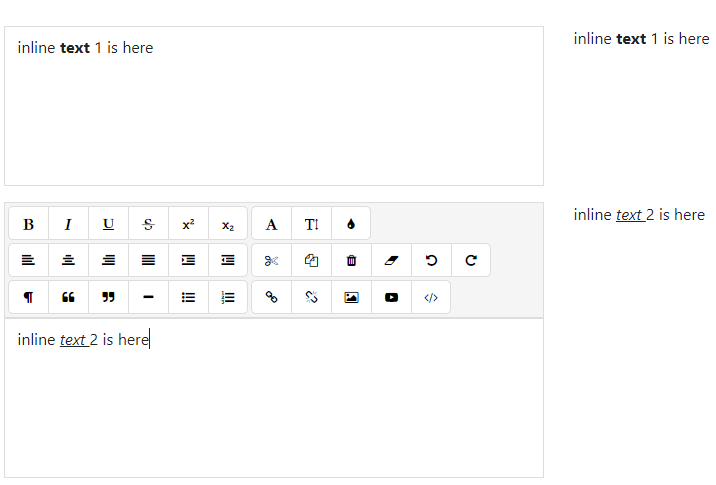
Added Inline editor support
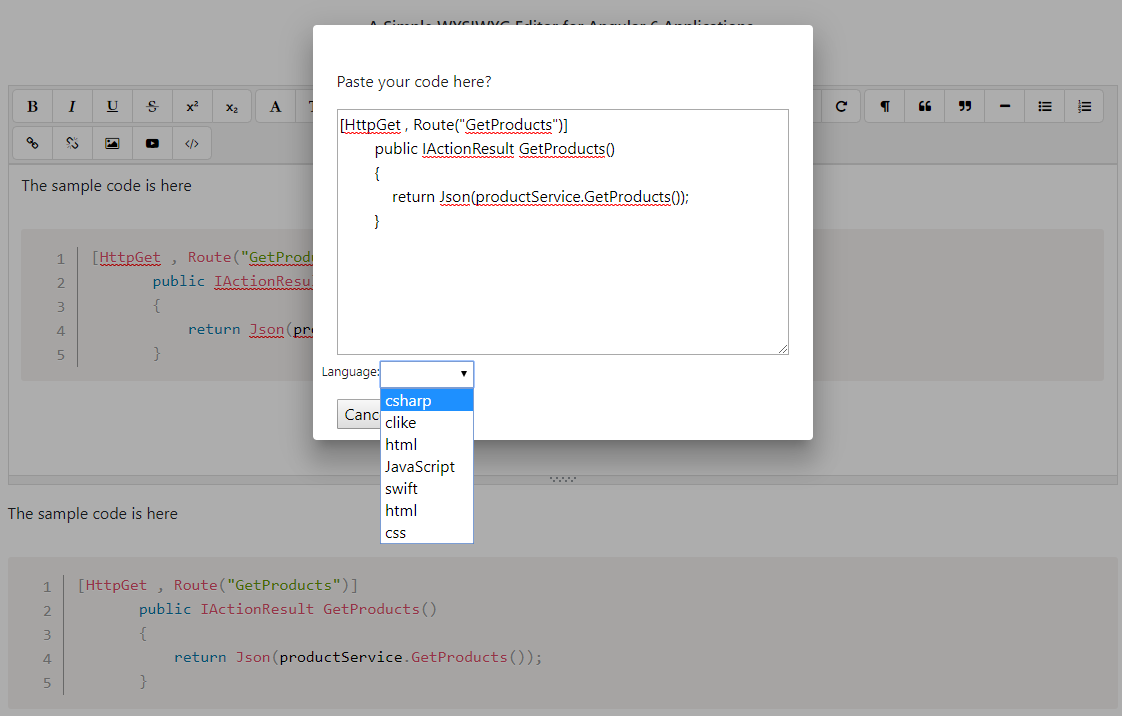
Added pre code insertion
And to upload set `imageEndPoint`
```
editorConfig = {
editable: true,
spellcheck: false,
height: "10rem",
minHeight: "5rem",
placeholder: "Type something. Test the Editor... ヽ(^。^)丿",
translate: "no",
imageEndPoint: "https://localhost:44364/api/MyControllerName/UploadFile"
};
```
then in asp.net core 2.1
```
[HttpPost, Route("UploadFile")]
public IActionResult UploadFile(IFormFile file
)
{
byte[] fileBytes = null;
if (file != null)
{
try
{
var fileStream = file.OpenReadStream();
System.Drawing.Image imgInput = System.Drawing.Image.FromStream(fileStream);
System.Drawing.Graphics gInput = System.Drawing.Graphics.FromImage(imgInput);
var thisFormat = imgInput.RawFormat;
}
catch (Exception ex)
{
throw new Exception("file content is not image");
}
var uploadsRootFolder = Path.Combine(hostingEnvironment.WebRootPath, "uploads\\images");
if (!Directory.Exists(uploadsRootFolder))
{
Directory.CreateDirectory(uploadsRootFolder);
}
if (file == null || file.Length == 0)
{
throw new Exception("file is null");
}
//var filePath = Path.Combine(uploadsRootFolder, Guid.NewGuid() + file.FileName);
var fileName = Guid.NewGuid() + "_" + file.FileName;
var filePath = Path.Combine(uploadsRootFolder, fileName);
using (var fileStream = new FileStream(filePath, FileMode.Create))
{
file.CopyTo(fileStream);
fileStream.Flush();
fileStream.Close();
}
// 4 MB
var allowedFileSize = 4 * 1048576;
if (file.Length > allowedFileSize)
throw new Exception("File size exceeded");
return Ok(new { url = "https://localhost:44364/api/MyControllerName/GetFile?name=" + fileName });
}
return Ok();
}
```
and to get the Image
```
[HttpGet, Route("GetFile")]
public IActionResult GetFile([FromQuery] string name)
{
var uploadsRootFolder = Path.Combine(hostingEnvironment.WebRootPath, "uploads\\images");
var fileName = Path.GetFileName(name);
var filePath = Path.Combine(uploadsRootFolder, fileName);
return PhysicalFile(filePath, "image/png", true);
}
```

A Simple WYSIWYG Editor for Angular 6 Applications.




## Getting Started
### Installation
Install via Package managers such as [npm][npm] or [yarn][yarn]
```bash
npm install ngx-editor --save
# or
yarn add ngx-editor
```
### Usage
Import `ngx-editor` module
```typescript
import { NgxEditorModule } from 'ngx-editor';
@NgModule({
imports: [ NgxEditorModule ]
})
```
Import [font-awesome](https://github.com/FortAwesome/Font-Awesome) into your application
Then in HTML
```html
```
For `ngModel` to work, You must import `FormsModule` from `@angular/forms`
#### PeerDependencies
`ngx-editor` depeneds on the following libraries to work.
* [Font-Awesome v4.7.0](https://github.com/FortAwesome/Font-Awesome/tree/fa-4)
* [Ngx-Bootstrap](https://github.com/valor-software/ngx-bootstrap)
## Compatibility
All Evergreen-Browsers are supported
* Google Chrome
* Microsoft Edge
* Mozilla Firefox
* Opera
## Demo
Demo at stackblitz [ngx-editor](https://ngx-editor.stackblitz.io/)
## Documentation
Documentation is auto-generated using [compodoc][compodoc], and can be viewed here: [https://sibiraj-s.github.io/ngx-editor/](https://sibiraj-s.github.io/ngx-editor/)
[npm]: https://www.npmjs.com/
[yarn]: https://yarnpkg.com/lang/en/
[github]: https://sibiraj-s.github.io/
[wiki]:https://github.com/sibiraj-s/ngx-editor/wiki/ngxEditor
[compodoc]: https://compodoc.github.io/website/