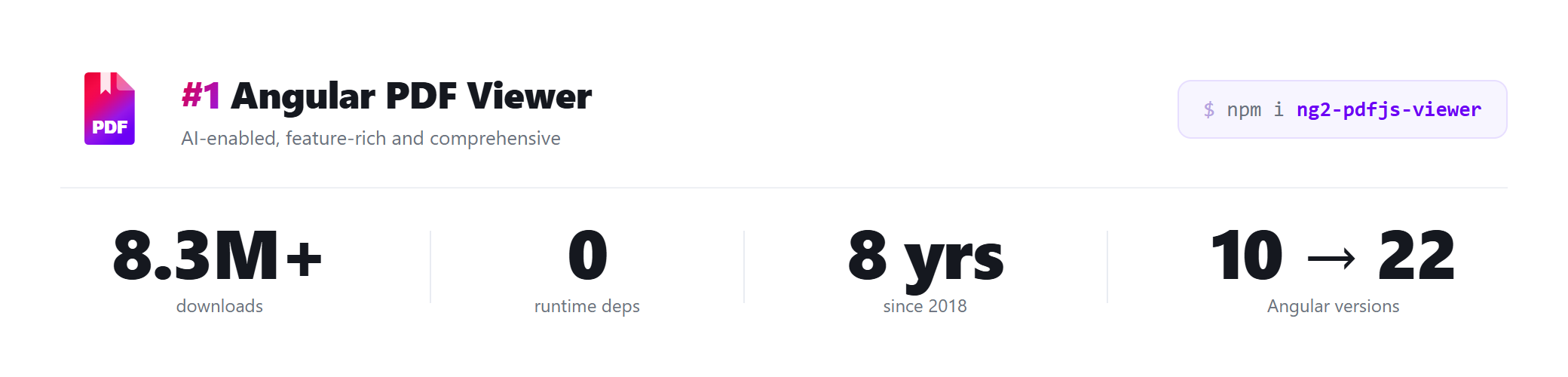
# ng2-pdfjs-viewer
**A complete PDF experience in one Angular component — view, annotate, sign, fill forms, search, and read aloud, powered by Mozilla PDF.js.**
[](https://www.npmjs.com/package/ng2-pdfjs-viewer)
[](https://www.npmjs.com/package/ng2-pdfjs-viewer)
[](https://www.npmjs.com/package/ng2-pdfjs-viewer)
[](https://github.com/intbot/ng2-pdfjs-viewer/blob/master/BILL-OF-MATERIALS.md)
[](https://www.npmjs.com/package/ng2-pdfjs-viewer)
[](https://github.com/intbot/ng2-pdfjs-viewer/security/code-scanning)
[](https://angular.dev)
[](https://github.com/mozilla/pdf.js)
[](https://github.com/intbot/ng2-pdfjs-viewer/blob/master/LICENSE)
[](https://github.com/intbot/ng2-pdfjs-viewer)
[](https://stackblitz.com/github/intbot/ng2-pdfjs-viewer/tree/master/examples/quickstart)
[](https://codesandbox.io/p/sandbox/github/intbot/ng2-pdfjs-viewer/tree/master/examples/quickstart)
[**Documentation**](https://angularpdf.com/) · [**API reference**](https://angularpdf.com/docs/api/component-inputs) · [**Live demo**](https://demo.angularpdf.com/) · [**Showcase**](https://angularpdf.com/showcase) · [**Changelog**](https://github.com/intbot/ng2-pdfjs-viewer/blob/master/CHANGELOG.md)
⭐ **Find it useful? [Star it on GitHub](https://github.com/intbot/ng2-pdfjs-viewer)** — it helps more Angular developers discover it.
---
Drop a production PDF viewer into any Angular app with a single tag. ng2-pdfjs-viewer wraps
**PDF.js 6** in one declarative ` **EPFL** | Switzerland's federal institute of technology — the Infoscience research portal |
|
**EPFL** | Switzerland's federal institute of technology — the Infoscience research portal |
|  **CNIL** | France's national data-protection authority |
|
**CNIL** | France's national data-protection authority |
|  **Finnish National Agency for Education** | the country's open learning-materials library (AOE) |
|
**Finnish National Agency for Education** | the country's open learning-materials library (AOE) |
|  **AuScope** | Australia's national geoscience research infrastructure |
|
**AuScope** | Australia's national geoscience research infrastructure |
|  **Spain's Ministry of Culture** | the Travesía cultural-heritage platform |
|
**Spain's Ministry of Culture** | the Travesía cultural-heritage platform |
|  **University of Virginia** | the Supporting Transformative Autism Research (DRIVE) program |
Part of **8.3M+ installs** worldwide. [See the full showcase →](https://angularpdf.com/showcase)
## ✨ Highlights
| | |
|---|---|
| 📄 **View anything** | Crisp, high-fidelity rendering, zoom, navigation, thumbnails, outline, printing — embedded, in a new tab, or a popout window. |
| ✍️ **Annotate & sign** | Highlight, draw, free-text, and stamp editors; opt-in draw/type/upload **signature** editor and threaded comments. Export and restore edits for a full server round-trip. |
| 🧾 **Fill forms** | Two-way AcroForm binding — read and write field values from your component, save the filled document as a blob. |
| 🔎 **Search in code** | Programmatic `search()` with totals, per-page counts, and next/previous navigation — build your own find UI. |
| 🤖 **AI assistant (BYO)** | Point it at any OpenAI-compatible endpoint (OpenAI, Azure, Ollama, vLLM…). Answers cite pages and click through. **The library never calls an AI service on its own.** |
| 🔊 **Read aloud** | Browser speech synthesis reads sentence by sentence, highlighting the spoken text and reporting progress. |
| 🗂️ **Organize pages** | Reorder, delete, cut/copy/paste, extract, and merge pages in the viewer's "Manage pages" panel. |
| 🎨 **Make it yours** | CSS-variable theming, true dark-mode page rendering, and your own Angular templates for the toolbar, sidebar, and per-page overlays — or go `chromeless` to hide the chrome for an embedded, pages-only view. |
| 🛡️ **Protect content** | Block print/download, disable selection, and stamp watermarks (honest client-side deterrence — not DRM). |
| ♿ **Accessible** | Screen-reader friendly, tagged-PDF aware, keyboard navigable — with a [WCAG / EAA guide](https://github.com/intbot/ng2-pdfjs-viewer/blob/master/ACCESSIBILITY.md). |
→ Explore every feature with live code on the **[documentation site](https://angularpdf.com/)** and **[demo](https://demo.angularpdf.com/)**.
## 🚀 Quick start
**1. Install**
```bash
npm install ng2-pdfjs-viewer
```
**2. Import the module** (or import the standalone component directly)
```typescript
import { PdfJsViewerModule } from "ng2-pdfjs-viewer";
@NgModule({
imports: [BrowserModule, PdfJsViewerModule],
})
export class AppModule {}
```
**3. Use the component**
```html
**University of Virginia** | the Supporting Transformative Autism Research (DRIVE) program |
Part of **8.3M+ installs** worldwide. [See the full showcase →](https://angularpdf.com/showcase)
## ✨ Highlights
| | |
|---|---|
| 📄 **View anything** | Crisp, high-fidelity rendering, zoom, navigation, thumbnails, outline, printing — embedded, in a new tab, or a popout window. |
| ✍️ **Annotate & sign** | Highlight, draw, free-text, and stamp editors; opt-in draw/type/upload **signature** editor and threaded comments. Export and restore edits for a full server round-trip. |
| 🧾 **Fill forms** | Two-way AcroForm binding — read and write field values from your component, save the filled document as a blob. |
| 🔎 **Search in code** | Programmatic `search()` with totals, per-page counts, and next/previous navigation — build your own find UI. |
| 🤖 **AI assistant (BYO)** | Point it at any OpenAI-compatible endpoint (OpenAI, Azure, Ollama, vLLM…). Answers cite pages and click through. **The library never calls an AI service on its own.** |
| 🔊 **Read aloud** | Browser speech synthesis reads sentence by sentence, highlighting the spoken text and reporting progress. |
| 🗂️ **Organize pages** | Reorder, delete, cut/copy/paste, extract, and merge pages in the viewer's "Manage pages" panel. |
| 🎨 **Make it yours** | CSS-variable theming, true dark-mode page rendering, and your own Angular templates for the toolbar, sidebar, and per-page overlays — or go `chromeless` to hide the chrome for an embedded, pages-only view. |
| 🛡️ **Protect content** | Block print/download, disable selection, and stamp watermarks (honest client-side deterrence — not DRM). |
| ♿ **Accessible** | Screen-reader friendly, tagged-PDF aware, keyboard navigable — with a [WCAG / EAA guide](https://github.com/intbot/ng2-pdfjs-viewer/blob/master/ACCESSIBILITY.md). |
→ Explore every feature with live code on the **[documentation site](https://angularpdf.com/)** and **[demo](https://demo.angularpdf.com/)**.
## 🚀 Quick start
**1. Install**
```bash
npm install ng2-pdfjs-viewer
```
**2. Import the module** (or import the standalone component directly)
```typescript
import { PdfJsViewerModule } from "ng2-pdfjs-viewer";
@NgModule({
imports: [BrowserModule, PdfJsViewerModule],
})
export class AppModule {}
```
**3. Use the component**
```html