# ng2-konva

 
**ng2-konva** provides declarative Angular components for the [Konva](https://konvajs.org/) 2D canvas scene graph. Use it to build design editors, whiteboards, diagrams, annotations, and other interactive graphics.
ng2-konva is MIT licensed. Each component uses the name of its Konva node with a `ko-` prefix.
- [Angular tutorial](https://konvajs.org/docs/angular/index.html)
- [Live demos](https://konvajs.org/docs/sandbox.html)
- [Konva API](https://konvajs.org/api/Konva.html)
- [Star the project](https://github.com/konvajs/ng2-konva)
[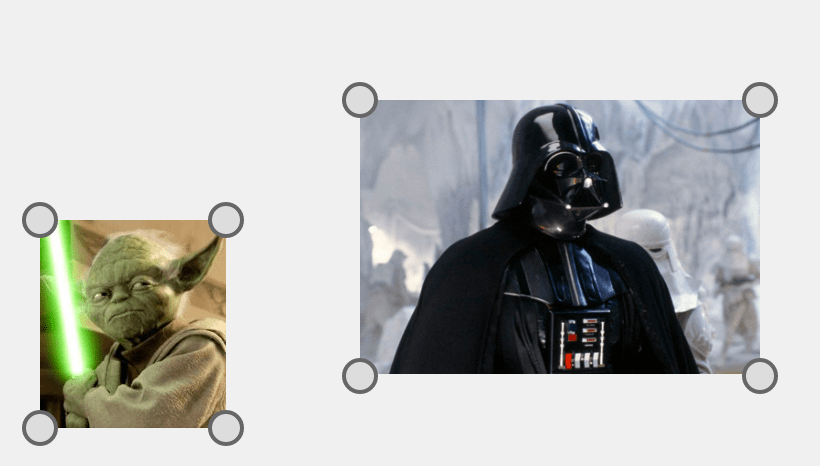](https://konvajs.org/docs/angular/Transformer.html)
All `ng2-konva` components correspond to Konva components. Pass Konva properties through the component `config` input.
## Install
ng2-konva 12 requires Angular `^21.0.0` or `^22.0.0`.
```bash
npm install ng2-konva konva
```
`ng2-konva` components are all standalone. There are two components you will need to import: `CoreShapeComponent` and `StageComponent`
```typescript
import { Component } from '@angular/core';
import { StageConfig } from 'konva/lib/Stage';
import { CircleConfig } from 'konva/lib/shapes/Circle';
import {
CoreShapeComponent,
NgKonvaEventObject,
StageComponent,
} from 'ng2-konva';
@Component({
selector: 'app-circle-example',
template: `
`,
standalone: true,
imports: [StageComponent, CoreShapeComponent],
})
export class CircleExampleComponent {
public configStage: Partial = {
width: 200,
height: 500,
};
public configCircle: CircleConfig = {
x: 100,
y: 100,
radius: 70,
fill: 'red',
stroke: 'black',
strokeWidth: 4,
};
public handleClick(event: NgKonvaEventObject): void {
console.log('Hello Circle', event);
}
}
```
> **Building a full design editor?** [Polotno](https://polotno.com/?utm_source=konvajs&utm_medium=readme&utm_content=ng2-konva) is a commercial design editor SDK built on Konva by the Konva maintainers. It ships templates, text editing, and export, so you integrate an editor instead of building one: `npm install polotno`. Polotno has an [Angular integration guide](https://polotno.com/docs/angular?utm_source=konvajs&utm_medium=readme&utm_content=ng2-konva).
## Demo
You can find more examples in the demo project located in `projects/demo`.
## Related repositories
- [react-konva](https://github.com/konvajs/react-konva) - React + Konva
- [vue-konva](https://github.com/konvajs/vue-konva) - Vue + Konva
## License
MIT © [Rafael Escala](mailto:rafaesc92@gmail.com)