 # ng-image-appear [](https://badge.fury.io/js/ng-image-appear) [](https://www.npmjs.com/package/ng-image-appear) [](http://bower.io/search/?q=ng-image-appear) [](https://www.jsdelivr.com/package/npm/ng-image-appear)
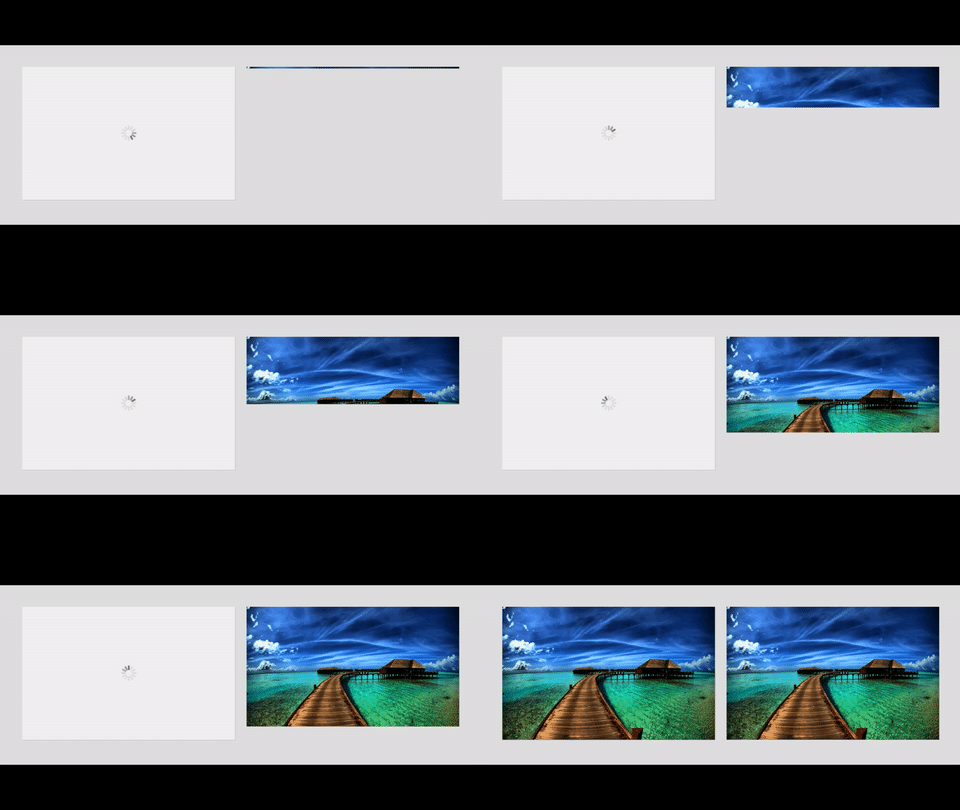
# ng-image-appear [](https://badge.fury.io/js/ng-image-appear) [](https://www.npmjs.com/package/ng-image-appear) [](http://bower.io/search/?q=ng-image-appear) [](https://www.jsdelivr.com/package/npm/ng-image-appear)  AngularJS Module to make images appear with transition as they load.
> Wraps the ``img`` tag within a wrapper and adds a gif loader in between. No more ugly-looking progressively loading images!
[http://arunmichaeldsouza.github.io/ng-image-appear/](http://arunmichaeldsouza.github.io/ng-image-appear/)
### [Demo on CodePen](http://codepen.io/amdsouza92/full/aNQeWW/)
This project has also been ported to ReactJS - [react-image-appear](https://github.com/ArunMichaelDsouza/react-image-appear).
AngularJS Module to make images appear with transition as they load.
> Wraps the ``img`` tag within a wrapper and adds a gif loader in between. No more ugly-looking progressively loading images!
[http://arunmichaeldsouza.github.io/ng-image-appear/](http://arunmichaeldsouza.github.io/ng-image-appear/)
### [Demo on CodePen](http://codepen.io/amdsouza92/full/aNQeWW/)

This project has also been ported to ReactJS - [react-image-appear](https://github.com/ArunMichaelDsouza/react-image-appear).
## Installation
#### CDN
Use ng-image-appear directly from jsdelivr CDN
```html
https://cdn.jsdelivr.net/npm/ng-image-appear@1.11.15/dist/ng-image-appear.min.js
```
#### via bower
You can install the package using bower. Make sure you have bower installed, then run :
```html
bower install ng-image-appear
```
#### via npm
```html
npm install ng-image-appear
```
Or, [download](https://github.com/ArunMichaelDsouza/ng-image-appear/releases) the latest version and include ``ng-image-appear.min.js`` to your project.
Add ``ngImageAppear`` as a dependency in your angular app module.
## Usage
Include the directive with an ``img`` tag in your HTML file with any of the available [options](#options).
Include the ``src`` and the ``ng-image-appear`` directive as an ``attribute``.
Example -
```javascript
var myApp = angular.module('myApp', ['ngImageAppear']);
myApp.controller('appCtrl', ['$scope', function($scope) {
}]);
```
```html
 ```
```
## Options
#### ``transition-duration``
This parameter specifies the transition duration for the image to appear. Default value is ``700ms``.
Example -
```html
```
#### ``bg-color``
Adds a background color to the image wrapper element.
Example -
```html
```

#### ``no-loader``
If this option is specified, then no gif loader is shown in the image wrapper element.
Example -
```html
```

#### ``responsive``
Use this option to make the image wrapper responsive. In that case the width of the wrapper is calculated in ``%``, otherwise it is calculated in ``px``.
Example -
```html
```
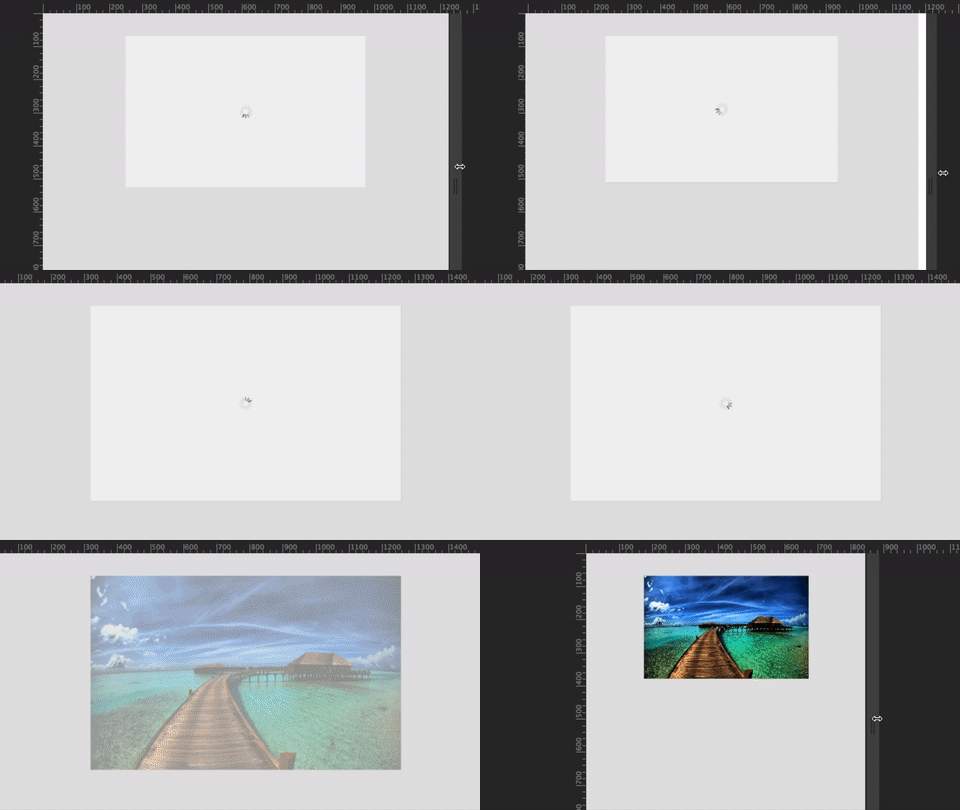
#### ``placeholder``
Adds a default placeholder in the image wrapper background.
Example -
```html
```

You can override the default placeholder background and add your own by passing an image link to this option.
Example -
```html
```

#### ``placeholder-class``
Use this option to add a CSS class to the placeholder background.
Example -
```html
```
#### ``placeholder-style``
Add CSS styles to the placeholder background using this option.
Example -
```html
```
#### ``loader-img``
Add a custom ``gif`` loader in the image wrapper. Default ``width`` and ``height`` of the loader is ``40px``. The image must be a ``gif``.
Example -
```html
```

#### ``loader-class``
Use this option to add a CSS class to the loader element.
Example -
```html
```
#### ``loader-style``
Add CSS styles to the loader element using this option.
Example -
```html
```
#### ``animation``
Add a CSS3 powered animation to the image as it appears. Default animation is ``fadeIn``.
Example -
```html
```

ng-image-appear has the following built-in CSS3 animations -
##### ``fadeIn (default)``
##### ``fadeInUp``
##### ``fadeInRight``
##### ``fadeInDown``
##### ``fadeInLeft``
##### ``bounceIn``
##### ``bounceInUp``
##### ``bounceInRight``
##### ``bounceInDown``
##### ``bounceInLeft``
##### ``flipInX``
##### ``flipInY``
##### ``zoomIn``
##### ``blurIn``
##### ``blurInUp``
##### ``blurInRight``
##### ``blurInDown``
##### ``blurInLeft``
##### ``fillIn``
#### ``animation-duration``
This parameter specifies the animation duration for the image to appear. Default value is ``700ms``.
Example -
```html
```
#### ``easing``
Specifies the timing-function for the CSS3 powered transition/animation. Default value is ``ease-in-out``.
Example -
```html
```
## Contributors
| [
Arun Michael Dsouza](https://github.com/ArunMichaelDsouza)
| [
Travis Vignon](https://github.com/lookitsatravis)
| [
Lukas Drgon](https://github.com/LukasDrgon)
|
| :---: | :---: | :---: |
## Support
If you'd like to help support the development of the project, please consider backing me on Patreon -
[ ](https://www.patreon.com/bePatron?u=8841116)
## License
MIT Licensed
Copyright (c) 2016 Arun Michael Dsouza (amdsouza92@gmail.com)
Permission is hereby granted, free of charge, to any person obtaining a copy of this software and associated documentation files (the "Software"), to deal in the Software without restriction, including without limitation the rights to use, copy, modify, merge, publish, distribute, sublicense, and/or sell copies of the Software, and to permit persons to whom the Software is furnished to do so, subject to the following conditions:
The above copyright notice and this permission notice shall be included in all copies or substantial portions of the Software.
THE SOFTWARE IS PROVIDED "AS IS", WITHOUT WARRANTY OF ANY KIND, EXPRESS OR IMPLIED, INCLUDING BUT NOT LIMITED TO THE WARRANTIES OF MERCHANTABILITY, FITNESS FOR A PARTICULAR PURPOSE AND NONINFRINGEMENT. IN NO EVENT SHALL THE AUTHORS OR COPYRIGHT HOLDERS BE LIABLE FOR ANY CLAIM, DAMAGES OR OTHER LIABILITY, WHETHER IN AN ACTION OF CONTRACT, TORT OR OTHERWISE, ARISING FROM, OUT OF OR IN CONNECTION WITH THE SOFTWARE OR THE USE OR OTHER DEALINGS IN THE SOFTWARE.