
Click on Search to show the Search tab.
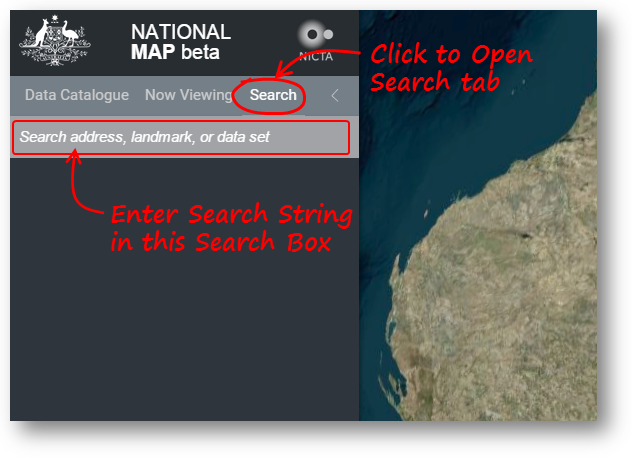
This tab provides two important functions...
Place Name Search |
Enter a name in the Search box to show a list of place names related to this search string. Those names shown under Locations have been found using the Bing Maps location search. Those names shown under Official Place Names have been found in the Geoscience Australia Gazetteer of official place names. Click on any of these listed names to show that address, place or geographic feature in the map view. You can zoom to anywhere in the world in this way. |
Data Set Name Search |
Enter a search string in the Search Box to see the list of National Map Data Sets which contain this string in their name. They will be shown under Catalogue Items. This list then operates like the Data Set list in the Data Catalogue tab. Click any of the check box for a Data Set to cause that Data Set to be shown on the Map View. Then click on the Data Set name itself to cause the Map View to zoom to a view which just encloses all of the features in that Data Set. Note: For Groups other than National Data Sets, the group must have been opened at least once in this browsing session for the Data Sets in the group to be found. |