<div align="center">

# NANO TEAM

**A tiny `pi.dev` extension that runs your subagents and shows them as a compact chip row above the editor.**

<img src="imgs/team.png" alt="nano-team chip row" width="100%" />

</div>

## What it is

You define a roster of subagents in YAML. The main pi agent can then spawn them, kill them, or check on them with three small tools. They run as isolated `pi` subprocesses, in parallel if you want, and a widget pinned above the editor animates each one's face while it thinks, works, finishes, or blows up.

That's the whole thing. No queues, no scheduling, no orchestration DSL.

## In action

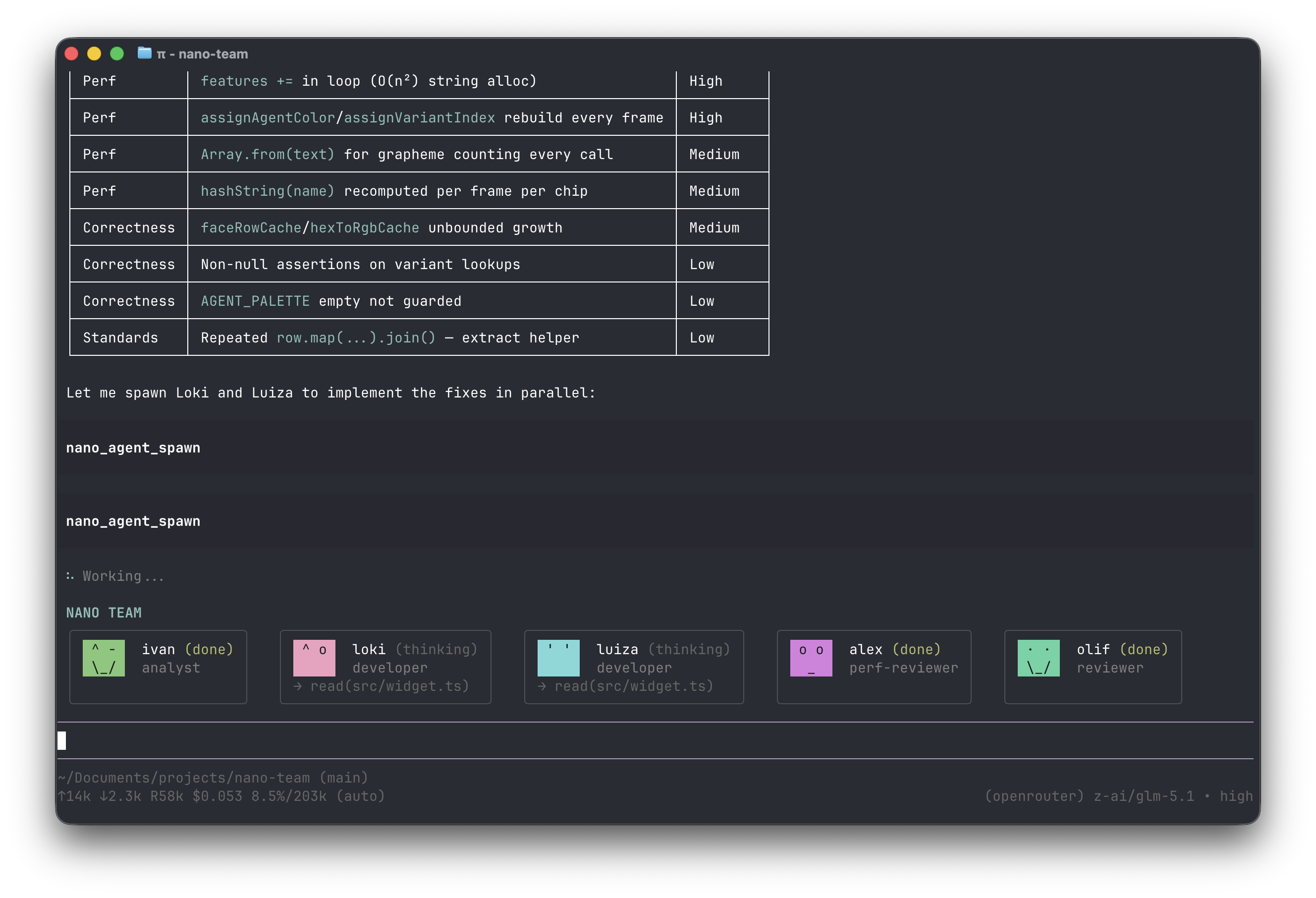
Two agents spawned in one turn, working in parallel:

<p align="center">
  <img src="imgs/example.png" alt="pi spawning two nano-team agents in parallel" width="80%" />
</p>

## Tools

Three of them, that's it:

- `nano_agent_spawn(name, task?)` — run a team member. `task` overrides the YAML default.
- `nano_agent_kill(name)` — abort a running agent.
- `nano_agent_status(name?)` — markdown table of everyone, or one agent's full transcript.

Issue several `spawn` calls in one turn and they go off in parallel. Chain them by feeding one's output into the next one's `task`.

## Adding an agent

Drop a YAML file at `.pi/nano-team/team/<name>.yaml`:

```yaml
name: developer
role: developer
model: inception/mercury-2
instructions: |
  You write TypeScript that meets this project's standards.
  - strict mode; no `any`; functional style; immutable data
  - no comments unless the WHY is non-obvious
task: |
  Implement the requested change end-to-end. State the file paths touched in the summary.
```

The required fields:

- `name` — what you'll call them in `nano_agent_spawn`
- `role` — one lowercased word (developer, reviewer, analyst…)
- `model` — any model id pi knows about
- `instructions` — system prompt for the subagent
- `task` — default task; can be overridden per spawn

Run `/reload` after editing. A few starter agents live in `examples/team/` if you want to copy from.

## Install

From npm:

```
pi install npm:nano-team
```

Or from GitHub:

```
pi install git:github.com/daynin/nano-team
```

That writes to your global pi settings (`~/.pi/agent/settings.json`). Pass `-l` to install only for the current project. Other install sources work too — local path, https URL — see the [pi packages docs](https://github.com/badlogic/pi-mono/blob/main/packages/coding-agent/docs/packages.md) for the full list.

Verify with `pi list`. Remove with `pi remove nano-team`.

## The faces

Each agent gets its own color, picked from a 12-color palette so they don't blur into each other on the row. Five states (`idle`, `thinking`, `working`, `done`, `error`), four variants per state, animating frame by frame. Errors get crossed-out eyes and a frown. It's not load-bearing — it's just nicer to look at than a status bar.

## Stack

- TypeScript strict, no build step. The extension loads as `.ts` source via jiti.
- Deps: `@mariozechner/pi-coding-agent`, `yaml`, `typebox`. Nothing else.

## License

MIT — see [LICENSE](LICENSE).
