# MUDS Editor

## Getting started with MUDS
Simply paste the following snippet in your code where you want MUDS editor to appear.
```html
<!-- Include stylesheet -->
<link rel="stylesheet" href="/assets/css/muds.min.css">

<!-- Create the editor container -->
<textarea id="editor"></textarea>

<!-- Include the muds library -->
<script src="/assets/js/muds.min.js"></script>

<!-- Initialize muds editor -->
<script>
var muds = new muds({
    selector: 'editor'
});
</script>
```

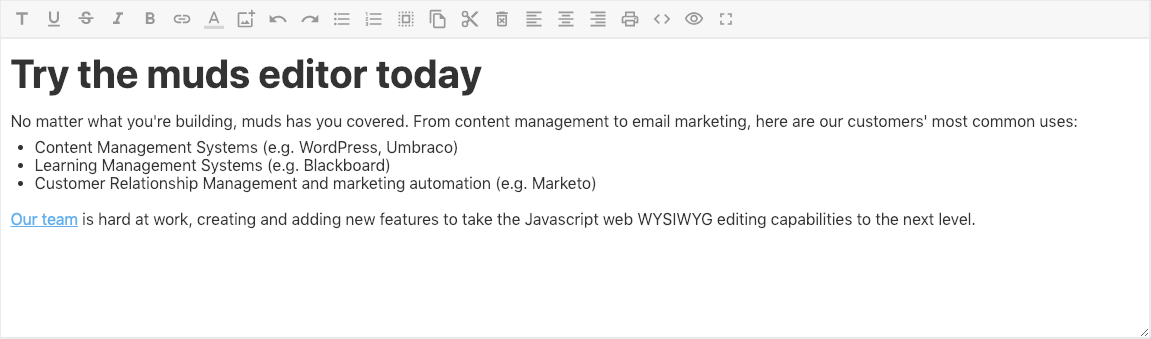
## Example
![Example of MUDS Editor](https://muds.io/assets/img/example.png)


## Custom menu items
```Javascript
var editor = new muds({
    selector: 'editor',
    menuStyle: 'custom',
    menuCustom: [
        'separator',
        'header',
        'fonts',
        'underline',
        'strikeThrough',
        'bold',
        'italic',
        'link',
        'changeColor',
        'image',
        'undo',
        'redo',
        'unorderedList',
        'orderedList',
        'selectAll',
        'copy',
        'cut',
        'delete',
        'justification',
        'justifyLeft',
        'justifyCenter',
        'justifyRight',
        'indent',
        'outdent',
        'print',
        'showHTML',
        'showText',
        'fullScreen'
    ]
});
```