# msc-image-uploader
[](https://www.webcomponents.org/element/msc-image-uploader) [](https://deepscan.io/dashboard#view=project&tid=16372&pid=23419&bid=709357)
<msc-image-uploader /> is a web component based image uploader. Users could pick & upload images by 「file picker」、「drag & drop」and even direct「paste」image content. Besides that, users could also change images sorting through 「drag & drop」or 「keyboard arrow keys」. With rich config setting, developers can set up placeholder and limitation for different scenarios.
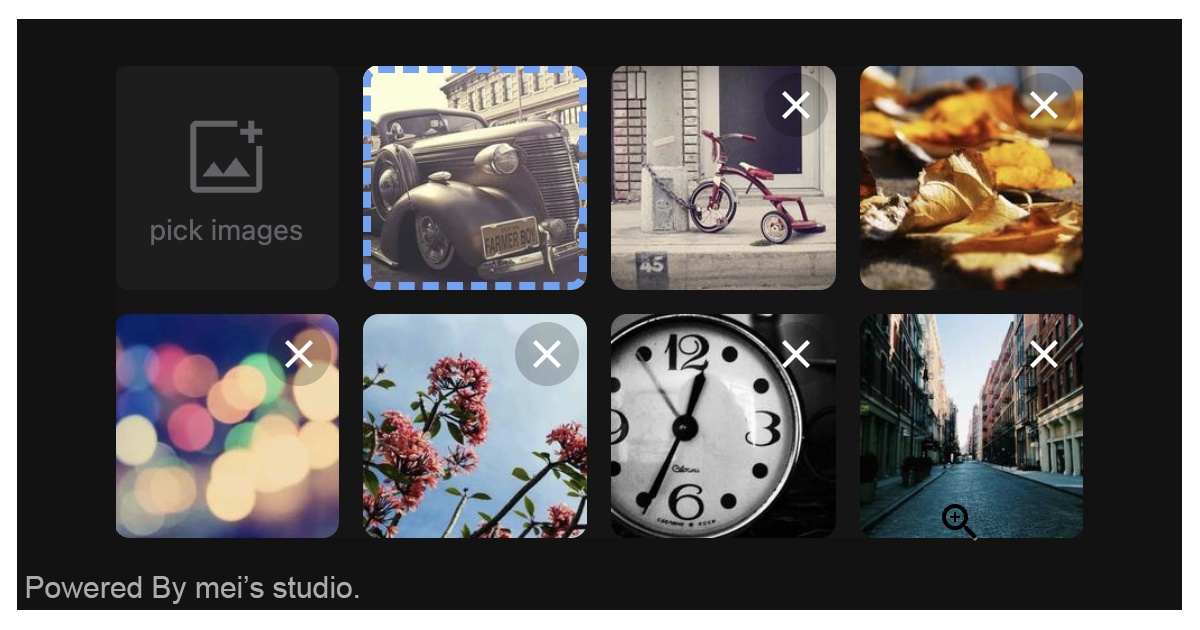
## Basic Usage
<msc-image-uploader /> is a web component. All we need to do is put the required script into your HTML document. Then follow <msc-image-uploader />'s html structure and everything will be all set.
- Required Script
```html
```
## Structure
Put <msc-image-uploader /> into HTML document. It will have different functions and looks with attribute mutation.
```html
```
Otherwise, developers could also choose remoteconfig to fetch config for <msc-image-uploader />.
```html
```
## JavaScript Instantiation
<msc-image-uploader /> could also use JavaScript to create DOM element. Here comes some examples.
```html
```
## Storage
<msc-image-uploader /> will generate an `input[type=hidden]` as storage and put success uploaded data as its value. <input /> default name is `msc-image-upload`, developers can switch any name they liked.
```html
```
## Style Customization
Developers could apply styles to decorate <msc-image-uploader />'s looking.
```html
```
Otherwise, apply pseudo class `::part(decoration)` to direct style each unit. Besides that, developers could also apply pseudo class `::part(decoration-{n})` for specific unit.
```html
```
Apply class - `msc-image-uploader--blank-trigger` will turn `trigger` into blank mode. That means trigger won't occupy any space and developers could use it for some special cases.
```html
```
## Attributes
<msc-image-uploader /> supports some attributes to let it become more convenience & useful.
- **fieldname**
Set fieldname for <msc-image-uploader />. Each upload image fetch will apply this ad file's field name. Default is `image` (not set).
```html
...
```
- **limitation**
Set limitation for <msc-image-uploader />. It should be JSON string. <msc-image-uploader /> will go through these rules when user picked files. Default is list in following sample (not set).
- `size`:max file size (byte). Default is `52428800`.
- `accept`:accepted able types. Default is `.jpg,.jpeg,.png,.gif,.webp,.avif`.
- `minwidth`:image min-width (px). Default is `100`.
- `minheight`:image min-height (px). Default is `100`.
- `maxcount`:Max file count. Default is `10`.
```html
...
```
- **webservice**
Set web service information for <msc-image-uploader />. It should be JSON string. Developers could set `url`、`params`、`header`、`withCredentials` and `timeout` here.
- `url`:api address for upload image. Default is `/`.
- `params`:Set parameters. Each of them will be attached with fetch. Default is `{}`.
- `header`:Set fetch header. Default is `{}`.
- `withCredentials`:Set withCredentials for fetch. Default is `false`.
- `timeout`:Set timeout for fetch. Default is `30000` (ms).
```html
...
```
- **placeholder**
Set placeholder for <msc-image-uploader />. It should be JSON string. Each element should include `src` for thumbnail display. Default is `[]` (not set).
```html
...
```
- **multiple**
Enable <msc-image-uploader /> multiple files picked mode. Default is `false` (not set).
```html
...
```
## Properties
| Property Name | Type | Description |
| ----------- | ----------- | ----------- |
| fieldname | String | Getter / Setter for fieldname. Each upload image fetch will apply this ad file's field name. Default is `image` (not set). |
| limitation | Object | Getter / Setter for limitation. will go through these rules when user picked files. |
| webservice | Object | Getter / Setter for web service information. Developers could set `url`、`params`、`header`、`withCredentials` and `timeout`. |
| placeholder | Array | Getter / Setter for placeholder. Each element should include `src` for thumbnail display. Default is `[]` (not set).|
| multiple | Boolean | Getter / Setter for multiple. Enable multiple files picked mode. Default is `false` (not set).|
| processing | Boolean | Getter for 's fetching status. |
| uploadInfo | Array | Getter for 's current uploaded information. Developers could check `error` key exist to know data is clean to take or not. |
| count | Number | Getter for current 's uploaded units count. |
## Method
| Method Signature | Description |
| ----------- | ----------- |
| showPicker | Summon native file picker. |
| removeAll | Remove all uploaded units. |
## Event
| Event Signature | Description |
| ----------- | ----------- |
| msc-image-uploader-pick | Fired when users picked files. Developers could gather picked information through `event.detail`. |
| msc-image-uploader-error | Fired when occured errors (validation & fetch). Developers can gather information through `event.detail`. ( will put server response to event.detail.`cause`) |
| msc-image-uploader-remove | Fired when removed unit successed. |
| msc-image-uploader-upload-done | Fired when finished fetching. |
## Reference
- [<msc-image-uploader />](https://blog.lalacube.com/mei/webComponent_msc-image-uploader.html)
- [WEBCOMPONENTS.ORG](https://www.webcomponents.org/element/msc-image-uploader)
- [YouTube](https://www.youtube.com/watch?v=CeaF9UOIvsY)