




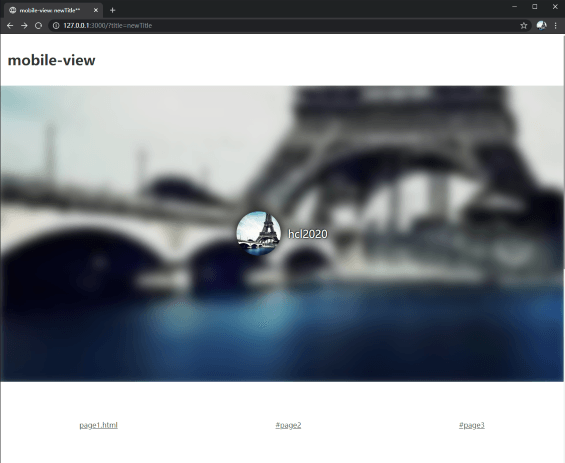
 ### 使用后 After
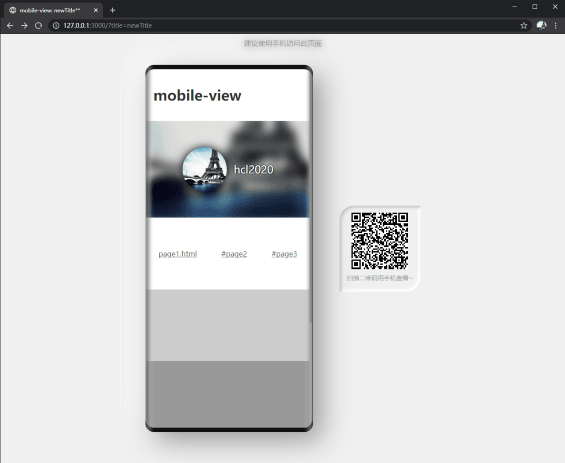 ## 安装 Install
npm install mobile-view --save
## 使用 Usage
尽可能将以下代码放在所有代码之前。
Place the following codes before all codes whenever possible.
```html
```
```typescript
import MobileView from 'mobile-view';
MobileView();
```
### 配置示例 Options Example
```typescript
MobileView({
message: '建议使用手机访问此页面, 或访问此页面的电脑版',
tips: '扫描二维码用手机查看~',
threshold: 800,
logo: 'http://example.com/logo.png'
});
```
## 注意事项
MobileView 仅提供视图和路由相关功能,未进行移动端 touch 事件兼容处理。
如果你需要兼容移动端 touch 事件,可以使用 [@vant/touch-emulator](https://www.npmjs.com/package/@vant/touch-emulator) 这个库将 mouse 事件模拟成对应的 touch 事件。
## License
MIT © [HeChanglin](https://github.com/hcl2020)
## 安装 Install
npm install mobile-view --save
## 使用 Usage
尽可能将以下代码放在所有代码之前。
Place the following codes before all codes whenever possible.
```html
```
```typescript
import MobileView from 'mobile-view';
MobileView();
```
### 配置示例 Options Example
```typescript
MobileView({
message: '建议使用手机访问此页面, 或访问此页面的电脑版',
tips: '扫描二维码用手机查看~',
threshold: 800,
logo: 'http://example.com/logo.png'
});
```
## 注意事项
MobileView 仅提供视图和路由相关功能,未进行移动端 touch 事件兼容处理。
如果你需要兼容移动端 touch 事件,可以使用 [@vant/touch-emulator](https://www.npmjs.com/package/@vant/touch-emulator) 这个库将 mouse 事件模拟成对应的 touch 事件。
## License
MIT © [HeChanglin](https://github.com/hcl2020)