# Mineflayer
[](http://badge.fury.io/js/mineflayer)
[](https://github.com/PrismarineJS/mineflayer/actions?query=workflow%3A%22CI%22)
[](https://discord.gg/GsEFRM8)
[](https://gitter.im/PrismarineJS/general)
[](https://irc.gitter.im/)
[](https://issuehunt.io/r/PrismarineJS/mineflayer)
[](https://gitpod.io/#https://github.com/PrismarineJS/mineflayer)
[](https://colab.research.google.com/github/PrismarineJS/mineflayer/blob/master/docs/mineflayer.ipynb)
| EN [English](../README.md) | RU [русский](../ru/README_RU.md) | ES [Español](../es/README_ES.md) | FR [Français](../fr/README_FR.md) | TR [Türkçe](../tr/README_TR.md) | ZH [中文](../zh/README_ZH_CN.md) | BR [Portuguese](../br/README_BR.md) |
|-------------------------|----------------------------|----------------------------|----------------------------|----------------------------|----------------------------|----------------------------|
使用强大、稳定、高级的 JavaScript [API](../api.md) 来开发 Minecraft 机器人,同时支持 Python。
第一次使用 node.js ?你可以先看看 [使用教程](../tutorial.md) 。了解过 Python?这里有一些 [Python 实例](https://github.com/PrismarineJS/mineflayer/tree/master/examples/python),同时你也可以[在谷歌 Colab 中运行 Mineflayer](https://colab.research.google.com/github/PrismarineJS/mineflayer/blob/master/docs/mineflayer.ipynb) 来体验一下。
## 特点
* 支持版本:Minecraft 1.8, 1.9, 1.10, 1.11, 1.12, 1.13, 1.14, 1.15, 1.16, 1.17, 1.18, 1.19 和 1.20
* 实体感知与追踪
* 方块感知,你可以在几毫秒内查找到bot周围的任何方块
* 物理和运动引擎 - 支持所有的碰撞箱
* 攻击实体,使用交通工具
* 背包管理
* 使用工作台、箱子、酿造台、附魔台
* 挖掘和建造
* 各种各样的的信息接口,比如查看你的血量或是否下雨
* 激活方块和使用物品
* 进行聊天
### 路线图
[点这里](https://github.com/PrismarineJS/mineflayer/wiki/Big-Prismarine-projects) 看看目前我们有哪些实用的项目
## 安装
首先,从 [nodejs.org](https://nodejs.org/) 安装 nodejs(版本要求 >= 18),
然后在你创建的bot项目目录中,使用命令行运行:
`npm install mineflayer`
## 文档
| 链接 | 描述 |
|---|---|
| [使用教程](../tutorial.md) | node.js 和 mineflayer 入门 |
| [FAQ](../FAQ.md) | 使用中出现问题?先看看这个文档吧 |
| [api](../api.md)、[不稳定的api](../unstable_api.md) | 完整的接口参考文档 |
| [更新日志](../history.md) | mineflayer 的更新日志 |
| [示例/](https://github.com/PrismarineJS/mineflayer/tree/master/examples) | 我们为你准备的 mineflayer 使用实例 |
## 参与贡献
请参阅 [为本项目贡献](../CONTRIBUTING.md),以及[为 Prismarine 贡献](https://github.com/PrismarineJS/prismarine-contribute)
## 如何使用
**视频**(Youtube)
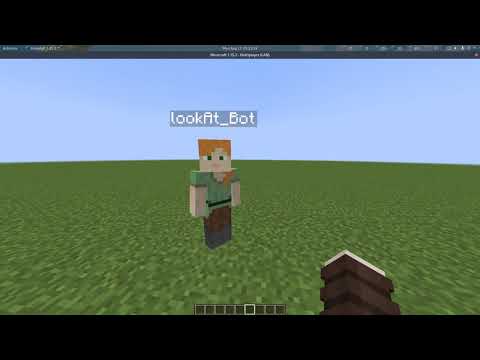
[这里](https://www.youtube.com/watch?v=ltWosy4Z0Kw) 是一个解释bot基本设置过程的教程视频。
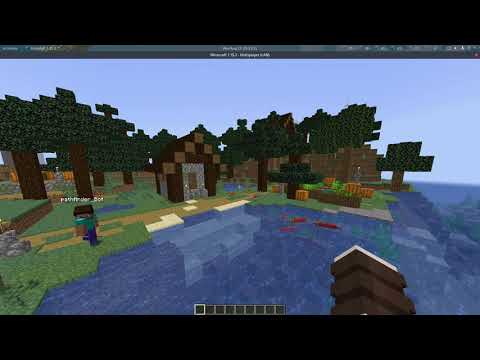
如果你想了解更多,更多的视频教程可以在 [这里](https://www.youtube.com/playlist?list=PLh_alXmxHmzGy3FKbo95AkPp5D8849PEV) 找到,视频的相应的源码在 [这里](https://github.com/TheDudeFromCI/Mineflayer-Youtube-Tutorials) 。
[ ](https://www.youtube.com/watch?v=ltWosy4Z0Kw)
[
](https://www.youtube.com/watch?v=ltWosy4Z0Kw)
[ ](https://www.youtube.com/watch?v=UWGSf08wQSc)
[
](https://www.youtube.com/watch?v=UWGSf08wQSc)
[ ](https://www.youtube.com/watch?v=ssWE0kXDGJE)
[
](https://www.youtube.com/watch?v=ssWE0kXDGJE)
[ ](https://www.youtube.com/watch?v=walbRk20KYU)
**开始使用**
如果没有指定特定版本,使用的服务器版本将自动判断并使用。
如果没有指定登录类型,默认使用 mojang 账户认证登录。
### 例子:复读机
```js
const mineflayer = require('mineflayer')
const bot = mineflayer.createBot({
host: 'localhost', // minecraft 服务器的 IP 地址
username: 'email@example.com', // minecraft 用户名
password: '12345678' // minecraft 密码, 如果你玩的是不需要正版验证的服务器,请注释掉。
// port: 25565, // 默认使用 25565,如果你的服务器端口不是这个请取消注释并填写。
// version: false, // 如果需要指定使用一个版本或快照时,请取消注释并手动填写(如:"1.8.9" 或 "1.16.5"),否则会自动设置。
// auth: 'mojang' // 如果需要使用微软账号登录时,请取消注释,然后将值设置为 'microsoft',否则会自动设置为 'mojang'。
})
bot.on('chat', (username, message) => {
if (username === bot.username) return
bot.chat(message)
})
// 记录错误和被踢出服务器的原因:
bot.on('kicked', console.log)
bot.on('error', console.log)
```
### 看看你的 bot 在做什么
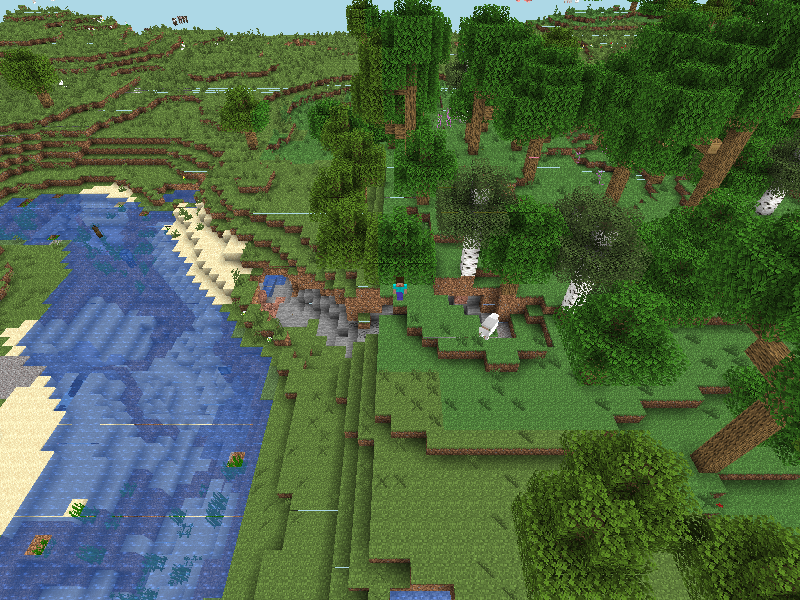
感谢 [prismarine-viewer](https://github.com/PrismarineJS/prismarine-viewer)项目,它可以在浏览器窗口显示你的机器人正在做什么。
只需要运行 `npm install prismarine-viewer` 并将其添加到你的 bot 代码中。
```js
const { mineflayer: mineflayerViewer } = require('prismarine-viewer')
bot.once('spawn', () => {
mineflayerViewer(bot, { port: 3007, firstPerson: true }) // port 是本地网页运行的端口 ,如果 firstPerson: false,那么将会显示鸟瞰图。
})
```
然后你会得到一个看起来像这样的*实时视图*:
[
](https://www.youtube.com/watch?v=walbRk20KYU)
**开始使用**
如果没有指定特定版本,使用的服务器版本将自动判断并使用。
如果没有指定登录类型,默认使用 mojang 账户认证登录。
### 例子:复读机
```js
const mineflayer = require('mineflayer')
const bot = mineflayer.createBot({
host: 'localhost', // minecraft 服务器的 IP 地址
username: 'email@example.com', // minecraft 用户名
password: '12345678' // minecraft 密码, 如果你玩的是不需要正版验证的服务器,请注释掉。
// port: 25565, // 默认使用 25565,如果你的服务器端口不是这个请取消注释并填写。
// version: false, // 如果需要指定使用一个版本或快照时,请取消注释并手动填写(如:"1.8.9" 或 "1.16.5"),否则会自动设置。
// auth: 'mojang' // 如果需要使用微软账号登录时,请取消注释,然后将值设置为 'microsoft',否则会自动设置为 'mojang'。
})
bot.on('chat', (username, message) => {
if (username === bot.username) return
bot.chat(message)
})
// 记录错误和被踢出服务器的原因:
bot.on('kicked', console.log)
bot.on('error', console.log)
```
### 看看你的 bot 在做什么
感谢 [prismarine-viewer](https://github.com/PrismarineJS/prismarine-viewer)项目,它可以在浏览器窗口显示你的机器人正在做什么。
只需要运行 `npm install prismarine-viewer` 并将其添加到你的 bot 代码中。
```js
const { mineflayer: mineflayerViewer } = require('prismarine-viewer')
bot.once('spawn', () => {
mineflayerViewer(bot, { port: 3007, firstPerson: true }) // port 是本地网页运行的端口 ,如果 firstPerson: false,那么将会显示鸟瞰图。
})
```
然后你会得到一个看起来像这样的*实时视图*:
[ ](https://prismarinejs.github.io/prismarine-viewer/)
#### 更多示例
| 例子 | 描述 |
|---|---|
|[viewer](https://github.com/PrismarineJS/mineflayer/tree/master/examples/viewer) | 在浏览器中显示 bot 的视角 |
|[pathfinder](https://github.com/PrismarineJS/mineflayer/tree/master/examples/pathfinder) | 让你的 bot 自动前往任何地点 |
|[chest](https://github.com/PrismarineJS/mineflayer/blob/master/examples/chest.js) | 使用箱子、熔炉、酿造台、附魔台 |
|[digger](https://github.com/PrismarineJS/mineflayer/blob/master/examples/digger.js) | 学习如何创建一个能够挖掘方块的简单bot |
|[discord](https://github.com/PrismarineJS/mineflayer/blob/master/examples/discord.js) | 将 discord bot 与 mineflayer bot 进行消息互通 |
|[jumper](https://github.com/PrismarineJS/mineflayer/blob/master/examples/jumper.js) | 学习如何移动、跳跃、骑乘载具、攻击附近的实体 |
|[ansi](https://github.com/PrismarineJS/mineflayer/blob/master/examples/ansi.js) | 使用全彩色在命令行中显示 bot 的聊天记录 |
|[guard](https://github.com/PrismarineJS/mineflayer/blob/master/examples/guard.js) | 让bot守卫一个指定的区域,不让附近的生物进入。 |
|[multiple-from-file](https://github.com/PrismarineJS/mineflayer/blob/master/examples/multiple_from_file.js) | 创建一个包含账户信息的文本文件,让它们全部同时登录 |
还有更多的例子在 [examples](https://github.com/PrismarineJS/mineflayer/tree/master/examples) 文件夹中
### 模块
很多活跃的开发都发生在 mineflayer 所使用的小型 npm 包内
#### The Node Way & trade;
> "当你很好的编写了一个应用程序,此时它的价值仅限于这些特定的需求。你要知道,真正好的、可重复使用的优秀组件都会升华到github和npm上,在那里,每个人都可以合作来推进公共事业。" — [《 how I write modules 》 - substack](https://gist.github.com/substack/5075355)
#### 子模块
这些是 构成 mineflayer 的主要模块:
| 模块 | 描述 |
|---|---|
| [minecraft-protocol](https://github.com/PrismarineJS/node-minecraft-protocol) | 解析和序列化 minecraft 数据包,以及身份验证和加密。
| [minecraft-data](https://github.com/PrismarineJS/minecraft-data) | 为 minecraft 客户端、服务器和库提供 minecraft 数据的语言独立模块。
| [prismarine-physics](https://github.com/PrismarineJS/prismarine-physics) | 为 minecraft 实体提供物理引擎
| [prismarine-chunk](https://github.com/PrismarineJS/prismarine-chunk) | 一个为 Minecraft 保存区块数据的类
| [node-vec3](https://github.com/PrismarineJS/node-vec3) | 具有强大单元测试的 3d 矢量数学
| [prismarine-block](https://github.com/PrismarineJS/prismarine-block) | 用相关数据表示一个 minecraft 方块
| [prismarine-chat](https://github.com/PrismarineJS/prismarine-chat) | minecraft 聊天消息解析器(从 mineflayer 中提取)
| [node-yggdrasil](https://github.com/PrismarineJS/node-yggdrasil) | Node.js 库与 Mojang 的身份验证系统交互
| [prismarine-world](https://github.com/PrismarineJS/prismarine-world) | prismarine 世界的核心实现
| [prismarine-windows](https://github.com/PrismarineJS/prismarine-windows) | 表示 minecraft 窗口
| [prismarine-item](https://github.com/PrismarineJS/prismarine-item) | 用相关数据表示一个 minecraft 物品
| [prismarine-nbt](https://github.com/PrismarineJS/prismarine-nbt) | node-minecraft-protocol 的 NBT 解析器
| [prismarine-recipe](https://github.com/PrismarineJS/prismarine-recipe) | 展示我的世界合成表
| [prismarine-biome](https://github.com/PrismarineJS/prismarine-biome) | 用相关数据表示 minecraft 生物群落
| [prismarine-entity](https://github.com/PrismarineJS/prismarine-entity) | 表示一个 minecraft 实体
### 调试
您可以使用 `DEBUG` 环境变量启用某些协议调试输出:
```bash
DEBUG="minecraft-protocol" node [...]
```
在 windows 上:
```powershell
set DEBUG=minecraft-protocol
node your_script.js
```
## 第三方插件
mineflayer 支持插件;任何人都可以创建一个插件,在 mineflayer 之上添加更高级别的 API。
最新和最有用的有:
* [pathfinder](https://github.com/Karang/mineflayer-pathfinder) - 具有许多可配置功能的高级 A* 寻路
* [prismarine-viewer](https://github.com/PrismarineJS/prismarine-viewer) - 简单的在线区块查看器
* [web-inventory](https://github.com/ImHarvol/mineflayer-web-inventory) - 在线背包查看器
* [statemachine](https://github.com/TheDudeFromCI/mineflayer-statemachine) - 用于更复杂机器人行为的状态机 API
* [Armor Manager](https://github.com/G07cha/MineflayerArmorManager) - 自动护甲管理
* [Collect Block](https://github.com/TheDudeFromCI/mineflayer-collectblock) - 快速简单的块收集 API
* [Dashboard](https://github.com/wvffle/mineflayer-dashboard) - mineflayer bot 的前端仪表板
* [PVP](https://github.com/TheDudeFromCI/mineflayer-pvp) - 用于基本 PVP 和 PVE 的简单 API
* [auto-eat](https://github.com/LINKdiscordd/mineflayer-auto-eat) - 自动进食
* [Auto Crystal](https://github.com/link-discord/mineflayer-autocrystal) - 自动放置和破碎结
* [Tool](https://github.com/TheDudeFromCI/mineflayer-tool) - 一个具有高级API的工具/武器自动选择工具的工具
* [Hawkeye](https://github.com/sefirosweb/minecraftHawkEye) - 一个使用自动瞄准弓的工具
* [GUI](https://github.com/firejoust/mineflayer-GUI) - 简化了嵌套箱子GUI窗口的导航和管理
* [Projectile](https://github.com/firejoust/mineflayer-projectile) - 以投射物为基础的战斗的可配置插件
也可以看看这些 :
* [radar](https://github.com/andrewrk/mineflayer-radar/) - 使用 canvas 和 socket.io 的基于 Web 的雷达界面 [YouTube 演示](https://www.youtube.com/watch?v=FjDmAfcVulQ)
* [blockfinder](https://github.com/Darthfett/mineflayer-blockFinder) - 在 3D 世界中寻找方块
* [scaffold](https://github.com/andrewrk/mineflayer-scaffold) - 到达目标目的地,即使您必须建造或破坏块才能这样做 [YouTube 演示](http://youtu.be/jkg6psMUSE0)
* [auto-auth](https://github.com/G07cha/MineflayerAutoAuth) - 基于聊天的bot身份验证
* [Bloodhound](https://github.com/Nixes/mineflayer-bloodhound) - 确定谁和什么对另一个实体的损害负责
* [tps](https://github.com/SiebeDW/mineflayer-tps) - 获取当前的 tps(已处理的 tps)
* [panorama](https://github.com/IceTank/mineflayer-panorama) - 拍摄您的世界的全景图像
* [player-death-event](https://github.com/tuanzisama/mineflayer-death-event) - 在 Mineflayer 里监听玩家死亡事件
## 正在使用 mineflayer 的项目
* [rom1504/rbot](https://github.com/rom1504/rbot)
* [YouTube - 建造旋转楼梯](https://www.youtube.com/watch?v=UM1ZV5200S0)
* [YouTube - 复制一个建筑](https://www.youtube.com/watch?v=0cQxg9uDnzA)
* [Darthfett/Helperbot](https://github.com/Darthfett/Helperbot) - 完成一些简单指令
* [vogonistic/voxel](https://github.com/vogonistic/mineflayer-voxel) - 使用 voxel.js 可视化机器人正在做什么
* [JonnyD/Skynet](https://github.com/JonnyD/Skynet) - 将玩家活动记录到在线 API 上
* [MinecraftChat](https://github.com/rom1504/MinecraftChat) (最后一个开源版本,由 AlexKvazos 构建)——基于 Minecraft 网络的聊天客户端
* [Cheese Bot](https://github.com/Minecheesecraft/Cheese-Bot) - 基于插件的机器人,具有干净的 GUI。使用 Node-Webkit 制作。
* [Chaoscraft](https://github.com/schematical/chaoscraft) - 使用遗传算法的 Minecraft 机器人,请参阅 [Youtube](https://www.youtube.com/playlist?list=PLLkpLgU9B5xJ7Qy4kOyBJl5J6zsDIMceH)
* [hexatester/minetelegram](https://github.com/hexatester/minetelegram) - Minecraft - Telegram 消息互通,基于 mineflayer & telegraf.
* [PrismarineJS/mineflayer-builder](https://github.com/PrismarineJS/mineflayer-builder) - 在生存中打印我的世界示意图,保持方向
* [以及数千个](https://github.com/PrismarineJS/mineflayer/network/dependents) - github 检测到的在使用 mineflayer 的项目
## 测试
### 完整测试
运行
```bash
npm test
````
### 测试指定版本
运行
```bash
npm mocha_test -- -g
```
其中 `` 表示 minecraft 版本号 如 `1.12`, `1.15.2`...
### 测试指定测试脚本
运行
```bash
npm mocha_test -- -g
```
其中 `` 是测试名称,例如 `bed`, `useChests`, `rayTrace`...
### 示例
```bash
npm run mocha_test -- -g "1.18.1.*BlockFinder"
```
进行 1.18.1 寻路测试
## 许可证
[MIT](../../LICENSE)
](https://prismarinejs.github.io/prismarine-viewer/)
#### 更多示例
| 例子 | 描述 |
|---|---|
|[viewer](https://github.com/PrismarineJS/mineflayer/tree/master/examples/viewer) | 在浏览器中显示 bot 的视角 |
|[pathfinder](https://github.com/PrismarineJS/mineflayer/tree/master/examples/pathfinder) | 让你的 bot 自动前往任何地点 |
|[chest](https://github.com/PrismarineJS/mineflayer/blob/master/examples/chest.js) | 使用箱子、熔炉、酿造台、附魔台 |
|[digger](https://github.com/PrismarineJS/mineflayer/blob/master/examples/digger.js) | 学习如何创建一个能够挖掘方块的简单bot |
|[discord](https://github.com/PrismarineJS/mineflayer/blob/master/examples/discord.js) | 将 discord bot 与 mineflayer bot 进行消息互通 |
|[jumper](https://github.com/PrismarineJS/mineflayer/blob/master/examples/jumper.js) | 学习如何移动、跳跃、骑乘载具、攻击附近的实体 |
|[ansi](https://github.com/PrismarineJS/mineflayer/blob/master/examples/ansi.js) | 使用全彩色在命令行中显示 bot 的聊天记录 |
|[guard](https://github.com/PrismarineJS/mineflayer/blob/master/examples/guard.js) | 让bot守卫一个指定的区域,不让附近的生物进入。 |
|[multiple-from-file](https://github.com/PrismarineJS/mineflayer/blob/master/examples/multiple_from_file.js) | 创建一个包含账户信息的文本文件,让它们全部同时登录 |
还有更多的例子在 [examples](https://github.com/PrismarineJS/mineflayer/tree/master/examples) 文件夹中
### 模块
很多活跃的开发都发生在 mineflayer 所使用的小型 npm 包内
#### The Node Way & trade;
> "当你很好的编写了一个应用程序,此时它的价值仅限于这些特定的需求。你要知道,真正好的、可重复使用的优秀组件都会升华到github和npm上,在那里,每个人都可以合作来推进公共事业。" — [《 how I write modules 》 - substack](https://gist.github.com/substack/5075355)
#### 子模块
这些是 构成 mineflayer 的主要模块:
| 模块 | 描述 |
|---|---|
| [minecraft-protocol](https://github.com/PrismarineJS/node-minecraft-protocol) | 解析和序列化 minecraft 数据包,以及身份验证和加密。
| [minecraft-data](https://github.com/PrismarineJS/minecraft-data) | 为 minecraft 客户端、服务器和库提供 minecraft 数据的语言独立模块。
| [prismarine-physics](https://github.com/PrismarineJS/prismarine-physics) | 为 minecraft 实体提供物理引擎
| [prismarine-chunk](https://github.com/PrismarineJS/prismarine-chunk) | 一个为 Minecraft 保存区块数据的类
| [node-vec3](https://github.com/PrismarineJS/node-vec3) | 具有强大单元测试的 3d 矢量数学
| [prismarine-block](https://github.com/PrismarineJS/prismarine-block) | 用相关数据表示一个 minecraft 方块
| [prismarine-chat](https://github.com/PrismarineJS/prismarine-chat) | minecraft 聊天消息解析器(从 mineflayer 中提取)
| [node-yggdrasil](https://github.com/PrismarineJS/node-yggdrasil) | Node.js 库与 Mojang 的身份验证系统交互
| [prismarine-world](https://github.com/PrismarineJS/prismarine-world) | prismarine 世界的核心实现
| [prismarine-windows](https://github.com/PrismarineJS/prismarine-windows) | 表示 minecraft 窗口
| [prismarine-item](https://github.com/PrismarineJS/prismarine-item) | 用相关数据表示一个 minecraft 物品
| [prismarine-nbt](https://github.com/PrismarineJS/prismarine-nbt) | node-minecraft-protocol 的 NBT 解析器
| [prismarine-recipe](https://github.com/PrismarineJS/prismarine-recipe) | 展示我的世界合成表
| [prismarine-biome](https://github.com/PrismarineJS/prismarine-biome) | 用相关数据表示 minecraft 生物群落
| [prismarine-entity](https://github.com/PrismarineJS/prismarine-entity) | 表示一个 minecraft 实体
### 调试
您可以使用 `DEBUG` 环境变量启用某些协议调试输出:
```bash
DEBUG="minecraft-protocol" node [...]
```
在 windows 上:
```powershell
set DEBUG=minecraft-protocol
node your_script.js
```
## 第三方插件
mineflayer 支持插件;任何人都可以创建一个插件,在 mineflayer 之上添加更高级别的 API。
最新和最有用的有:
* [pathfinder](https://github.com/Karang/mineflayer-pathfinder) - 具有许多可配置功能的高级 A* 寻路
* [prismarine-viewer](https://github.com/PrismarineJS/prismarine-viewer) - 简单的在线区块查看器
* [web-inventory](https://github.com/ImHarvol/mineflayer-web-inventory) - 在线背包查看器
* [statemachine](https://github.com/TheDudeFromCI/mineflayer-statemachine) - 用于更复杂机器人行为的状态机 API
* [Armor Manager](https://github.com/G07cha/MineflayerArmorManager) - 自动护甲管理
* [Collect Block](https://github.com/TheDudeFromCI/mineflayer-collectblock) - 快速简单的块收集 API
* [Dashboard](https://github.com/wvffle/mineflayer-dashboard) - mineflayer bot 的前端仪表板
* [PVP](https://github.com/TheDudeFromCI/mineflayer-pvp) - 用于基本 PVP 和 PVE 的简单 API
* [auto-eat](https://github.com/LINKdiscordd/mineflayer-auto-eat) - 自动进食
* [Auto Crystal](https://github.com/link-discord/mineflayer-autocrystal) - 自动放置和破碎结
* [Tool](https://github.com/TheDudeFromCI/mineflayer-tool) - 一个具有高级API的工具/武器自动选择工具的工具
* [Hawkeye](https://github.com/sefirosweb/minecraftHawkEye) - 一个使用自动瞄准弓的工具
* [GUI](https://github.com/firejoust/mineflayer-GUI) - 简化了嵌套箱子GUI窗口的导航和管理
* [Projectile](https://github.com/firejoust/mineflayer-projectile) - 以投射物为基础的战斗的可配置插件
也可以看看这些 :
* [radar](https://github.com/andrewrk/mineflayer-radar/) - 使用 canvas 和 socket.io 的基于 Web 的雷达界面 [YouTube 演示](https://www.youtube.com/watch?v=FjDmAfcVulQ)
* [blockfinder](https://github.com/Darthfett/mineflayer-blockFinder) - 在 3D 世界中寻找方块
* [scaffold](https://github.com/andrewrk/mineflayer-scaffold) - 到达目标目的地,即使您必须建造或破坏块才能这样做 [YouTube 演示](http://youtu.be/jkg6psMUSE0)
* [auto-auth](https://github.com/G07cha/MineflayerAutoAuth) - 基于聊天的bot身份验证
* [Bloodhound](https://github.com/Nixes/mineflayer-bloodhound) - 确定谁和什么对另一个实体的损害负责
* [tps](https://github.com/SiebeDW/mineflayer-tps) - 获取当前的 tps(已处理的 tps)
* [panorama](https://github.com/IceTank/mineflayer-panorama) - 拍摄您的世界的全景图像
* [player-death-event](https://github.com/tuanzisama/mineflayer-death-event) - 在 Mineflayer 里监听玩家死亡事件
## 正在使用 mineflayer 的项目
* [rom1504/rbot](https://github.com/rom1504/rbot)
* [YouTube - 建造旋转楼梯](https://www.youtube.com/watch?v=UM1ZV5200S0)
* [YouTube - 复制一个建筑](https://www.youtube.com/watch?v=0cQxg9uDnzA)
* [Darthfett/Helperbot](https://github.com/Darthfett/Helperbot) - 完成一些简单指令
* [vogonistic/voxel](https://github.com/vogonistic/mineflayer-voxel) - 使用 voxel.js 可视化机器人正在做什么
* [JonnyD/Skynet](https://github.com/JonnyD/Skynet) - 将玩家活动记录到在线 API 上
* [MinecraftChat](https://github.com/rom1504/MinecraftChat) (最后一个开源版本,由 AlexKvazos 构建)——基于 Minecraft 网络的聊天客户端
* [Cheese Bot](https://github.com/Minecheesecraft/Cheese-Bot) - 基于插件的机器人,具有干净的 GUI。使用 Node-Webkit 制作。
* [Chaoscraft](https://github.com/schematical/chaoscraft) - 使用遗传算法的 Minecraft 机器人,请参阅 [Youtube](https://www.youtube.com/playlist?list=PLLkpLgU9B5xJ7Qy4kOyBJl5J6zsDIMceH)
* [hexatester/minetelegram](https://github.com/hexatester/minetelegram) - Minecraft - Telegram 消息互通,基于 mineflayer & telegraf.
* [PrismarineJS/mineflayer-builder](https://github.com/PrismarineJS/mineflayer-builder) - 在生存中打印我的世界示意图,保持方向
* [以及数千个](https://github.com/PrismarineJS/mineflayer/network/dependents) - github 检测到的在使用 mineflayer 的项目
## 测试
### 完整测试
运行
```bash
npm test
````
### 测试指定版本
运行
```bash
npm mocha_test -- -g
```
其中 `` 表示 minecraft 版本号 如 `1.12`, `1.15.2`...
### 测试指定测试脚本
运行
```bash
npm mocha_test -- -g
```
其中 `` 是测试名称,例如 `bed`, `useChests`, `rayTrace`...
### 示例
```bash
npm run mocha_test -- -g "1.18.1.*BlockFinder"
```
进行 1.18.1 寻路测试
## 许可证
[MIT](../../LICENSE)