<div align="center">
  <img alt="Middy logo" src="https://raw.githubusercontent.com/middyjs/middy/master/img/middy-logo.png"/>
</div>

<div align="center">
  <p><strong>The stylish Node.js middleware engine for AWS Lambda</strong></p>
</div>

<div align="center">
<p>
  <a href="http://badge.fury.io/js/middy">
    <img src="https://badge.fury.io/js/middy.svg" alt="npm version" style="max-width:100%;">
  </a>
  <a href="https://circleci.com/gh/middyjs/middy">
    <img src="https://circleci.com/gh/middyjs/middy.svg?style=shield" alt="CircleCI" style="max-width:100%;">
  </a>
  <a href="https://codecov.io/gh/middyjs/middy">
    <img src="https://codecov.io/gh/middyjs/middy/branch/master/graph/badge.svg" alt="codecov" style="max-width:100%;">
  </a>
  <a href="https://snyk.io/test/github/middyjs/middy">
    <img src="https://snyk.io/test/github/middyjs/middy/badge.svg" alt="Known Vulnerabilities" data-canonical-src="https://snyk.io/test/github/middyjs/middy" style="max-width:100%;">
  </a>
  <a href="https://standardjs.com/">
    <img src="https://img.shields.io/badge/code_style-standard-brightgreen.svg" alt="Standard Code Style"  style="max-width:100%;">
  </a>
  <a href="https://lgtm.com/projects/g/middyjs/middy/context:javascript">
    <img src="https://img.shields.io/lgtm/grade/javascript/g/middyjs/middy.svg?logo=lgtm&logoWidth=18" alt="Language grade: JavaScript" style="max-width:100%;">
  </a>
  <a href="https://greenkeeper.io/">
    <img src="https://badges.greenkeeper.io/middyjs/middy.svg" alt="Greenkeeper badge"  style="max-width:100%;">
  </a>
  <a href="https://gitter.im/middyjs/Lobby">
    <img src="https://badges.gitter.im/gitterHQ/gitter.svg" alt="Chat on Gitter"  style="max-width:100%;">
  </a>
</p>
</div>

---

⚠️ **Warning: Middy 0.x is being deprecated** ⚠️

Middy 1.x, with support for Node.js 10 & 12 will soon replace Middy 0.x.

You can already use Middy 1.x, check out [branch `1.0.0-beta`](https://github.com/middyjs/middy/tree/1.0.0-beta) for documentation and source code. If you have a project running on Middy 0.x that you need to port to Middy 1.x, you can also check out the [upgrade guide](https://github.com/middyjs/middy/blob/1.0.0-beta/UPGRADE.md).

This is the expected timeline for the future releases:

| -         | January 2020       | March 2020 | August 2020  |
| --------- | ------------------ | ---------- | ------------ |
| Middy 0.x | Active             | Supported  | Discontinued |
| Middy 1.0 | Beta (recommended) | Active     | Active       |

---


## TOC

- [TOC](#toc)
- [A little appetizer](#a-little-appetizer)
- [Install](#install)
- [Requirements](#requirements)
- [Why?](#why-)
- [Usage](#usage)
- [How it works](#how-it-works)
  * [Execution order](#execution-order)
  * [Interrupt middleware execution early](#interrupt-middleware-execution-early)
  * [Handling errors](#handling-errors)
  * [Promise support](#promise-support)
  * [Promises and error handling](#promises-and-error-handling)
  * [Using async/await](#using-asyncawait)
- [Writing a middleware](#writing-a-middleware)
  * [Configurable middlewares](#configurable-middlewares)
  * [Inline middlewares](#inline-middlewares)
  * [More details on creating middlewares](#more-details-on-creating-middlewares)
- [Available middlewares](#available-middlewares)
- [Api](#api)
- [Typescript](#typescript)
- [FAQ](#faq)
  * [Q: Lambda timing out](#q-lambda-timing-out)
- [3rd party middlewares](#3rd-party-middlewares)
- [Contributing](#contributing)
- [License](#license)


## A little appetizer

Middy is a very simple middleware engine. If you are used to web frameworks like
express, than you will be familiar with the concepts adopted in Middy and you will
be able to get started very quickly.

But code is better than 10,000 words, so let's jump into an example.
Let's assume you are building a JSON API to process a payment:

```javascript
# handler.js

const middy = require('middy')
const { jsonBodyParser, validator, httpErrorHandler } = require('middy/middlewares')

// This is your common handler, in no way different than what you are used to doing every day
// in AWS Lambda
const processPayment = (event, context, callback) => {
  // we don't need to deserialize the body ourself as a middleware will be used to do that
  const { creditCardNumber, expiryMonth, expiryYear, cvc, nameOnCard, amount } = event.body

  // do stuff with this data
  // ...

  return callback(null, { result: 'success', message: 'payment processed correctly'})
}

// Notice that in the handler you only added base business logic (no deserilization,
// validation or error handler), we will add the rest with middlewares

const inputSchema = {
  type: 'object',
  properties: {
    body: {
      type: 'object',
      properties: {
        creditCardNumber: { type: 'string', minLength: 12, maxLength: 19, pattern: '\d+' },
        expiryMonth: { type: 'integer', minimum: 1, maximum: 12 },
        expiryYear: { type: 'integer', minimum: 2017, maximum: 2027 },
        cvc: { type: 'string', minLength: 3, maxLength: 4, pattern: '\d+' },
        nameOnCard: { type: 'string' },
        amount: { type: 'number' }
      },
      required: ['creditCardNumber'] // Insert here all required event properties
    }
  }
}

// Let's "middyfy" our handler, then we will be able to attach middlewares to it
const handler = middy(processPayment)
  .use(jsonBodyParser()) // parses the request body when it's a JSON and converts it to an object
  .use(validator({inputSchema})) // validates the input
  .use(httpErrorHandler()) // handles common http errors and returns proper responses

module.exports = { handler }
```


## Install

As simple as:

```bash
npm install middy
```

or

```bash
yarn add middy
```

## Requirements

Middy has been built to work by default from **Node >= 6.10**.

If you need to run it in earlier versions of Node (eg. 4.3) then you will have to
*transpile* middy's code yourself using [babel](https://babeljs.io/) or a similar tool.


## Why?

One of the main strengths of serverless and AWS Lambda is that, from a developer
perspective, your focus is mostly shifted toward implementing business logic.

Anyway, when you are writing a handler, you still have to deal with some common technical concerns
outside business logic, like input parsing and validation, output serialization,
error handling, etc.

Very often, all this necessary code ends up polluting the pure business logic code in
your handlers, making the code harder to read and to maintain.

In other contexts, like generic web frameworks ([express](http://expressjs.com/),
[fastify](http://fastify.io), [hapi](https://hapijs.com/), etc.), this
problem has been solved using the [middleware pattern](https://www.packtpub.com/mapt/book/web_development/9781783287314/4/ch04lvl1sec33/middleware).

This pattern allows developers to isolate these common technical concerns into
*"steps"* that *decorate* the main business logic code.
Middleware functions are generally written as independent modules and then plugged in into
the application in a configuration step, thus not polluting the main business logic
code that remains clean, readable and easy to maintain.


Since  we couldn't find a similar approach for AWS Lambda handlers, we decided
to create middy, our own middleware framework for serverless in AWS land.


## Usage

As you might have already got from our first example here, using middy is very
simple and requires just few steps:

 1. Write your Lambda handlers as usual, focusing mostly on implementing the bare
    business logic for them.
 2. Import `middy` and all the middlewares you want to use
 3. Wrap your handler in the `middy()` factory function. This will return a new
    enhanced instance of your original handler, to which you will be able to attach
    the middlewares you need.
 4. Attach all the middlewares you need using the function `.use(somemiddleware())`

Example:

```javascript
const middy = require('middy')
const { middleware1, middleware2, middleware3 } = require('middy/middlewares')

const originalHandler = (event, context, callback) => { /* your business logic */ }

const handler = middy(originalHandler)

handler
  .use(middleware1())
  .use(middleware2())
  .use(middleware3())

module.exports = { handler }
```

You can also attach [inline middlewares](#inline-middlewares) by using the functions `.before`, `.after` and
`.onError`.

For a more detailed use case and examples check the [Writing a middleware section](#writing-a-middleware) and
the [API section](#api).


## How it works

Middy implements the classic *onion-like* middleware pattern, with some peculiar details.

![Middy middleware engine diagram](/img/middy-middleware-engine.png)

When you attach a new middleware this will wrap the business logic contained in the handler
in two separate steps.

When another middleware is attached this will wrap the handler again and it will be wrapped by
all the previously added middlewares in order, creating multiple layers for interacting with
the *request* (event) and the *response*.

This way the *request-response cycle* flows through all the middlewares, the
handler and all the middlewares again, giving the opportunity within every step to
modify or enrich the current request, context or the response.


### Execution order

Middlewares have two phases: `before` and `after`.

The `before` phase, happens *before* the handler is executed. In this code the
response is not created yet, so you will have access only to the request.

The `after` phase, happens *after* the handler is executed. In this code you will
have access to both the request and the response.

If you have three middlewares attached as in the image above this is the expected
order of execution:

 - `middleware1` (before)
 - `middleware2` (before)
 - `middleware3` (before)
 - `handler`
 - `middleware3` (after)
 - `middleware2` (after)
 - `middleware1` (after)

Notice that in the `after` phase, middlewares are executed in inverted order,
this way the first handler attached is the one with the highest priority as it will
be the first able to change the request and last able to modify the response before
it gets sent to the user.


### Interrupt middleware execution early

Some middlewares might need to stop the whole execution flow and return a response immediately.

If you want to do this you can invoke `handler.callback` in your middleware and return early without invoking `next`.

**Note**: this will totally stop the execution of successive middlewares in any phase (`before` and `after`) and returns
an early response (or an error) directly at the Lambda level. If your middlewares do a specific task on every request
like output serialization or error handling, these won't be invoked in this case.

In this example we can use this capability for building a sample caching middleware:

```javascript

// some function that calculates the cache id based on the current event
const calculateCacheId = (event) => { /* ... */ }
const storage = {}

// middleware
const cacheMiddleware = (options) => {
  let cacheKey
  return ({
    before: (handler, next) => {
      cacheKey = options.calculateCacheId(handler.event)
      if (options.storage.hasOwnProperty(cacheKey)) {
        // exits early and returns the value from the cache if it's already there
        return handler.callback(null, options.storage[cacheKey])
      }

      return next()
    },
    after: (handler, next) => {
      // stores the calculated response in the cache
      options.storage[cacheKey] = handler.response
      next()
    }
  })
}

// sample usage
const handler = middy((event, context, callback) => { /* ... */ })
  .use(cacheMiddleware({
    calculateCacheId, storage
  }))
```


### Handling errors

But what happens when there is an error?

When there is an error, the regular control flow is stopped and the execution is
moved back to all the middlewares that implements a special phase called `onError`, following
the order they have been attached.

Every `onError` middleware can decide to handle the error and create a proper response or
to delegate the error to the next middleware.

When a middleware handles the error and creates a response, the execution is still propagated to all the other
error middlewares and they have a chance to update or replace the response as
needed. At the end of the error middlewares sequence, the response is returned
to the user.

If no middleware manages the error, the Lambda execution fails reporting the unmanaged error.

### Promise support

Middy allows you to return promises (or throw errors) from your handlers (instead of calling `callback()`) and middlewares
(instead of calling `next()`).

Here is an example of a handler that returns a promise:

```javascript
middy((event, context, callback) => {
  return someAsyncStuff()
    .then(() => {
      return someOtherAsyncStuff()
    })
    .then(() => {
      return {foo: bar}
    }
})
```

And here is an example of a middleware that returns a similar promise:

```javascript
const asyncValidator = () => {
  before: (handler) => {
    if (handler.event.body) {
      return someAsyncStuff(handler.event.body)
        .then(() => {
          return {foo: bar}
        })
    }

    return Promise.resolve()
  }
}

handler.use(asyncValidator())
```

### Promises and error handling

`onError` middlewares can return promises as well.
Here's how Middy handles return values from promise-enabled error handlers:
* If `onError` promise resolves to a *truthy* value, this value is treated as an error and passed further down the pipeline.

```javascript
middleware1 = {
  onError: (handler) => {
    Logger.debug("middleware1");
    return Promise.resolve(handler.error)
  }
}
middleware2 = {
  onError: (handler) => {
    Logger.debug("middleware2");
    return Promise.resolve(handler.error)
  }
}
handler.use(middleware1).use(middleware2);
```

Here, first `middleware1.onError` then `middleware2.onError` will be called.

  - If the last `onError` in the chain returns a promise which resolves to a value, the lambda fails and reports an unmanaged error
  In the example above, the lambda will fail and report the error returned by `middleware2.onError`.
  - If `onError` promise resolves to a *falsy* value (`null`, `undefined`, `false` etc.), the error handling pipeline continues and eventually the response is returned without an error.

```javascript
const middleware1 = {
  onError: (handler) => {
    handler.response = { error: handler.error };
    return Promise.resolve();
    // Resolves to a falsy value
  }
}
const middleware2 = {
  onError: (handler) => {
    return Promise.resolve(handler.error)
  }
}
handler.use(middleware1).use(middleware2);
```

Here, only `middleware1.onError` will be called. The rest of the error handlers will be skipped, and the lambda will finish normally and return the response. `middleware2.onError` will not be called.

  - If `onError` promise rejects, the error handling pipeline exits early and the lambda execution fails.

```javascript
const middleware1 = {
  onError: (handler) => {
    return Promise.reject(handler.error);
  }
}
const middleware2 = {
  onError: (handler) => {
    return Promise.resolve(handler.error)
  }
}
handler.use(middleware1).use(middleware2);
```

Here, only `middleware1.onError` will be called, and the lambda will fail early, reporting an error. `middleware2.onError` will not be called.


### Using async/await

Node.js 8.10 supports [async/await](https://developer.mozilla.org/en-US/docs/Web/JavaScript/Reference/Statements/async_function),
allowing you to work with promises in a way that makes handling asynchronous logic easier to reason about and
asynchronous code easier to read.

You can still use async/await if you're running AWS Lambda on Node.js 6.10, but you will need to transpile your
`async/await` code (e.g. using [babel](https://babeljs.io/)).

Take the following code as an example of a handler written with async/await:

```javascript
middy(async (event, context) => {
  await someAsyncStuff()
  await someOtherAsyncStuff()

  return ({foo: bar})
})
```


And here is an example of a middleware written with async/await:

```javascript
const asyncValidator = () => {
  before: async (handler) => {
    if (handler.event.body) {
      await asyncValidate(handler.event.body)

      return {foo: bar}
    }

    return
  }
}

handler.use(asyncValidator())
```


## Writing a middleware

A middleware is an object that should contain at least 1 of 3 possible keys:

 1. `before`: a function that is executed in the before phase
 2. `after`: a function that is executed in the after phase
 3. `onError`: a function that is executed in case of errors

`before`, `after` and `onError` functions need to have the following signature:

```javascript
function (handler, next) {
  // ...
}
```

Where:

 - `handler`: is a reference to the current context and it allows access to (and modification of)
   the current `event` (request), the `response` (in the *after* phase) and `error`
   (in case of an error).
 - `next`: is a callback function that needs to be invoked when the middleware has finished
   its job so that the next middleware can be invoked

### Configurable middlewares

In order to make middlewares configurable, they are generally exported as a function that accepts
a configuration object. This function should then return the middleware object with `before`,
`after` and `onError` as keys.

E.g.

```javascript
# myMiddleware.js

const myMiddleware = (config) => {
  // might set default options in config
  return ({
    before: (handler, next) => {
      // might read options from `config`
    },
    after: (handler, next) => {
      // might read options from `config`
    },
    onError: (handler, next) => {
      // might read options from `config`
    }
  })
}

module.exports = myMiddleware
```

With this convention in mind, using a middleware will always look like the following example:

```javascript
const middy = require('middy')
const myMiddleware = require('myMiddleware')

const handler = middy((event, context, callback) => {
  // do stuff
})

handler.use(myMiddleware({
  option1: 'foo',
  option2: 'bar'
}))

module.exports = { handler }
```


### Inline middlewares

Sometimes you want to create handlers that serve a very small need and that are not
necessarily re-usable. In such cases you probably will need to hook only into one of
the different phases (`before`, `after` or `onError`).

In these cases you can use **inline middlewares** which are shortcut functions to hook
logic into Middy's control flow.

Let's see how inline middlewares work with a simple example:

```javascript
const middy = require('middy')

const handler = middy((event, context, callback) => {
  // do stuff
})

handler.before((handler, next) => {
  // do something in the before phase
  next()
})

handler.after((handler, next) => {
  // do something in the after phase
  next()
})

handler.onError((handler, next) => {
  // do something in the on error phase
  next()
})

module.exports = { handler }
```

As you can see above, a middy instance also exposes the `before`, `after` and `onError`
methods to allow you to quickly hook-in simple inline middlewares.


### More details on creating middlewares

Check the [code for existing middlewares](/docs/middlewares.md) to see more examples
on how to write a middleware.


## Available middlewares

Currently available middlewares:

 - [`cache`](/docs/middlewares.md#cache): A simple but flexible caching layer
 - [`cors`](/docs/middlewares.md#cors): Sets CORS headers on response
 - ~~[`functionShield`](/docs/middlewares.md#functionshield): Hardens AWS Lambda execution environment~~ **Note**: functionShield has been removed from core since *0.22.0*. Use [`@middy/function-shield`](https://www.npmjs.com/package/@middy/function-shield) instead.
 - [`doNotWaitForEmptyEventLoop`](/docs/middlewares.md#donotwaitforemptyeventloop): Sets callbackWaitsForEmptyEventLoop property to false
 - [`httpContentNegotiation`](/docs/middlewares.md#httpcontentnegotiation): Parses `Accept-*` headers and provides utilities for content negotiation (charset, encoding, language and media type) for HTTP requests
 - [`httpErrorHandler`](/docs/middlewares.md#httperrorhandler): Creates a proper HTTP response for errors that are created with the [http-errors](https://www.npmjs.com/package/http-errors) module and represents proper HTTP errors.
 - [`httpEventNormalizer`](/docs/middlewares.md#httpEventNormalizer): Normalizes HTTP events by adding an empty object for `queryStringParameters` and `pathParameters` if they are missing.
 - [`httpHeaderNormalizer`](/docs/middlewares.md#httpheadernormalizer): Normalizes HTTP header names to their canonical format.
 - [`httpMultipartBodyParser`](/docs/middlewares.md#multipartbodyparser): Automatically parses HTTP requests with content type `multipart/form-data`.
 - [`httpPartialResponse`](/docs/middlewares.md#httppartialresponse): Filter response objects attributes based on query string parameters.
 - [`jsonBodyParser`](/docs/middlewares.md#jsonbodyparser): Automatically parses HTTP requests with JSON body and converts the body into an object. Also handles gracefully broken JSON if used in combination of
 `httpErrorHandler`.
 - [`s3KeyNormalizer`](/docs/middlewares.md#s3keynormalizer): Normalizes key names in s3 events.
 - [`secretsManager`](/docs/middlewares.md#secretsmanager): Fetches parameters from [AWS Secrets Manager](https://docs.aws.amazon.com/secretsmanager/latest/userguide/intro.html).
 - [`ssm`](/docs/middlewares.md#ssm): Fetches parameters from [AWS Systems Manager Parameter Store](https://docs.aws.amazon.com/systems-manager/latest/userguide/systems-manager-paramstore.html).
 - [`validator`](/docs/middlewares.md#validator): Automatically validates incoming events and outgoing responses against custom schemas
 - [`urlEncodeBodyParser`](/docs/middlewares.md#urlencodebodyparser): Automatically parses HTTP requests with URL encoded body (typically the result of a form submit).
 - [`warmup`](/docs/middlewares.md#warmup): Warmup middleware that helps to reduce the [cold-start issue](https://serverless.com/blog/keep-your-lambdas-warm/)


For dedicated documentation on available middlewares check out the [Middlewares
documentation](/docs/middlewares.md)

## Api

## 

* [middy(handler)](#middy) ⇒ [<code>middy</code>](#middy)

## 

* [middy](#middy) : <code>function</code>
* [useFunction](#useFunction) ⇒ [<code>middy</code>](#middy)
* [middlewareAttachFunction](#middlewareAttachFunction) ⇒ [<code>middy</code>](#middy)
* [middlewareNextFunction](#middlewareNextFunction) : <code>function</code>
* [middlewareFunction](#middlewareFunction) ⇒ <code>void</code> \| <code>Promise</code>
* [middlewareObject](#middlewareObject) : <code>Object</code>

<a name="middy"></a>

## middy(handler) ⇒ [<code>middy</code>](#middy)
Middy factory function. Use it to wrap your existing handler to enable middlewares on it.

**Kind**: global function  
**Returns**: [<code>middy</code>](#middy) - - a `middy` instance  

| Param | Type | Description |
| --- | --- | --- |
| handler | <code>function</code> | your original AWS Lambda function |

<a name="middy"></a>

## middy : <code>function</code>
**Kind**: global typedef  

| Param | Type | Description |
| --- | --- | --- |
| event | <code>Object</code> | the AWS Lambda event from the original handler |
| context | <code>Object</code> | the AWS Lambda context from the original handler |
| callback | <code>function</code> | the AWS Lambda callback from the original handler |

**Properties**

| Name | Type | Description |
| --- | --- | --- |
| use | [<code>useFunction</code>](#useFunction) | attach a new middleware |
| before | [<code>middlewareAttachFunction</code>](#middlewareAttachFunction) | attach a new *before-only* middleware |
| after | [<code>middlewareAttachFunction</code>](#middlewareAttachFunction) | attach a new *after-only* middleware |
| onError | [<code>middlewareAttachFunction</code>](#middlewareAttachFunction) | attach a new *error-handler-only* middleware |
| __middlewares | <code>Object</code> | contains the list of all the attached   middlewares organised by type (`before`, `after`, `onError`). To be used only   for testing and debugging purposes |

<a name="useFunction"></a>

## useFunction ⇒ [<code>middy</code>](#middy)
**Kind**: global typedef  

| Type | Description |
| --- | --- |
| [<code>middlewareObject</code>](#middlewareObject) | the middleware object to attach |

<a name="middlewareAttachFunction"></a>

## middlewareAttachFunction ⇒ [<code>middy</code>](#middy)
**Kind**: global typedef  

| Type | Description |
| --- | --- |
| [<code>middlewareFunction</code>](#middlewareFunction) | the middleware function to attach |

<a name="middlewareNextFunction"></a>

## middlewareNextFunction : <code>function</code>
**Kind**: global typedef  

| Param | Type | Description |
| --- | --- | --- |
| error | <code>error</code> | An optional error object to pass in case an error occurred |

<a name="middlewareFunction"></a>

## middlewareFunction ⇒ <code>void</code> \| <code>Promise</code>
**Kind**: global typedef  
**Returns**: <code>void</code> \| <code>Promise</code> - - A middleware can return a Promise instead of using the `next` function as a callback.
                         In this case middy will wait for the promise to resolve (or reject) and it will automatically
                         propagate the result to the next middleware.  

| Param | Type | Description |
| --- | --- | --- |
| handler | <code>function</code> | the original handler function.   It will expose properties `event`, `context`, `response`, `error` and `callback` that can   be used to interact with the middleware lifecycle |
| next | [<code>middlewareNextFunction</code>](#middlewareNextFunction) | the callback to invoke to pass the control to the next middleware |

<a name="middlewareObject"></a>

## middlewareObject : <code>Object</code>
**Kind**: global typedef  
**Properties**

| Name | Type | Description |
| --- | --- | --- |
| before | [<code>middlewareFunction</code>](#middlewareFunction) | the middleware function to attach as *before* middleware |
| after | [<code>middlewareFunction</code>](#middlewareFunction) | the middleware function to attach as *after* middleware |
| onError | [<code>middlewareFunction</code>](#middlewareFunction) | the middleware function to attach as *error* middleware |


## Typescript

Middy exports Typescript compatible type information. To enable the use of Middy in your Typescript project please make sure `tsconfig.json` is configured as follows:

```
{
	"compilerOptions": {
		...
		/* Enables emit interoperability between CommonJS and ES Modules via creation of namespace objects for all imports. Implies 'allowSyntheticDefaultImports'. */
		"esModuleInterop": true,
		...
	},
}

```

After that you can `import middy from 'middy';` in your http handler and use it as described above.

## FAQ

### Q: Lambda timing out
**A**: If Lambda is timing out even though you are invoking a callback, there may still be some events in an event loop that are
preventing a Lambda to exit. This is common when using ORM to connect to the Database, which may keep connections to the database
alive. To solve this issue, you can use `doNotWaitForEmptyEventLoop` middleware, which will force Lambda to exit when you invoke
a callback.

## 3rd party middlewares

Here's a collection of some 3rd party middlewares and libraries that you can use with Middy:

 - [middy-redis](https://www.npmjs.com/package/middy-redis): Redis connection middleware
 - [middy-extractor](https://www.npmjs.com/package/middy-extractor): Extracts data from events using expressions
 - [@keboola/middy-error-logger](https://www.npmjs.com/package/@keboola/middy-error-logger): middleware that catches thrown exceptions and rejected promises and logs them comprehensibly to the console
 - [@keboola/middy-event-validator](https://www.npmjs.com/package/@keboola/middy-event-validator): Joi powered event validation middleware
 - [middy-reroute](https://www.npmjs.com/package/middy-reroute): provides complex redirect, rewrite and proxying capabilities by simply placing a rules file into your S3 bucket
 - [middytohof](https://www.npmjs.com/package/middytohof): Convert Middy middleware plugins to higher-order functions returning lambda handlers
 - [wrap-ware](https://www.npmjs.com/package/wrap-ware): A middleware wrapper which works with promises / async
 - [middy-jsonapi](https://www.npmjs.com/package/middy-jsonapi): JSONAPI middleware for middy
 - [middy-middleware-warmup](https://www.npmjs.com/package/middy-middleware-warmup): A middy plugin to help keep your Lambdas warm during Winter
 - [@sharecover-co/middy-aws-xray-tracing](https://www.npmjs.com/package/@sharecover-co/middy-aws-xray-tracing): AWS X-Ray Tracing Middleware
 - [@sharecover-co/middy-http-response-serializer](https://www.npmjs.com/package/@sharecover-co/middy-http-response-serializer):  This middleware serializes the response to JSON and wraps it in a 200 HTTP response
 - [@seedrs/middyjs-middleware](https://www.npmjs.com/package/@seedrs/middyjs-middleware): Collection of useful middlewares
 - [middy-autoproxyresponse](https://www.npmjs.com/package/middy-autoproxyresponse): A middleware that lets you return simple JavaScript objects from Lambda function handlers and converts them into LAMBDA_PROXY responses
 - [`jwt-auth`](https://www.npmjs.com/package/middy-middleware-jwt-auth): JSON web token authorization middleware based on `express-jwt`
 - [middy-env](https://www.npmjs.com/package/middy-env): Fetch, validate and type cast environment variables

## Contributing

Everyone is very welcome to contribute to this repository. Feel free to [raise issues](https://github.com/middyjs/middy/issues) or to [submit Pull Requests](https://github.com/middyjs/middy/pulls).


## License

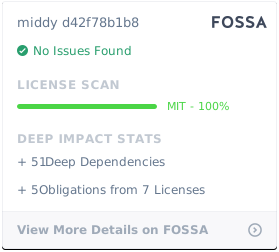
Licensed under [MIT License](LICENSE). Copyright (c) 2017-2018 Luciano Mammino and the [Middy team](https://github.com/middyjs/middy/graphs/contributors).
<a href="https://app.fossa.io/projects/git%2Bgithub.com%2Fmiddyjs%2Fmiddy?ref=badge_large">
  <img src="https://app.fossa.io/api/projects/git%2Bgithub.com%2Fmiddyjs%2Fmiddy.svg?type=large" alt="FOSSA Status"  style="max-width:100%;">
</a>






