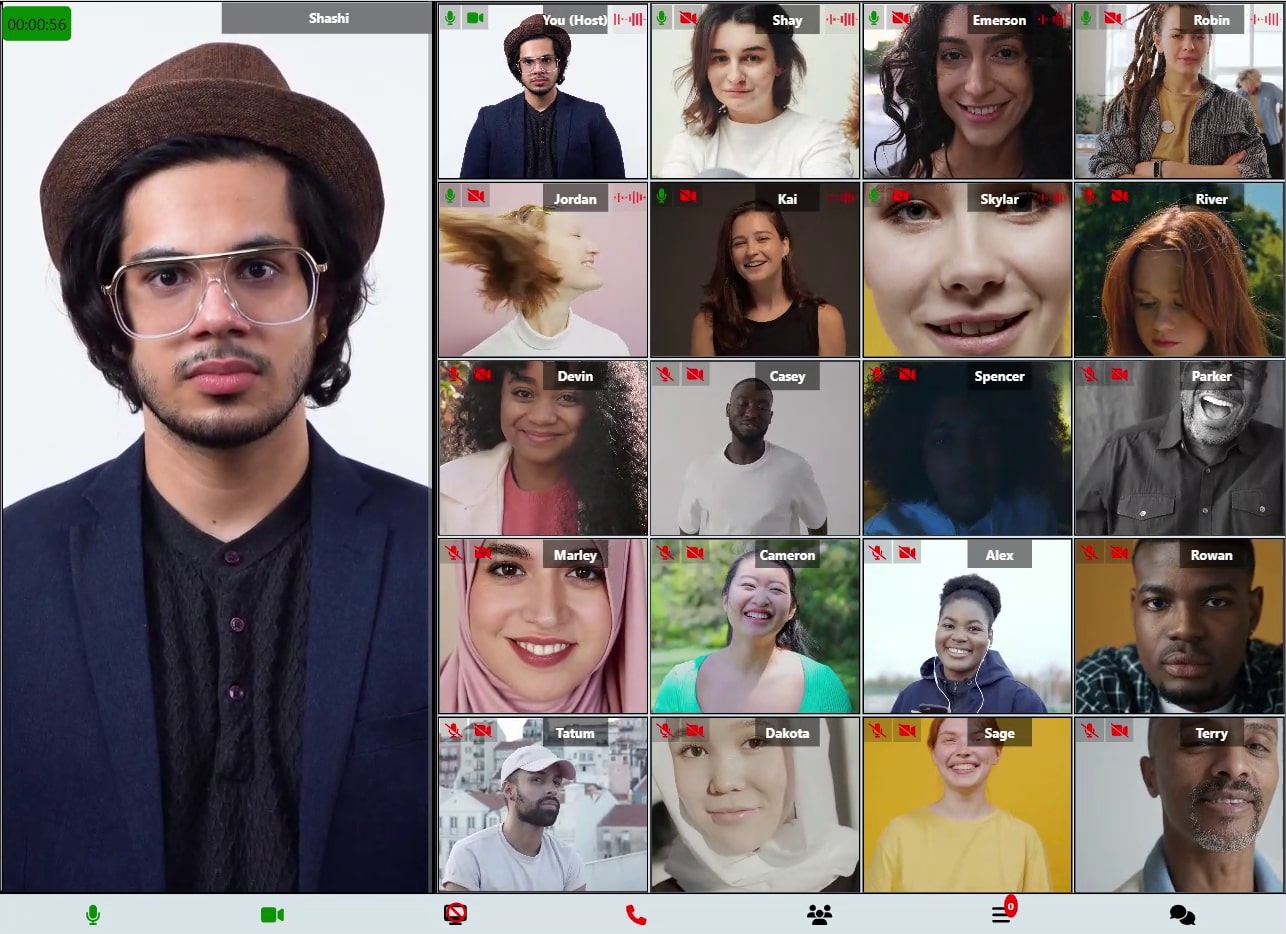
<p align="center">
  <img src="https://www.mediasfu.com/logo192.png" width="100" alt="MediaSFU Logo">
</p>


  [![License: MIT](https://img.shields.io/badge/License-MIT-yellow.svg)](https://opensource.org/licenses/MIT)
  [![Twitter](https://img.shields.io/badge/Twitter-1DA1F2?style=flat&logo=twitter&logoColor=white)](https://twitter.com/media_sfu)
  [![GitHub](https://img.shields.io/badge/GitHub-181717?style=flat&logo=github&logoColor=white)](https://github.com/MediaSFU)
  [![Website](https://img.shields.io/badge/Website-4285F4?style=flat&logo=google-chrome&logoColor=white)](https://www.mediasfu.com/)
  [![YouTube](https://img.shields.io/badge/YouTube-FF0000?style=flat&logo=youtube&logoColor=white)](https://www.youtube.com/channel/UCELghZRPKMgjih5qrmXLtqw)
  [![Community](https://img.shields.io/badge/Community-Forum-blue?style=flat&logo=discourse&logoColor=white)](https://www.mediasfu.com/forums)


  [![Built with MediaSFU](https://img.shields.io/badge/Built%20with-MediaSFU-blue)](https://mediasfu.com)
  [![React Native](https://img.shields.io/badge/React_Native-20232A?style=flat&logo=react&logoColor=61DAFB)](https://reactnative.dev)
  [![TypeScript](https://img.shields.io/badge/TypeScript-007ACC?style=flat&logo=typescript&logoColor=white)](https://www.typescriptlang.org)
  [![NPM](https://img.shields.io/npm/v/mediasfu-reactnative.svg)](https://www.npmjs.com/package/mediasfu-reactnative)


MediaSFU React Native SDK provides a comprehensive solution for building real-time communication applications. Part of the MediaSFU ecosystem with cross-platform support for iOS and Android environments, seamlessly integrating video conferencing, live streaming, and interactive media features into your mobile applications.

---

## 🚨 **BREAKING: AI Phone Agents at $0.10 per 1,000 minutes**

📞 **Call our live AI demos right now:**
- 🇺🇸 **+1 (785) 369-1724** - Mixed Support Demo  
- 🇬🇧 **+44 7445 146575** - AI Conversation Demo  
- 🇨🇦 **+1 (587) 407-1990** - Technical Support Demo  
- 🇨🇦 **+1 (647) 558-6650** - Friendly AI Chat Demo  

**Traditional providers charge $0.05 per minute. We charge $0.10 per 1,000 minutes. That's 500x cheaper.**

✅ **Deploy AI phone agents in 30 minutes**  
✅ **Works with ANY SIP provider** (Twilio, Telnyx, Zadarma, etc.)  
✅ **Seamless AI-to-human handoffs**  
✅ **Real-time call analytics & transcription**  

📖 **[Complete SIP/PSTN Documentation →](https://mediasfu.com/telephony)**

---

## Quick Reference: Component Props & UI Overrides

> **New:** UI override parity now extends across Webinar and Chat layouts, unifying customization for every MediaSFU interface.

Every primary MediaSFU UI export—`MediasfuGeneric`, `MediasfuBroadcast`, `MediasfuConference`, `MediasfuWebinar`, and `MediasfuChat`—now ships with a consistent prop surface and a powerful `uiOverrides` map, so you can bend the bundled experience to match your product without losing MediaSFU's hardened real-time logic.

### Shared component props (applies to every MediaSFU UI component)

| Prop | Type | Default | What it does |
| --- | --- | --- | --- |
| `PrejoinPage` | `(options) => React.ReactNode` | `WelcomePage` | Swap in a custom pre-join experience. Receives unified pre-join options so you can add branding, legal copy, or warm-up flows. |
| `localLink` | `string` | `""` | Point the SDK at your self-hosted MediaSFU server. Leave empty when using MediaSFU Cloud. |
| `connectMediaSFU` | `boolean` | `true` | Toggle automatic socket/WebRTC connections. Set to `false` when you only need the UI shell. |
| `credentials` | `{ apiUserName: string; apiKey: string }` | `{ apiUserName: "", apiKey: "" }` | Supply cloud credentials without hard-coding them elsewhere. |
| `useLocalUIMode` | `boolean` | `false` | Run the interface in local/demo mode with no remote signaling. |
| `seedData`, `useSeed` | `SeedData`, `boolean` | `{}`, `false` | Pre-populate the UI for demos, snapshot tests, or onboarding tours. |
| `imgSrc` | `string` | `https://mediasfu.com/images/logo192.png` | Default artwork used across pre-join and modal flows. |
| `sourceParameters` | `Record<string, unknown>` | `undefined` | Shared helper bag (media devices, participant helpers, layout handlers). Pair with `updateSourceParameters` to mirror the SDK's internal utilities. |
| `updateSourceParameters` | `(helpers) => void` | `undefined` | Receive the latest helper bundle so you can bridge MediaSFU logic into your own components. |
| `returnUI` | `boolean` | `true` | When `false`, mount the logic only—a perfect stepping stone to a fully bespoke interface. |
| `noUIPreJoinOptions` | `CreateMediaSFURoomOptions \| JoinMediaSFURoomOptions` | `undefined` | Feed pre-join data when `returnUI` is `false` and you want to bypass the on-screen wizard. |
| `joinMediaSFURoom`, `createMediaSFURoom` | Functions | `undefined` | Inject your own networking layers for joining or creating rooms. |
| `customComponent` | `CustomComponentType` | `undefined` | Replace the entire UI while retaining transports, sockets, and helpers. |
| `customVideoCard`, `customAudioCard`, `customMiniCard` | Factories | `undefined` | Override participant card renders to add metadata, CTAs, or badges. |
| `containerStyle` | `React.CSSProperties` | `undefined` | Apply inline styles to the root wrapper (dashboards, split views, etc.). |
| `uiOverrides` | `MediasfuUICustomOverrides` | `undefined` | Targeted component/function overrides described below. |

> **Power combo:** Set `returnUI={false}` to run MediaSFU logic headless, capture helpers via `updateSourceParameters`, and selectively bring UI pieces back with `uiOverrides`. That gives you progressive migration with minimal code churn.

```ts
import type { MediasfuUICustomOverrides } from "mediasfu-reactnative";

const overrides: MediasfuUICustomOverrides = { /* ... */ };
```

Bring the types into your project to unlock full IntelliSense for every override slot.

### Custom UI Playbook

Use a toggle-driven "playbook" component to experiment with MediaSFU's customization layers. Flip a couple of booleans and you can watch the SDK jump between prebuilt layouts, headless logic, or a fully bespoke workspace driven by `customComponent`.

#### What the playbook demonstrates

- **Connection presets**: toggle `connectionScenario` between `cloud`, `hybrid`, or `ce` to swap credentials, local links, and connection modes in one place.
- **Experience selector**: the `selectedExperience` switch renders `MediasfuGeneric`, `MediasfuBroadcast`, `MediasfuWebinar`, `MediasfuConference`, or `MediasfuChat` without touching the rest of your stack.
- **UI strategy flags**: booleans like `showPrebuiltUI`, `enableFullCustomUI`, and `enableNoUIPreJoin` demonstrate how to run the MediaSFU logic with or without the bundled UI.
- **Layered overrides**: toggles enable the custom video/audio/mini cards, drop-in `uiOverrides` for layout and modal surfaces, container styling, and backend proxy helpers.
- **Custom workspace demo**: a `customComponent` receives live MediaSFU helpers so you can build dashboards, CRM surfaces, or any bespoke host interface.
- **Debug panel & helpers**: optional JSON panel exposes the `updateSourceParameters` payload so you can see exactly what to wire into your own components.

#### Try it quickly

```tsx
const connectionScenario: "cloud" | "hybrid" | "ce" = "cloud";
const selectedExperience = "generic" as const;
const showPrebuiltUI = true;
const enableFullCustomUI = false;

const connectionPresets = {
  cloud: { credentials: { apiUserName: "demo", apiKey: "demo" }, localLink: "", connectMediaSFU: true },
  hybrid: { credentials: { apiUserName: "demo", apiKey: "demo" }, localLink: "http://localhost:3000", connectMediaSFU: true },
  ce: { credentials: undefined, localLink: "http://localhost:3000", connectMediaSFU: false },
};

const Experience = {
  generic: MediasfuGeneric,
  broadcast: MediasfuBroadcast,
  webinar: MediasfuWebinar,
  conference: MediasfuConference,
  chat: MediasfuChat,
}[selectedExperience];

export const CustomUIPlaybook = () => {
  const overrides = useMemo(() => ({
    mainContainer: enableFullCustomUI
      ? {
          render: (props) => (
            <View style={{ borderWidth: 4, borderColor: 'purple', borderRadius: 24, padding: 16 }}>
              <MainContainerComponent {...props} />
            </View>
          ),
        }
      : undefined,
  }), [enableFullCustomUI]);

  const current = connectionPresets[connectionScenario];

  return (
    <Experience
      {...current}
      showPrebuiltUI={showPrebuiltUI}
      uiOverrides={overrides}
      containerStyle={{ background: "linear-gradient(135deg, #0f172a, #1e3a8a)", minHeight: "100%" }}
    />
  );
};
```

Toggle the configuration values at the top of the playbook and watch the UI reconfigure instantly. It's the fastest path to understand MediaSFU's override surface before you fold the patterns into your production entrypoint.

#### Passing custom props and UI overrides

Use the same playbook to validate bespoke cards, override bundles, and fully custom workspaces before you move them into production code:

```tsx
const videoCard: CustomVideoCardType = (props) => (
  <VideoCard
    {...props}
    customStyle={{
      borderRadius: 20,
      border: "3px solid #4c1d95",
      boxShadow: "0 28px 65px rgba(76,29,149,0.35)",
      background: "linear-gradient(140deg, rgba(15,23,42,0.78), rgba(30,64,175,0.45))",
      ...(props.customStyle ?? {}),
    }}
  />
);

const audioCard: CustomAudioCardType = (props) => (
  <AudioCard
    {...props}
    barColor="#22c55e"
    customStyle={{ borderRadius: 22, background: "rgba(34,197,94,0.1)" }}
  />
);

const miniCard: CustomMiniCardType = (props) => (
  <MiniCard
    {...props}
    renderContainer={({ defaultContainer }) => (
      <View style={{ display: "flex", alignItems: "center", justifyContent: "center", height: "100%" }}>
        {defaultContainer}
      </View>
    )}
  />
);

const uiOverrides = useMemo<MediasfuUICustomOverrides>(() => ({
  mainContainer: {
    render: (props) => (
      <View style={{ borderWidth: 4, borderColor: 'rgba(139,92,246,0.8)', borderRadius: 28, padding: 16 }}>
        <MainContainerComponent {...props} />
      </View>
    ),
  },
  menuModal: {
    component: (modalProps) => <MenuModal {...modalProps} variant="glass" />,
  },
  consumerResume: {
    wrap: (original) => async (params) => {
      const startedAt = performance.now();
      const result = await original(params);
      analytics.track("consumer_resume", {
        durationMs: performance.now() - startedAt,
        consumerId: params?.consumer?.id,
      });
      return result;
    },
  },
}), []);

return (
  <Experience
    {...current}
    customVideoCard={videoCard}
    customAudioCard={audioCard}
    customMiniCard={miniCard}
    customComponent={enableFullCustomUI ? CustomWorkspace : undefined}
    containerStyle={{ background: "#0f172a", borderRadius: 32, overflow: "hidden" }}
    uiOverrides={uiOverrides}
  />
);
```

Because the playbook surfaces `updateSourceParameters`, you can also log or snapshot the helper bundle (`getParticipantMedia`, `toggleMenuModal`, `showAlert`, and more) to ensure your custom UI always receives the hooks it expects.

### `uiOverrides` map — override keys at a glance

Each key accepts a `CustomComponentOverride<Props>` object with optional `component` and `render` fields. You can fully replace the default implementation or wrap it while forwarding props.

#### Layout & control surfaces

| Key | Default component | Typical use |
| --- | --- | --- |
| `mainContainer` | `MainContainerComponent` | Inject theming providers or dashboard layouts. |
| `mainAspect` | `MainAspectComponent` | Tune how the main region splits space. |
| `mainScreen` | `MainScreenComponent` | Orchestrate hero video + gallery interplay. |
| `mainGrid` | `MainGridComponent` | Modify layout or layering of primary participants. |
| `subAspect` | `SubAspectComponent` | Restyle fixed control strips in webinar/conference modes. |
| `otherGrid` | `OtherGridComponent` | Change presentation of off-stage attendees. |
| `flexibleGrid`, `flexibleGridAlt` | `FlexibleGrid` | Implement AI-driven or branded array layouts. |
| `flexibleVideo` | `FlexibleVideo` | Add captions, watermarks, or overlays to highlighted speakers. |
| `audioGrid` | `AudioGrid` | Customise audio-only attendee presentation. |
| `pagination` | `Pagination` | Introduce infinite scroll or auto-cycling carousels. |
| `controlButtons` | `ControlButtonsComponent` | Rebrand the primary action bar. |
| `controlButtonsAlt` | `ControlButtonsAltComponent` | Control secondary button clusters. |
| `controlButtonsTouch` | `ControlButtonsComponentTouch` | Deliver mobile-first controls (used heavily by `MediasfuChat`). |

#### Participant cards & widgets

| Key | Default component | Typical use |
| --- | --- | --- |
| `videoCard` | `VideoCard` | Add host badges, reactions, or CRM overlays. |
| `audioCard` | `AudioCard` | Swap avatars or expose spoken-language info. |
| `miniCard` | `MiniCard` | Customize thumbnails in picture-in-picture modes. |
| `miniAudio` | `MiniAudio` | Re-style the audio-only mini indicators. |
| `meetingProgressTimer` | `MeetingProgressTimer` | Replace the elapsed-time widget with countdowns or milestones. |
| `miniAudioPlayer` | `MiniAudioPlayer` | Provide alternative UI for recorded clip playback. |

#### Modals, dialogs, and collaboration surfaces

| Key | Default component | Typical use |
| --- | --- | --- |
| `loadingModal` | `LoadingModal` | Show branded skeletons while connecting. |
| `alert` | `AlertComponent` | Route alerts through your notification system. |
| `menuModal` | `MenuModal` | Redesign quick-action trays. |
| `eventSettingsModal` | `EventSettingsModal` | Extend host tools with your own settings. |
| `requestsModal` | `RequestsModal` | Build moderation queues tailored to your workflows. |
| `waitingRoomModal` | `WaitingRoomModal` | Deliver custom waiting-room experiences. |
| `coHostModal` | `CoHostModal` | Manage co-hosts with bespoke UX. |
| `mediaSettingsModal` | `MediaSettingsModal` | Embed device tests or instructions. |
| `participantsModal` | `ParticipantsModal` | Introduce advanced filters, search, or notes. |
| `messagesModal` | `MessagesModal` | Drop in your full-featured chat module. |
| `displaySettingsModal` | `DisplaySettingsModal` | Let users pick layouts, themes, or captions. |
| `confirmExitModal` | `ConfirmExitModal` | Meet compliance wording requirements. |
| `confirmHereModal` | `ConfirmHereModal` | Customize attendance confirmations for webinars. |
| `shareEventModal` | `ShareEventModal` | Add referral codes or QR sharing. |
| `recordingModal` | `RecordingModal` | Tailor recording confirmation flows. |
| `pollModal` | `PollModal` | Integrate your polling/quiz engine. |
| `backgroundModal` | `BackgroundModal` | Hook AI background replacement or brand presets. |
| `breakoutRoomsModal` | `BreakoutRoomsModal` | Implement drag-and-drop or AI room suggestions. |
| `configureWhiteboardModal` | `ConfigureWhiteboardModal` | Adjust collaboration permissions before launch. |
| `whiteboard` | `Whiteboard` | Replace with your whiteboard provider. |
| `screenboard` | `Screenboard` | Modify shared-screen annotation layers. |
| `screenboardModal` | `ScreenboardModal` | Reimagine how users enable shared annotations. |

#### Entry flows & custom renderers

| Key | Default component | Typical use |
| --- | --- | --- |
| `welcomePage` | `WelcomePage` | Provide a fully branded welcome/marketing splash. |
| `preJoinPage` | `PrejoinPage` | Override the wizard used before joining live sessions. |
| `customMenuButtonsRenderer` | `ControlButtonsAltComponent` | Supply a bespoke renderer for menu button groups without overriding each button. |

#### Function overrides

| Key | Default function | Typical use |
| --- | --- | --- |
| `consumerResume` | `consumerResume` | Wrap errors, capture analytics, or rate-limit consumer resume behavior. |
| `addVideosGrid` | `addVideosGrid` | Replace participant ordering or layout heuristics on the fly. |

> Function overrides support `{ implementation, wrap }`. Provide `implementation` for a full replacement, or `wrap` to intercept the default behavior before/after it runs.

### Example: swap the chat modal and theme the controls

```tsx
import { MediasfuGeneric } from "mediasfu-reactnative";
import { MyChatModal } from "./ui/MyChatModal";
import { MyControls } from "./ui/MyControls";

const uiOverrides = {
  messagesModal: {
    component: MyChatModal,
  },
  controlButtons: {
    render: (props) => <MyControls {...props} variant="glass" />,
  },
};

export const MyMeeting = () => (
  <MediasfuGeneric credentials={credentials} uiOverrides={uiOverrides} />
);
```

### Example: wrap a MediaSFU helper instead of replacing it

```tsx
const uiOverrides = {
  consumerResume: {
    wrap: (original) => async (params) => {
      const startedAt = performance.now();
      const result = await original(params);
      analytics.track("consumer_resume", {
        durationMs: performance.now() - startedAt,
        consumerId: params?.consumer?.id,
      });
      return result;
    },
  },
};

<MediasfuConference uiOverrides={uiOverrides} />;
```

The same override hooks power the newly refreshed `MediasfuWebinar` and `MediasfuChat` layouts, so you can guarantee a unified experience across events, webinars, or chat-first rooms.

---

MediaSFU offers a cutting-edge streaming experience that empowers users to customize their recordings and engage their audience with high-quality streams. Whether you're a content creator, educator, or business professional, MediaSFU provides the tools you need to elevate your streaming game.

<div style="text-align: center;">

<img src="https://mediasfu.com/images/header_1.jpg" alt="Preview Page" title="Preview Page" style="max-height: 600px;">

</div>

---

# MediaSFU React Native Module Documentation

## 🚀 Quick Access to New Features

### Media Device & Stream Utilities

The SDK now includes powerful utility methods for advanced media control:

**`getMediaDevicesList`** - Enumerate available cameras and microphones with automatic permission handling:
```javascript
const cameras = await parameters.getMediaDevicesList('videoinput');
const microphones = await parameters.getMediaDevicesList('audioinput');
```

**`getParticipantMedia`** - Retrieve specific participant's video or audio stream from the session:
```javascript
import { getParticipantMedia } from 'mediasfu-reactnative';

const videoStream = getParticipantMedia({
  participantId: 'producer-123',
  mediaType: 'video',
  parameters: sourceParameters,
});
```

These utilities enable advanced features like custom device selection interfaces, participant stream monitoring, and dynamic media routing. [See full documentation](#media-device-and-stream-utility-methods).

---

## Unlock the Power of MediaSFU Community Edition  

**MediaSFU Community Edition is free and open-source**—perfect for developers who want to run their own media server without upfront costs. With robust features and simple setup, you can launch your media solution in minutes. **Ready to scale?** Upgrade seamlessly to **MediaSFU Cloud** for enterprise-grade performance and global scalability.  

**[Get started now on GitHub!](https://github.com/MediaSFU/MediaSFUOpen)**

### ✅ React Native SDK Setup Guide

[![Watch the React Native SDK Setup Guide](http://i.ytimg.com/vi/uJkI7H26jq4/hqdefault.jpg)](https://www.youtube.com/watch?v=uJkI7H26jq4)  
🎥 [**Watch the React Native SDK Setup Guide**](https://youtu.be/uJkI7H26jq4)

---

## Table of Contents

- [Features](#features)
- [Getting Started](#getting-started)
- [Basic Usage Guide](#basic-usage-guide)
- [Custom Components Guide](#custom-components-guide)
- [Intermediate Usage Guide](#intermediate-usage-guide)
- [Advanced Usage Guide](#advanced-usage-guide)
- [API Reference](#api-reference)
- [Troubleshooting](#troubleshooting)
- [Contributing](#contributing)

# Features <a name="features"></a>

MediaSFU's React Native SDK comes with a host of powerful features out of the box:

1. **Breakout Rooms**: Create multiple sub-meetings within a single session to enhance collaboration and focus.
2. **Pagination**: Efficiently handle large participant lists with seamless pagination.
3. **Polls**: Conduct real-time polls to gather instant feedback from participants.
4. **Media Access Requests Management**: Manage media access requests with ease to ensure smooth operations.
5. **Video Effects**: Apply various video effects, including virtual backgrounds, to enhance the visual experience.
6. **Chat (Direct & Group)**: Facilitate communication with direct and group chat options.
7. **Cloud Recording (track-based)**: Customize recordings with track-based options, including watermarks, name tags, background colors, and more.
8. **Managed Events**: Manage events with features to handle abandoned and inactive participants, as well as enforce time and capacity limits.
9. **AI Phone Agents**: Integrate AI-powered phone agents for automated customer interactions at a fraction of the cost of traditional providers.

### 🆕 New Advanced Media Access

The SDK now includes powerful utility methods for fine-grained control over media devices and participant streams:

- **`getMediaDevicesList`**: Enumerate available cameras and microphones with permission handling
- **`getParticipantMedia`**: Retrieve specific participant's video or audio streams by ID or name

These utilities enable advanced features like device selection interfaces, participant stream monitoring, and custom media routing. [Learn more in the Media Device & Stream Utilities section](#media-device-and-stream-utility-methods).

# Getting Started <a name="getting-started"></a>

This section will guide users through the initial setup and installation of the npm module.

> **Note:** this is specifically for **React-Native-CLI.**
If you are integrating into a **React Native Expo** app, the best option is to use the core `mediasfu-reactnative-expo` package, which you can find on npm at [mediasfu-reactnative-expo](https://www.npmjs.com/package/mediasfu-reactnative-expo).

### Documentation Reference

For comprehensive documentation on the available methods, components, and functions, please visit [mediasfu.com](https://www.mediasfu.com/reactnative/). This resource provides detailed information for this guide and additional documentation.


## Installation

Instructions on how to install the module using npm for a standard React Native (non-Expo) project.

### 1. Add the Package to Your Project

```bash
npm install mediasfu-reactnative
```

### **1.1 Important Installation Notes for React Native**

#### 🚫 **Avoid Using `--force` or `--legacy-peer-deps`**

Using these flags can override important dependency checks, potentially causing **unstable builds** or **unexpected behavior**.

- **Why Avoid Them?**  
  They bypass compatibility checks, which can introduce **bugs** or **conflicts** within your project.

---

#### ⚙️ **Use Package Overrides (Recommended)**  
If you encounter **peer dependency conflicts**, use the `overrides` field in your `package.json` instead of forcing installations.

##### ✅ **Example of Safe Overrides:**

```json
{
  "overrides": {
    "some-package": {
      "dependency-name": "^1.2.3"
    }
  }
}
```

- **Why This Works:**  
  Overrides let you resolve conflicts **safely** without compromising the integrity of your project.

---

#### 🚩 **If You Absolutely Need to Use `--force` or `--legacy-peer-deps`**

- Some peer dependencies **might be skipped**.  
- You’ll need to **manually install** them to avoid runtime errors.

##### 🔑 **Install the Required Peer Dependencies:**

```bash
npm install \
"@react-native-async-storage/async-storage@^2.0.0" \
"@react-native-clipboard/clipboard@^1.14.3" \
"@react-native-community/slider@^4.5.5" \
"@react-native-picker/picker@^2.9.0" \
"@react-navigation/native@^6.1.18" \
"@react-navigation/native-stack@^6.11.0" \
"mediasoup-client@^3.16.0" \
"react@^18.3.1" \
"react-color@^2.19.3" \
"react-native@^0.76.0" \
"react-native-gesture-handler@^2.20.2" \
"react-native-orientation-locker@^1.7.0" \
"react-native-permissions@^5.0.2" \
"react-native-picker-select@^9.3.1" \
"react-native-reanimated@^3.16.1" \
"react-native-safe-area-context@^4.12.0" \
"react-native-screens@^3.35.0" \
"react-native-sound@^0.11.2" \
"react-native-status-bar-height@^2.6.0" \
"react-native-vector-icons@^10.2.0" \
"react-native-video@^6.7.0" \
"react-native-webrtc@^124.0.4" \
"react-native-webrtc-web-shim@^1.0.7" \
"reanimated-color-picker@^3.0.4" \
"socket.io-client@^4.8.1"
```

- **Why This Is Important:**  
  These peer dependencies are critical for `mediasfu-reactjs` to function correctly within React Native.

---

#### 🔍 **How to Check for Peer Dependencies**

1. **Open your `package.json`.**
2. Look for the `peerDependencies` section:
   ```json
   "peerDependencies": {
     "@react-native-async-storage/async-storage": "^2.0.0",
     "@react-native-clipboard/clipboard": "^1.14.3",
     "@react-native-community/slider": "^4.5.5",
     "@react-native-picker/picker": "^2.9.0",
     "@react-navigation/native": "^6.1.18",
     "@react-navigation/native-stack": "^6.11.0",
     "mediasoup-client": "^3.16.0",
     "react": "^18.3.1",
     "react-color": "^2.19.3",
     "react-native": "^0.76.0",
     "react-native-gesture-handler": "^2.20.2",
     "react-native-orientation-locker": "^1.7.0",
     "react-native-permissions": "^5.0.2",
     "react-native-picker-select": "^9.3.1",
     "react-native-reanimated": "^3.16.1",
     "react-native-safe-area-context": "^4.12.0",
     "react-native-screens": "^3.35.0",
     "react-native-sound": "^0.11.2",
     "react-native-status-bar-height": "^2.6.0",
     "react-native-vector-icons": "^10.2.0",
     "react-native-video": "^6.7.0",
     "react-native-webrtc": "^124.0.4",
     "react-native-webrtc-web-shim": "^1.0.7",
     "reanimated-color-picker": "^3.0.4",
     "socket.io-client": "^4.8.1"
   }
   ```

3. **Ensure all are installed.** If not, run the install command above.

---

#### ✅ **Final Recommendations**

- Always try to resolve conflicts using **overrides** first.
- Only use `--force` or `--legacy-peer-deps` as a **last resort**.

---

### 2.1 Obtain an API Key (If Required) 
   You can get your API key by signing up or logging into your account at [mediasfu.com](https://www.mediasfu.com/).

  <div style="background-color:#f0f0f0; padding: 10px; border-radius: 5px;">
      <h4 style="color:#d9534f;">Important:</h4>
      <p style="font-size: 1.2em; color: black;">You must obtain an API key from <a href="https://www.mediasfu.com/">mediasfu.com</a> to use this package with MediaSFU Cloud. You do not need the API Key if self-hosting.</p>
    </div>

### 2.2 **Self-Hosting MediaSFU**  

If you plan to self-host MediaSFU or use it without MediaSFU Cloud services, you don't need an API key. You can access the open-source version of MediaSFU from the [MediaSFU Open Repository](https://github.com/MediaSFU/MediaSFUOpen).  

This setup allows full flexibility and customization while bypassing the need for cloud-dependent credentials.  


### 3. Configure Your Project

Before proceeding, ensure that your project is properly configured to work with `mediasfu-reactnative`. Follow the steps below to set up the necessary configuration files.

#### a. Configure `metro.config.js`

Ensure your `metro.config.js` file includes the correct settings:

```javascript
const { getDefaultConfig, mergeConfig } = require('@react-native/metro-config');

/**
 * Metro configuration
 * https://reactnative.dev/docs/metro
 *
 * @type {import('metro-config').MetroConfig}
 */
const config = {};

module.exports = mergeConfig(getDefaultConfig(__dirname), config);
```

#### b. Configure `babel.config.js`

Your `babel.config.js` should include the necessary presets and plugins for React Native Reanimated. Here is an example configuration:

```javascript
module.exports = {
  presets: ['module:@react-native/babel-preset'],
  plugins: [
    '@babel/plugin-transform-block-scoping',
    'react-native-reanimated/plugin',
  ],
};
```

#### c. Add Permissions

To support WebRTC video, audio, and Bluetooth functionalities, you need to add the following permissions to your project.

##### **Android**

Add the following permissions and features to your `AndroidManifest.xml`:

```bash
<!-- Permissions -->
<uses-permission android:name="android.permission.INTERNET" />
<uses-permission android:name="android.permission.CAMERA" />
<uses-permission android:name="android.permission.RECORD_AUDIO" />
<uses-permission android:name="android.permission.ACCESS_NETWORK_STATE" />
<uses-permission android:name="android.permission.CHANGE_NETWORK_STATE" />
<uses-permission android:name="android.permission.MODIFY_AUDIO_SETTINGS" />
<uses-permission android:name="android.permission.BLUETOOTH" android:maxSdkVersion="30" />
<uses-permission android:name="android.permission.BLUETOOTH_ADMIN" android:maxSdkVersion="30" />
<uses-permission android:name="android.permission.BLUETOOTH_CONNECT" />

<!-- Features -->
<uses-feature android:name="android.hardware.camera" />
<uses-feature android:name="android.hardware.camera.autofocus" />
<uses-feature android:name="android.hardware.audio.output" />
<uses-feature android:name="android.hardware.microphone" />
```

##### **iOS**

Add the following permissions to your `Info.plist`:

```xml
<!-- Permissions -->
<key>NSCameraUsageDescription</key>
<string>Your message to the user about why the app needs camera access</string>
<key>NSMicrophoneUsageDescription</key>
<string>Your message to the user about why the app needs microphone access</string>
<key>NSBluetoothAlwaysUsageDescription</key>
<string>Your message to the user about why the app needs Bluetooth access</string>
```

**Note:** Ensure to customize the permission descriptions to inform users why these permissions are required.

##### **Other Platforms**

If you are targeting other platforms, make sure to add the relevant permissions and configurations as needed.

### 4. Install Required Dependencies

The following dependencies should be automatically installed with `mediasfu-reactnative`. However, if they are not, you can install them manually:

```bash
npm install @react-native-clipboard/clipboard @react-native-async-storage/async-storage react-native-webrtc react-native-safe-area-context react-native-orientation-locker react-native-picker-select @react-native-picker/picker react-native-reanimated react-native-gesture-handler react-native-sound
```

### 5. Configure Vector Icons

To ensure that `react-native-vector-icons` work correctly, you need to link the fonts.

#### **Android**

In your `android/app/build.gradle` file, add the following line:

```gradle
apply from: "../../node_modules/react-native-vector-icons/fonts.gradle"
```

#### **iOS**

1. Open your project in Xcode.
2. Drag the `react-native-vector-icons` folder from `node_modules` into your project.
3. Ensure that the fonts are included in your project’s **Build Phases** under **Copy Bundle Resources**.

For detailed instructions, refer to the [react-native-vector-icons documentation](https://github.com/oblador/react-native-vector-icons#installation).

### 6. Complete the Setup

After completing the above steps, you can proceed to set up and run your project.

- **Start the Metro Bundler:**

  ```bash
  npx react-native start
  ```

- **Run the Application:**

  For Android:

  ```bash
  npx react-native run-android
  ```

  For iOS:

  ```bash
  npx react-native run-ios
  ```

### Additional Configuration (Optional)

If you encounter any issues during setup, refer to the [Troubleshooting](#troubleshooting) section for common solutions.

For more detailed information, visit the [mediasfu-reactnative GitHub Repository](https://github.com/MediaSFU/MediaSFU-ReactNative) and the [React Native Documentation](https://reactnative.dev/docs/getting-started).

---

# 📱 React Native SDK Comprehensive Guide <a name="sdk-guide"></a>

This comprehensive guide provides clear, progressive learning paths from beginner to advanced usage. Each section builds upon the previous one with practical examples and detailed explanations.

## Table of Contents - SDK Guide

- [Quick Start (5 Minutes)](#quick-start-5-minutes)
- [Understanding MediaSFU Architecture](#understanding-mediasfu-architecture)
  - [The Three-Layer Architecture](#the-three-layer-architecture)
  - [Event Room Types](#event-room-types)
  - [The Three Usage Modes](#the-three-usage-modes)
  - [Parameters Object: Your Control Center](#parameters-object-control-center)
- [Core Concepts & Components](#core-concepts--components)
  - [Display Components](#display-components)
  - [Control Components](#control-components)
  - [Modal Components](#modal-components)
- [Working with Methods](#working-with-methods)
  - [Media Control Methods](#media-control-methods)
  - [Device Management Methods](#device-management-methods)
  - [Participant Management Methods](#participant-management-methods)
  - [Chat & Messaging Methods](#chat-messaging-methods)
  - [Recording Methods](#recording-methods)
  - [Polls & Survey Methods](#polls-survey-methods)
  - [Breakout Room Methods](#breakout-room-methods)
- [Advanced Customization & Styling](#advanced-customization--styling)
- [Understanding Data Structures](#understanding-data-structures)
- [Troubleshooting & Best Practices](#troubleshooting-best-practices-guide)
- [Quick Reference: Complete Method List](#quick-reference-complete-method-list)

---

## Quick Start (5 Minutes) <a name="quick-start-5-minutes"></a>

Get your first MediaSFU app running in just a few minutes.

### Step 1: Install the Package

```bash
npm install mediasfu-reactnative
```

### Step 2: Import and Use

```javascript
import React from 'react';
import { MediasfuGeneric } from 'mediasfu-reactnative';

const App = () => {
  // Option 1: Use without credentials (for testing/development)
  return <MediasfuGeneric />;

  // Option 2: Use with MediaSFU Cloud credentials
  // const credentials = { apiUserName: 'your_username', apiKey: 'your_api_key' };
  // return <MediasfuGeneric credentials={credentials} />;
};

export default App;
```

### Step 3: Run Your App

```bash
npx react-native run-android
# or
npx react-native run-ios
```

**That's it!** You now have a fully functional video conferencing app with:

- ✅ Video and audio streaming
- ✅ Screen sharing  
- ✅ Chat messaging
- ✅ Participant management
- ✅ Recording capabilities
- ✅ Breakout rooms
- ✅ Polls

---

## Understanding MediaSFU Architecture <a name="understanding-mediasfu-architecture"></a>

Before diving deeper, let's understand how MediaSFU is structured. This knowledge will help you make better decisions when building your application.

### The Three-Layer Architecture

```
┌─────────────────────────────────────────────┐
│      Your React Native Application          │
│  (App.js, screens, navigation, logic)       │
└─────────────────────────────────────────────┘
                    ↓
┌─────────────────────────────────────────────┐
│       MediaSFU Components Layer             │
│  (MediasfuGeneric, MediasfuBroadcast, etc.) │
│       - Pre-built UI components              │
│       - Event handling                       │
│       - State management                     │
└─────────────────────────────────────────────┘
                    ↓
┌─────────────────────────────────────────────┐
│       MediaSFU Core Methods Layer           │
│   (Stream control, room management,         │
│    WebRTC handling, socket communication)   │
└─────────────────────────────────────────────┘
                    ↓
┌─────────────────────────────────────────────┐
│       MediaSFU Backend Services             │
│ (MediaSFU Cloud or Community Edition)       │
└─────────────────────────────────────────────┘
```

### Event Room Types

MediaSFU provides 5 specialized room types, each optimized for specific use cases:

| Room Type | Best For | Key Features |
|-----------|----------|--------------|
| **MediasfuGeneric** | General purpose meetings | Flexible layout, all features enabled |
| **MediasfuBroadcast** | Live streaming events | Optimized for one-to-many communication |
| **MediasfuWebinar** | Educational sessions | Presenter focus, Q&A features |
| **MediasfuConference** | Business meetings | Equal participant layout, collaboration tools |
| **MediasfuChat** | Interactive discussions | Chat-first interface, quick connections |

```javascript
// Choose the right room type for your use case
import { 
  MediasfuGeneric,
  MediasfuWebinar, 
  MediasfuBroadcast, 
  MediasfuConference,
  MediasfuChat
} from 'mediasfu-reactnative';

// For a webinar
<MediasfuWebinar credentials={credentials} />

// For a broadcast  
<MediasfuBroadcast credentials={credentials} />

// For a conference
<MediasfuConference credentials={credentials} />
```

### The Three Usage Modes

MediaSFU offers three progressive levels of customization. Understanding these modes is crucial for choosing the right approach for your project.

#### Mode 1: Default UI (Simplest) ⭐ Best for Beginners

Use MediaSFU's complete pre-built interface - perfect for rapid development.

```javascript
import React from 'react';
import { MediasfuGeneric } from 'mediasfu-reactnative';

const App = () => {
  const credentials = { 
    apiUserName: 'your_username', 
    apiKey: 'your_api_key' 
  };
  
  return <MediasfuGeneric credentials={credentials} />;
};

export default App;
```

**When to use:**

- ✅ Prototyping or MVP development
- ✅ Need a production-ready UI quickly
- ✅ Standard video conferencing features are sufficient
- ✅ Want to minimize development time

**Advantages:**

- Zero UI development needed
- All features work out of the box
- Automatic responsive layouts
- Professional appearance

#### Mode 2: Custom UI with MediaSFU Backend (Most Flexible) ⭐ Best for Custom Brands

Build your own UI while using MediaSFU's powerful backend infrastructure.

```javascript
import React, { useState, useEffect } from 'react';
import { View, TouchableOpacity, Text } from 'react-native';
import { MediasfuGeneric } from 'mediasfu-reactnative';

const App = () => {
  const [sourceParameters, setSourceParameters] = useState(null);
  const credentials = { apiUserName: 'your_username', apiKey: 'your_api_key' };

  const updateSourceParameters = (params) => {
    setSourceParameters(params);
  };

  return (
    <View style={{ flex: 1 }}>
      <MediasfuGeneric 
        returnUI={false}
        sourceParameters={sourceParameters}
        updateSourceParameters={updateSourceParameters}
        credentials={credentials}
        noUIPreJoinOptions={{ 
          action: 'create',
          userName: 'Your Name',
          capacity: 50,
          duration: 30,
          eventType: 'conference'
        }}
      />
      
      {/* Your completely custom UI */}
      {sourceParameters && (
        <View style={styles.customControls}>
          <TouchableOpacity 
            onPress={() => sourceParameters.clickVideo({ 
              parameters: sourceParameters 
            })}
            style={styles.controlButton}
          >
            <Text>{sourceParameters.videoAlreadyOn ? 'Stop Video' : 'Start Video'}</Text>
          </TouchableOpacity>
          
          <TouchableOpacity 
            onPress={() => sourceParameters.clickAudio({ 
              parameters: sourceParameters 
            })}
            style={styles.controlButton}
          >
            <Text>{sourceParameters.audioAlreadyOn ? 'Mute' : 'Unmute'}</Text>
          </TouchableOpacity>

          {/* Display participant count */}
          <Text style={styles.participantCount}>
            {sourceParameters.participants.length} Participants
          </Text>
        </View>
      )}
    </View>
  );
};

const styles = {
  customControls: {
    position: 'absolute',
    bottom: 20,
    left: 20,
    right: 20,
    backgroundColor: 'rgba(0,0,0,0.8)',
    padding: 15,
    borderRadius: 10,
  },
  controlButton: {
    backgroundColor: '#4CAF50',
    padding: 12,
    borderRadius: 8,
    marginVertical: 5,
    alignItems: 'center',
  },
  participantCount: {
    color: 'white',
    fontSize: 16,
    marginTop: 10,
  }
};

export default App;
```

**When to use:**

- ✅ Need complete control over UI/UX
- ✅ Building a custom branded experience
- ✅ Integrating into existing app design
- ✅ Want to position controls differently

**What you get:**

- Access to all MediaSFU methods via `sourceParameters`
- Full control over when and how to display UI
- Ability to create completely custom layouts
- Access to real-time room state and participant data

#### Mode 3: Component Replacement (Balanced) ⭐ Best for Partial Customization

Replace specific MediaSFU components while keeping the rest of the infrastructure.

```javascript
import React from 'react';
import { View, Text, StyleSheet } from 'react-native';
import { 
  MediasfuGeneric, 
  FlexibleVideo, 
  FlexibleGrid,
  AudioGrid
} from 'mediasfu-reactnative';

// Your custom main screen component
function CustomMainScreen({ parameters }) {
  return (
    <View style={styles.container}>
      {/* Custom header */}
      <View style={styles.header}>
        <Text style={styles.roomName}>{parameters.roomName}</Text>
        <Text style={styles.participantCount}>
          {parameters.participants.length} participants
        </Text>
      </View>
      
      {/* Use MediaSFU's FlexibleVideo for main display */}
      <View style={styles.mainVideo}>
        <FlexibleVideo 
          customWidth={parameters.componentSizes.mainWidth}
          customHeight={parameters.componentSizes.mainHeight}
          parameters={parameters}
        />
      </View>
      
      {/* Use MediaSFU's FlexibleGrid for participants */}
      <View style={styles.participantGrid}>
        <FlexibleGrid 
          customWidth={parameters.componentSizes.otherWidth}
          customHeight={parameters.componentSizes.otherHeight}
          parameters={parameters}
        />
      </View>

      {/* Show audio-only participants */}
      <View style={styles.audioContainer}>
        <AudioGrid parameters={parameters} />
      </View>
    </View>
  );
}

const App = () => {
  const credentials = { apiUserName: 'your_username', apiKey: 'your_api_key' };
  
  return (
    <MediasfuGeneric 
      credentials={credentials}
      customComponent={CustomMainScreen}
    />
  );
};

const styles = StyleSheet.create({
  container: {
    flex: 1,
    backgroundColor: '#1a1a1a',
  },
  header: {
    backgroundColor: '#2d2d2d',
    padding: 15,
    flexDirection: 'row',
    justifyContent: 'space-between',
  },
  roomName: {
    color: 'white',
    fontSize: 18,
    fontWeight: 'bold',
  },
  participantCount: {
    color: '#4CAF50',
    fontSize: 14,
  },
  mainVideo: {
    flex: 3,
  },
  participantGrid: {
    flex: 2,
  },
  audioContainer: {
    height: 80,
    backgroundColor: '#2d2d2d',
  },
});

export default App;
```

**When to use:**

- ✅ Need custom main interface but want to keep MediaSFU's components
- ✅ Partial customization with minimal effort
- ✅ Want to maintain MediaSFU's functionality while customizing layout
- ✅ Need to rearrange existing components

**What you get:**

- Replace only the main screen component
- Access to all MediaSFU's sub-components
- `parameters` object with full access to methods
- Automatic handling of WebRTC, sockets, and state

### Parameters Object: Your Control Center <a name="parameters-object-control-center"></a>

The `parameters` object (also called `sourceParameters` in Mode 2) is your gateway to all MediaSFU functionality. Understanding this object is crucial for advanced customization.

**Key Categories:**

```javascript
// The parameters object structure
{
  // === MEDIA CONTROLS ===
  clickVideo: (options) => {},              // Toggle video on/off
  clickAudio: (options) => {},              // Toggle audio on/off
  clickScreenShare: (options) => {},        // Toggle screen sharing
  
  // === ROOM STATE ===
  roomName: 'meeting-room-123',            // Current room identifier
  member: 'John Doe',                      // Current user's name
  islevel: '2',                            // User role ('0'=participant, '2'=host)
  participants: [],                        // Array of all participants
  
  // === MEDIA STREAMS ===
  allVideoStreams: [],                     // All video producer streams
  allAudioStreams: [],                     // All audio producer streams
  localStream: null,                       // Your local media stream
  
  // === UI STATE ===
  videoAlreadyOn: false,                   // Is your video currently on?
  audioAlreadyOn: false,                   // Is your audio currently on?
  
  // === RECORDING ===
  recordStarted: false,                    // Is recording active?
  startRecording: (options) => {},         // Start recording
  stopRecording: (options) => {},          // Stop recording
  
  // === CHAT & MESSAGING ===
  messages: [],                            // All chat messages
  sendMessage: (options) => {},            // Send a message
  
  // === DEVICE MANAGEMENT ===
  getMediaDevicesList: (type) => {},       // Get available devices
  
  // And 180+ more properties and methods...
}
```

**Access patterns in different modes:**

```javascript
// Mode 1 (Default UI): Parameters managed internally
// You don't need to access them directly

// Mode 2 (Custom UI): Access via sourceParameters state
const [sourceParameters, setSourceParameters] = useState(null);
sourceParameters.clickVideo({ parameters: sourceParameters });

// Mode 3 (Component Replacement): Passed to your component
function CustomComponent({ parameters }) {
  parameters.clickVideo({ parameters });
}
```

---

## Core Concepts & Components <a name="core-concepts--components"></a>

Now that you understand the architecture, let's explore the building blocks in detail.

### Display Components <a name="display-components"></a>

MediaSFU provides powerful, ready-to-use components for organizing and displaying media streams.

#### FlexibleVideo - Main video display area

The FlexibleVideo component automatically handles displaying the main video content.

```javascript
import { FlexibleVideo } from 'mediasfu-reactnative';

<FlexibleVideo
  customWidth={screenWidth}
  customHeight={600}
  parameters={parameters}
/>
```

**Features:**

- Automatically displays main presenter or screen share
- Smooth transitions between video sources
- Responsive sizing
- Handles aspect ratio automatically

**When to use:** Primary video display area, screen sharing, featured speaker view

#### FlexibleGrid - Participant grid layout

Creates an intelligent grid layout for displaying multiple participants.

```javascript
import { FlexibleGrid } from 'mediasfu-reactnative';

<FlexibleGrid
  customWidth={screenWidth}
  customHeight={800}
  parameters={parameters}
/>
```

**Features:**

- Intelligent auto-sizing (2x2, 3x3, 4x4 grids, etc.)
- Automatic pagination for large participant lists
- Dynamic reflow on orientation change
- Optimized rendering performance

**When to use:** Gallery view, displaying multiple participants, conference layouts

#### AudioGrid - Audio-only participants

Displays participants who have joined without video.

```javascript
import { AudioGrid } from 'mediasfu-reactnative';

<AudioGrid parameters={parameters} />
```

**Features:**

- Compact display for audio-only users
- Visual audio level indicators
- Name/initial displays
- Space-efficient layout

**When to use:** Audio-only participants, minimizing screen space, podcast-style recordings

### Control Components <a name="control-components"></a>

MediaSFU provides pre-built control components with different layouts:

#### ControlButtonsComponentTouch - Touch-optimized controls

```javascript
import { ControlButtonsComponentTouch } from 'mediasfu-reactnative';

<ControlButtonsComponentTouch
  parameters={parameters}
  position="bottom"
  direction="horizontal"
/>
```

**Includes:**

- Mute/Unmute microphone
- Start/Stop video
- Screen share toggle
- Participants list
- Chat button
- End call button

### Modal Components <a name="modal-components"></a>

MediaSFU includes pre-built modals for various features:

```javascript
import {
  ParticipantsModal,      // Participant management
  MessagesModal,          // Chat interface
  SettingsModal,          // Application settings
  RecordingModal,         // Recording controls
  PollModal,              // Polls interface
  BreakoutRoomsModal,     // Breakout rooms management
} from 'mediasfu-reactnative';
```

**Controlling modals:**

```javascript
// Show participants modal
parameters.updateIsParticipantsModalVisible(true);

// Show chat
parameters.updateIsMessagesModalVisible(true);

// Show settings
parameters.updateIsSettingsModalVisible(true);
```

---

## Working with Methods <a name="working-with-methods"></a>

MediaSFU provides 200+ methods for controlling every aspect of your real-time communication experience.

### Media Control Methods <a name="media-control-methods"></a>

#### Video Control

```javascript
// Toggle video on/off
await parameters.clickVideo({
  parameters: parameters,
});

// Check current video state
console.log('Video is:', parameters.videoAlreadyOn ? 'ON' : 'OFF');

// Switch between front and back camera
await parameters.switchVideoAlt({
  parameters: parameters,
});
```

#### Audio Control

```javascript
// Toggle audio on/off
await parameters.clickAudio({
  parameters: parameters,
});

// Mute specific participant (host only)
if (parameters.islevel === '2') {
  await parameters.muteParticipants({
    participant: {
      id: 'participant-id',
      name: 'John Doe',
    },
    parameters: parameters,
  });
}
```

#### Screen Sharing

```javascript
// Start/stop screen sharing
await parameters.clickScreenShare({
  parameters: parameters,
});

// Check if screen sharing is active
console.log('Screen sharing:', parameters.screenAlreadyOn);
```

### Device Management Methods <a name="device-management-methods"></a>

```javascript
// Get all available cameras
const cameras = await parameters.getMediaDevicesList('videoinput');
console.log('Available cameras:', cameras);

// Get all available microphones
const microphones = await parameters.getMediaDevicesList('audioinput');
console.log('Available microphones:', microphones);

// Switch to specific camera
await parameters.switchUserVideo({
  videoPreference: cameras[1].deviceId,
  parameters: parameters,
});
```

### Participant Management Methods <a name="participant-management-methods"></a>

```javascript
// Get all participants
const allParticipants = parameters.participants;
console.log('Total participants:', parameters.participantsCounter);

// Get participants by role
const hosts = parameters.participants.filter(p => p.islevel === '2');
const moderators = parameters.participants.filter(p => p.islevel === '1');

// Remove participant (host only)
if (parameters.islevel === '2') {
  await parameters.removeParticipants({
    participant: { id: 'participant-id', name: 'John Doe' },
    parameters: parameters,
  });
}

// Send direct message to participant
await parameters.sendMessage({
  message: 'Hello!',
  receivers: ['participant-id'],
  type: 'direct',
  parameters: parameters,
});
```

### Chat & Messaging Methods <a name="chat-messaging-methods"></a>

```javascript
// Send message to everyone
await parameters.sendMessage({
  message: 'Hello everyone!',
  type: 'chat',
  receivers: [],
  parameters: parameters,
});

// Send direct message
await parameters.sendMessage({
  message: 'Hi John!',
  type: 'direct',
  receivers: ['participant-id'],
  parameters: parameters,
});

// Access message history
const allMessages = parameters.messages;
const unreadCount = parameters.unreadMessageCount;
```

### Recording Methods <a name="recording-methods"></a>

```javascript
// Start recording (host only)
if (parameters.islevel === '2') {
  await parameters.startRecording({
    parameters: parameters,
  });
}

// Pause recording
await parameters.pauseRecording({
  parameters: parameters,
});

// Resume recording
await parameters.resumeRecording({
  parameters: parameters,
});

// Stop recording
await parameters.stopRecording({
  parameters: parameters,
});

// Configure recording settings
await parameters.updateRecordingMediaOptions('video');
await parameters.updateRecordingVideoOptions('all');
```

### Polls & Survey Methods <a name="polls-survey-methods"></a>

```javascript
// Create a poll (host only)
if (parameters.islevel === '2') {
  await parameters.handleCreatePoll({
    poll: {
      question: 'Should we take a break?',
      type: 'yesNo',
      options: ['Yes', 'No'],
    },
    parameters: parameters,
  });
}

// Vote on a poll
await parameters.handleVotePoll({
  pollId: 'poll-123',
  choice: 'Yes',
  parameters: parameters,
});

// End a poll (host only)
await parameters.handleEndPoll({
  pollId: 'poll-123',
  parameters: parameters,
});

// Access poll data
const allPolls = parameters.polls;
const activePolls = allPolls.filter(p => p.status === 'active');
```

### Breakout Room Methods <a name="breakout-room-methods"></a>

```javascript
// Launch breakout rooms interface (host only)
if (parameters.islevel === '2') {
  await parameters.launchBreakoutRooms({
    parameters: parameters,
  });
}

// Access breakout room data
const breakoutRooms = parameters.breakoutRooms;
const currentRoom = parameters.currentBreakoutRoom;

// Check if user is in a breakout room
const isInBreakoutRoom = currentRoom !== null;
```

---

## Advanced Customization & Styling <a name="advanced-customization--styling"></a>

### Custom Pre-Join Screen

Create a completely custom pre-join experience:

```javascript
import React, { useState } from 'react';
import { View, Text, TextInput, TouchableOpacity, StyleSheet } from 'react-native';
import { MediasfuGeneric } from 'mediasfu-reactnative';

function CustomPreJoinScreen({ onJoin }) {
  const [userName, setUserName] = useState('');
  const [roomName, setRoomName] = useState('');

  const handleJoin = () => {
    if (userName.trim() && roomName.trim()) {
      onJoin({ userName: userName.trim(), roomName: roomName.trim() });
    }
  };

  return (
    <View style={styles.container}>
      <Text style={styles.title}>Join a Meeting</Text>
      
      <TextInput
        style={styles.input}
        placeholder="Your Name"
        value={userName}
        onChangeText={setUserName}
      />
      
      <TextInput
        style={styles.input}
        placeholder="Room Name"
        value={roomName}
        onChangeText={setRoomName}
      />

      <TouchableOpacity style={styles.joinButton} onPress={handleJoin}>
        <Text style={styles.joinButtonText}>Join Meeting</Text>
      </TouchableOpacity>
    </View>
  );
}

function App() {
  const [showMeeting, setShowMeeting] = useState(false);
  const [meetingConfig, setMeetingConfig] = useState(null);

  const handleJoin = (config) => {
    setMeetingConfig(config);
    setShowMeeting(true);
  };

  if (!showMeeting) {
    return <CustomPreJoinScreen onJoin={handleJoin} />;
  }

  return (
    <MediasfuGeneric
      credentials={{ apiUserName: 'your_username', apiKey: 'your_api_key' }}
      noUIPreJoinOptions={{
        action: 'create',
        userName: meetingConfig.userName,
        capacity: 50,
        duration: 30,
        eventType: 'conference',
      }}
    />
  );
}

const styles = StyleSheet.create({
  container: { flex: 1, padding: 20, justifyContent: 'center' },
  title: { fontSize: 28, fontWeight: 'bold', marginBottom: 30, textAlign: 'center' },
  input: { padding: 15, borderRadius: 8, marginBottom: 15, backgroundColor: '#f0f0f0' },
  joinButton: { backgroundColor: '#4CAF50', padding: 18, borderRadius: 8, alignItems: 'center' },
  joinButtonText: { color: 'white', fontSize: 18, fontWeight: 'bold' },
});

export default App;
```

---

## Understanding Data Structures <a name="understanding-data-structures"></a>

### Participant Object

```javascript
{
  id: 'participant-id-123',
  name: 'John Doe',
  islevel: '2',              // '0'=participant, '1'=co-host, '2'=host
  muted: false,
  videoOn: true,
  isScreenShare: false,
}
```

### Message Object

```javascript
{
  sender: 'John Doe',
  receivers: ['Jane Doe'],
  message: 'Hello!',
  timestamp: 1696118400000,
  group: true,
}
```

### Poll Object

```javascript
{
  id: 'poll-123',
  question: 'Should we take a break?',
  type: 'yesNo',
  options: ['Yes', 'No'],
  votes: [5, 3],
  status: 'active',
}
```

---

## Troubleshooting & Best Practices <a name="troubleshooting-best-practices-guide"></a>

### Common Issues and Solutions

#### Issue: Video not displaying on Android

**Solution:** Ensure proper permissions in `AndroidManifest.xml`:

```xml
<uses-permission android:name="android.permission.CAMERA" />
<uses-permission android:name="android.permission.RECORD_AUDIO" />
```

Request permissions at runtime:

```javascript
import { PermissionsAndroid, Platform } from 'react-native';

async function requestPermissions() {
  if (Platform.OS === 'android') {
    await PermissionsAndroid.requestMultiple([
      PermissionsAndroid.PERMISSIONS.CAMERA,
      PermissionsAndroid.PERMISSIONS.RECORD_AUDIO,
    ]);
  }
}
```

### Best Practices

✅ **Always request permissions** before accessing camera/microphone  
✅ **Check device availability** before switching devices  
✅ **Handle errors gracefully** with try-catch blocks  
✅ **Lazy load modals** to improve performance  
✅ **Test on real devices** - emulators have limited media support  

---

## Quick Reference: Complete Method List <a name="quick-reference-complete-method-list"></a>

### Media Control

- `clickVideo()` - Toggle video
- `clickAudio()` - Toggle audio
- `clickScreenShare()` - Toggle screen sharing
- `switchVideoAlt()` - Switch camera
- `switchUserVideo()` - Switch to specific camera
- `switchUserAudio()` - Switch microphone

### Device Management

- `getMediaDevicesList()` - Get available devices
- `checkPermission()` - Check permissions

### Participant Management

- `muteParticipants()` - Mute participant
- `removeParticipants()` - Remove participant
- `messageParticipants()` - Message participant

### Recording

- `startRecording()` - Start recording
- `pauseRecording()` - Pause recording
- `resumeRecording()` - Resume recording
- `stopRecording()` - Stop recording

### Chat & Messaging

- `sendMessage()` - Send message
- `updateMessages()` - Update message list

### Polls

- `handleCreatePoll()` - Create poll
- `handleVotePoll()` - Vote on poll
- `handleEndPoll()` - End poll

### Breakout Rooms

- `launchBreakoutRooms()` - Open breakout rooms
- `updateBreakoutRooms()` - Update rooms
- `returnToMainRoom()` - Exit breakout room

---

This comprehensive guide covers the essential aspects of MediaSFU React Native SDK. For additional details, visit the [full API documentation](https://www.mediasfu.com/reactnative/).

---

# Basic Usage Guide <a name="basic-usage-guide"></a>

A basic guide on how to use the module for common tasks.

This section will guide users through the initial setup and installation of the npm module.

This guide provides a basic overview of how to set up and use the `mediasfu-reactnative` module for common tasks across platforms.

### Initial Setup and Installation

To get started with `mediasfu-reactnative`, follow the instructions below. This module is optimized for use with Non-Expo dependencies, making it ideal for projects that require seamless deployment across web and mobile platforms.

> **Note:** If you are integrating into a **React Native Expo** app, the best option is to use the core `mediasfu-reactnative-expo` package, which you can find on npm at [mediasfu-reactnative-expo](https://www.npmjs.com/package/mediasfu-reactnative-expo).

## Introduction

MediaSFU is a 2-page application consisting of a prejoin/welcome page and the main events room page. This guide will walk you through the basic usage of the module for setting up these pages.

### Documentation Reference

For comprehensive documentation on the available methods, components, and functions, please visit [mediasfu.com](https://www.mediasfu.com/reactnative/). This resource provides detailed information for this guide and additional documentation.

## Prebuilt Event Rooms

MediaSFU provides prebuilt event rooms for various purposes. These rooms are rendered as full pages and can be easily imported and used in your application. Here are the available prebuilt event rooms:

1. **MediasfuGeneric**: A generic event room suitable for various types of events.
2. **MediasfuBroadcast**: A room optimized for broadcasting events.
3. **MediasfuWebinar**: Specifically designed for hosting webinars.
4. **MediasfuConference**: Ideal for hosting conferences.
5. **MediasfuChat**: A room tailored for interactive chat sessions.

Users can easily pick an interface and render it in their app.

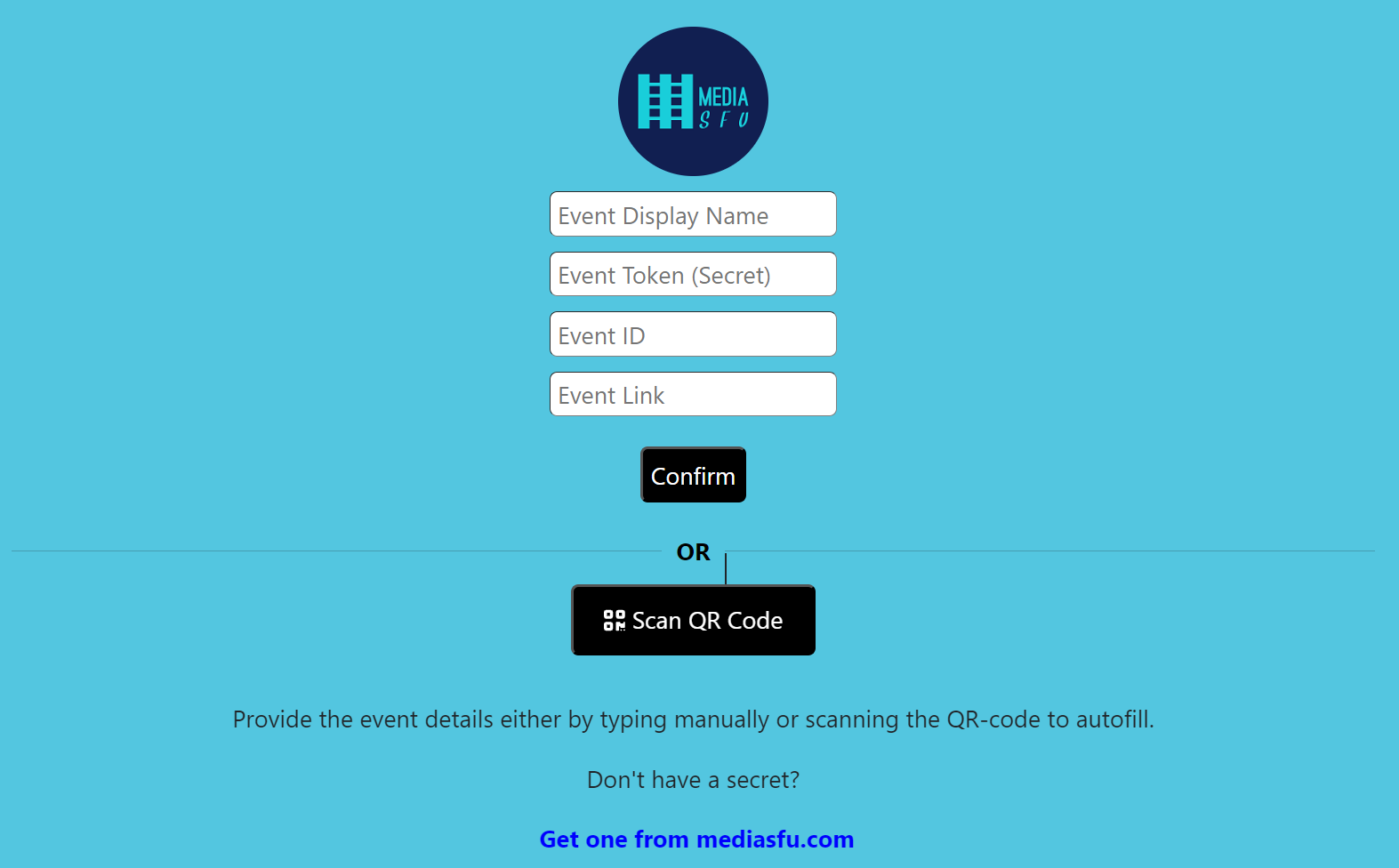
If no API credentials are provided, a default home page will be displayed where users can scan or manually enter the event details.

To use these prebuilt event rooms, simply import them into your application:

```javascript
import { MediasfuGeneric, MediasfuBroadcast, MediasfuWebinar, MediasfuConference, MediasfuChat } from 'mediasfu-reactnative';
```

## Simplest Usage

The simplest way to use MediaSFU is by directly rendering a prebuilt event room component, such as MediasfuGeneric:

```javascript
import { MediasfuGeneric } from 'mediasfu-reactnative';

const App = () => {
  return (
    <MediasfuGeneric />
  );
}

export default App;
```

## Programmatically Fetching Tokens

If you prefer to fetch the required tokens programmatically without visiting MediaSFU's website, you can use the PreJoinPage component and pass your credentials as props:

```javascript
import { MediasfuGeneric, PreJoinPage } from 'mediasfu-reactnative';

const App = () => {
  const credentials = { apiUserName: "yourAPIUserName", apiKey: "yourAPIKey" };

  return (
    <MediasfuGeneric PrejoinPage={PreJoinPage} credentials={credentials} />
  );
}

export default App;
```

<div style="text-align: center;">

### Preview of Welcome Page

<img src="https://mediasfu.com/images/prejoin.png" alt="Preview of Welcome Page" title="Welcome Page" style="max-height: 500px;">

<!-- Add a blank line for spacing -->
&nbsp;

### Preview of Prejoin Page

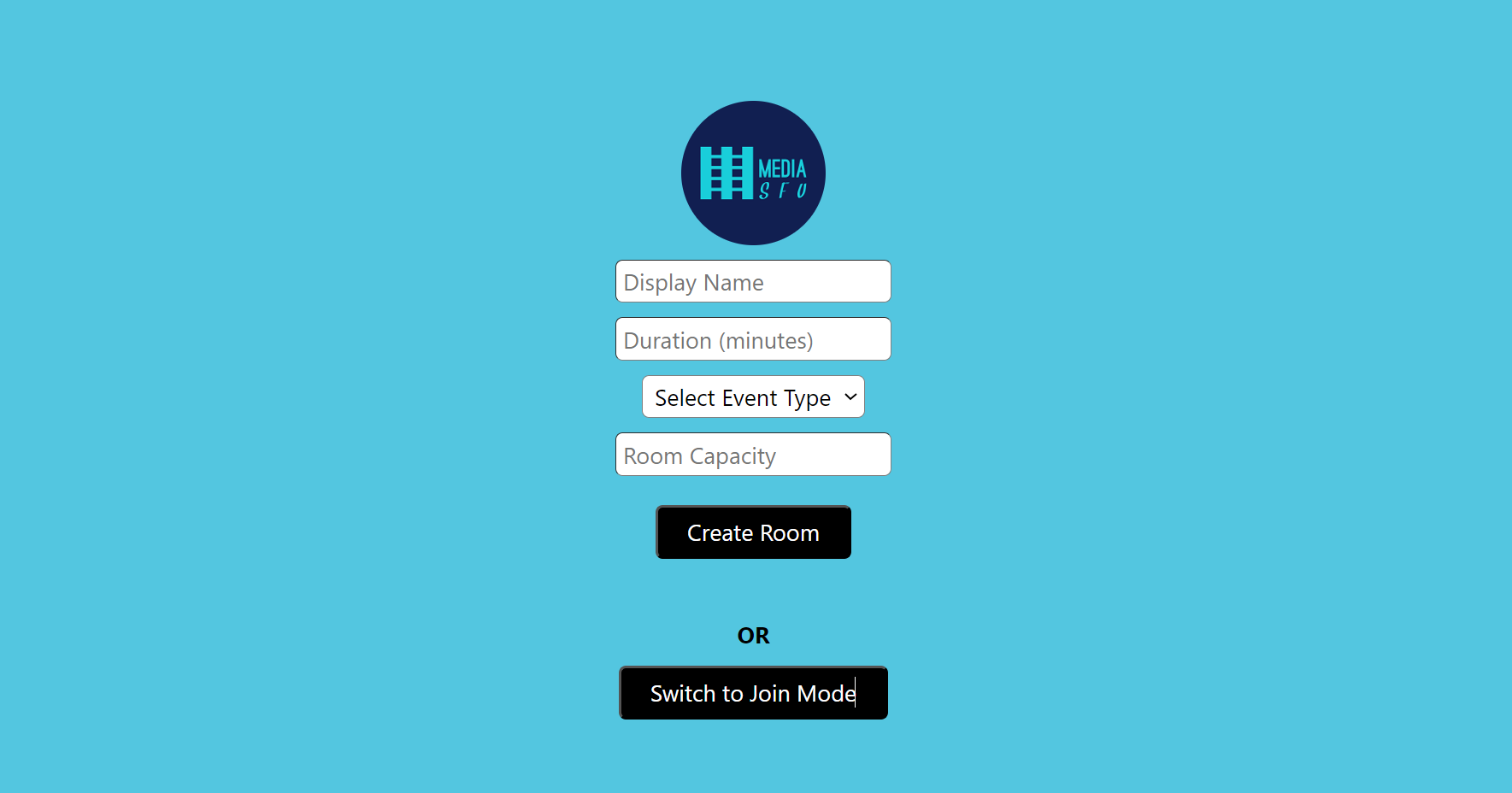
<img src="https://mediasfu.com/images/prejoin3.png" alt="Preview of Prejoin Page" title="Prejoin Page" style="max-height: 500px;">

</div>

## Custom Welcome/Prejoin Page

Alternatively, you can design your own welcome/prejoin page. The core function of this page is to fetch user tokens from MediaSFU's API and establish a connection with the returned link if valid.

### Parameters Passed to Custom Page

MediaSFU passes relevant parameters to the custom welcome/prejoin page:

```javascript
let { showAlert, updateIsLoadingModalVisible, connectSocket, updateSocket, updateValidated,
     updateApiUserName, updateApiToken, updateLink, updateRoomName, updateMember } = parameters;
```

Ensure that your custom page implements the following updates:

```javascript
updateSocket(socket);
updateApiUserName(apiUserName);
updateApiToken(apiToken);
updateLink(link);
updateRoomName(apiUserName);
updateMember(userName);
updateValidated(true);
```

See the following code for the PreJoinPage page logic:

```javascript
import React, { useState, useEffect, useRef } from 'react';
import {
  View,
  Text,
  TextInput,
  Pressable,
  Image,
  StyleSheet,
  ScrollView,
  KeyboardAvoidingView,
  Platform,
} from 'react-native';
import Orientation from 'react-native-orientation-locker';
import { Socket } from 'socket.io-client';
import {
  ConnectSocketType,
  ShowAlert,
  ConnectLocalSocketType,
  ResponseLocalConnection,
  ResponseLocalConnectionData,
  RecordingParams,
  MeetingRoomParams,
  CreateMediaSFURoomOptions,
  JoinMediaSFURoomOptions,
} from '../../@types/types';
import RNPickerSelect from 'react-native-picker-select';
import { checkLimitsAndMakeRequest } from '../../methods/utils/checkLimitsAndMakeRequest';
import { createRoomOnMediaSFU } from '../../methods/utils/createRoomOnMediaSFU';
import { CreateRoomOnMediaSFUType, JoinRoomOnMediaSFUType, joinRoomOnMediaSFU } from '../../methods/utils/joinRoomOnMediaSFU';

/**
 * Interface defining the parameters for joining a local event room.
 */
export interface JoinLocalEventRoomParameters {
  eventID: string;
  userName: string;
  secureCode?: string;
  videoPreference?: string | null;
  audioPreference?: string | null;
  audioOutputPreference?: string | null;
}

/**
 * Interface defining the options for joining a local event room.
 */
export interface JoinLocalEventRoomOptions {
  joinData: JoinLocalEventRoomParameters;
  link?: string;
}

/**
 * Interface defining the response structure when creating or joining a local room.
 */
export interface CreateLocalRoomParameters {
  eventID: string;
  duration: number;
  capacity: number;
  userName: string;
  scheduledDate: Date;
  secureCode: string;
  waitRoom?: boolean;
  recordingParams?: RecordingParams;
  eventRoomParams?: MeetingRoomParams;
  videoPreference?: string | null;
  audioPreference?: string | null;
  audioOutputPreference?: string | null;
  mediasfuURL?: string;
}

/**
 * Interface defining the response structure when joining a local room.
 */
export interface CreateLocalRoomOptions {
  createData: CreateLocalRoomParameters;
  link?: string;
}

/**
 * Interface defining the response structure when creating or joining a local room.
 */
export interface CreateJoinLocalRoomResponse {
  success: boolean;
  secret: string;
  reason?: string;
  url?: string;
}

/**
 * Interface defining the parameters for the PreJoinPage component.
 */
export interface PreJoinPageParameters {
  /**
   * Source URL for the logo image.
   * Defaults to 'https://mediasfu.com/images/logo192.png' if not provided.
   */
  imgSrc?: string;

  /**
   * Function to display alert messages.
   */
  showAlert?: ShowAlert;

  /**
   * Function to toggle the visibility of the loading modal.
   */
  updateIsLoadingModalVisible: (visible: boolean) => void;

  /**
   * Function to establish a socket connection.
   */
  connectSocket: ConnectSocketType;

  /**
   * Function to establish a socket connection to a local server.
   */
  connectLocalSocket?: ConnectLocalSocketType;

  /**
   * Function to update the socket instance in the parent state.
   */
  updateSocket: (socket: Socket) => void;

  /**
   * Function to update the socket instance in the parent state.
   */
  updateLocalSocket?: (socket: Socket) => void;

  /**
   * Function to update the validation state in the parent.
   */
  updateValidated: (validated: boolean) => void;

  /**
   * Function to update the API username in the parent state.
   */
  updateApiUserName: (apiUserName: string) => void;

  /**
   * Function to update the API token in the parent state.
   */
  updateApiToken: (apiToken: string) => void;

  /**
   * Function to update the event link in the parent state.
   */
  updateLink: (link: string) => void;

  /**
   * Function to update the room name in the parent state.
   */
  updateRoomName: (roomName: string) => void;

  /**
   * Function to update the member name in the parent state.
   */
  updateMember: (member: string) => void;
}

/**
 * Interface defining the credentials.
 */
export interface Credentials {
  apiUserName: string;
  apiKey: string;
}

/**
 * Interface defining the options for the PreJoinPage component.
 */
export interface PreJoinPageOptions {
  /**
   * link to the local server (Community Edition)
   */
  localLink?: string;

  /**
   * Determines if the user is allowed to connect to the MediaSFU server.
   */
  connectMediaSFU?: boolean;

  /**
   * Parameters required by the PreJoinPage component.
   */
  parameters: PreJoinPageParameters;

  /**
   * Optional user credentials. Defaults to predefined credentials if not provided.
   */
  credentials?: Credentials;

  /**
   * Flag to determine if the component should return the UI.
   */
  returnUI?: boolean;

  /**
   * Options for creating/joining a room without UI.
   */
  noUIPreJoinOptions?: CreateMediaSFURoomOptions | JoinMediaSFURoomOptions;

  /**
   * Function to create a room on MediaSFU.
   */
  createMediaSFURoom?: CreateRoomOnMediaSFUType;

  /**
   * Function to join a room on MediaSFU.
   */
  joinMediaSFURoom?: JoinRoomOnMediaSFUType;
}

export type PreJoinPageType = (options: PreJoinPageOptions) => JSX.Element;

/**
 * PreJoinPage component allows users to either create a new room or join an existing one.
 *
 * @component
 * @param {PreJoinPageOptions} props - The properties for the PreJoinPage component.
 * @param {PreJoinPageParameters} props.parameters - Various parameters required for the component.
 * @param {ShowAlert} [props.parameters.showAlert] - Function to show alert messages.
 * @param {() => void} props.parameters.updateIsLoadingModalVisible - Function to update the loading modal visibility.
 * @param {ConnectSocketType} props.parameters.connectSocket - Function to connect to the socket.
 * @param {ConnectSocketType} props.parameters.connectLocalSocket - Function to connect to the local socket.
 * @param {Socket} props.parameters.updateSocket - Function to update the socket.
 * @param {Socket} props.parameters.updateLocalSocket - Function to update the local socket.
 * @param {() => void} props.parameters.updateValidated - Function to update the validation status.
 * @param {string} [props.parameters.imgSrc] - The source URL for the logo image.
 * @param {Credentials} [props.credentials=user_credentials] - The user credentials containing the API username and API key.
 * @param {boolean} [props.returnUI=false] - Flag to determine if the component should return the UI.
 * @param {CreateMediaSFURoomOptions | JoinMediaSFURoomOptions} [props.noUIPreJoinOptions] - The options for creating/joining a room without UI.
 * @param {string} [props.localLink=''] - The link to the local server.
 * @param {boolean} [props.connectMediaSFU=true] - Flag to determine if the component should connect to MediaSFU.
 * @param {CreateRoomOnMediaSFUType} [props.createMediaSFURoom] - Function to create a room on MediaSFU.
 * @param {JoinRoomOnMediaSFUType} [props.joinMediaSFURoom] - Function to join a room on MediaSFU.
 *
 * @returns {JSX.Element} The rendered PreJoinPage component.
 *
 * @example
 * ```tsx
 * import React from 'react';
 * import { PreJoinPage } from 'mediasfu-reactnative';
 * import { JoinLocalRoomOptions } from 'mediasfu-reactnative';
 *
 * function App() {
 *  *   const showAlertFunction = (message: string) => console.log(message);
 *   const updateLoadingFunction = (visible: boolean) => console.log(`Loading: ${visible}`);
 *   const connectSocketFunction = () => {}; // Connect socket function
 *   const updateSocketFunction = (socket: Socket) => {}; // Update socket function
 *   const updateValidatedFunction = (validated: boolean) => {}; // Update validated function
 *   const updateApiUserNameFunction = (userName: string) => {}; // Update API username function
 *   const updateApiTokenFunction = (token: string) => {}; // Update API token function
 *   const updateLinkFunction = (link: string) => {}; // Update link function
 *   const updateRoomNameFunction = (roomName: string) => {}; // Update room name function
 *   const updateMemberFunction = (member: string) => {}; // Update member function
 *
 *   return (
 *     <PreJoinPage
 *       parameters={{
 *         showAlert: showAlertFunction,
 *         updateIsLoadingModalVisible: updateLoadingFunction,
 *         connectSocket: connectSocketFunction,
 *         updateSocket: updateSocketFunction,
 *         updateValidated: updateValidatedFunction,
 *         updateApiUserName: updateApiUserNameFunction,
 *         updateApiToken: updateApiTokenFunction,
 *         updateLink: updateLinkFunction,
 *         updateRoomName: updateRoomNameFunction,
 *         updateMember: updateMemberFunction,
 *         imgSrc: 'https://example.com/logo.png'
 *       }}
 *       credentials={{
 *         apiUserName: 'user123',
 *         apiKey: 'apikey123'
 *       }}
 *      returnUI={true}
 *      noUIPreJoinOptions={{
 *      action: 'create',
 *      capacity: 10,
 *      duration: 15,
 *      eventType: 'broadcast',
 *      userName: 'Prince',
 *      }}
 *      connectMediaSFU={true}
 *      localLink='http://localhost:3000'
 *     />
 *   );
 * };
 *
 *
 * export default App;
 * ```
 */

const PreJoinPage: React.FC<PreJoinPageOptions> = ({
  localLink = '',
  connectMediaSFU = true,
  parameters,
  credentials,
  returnUI = false,
  noUIPreJoinOptions,
  createMediaSFURoom = createRoomOnMediaSFU,
  joinMediaSFURoom = joinRoomOnMediaSFU,
}) => {
  // State variables
  const [isCreateMode, setIsCreateMode] = useState<boolean>(false);
  const [name, setName] = useState<string>('');
  const [duration, setDuration] = useState<string>('');
  const [eventType, setEventType] = useState<string>('');
  const [capacity, setCapacity] = useState<string>('');
  const [eventID, setEventID] = useState<string>('');
  const [error, setError] = useState<string>('');
  const pending = useRef(false);

  const localConnected = useRef(false);
  const localData = useRef<ResponseLocalConnectionData | undefined>(undefined);
  const initSocket = useRef<Socket | undefined>(undefined);

  const {
    showAlert,
    updateIsLoadingModalVisible,
    connectLocalSocket,
    updateSocket,
    updateValidated,
    updateApiUserName,
    updateApiToken,
    updateLink,
    updateRoomName,
    updateMember,
  } = parameters;

  const handleCreateRoom = async () => {
    if (pending.current) {
      return;
    }
    pending.current = true;
    let payload = {} as CreateMediaSFURoomOptions;
    if (returnUI) {
      if (!name || !duration || !eventType || !capacity) {
        setError('Please fill all the fields.');
        return;
      }
      payload = {
        action: 'create',
        duration: parseInt(duration, 10),
        capacity: parseInt(capacity, 10),
        eventType: eventType as 'chat' | 'broadcast' | 'webinar' | 'conference',
        userName: name,
        recordOnly: false,
      };
    } else {
      if (
        noUIPreJoinOptions &&
        'action' in noUIPreJoinOptions &&
        noUIPreJoinOptions.action === 'create'
      ) {
        payload = noUIPreJoinOptions as CreateMediaSFURoomOptions;
      } else {
        pending.current = false;
        throw new Error(
          'Invalid options provided for creating a room without UI.',
        );
      }
    }

    updateIsLoadingModalVisible(true);

    if (localLink.length > 0) {
      const secureCode =
        Math.random().toString(30).substring(2, 14) +
        Math.random().toString(30).substring(2, 14);
      let eventID =
        new Date().getTime().toString(30) +
        new Date().getUTCMilliseconds() +
        Math.floor(10 + Math.random() * 99).toString();
      eventID = 'm' + eventID;
      const eventRoomParams = localData.current?.meetingRoomParams_;
      eventRoomParams!.type = eventType as
        | 'chat'
        | 'broadcast'
        | 'webinar'
        | 'conference';

      const createData: CreateLocalRoomParameters = {
        eventID: eventID,
        duration: parseInt(duration, 10),
        capacity: parseInt(capacity, 10),
        userName: payload.userName,
        scheduledDate: new Date(),
        secureCode: secureCode,
        waitRoom: false,
        recordingParams: localData.current?.recordingParams_,
        eventRoomParams: eventRoomParams,
        videoPreference: null,
        audioPreference: null,
        audioOutputPreference: null,
        mediasfuURL: '',
      };

      // socket in main window is required and for no local room, no use of initSocket
      // for local room, initSocket becomes the local socket, and localSocket is the connection to MediaSFU (if connectMediaSFU is true)
      // else localSocket is the same as initSocket

      if (
        connectMediaSFU &&
        initSocket.current &&
        localData.current &&
        localData.current.apiUserName &&
        localData.current.apiKey
      ) {
        payload.recordOnly = true; // allow production to mediasfu only; no consumption
        const response = await roomCreator({
          payload,
          apiUserName: localData.current.apiUserName,
          apiKey: localData.current.apiKey,
          validate: false,
        });
        if (
          response &&
          response.success &&
          response.data &&
          'roomName' in response.data
        ) {
          createData.eventID = response.data.roomName;
          createData.secureCode = response.data.secureCode || '';
          createData.mediasfuURL = response.data.publicURL;
          await createLocalRoom({
            createData: createData,
            link: response.data.link,
          });
        } else {
          pending.current = false;
          updateIsLoadingModalVisible(false);
          setError('Unable to create room on MediaSFU.');
          try {
            updateSocket(initSocket.current);
            await createLocalRoom({ createData: createData });
            pending.current = false;
          } catch (error) {
            pending.current = false;
            updateIsLoadingModalVisible(false);
            setError(`Unable to create room. ${error}`);
          }
        }
      } else {
        try {
          updateSocket(initSocket.current!);
          await createLocalRoom({ createData: createData });
          pending.current = false;
        } catch (error) {
          pending.current = false;
          updateIsLoadingModalVisible(false);
          setError(`Unable to create room. ${error}`);
        }
      }
    } else {
      await roomCreator({
        payload,
        apiUserName: credentials.apiUserName,
        apiKey: credentials.apiKey,
        validate: true,
      });
      pending.current = false;
    }
  };

  const handleJoinRoom = async () => {
    if (pending.current) {
      return;
    }
    pending.current = true;
    let payload = {} as JoinMediaSFURoomOptions;
    if (returnUI) {
      if (!name || !eventID) {
        setError('Please fill all the fields.');
        return;
      }

      payload = {
        action: 'join',
        meetingID: eventID,
        userName: name,
      };
    } else {
      if (
        noUIPreJoinOptions &&
        'action' in noUIPreJoinOptions &&
        noUIPreJoinOptions.action === 'join'
      ) {
        payload = noUIPreJoinOptions as JoinMediaSFURoomOptions;
      } else {
        throw new Error(
          'Invalid options provided for joining a room without UI.',
        );
      }
    }

    if (localLink.length > 0 && !localLink.includes('mediasfu.com')) {
      const joinData: JoinLocalEventRoomParameters = {
        eventID: eventID,
        userName: payload.userName,
        secureCode: '',
        videoPreference: null,
        audioPreference: null,
        audioOutputPreference: null,
      };

      await joinLocalRoom({ joinData: joinData });
      pending.current = false;
      return;
    }

    updateIsLoadingModalVisible(true);

    const response = await joinMediaSFURoom({
      payload,
      apiUserName: credentials.apiUserName,
      apiKey: credentials.apiKey,
      localLink: localLink,
    });
    if (response.success && response.data && 'roomName' in response.data) {
      await checkLimitsAndMakeRequest({
        apiUserName: response.data.roomName,
        apiToken: response.data.secret,
        link: response.data.link,
        userName: payload.userName,
        parameters: parameters,
      });
      setError('');
      pending.current = false;
    } else {
      pending.current = false;
      updateIsLoadingModalVisible(false);
      setError(
        `Unable to join room. ${
          response.data
            ? 'error' in response.data
              ? response.data.error
              : ''
            : ''
        }`,
      );
    }
  };

  const joinLocalRoom = async ({
    joinData,
    link = localLink,
  }: JoinLocalEventRoomOptions) => {
    initSocket.current?.emit(
      'joinEventRoom',
      joinData,
      (response: CreateJoinLocalRoomResponse) => {
        if (response.success) {
          updateSocket(initSocket.current!);
          updateApiUserName(localData.current?.apiUserName || '');
          updateApiToken(response.secret);
          updateLink(link);
          updateRoomName(joinData.eventID);
          updateMember(joinData.userName);
          updateIsLoadingModalVisible(false);
          updateValidated(true);
        } else {
          updateIsLoadingModalVisible(false);
          setError(`Unable to join room. ${response.reason}`);
        }
      },
    );
  };

  const createLocalRoom = async ({
    createData,
    link = localLink,
  }: CreateLocalRoomOptions) => {
    initSocket.current?.emit(
      'createRoom',
      createData,
      (response: CreateJoinLocalRoomResponse) => {
        if (response.success) {
          updateSocket(initSocket.current!);
          updateApiUserName(localData.current?.apiUserName || '');
          updateApiToken(response.secret);
          updateLink(link);
          updateRoomName(createData.eventID);
          // local needs islevel updated from here
          // we update member as `userName` + '_2' and split it in the room
          updateMember(createData.userName + '_2');
          updateIsLoadingModalVisible(false);
          updateValidated(true);
        } else {
          updateIsLoadingModalVisible(false);
          setError(`Unable to create room. ${response.reason}`);
        }
      },
    );
  };

  const roomCreator = async ({
    payload,
    apiUserName,
    apiKey,
    validate = true,
  }: {
    payload: any;
    apiUserName: string;
    apiKey: string;
    validate?: boolean;
  }) => {
    const response = await createMediaSFURoom({
      payload,
      apiUserName: apiUserName,
      apiKey: apiKey,
      localLink: localLink,
    });
    if (response.success && response.data && 'roomName' in response.data) {
      await checkLimitsAndMakeRequest({
        apiUserName: response.data.roomName,
        apiToken: response.data.secret,
        link: response!.data.link,
        userName: payload.userName,
        parameters: parameters,
        validate: validate,
      });
      return response;
    } else {
      updateIsLoadingModalVisible(false);
      setError(
        `Unable to create room. ${
          response.data
            ? 'error' in response.data
              ? response.data.error
              : ''
            : ''
        }`,
      );
    }
  };

  const checkProceed = async ({
    returnUI,
    noUIPreJoinOptions,
  }: {
    returnUI: boolean;
    noUIPreJoinOptions: CreateMediaSFURoomOptions | JoinMediaSFURoomOptions;
  }) => {
    if (!returnUI && noUIPreJoinOptions) {
      if (
        'action' in noUIPreJoinOptions &&
        noUIPreJoinOptions.action === 'create'
      ) {
        // update all the required parameters and call
        const createOptions: CreateMediaSFURoomOptions =
          noUIPreJoinOptions as CreateMediaSFURoomOptions;
        if (
          !createOptions.userName ||
          !createOptions.duration ||
          !createOptions.eventType ||
          !createOptions.capacity
        ) {
          throw new Error(
            'Please provide all the required parameters: userName, duration, eventType, capacity',
          );
        }

        await handleCreateRoom();
      } else if (
        'action' in noUIPreJoinOptions &&
        noUIPreJoinOptions.action === 'join'
      ) {
        // update all the required parameters and call
        const joinOptions: JoinMediaSFURoomOptions =
          noUIPreJoinOptions as JoinMediaSFURoomOptions;
        if (!joinOptions.userName || !joinOptions.meetingID) {
          throw new Error(
            'Please provide all the required parameters: userName, meetingID',
          );
        }

        await handleJoinRoom();
      } else {
        throw new Error(
          'Invalid options provided for creating/joining a room without UI.',
        );
      }
    }
  };

  useEffect(() => {
    if (
      localLink.length > 0 &&
      !localConnected.current &&
      !initSocket.current
    ) {
      try {
        connectLocalSocket?.({ link: localLink })
          .then((response: ResponseLocalConnection | undefined) => {
            localData.current = response!.data;
            initSocket.current = response!.socket;
            localConnected.current = true;

            if (!returnUI && noUIPreJoinOptions) {
              checkProceed({ returnUI, noUIPreJoinOptions });
            }
          })
          .catch((error) => {
            showAlert?.({
              message: `Unable to connect to ${localLink}. ${error}`,
              type: 'danger',
              duration: 3000,
            });
          });
      } catch {
        showAlert?.({
          message: `Unable to connect to ${localLink}. Something went wrong.`,
          type: 'danger',
          duration: 3000,
        });
      }
    } else if (localLink.length === 0 && !initSocket.current) {
      if (!returnUI && noUIPreJoinOptions) {
        checkProceed({ returnUI, noUIPreJoinOptions });
      }
    }
  }, []);

  const handleToggleMode = () => {
    setIsCreateMode(!isCreateMode);
    setError('');
  };

  return (
    // your element
   )
};

export default PreJoinPage;

  ```

### IP Blockage Warning And Local UI Development

**Note:** Local UI Development Mode is deprecated. Rather use your own Community Edition (CE) server for UI development and testing. You can later switch to MediaSFU Cloud for production. Nothing changes in the codebase, and you can use the same code for both environments.

Entering the event room without the correct credentials may result in IP blockage, as the page automatically attempts to connect with MediaSFU servers, which rate limit bad requests based on IP address.

If users attempt to enter the event room without valid credentials or tokens, it may lead to IP blockage due to MediaSFU servers' rate limiting mechanism. To avoid unintentional connections to MediaSFU servers during UI development, users can pass the `useLocalUIMode` parameter as `true`.

In this mode, the module will operate locally without making requests to MediaSFU servers. However, to render certain UI elements such as messages, participants, requests, etc., users may need to provide seed data. They can achieve this by importing random data generators and passing the generated data to the event room component.

### Example for Broadcast Room

```typescript
import { MediasfuBroadcast, generateRandomParticipants, generateRandomMessages } from 'mediasfu-reactnative';

/**
 * App Component
 *
 * This component demonstrates how to:
 * - Configure credentials for MediaSFU Cloud and/or Community Edition (CE).
 * - Use MediaSFU with or without a custom server.
 * - Integrate a pre-join page.
 * - Return no UI and manage state through sourceParameters, allowing a fully custom frontend.
 *
 * Basic instructions:
 * 1. Set `localLink` to your CE server if you have one, or leave it blank to use MediaSFU Cloud.
 * 2. Set `connectMediaSFU` to determine whether you're connecting to MediaSFU Cloud services.
 * 3. Provide credentials if using MediaSFU Cloud (dummy credentials are acceptable in certain scenarios).
 * 4. If you prefer a custom UI, set `returnUI` to false and handle all interactions via `sourceParameters` and `updateSourceParameters`.
 * 5. For secure production usage, consider using custom `createMediaSFURoom` and `joinMediaSFURoom` functions to forward requests through your backend.
 */

const App = () => {
  // =========================================================
  //                API CREDENTIALS CONFIGURATION
  // =========================================================
  //
  // Scenario A: Not using MediaSFU Cloud at all.
  // - No credentials needed. Just set localLink to your CE server.
  // Example:
  /*
  const credentials = {};
  const localLink = 'http://your-ce-server.com'; // http://localhost:3000 for local testing
  const connectMediaSFU = localLink.trim() !== '';
  */

  // Scenario B: Using MediaSFU CE + MediaSFU Cloud for Egress only.
  // - Use dummy credentials (8 chars for userName, 64 chars for apiKey).
  // - Your CE backend will forward requests with your real credentials.
  /*
  const credentials = {
    apiUserName: 'dummyUsr',
    apiKey: '1234567890abcdef1234567890abcdef1234567890abcdef1234567890abcdef',
  };
  const localLink = 'http://your-ce-server.com'; // http://localhost:3000 for local testing
  const connectMediaSFU = localLink.trim() !== '';
  */

  // Scenario C: Using MediaSFU Cloud without your own server.
  // - For development, use your actual or dummy credentials.
  // - In production, securely handle credentials server-side and use custom room functions.
  const credentials = {
    apiUserName: 'yourDevUser', // 8 chars recommended for dummy
    apiKey: 'yourDevApiKey1234567890abcdef1234567890abcdef1234567890abcdef1234567890abcdef', // 64 chars
  };
  const localLink = ''; // Leave empty if not using your own server
  const connectMediaSFU = true; // Set to true if using MediaSFU Cloud since localLink is empty

  // =========================================================
  //                    UI RENDERING OPTIONS
  // =========================================================
  //
  // If you want a fully custom UI (e.g., a custom layout inspired by WhatsApp):
  // 1. Set `returnUI = false` to prevent the default MediaSFU UI from rendering.
  // 2. Provide `noUIPreJoinOptions` to simulate what would have been entered on a pre-join page.
  // 3. Use `sourceParameters` and `updateSourceParameters` to access and update state/actions.
  // 4. No need for any of the above if you're using the default MediaSFU UI.
  //
  // Example noUIPreJoinOptions:
  const noUIPreJoinOptions: CreateMediaSFURoomOptions | JoinMediaSFURoomOptions = {
    action: 'create',
    capacity: 10,
    duration: 15,
    eventType: 'broadcast',
    userName: 'Prince',
  };

  // Example for joining a room:
  // const noUIPreJoinOptions: CreateMediaSFURoomOptions | JoinMediaSFURoomOptions = {
  //   action: 'join',
  //   userName: 'Prince',
  //   meetingID: 'yourMeetingID'
  // };

  const [sourceParameters, setSourceParameters] = useState<{ [key: string]: any }>({});
  const updateSourceParameters = (data: { [key: string]: any }) => {
    setSourceParameters(data);
  };

  // =========================================================
  //                CUSTOM ROOM FUNCTIONS (OPTIONAL)
  // =========================================================
  //
  // To securely forward requests to MediaSFU:
  // - Implement custom `createMediaSFURoom` and `joinMediaSFURoom` functions.
  // - These functions send requests to your server, which then communicates with MediaSFU Cloud.
  //
  // Already imported `createRoomOnMediaSFU` and `joinRoomOnMediaSFU` are examples.
  //
  // If using MediaSFU CE backend, ensure your server endpoints:
  // - Validate dummy credentials.
  // - Forward requests to mediasfu.com with real credentials.

  // =========================================================
  //              DEPRECATED FEATURES (SEED DATA)
  // =========================================================
  //
  // Deprecated Feature: useLocalUIMode
  // This feature is deprecated due to updates for strong typing.
  // It is no longer required and should not be used in new implementations.
  //
  // Uncomment and configure the following section if you intend to use seed data
  // for generating random participants and messages.
  //
  // Note: This is deprecated and maintained only for legacy purposes.
  /*
  const useSeed = false;
  let seedData = {};

  if (useSeed) {
    const memberName = 'Prince';
    const hostName = 'Fred';

    const participants_ = generateRandomParticipants({
      member: memberName,
      coHost: '',
      host: hostName,
      forChatBroadcast: eventType === 'broadcast' || eventType === 'chat',
    });

    const messages_ = generateRandomMessages({
      participants: participants_,
      member: memberName,
      host: hostName,
      forChatBroadcast: eventType === 'broadcast' || eventType === 'chat',
    });

    const requests_ = generateRandomRequestList({
      participants: participants_,
      hostName: memberName,
      coHostName: '',
      numberOfRequests: 3,
    });

    const waitingList_ = generateRandomWaitingRoomList();

    seedData = {
      participants: participants_,
      messages: messages_,
      requests: requests_,
      waitingList: waitingList_,
      member: memberName,
      host: hostName,
      eventType: eventType,
    };
  }
  */

  // =========================================================
  //              CHOOSE A USE CASE / COMPONENT
  // =========================================================
  //
  // Multiple components are available depending on your event type:
  // MediasfuBroadcast, MediasfuChat, MediasfuWebinar, MediasfuConference
  //
  // By default, we'll use MediasfuBroadcast with custom settings.

  /**
   * **MediasfuBroadcast Component**
   *
   * Uncomment to use the broadcast event type.
   */
  /*
  return (
    <MediasfuBroadcast
      credentials={credentials}
      localLink={localLink}
      connectMediaSFU={connectMediaSFU}
      // seedData={useSeed ? seedData : {}}
    />
  );
  */

  // =========================================================
  //                    RENDER COMPONENT
  // =========================================================
  //
  // The MediasfuBroadcast component is used by default.
  // You can replace it with any other component based on your event type.
  // Example: <MediasfuBroadcast ... />
  //
  // The PreJoinPage component is displayed if `returnUI` is true.
  // If `returnUI` is false, `noUIPreJoinOptions` is used as a substitute.
  // You can also use `sourceParameters` to interact with MediaSFU functionalities directly.
  // Avoid using `useLocalUIMode` or `useSeed` in new implementations.
  // Ensure that real credentials are not exposed in the frontend.
  // Use HTTPS and secure backend endpoints for production.

  return (
    <MediasfuBroadcast
      // This pre-join page can be displayed if `returnUI` is true.
      // If `returnUI` is false, `noUIPreJoinOptions` is used as a substitute.
      PrejoinPage={PreJoinPage}
      credentials={credentials}
      localLink={localLink}
      connectMediaSFU={connectMediaSFU}
      returnUI={false}
      noUIPreJoinOptions={noUIPreJoinOptions}
      sourceParameters={sourceParameters}
      updateSourceParameters={updateSourceParameters}
      createMediaSFURoom={createRoomOnMediaSFU}
      joinMediaSFURoom={joinRoomOnMediaSFU}
    />
  );
};

export default App;
```

### Example for Generic View

```typescript
// Import specific Mediasfu view components
// Import the PreJoinPage component for the Pre-Join Page use case
import { MediasfuGeneric,
    MediasfuBroadcast, MediasfuChat, MediasfuWebinar, MediasfuConference, PreJoinPage
 } from 'mediasfu-reactnative'


// Import methods for generating random participants, messages, requests, and waiting room lists if using seed data
import { generateRandomParticipants, generateRandomMessages, generateRandomRequestList, generateRandomWaitingRoomList,
} from 'mediasfu-reactnative';


// All unspecifed imports are assumed to be from 'mediasfu-reactnative'

/**
 * App Component
 *
 * This component demonstrates how to:
 * - Configure credentials for MediaSFU Cloud and/or Community Edition (CE).
 * - Use MediaSFU with or without a custom server.
 * - Integrate a pre-join page.
 * - Return no UI and manage state through sourceParameters, allowing a fully custom frontend.
 *
 * Basic instructions:
 * 1. Set `localLink` to your CE server if you have one, or leave it blank to use MediaSFU Cloud.
 * 2. Set `connectMediaSFU` to determine whether you're connecting to MediaSFU Cloud services.
 * 3. Provide credentials if using MediaSFU Cloud (dummy credentials are acceptable in certain scenarios).
 * 4. If you prefer a custom UI, set `returnUI` to false and handle all interactions via `sourceParameters` and `updateSourceParameters`.
 * 5. For secure production usage, consider using custom `createMediaSFURoom` and `joinMediaSFURoom` functions to forward requests through your backend.
 */

const App = () => {
  // =========================================================
  //                API CREDENTIALS CONFIGURATION
  // =========================================================
  //
  // Scenario A: Not using MediaSFU Cloud at all.
  // - No credentials needed. Just set localLink to your CE server.
  // Example:
  /*
  const credentials = {};
  const localLink = 'http://your-ce-server.com'; //http://localhost:3000
  const connectMediaSFU = localLink.trim() !== '';
  */

  // Scenario B: Using MediaSFU CE + MediaSFU Cloud for Egress only.
  // - Use dummy credentials (8 chars for userName, 64 chars for apiKey).
  // - Your CE backend will forward requests with your real credentials.
  /*
  const credentials = {
    apiUserName: 'dummyUsr',
    apiKey: '1234567890abcdef1234567890abcdef1234567890abcdef1234567890abcdef',
  };
  const localLink = 'http://your-ce-server.com'; //http://localhost:3000
  const connectMediaSFU = localLink.trim() !== '';
  */

  // Scenario C: Using MediaSFU Cloud without your own server.
  // - For development, use your actual or dummy credentials.
  // - In production, securely handle credentials server-side and use custom room functions.
  const credentials = {
    apiUserName: 'yourDevUser', // 8 chars recommended for dummy
    apiKey: 'yourDevApiKey1234567890abcdef1234567890abcdef1234567890abcdef1234567890abcdef', // 64 chars
  };
  const localLink = ''; // Leave empty if not using your own server
  const connectMediaSFU = true; // Set to true if using MediaSFU Cloud since localLink is empty

  // =========================================================
  //                    UI RENDERING OPTIONS
  // =========================================================
  //
  // If you want a fully custom UI (e.g., a custom layout inspired by WhatsApp):
  // 1. Set `returnUI = false` to prevent the default MediaSFU UI from rendering.
  // 2. Provide `noUIPreJoinOptions` to simulate what would have been entered on a pre-join page.
  // 3. Use `sourceParameters` and `updateSourceParameters` to access and update state/actions.
  // 4. No need for any of the above if you're using the default MediaSFU UI.
  //
  // Example noUIPreJoinOptions:
  const noUIPreJoinOptions: CreateMediaSFURoomOptions | JoinMediaSFURoomOptions = {
    action: 'create',
    capacity: 10,
    duration: 15,
    eventType: 'broadcast',
    userName: 'Prince',
  };

  // Example for joining a room:
  // const noUIPreJoinOptions: CreateMediaSFURoomOptions | JoinMediaSFURoomOptions = {
  //   action: 'join',
  //   userName: 'Prince',
  //   meetingID: 'yourMeetingID'
  // };

  const returnUI = true; // Set to false for custom UI, true for default MediaSFU UI

  const [sourceParameters, setSourceParameters] = useState<{ [key: string]: any }>({});
  const updateSourceParameters = (data: { [key: string]: any }) => {
    setSourceParameters(data);
  };

  // =========================================================
  //                CUSTOM ROOM FUNCTIONS (OPTIONAL)
  // =========================================================
  //
  // To securely forward requests to MediaSFU:
  // - Implement custom `createMediaSFURoom` and `joinMediaSFURoom` functions.
  // - These functions send requests to your server, which then communicates with MediaSFU Cloud.
  //
  // Already imported `createRoomOnMediaSFU` and `joinRoomOnMediaSFU` are examples.
  //
  // If using MediaSFU CE backend, ensure your server endpoints:
  // - Validate dummy credentials.
  // - Forward requests to mediasfu.com with real credentials.

  // =========================================================
  //              CHOOSE A USE CASE / COMPONENT
  // =========================================================
  //
  // Multiple components are available depending on your event type:
  // MediasfuBroadcast, MediasfuChat, MediasfuWebinar, MediasfuConference
  //
  // By default, we'll use MediasfuGeneric with custom settings.


  // =========================================================
  //                    RENDER COMPONENT
  // =========================================================
  //
  // The MediasfuGeneric component is used by default.
  // You can replace it with any other component based on your event type.
  // Example: <MediasfuBroadcast ... />
  // Example: <MediasfuChat ... />
  // Example: <MediasfuWebinar ... />
  // Example: <MediasfuConference ... />
  //
  // The PreJoinPage component is displayed if `returnUI` is true.
  // If `returnUI` is false, `noUIPreJoinOptions` is used as a substitute.
  // You can also use `sourceParameters` to interact with MediaSFU functionalities directly.
  // Avoid using `useLocalUIMode` or `useSeed` in new implementations.
  // Ensure that real credentials are not exposed in the frontend.
  // Use HTTPS and secure backend endpoints for production.

  // Example of MediaSFU CE with no MediaSFU Cloud
  // return (
  //   <MediasfuGeneric
  //     PrejoinPage={PreJoinPage}
  //     localLink={localLink}
  //     />
  // );

  // Example of MediaSFU CE + MediaSFU Cloud for Egress only
  // return (
  //   <MediasfuGeneric
  //     PrejoinPage={PreJoinPage}
  //     credentials={credentials}
  //     localLink={localLink}
  //     connectMediaSFU={connectMediaSFU}
  //     />
  // );

  // Example of MediaSFU Cloud only
  // return (
  //   <MediasfuGeneric
  //     PrejoinPage={PreJoinPage}
  //     credentials={credentials}
  //     connectMediaSFU={connectMediaSFU}
  //     />
  // );

  // Example of MediaSFU CE + MediaSFU Cloud for Egress only with custom UI
  // return (
  //   <MediasfuGeneric
  //     PrejoinPage={PreJoinPage}
  //     credentials={credentials}
  //     localLink={localLink}
  //     connectMediaSFU={connectMediaSFU}
  //     returnUI={false}
  //     noUIPreJoinOptions={noUIPreJoinOptions}
  //     sourceParameters={sourceParameters}
  //     updateSourceParameters={updateSourceParameters}
  //     createMediaSFURoom={createRoomOnMediaSFU}
  //     joinMediaSFURoom={joinRoomOnMediaSFU}
  //   />

  // Example of MediaSFU Cloud only with custom UI
  // return (
  //   <MediasfuGeneric
  //     PrejoinPage={PreJoinPage}
  //     credentials={credentials}
  //     connectMediaSFU={connectMediaSFU}
  //     returnUI={false}
  //     noUIPreJoinOptions={noUIPreJoinOptions}
  //     sourceParameters={sourceParameters}
  //     updateSourceParameters={updateSourceParameters}
  //     createMediaSFURoom={createRoomOnMediaSFU}
  //     joinMediaSFURoom={joinRoomOnMediaSFU}
  //   />

  // Example of using MediaSFU CE only with custom UI
  // return (
  //   <MediasfuGeneric
  //     PrejoinPage={PreJoinPage}
  //     localLink={localLink}
  //     connectMediaSFU={false}
  //     returnUI={false}
  //     noUIPreJoinOptions={noUIPreJoinOptions}
  //     sourceParameters={sourceParameters}
  //     updateSourceParameters={updateSourceParameters}
  //   />


  return (
    <MediasfuGeneric
      // This pre-join page can be displayed if `returnUI` is true.
      // If `returnUI` is false, `noUIPreJoinOptions` is used as a substitute.
      PrejoinPage={PreJoinPage}
      credentials={credentials}
      localLink={localLink}
      connectMediaSFU={connectMediaSFU}
      returnUI={returnUI}
      noUIPreJoinOptions={!returnUI ? noUIPreJoinOptions : undefined}
      sourceParameters={!returnUI ? sourceParameters : undefined}
      updateSourceParameters={!returnUI ? updateSourceParameters : undefined}
      createMediaSFURoom={createRoomOnMediaSFU} // no need to specify if not using custom functions
      joinMediaSFURoom={joinRoomOnMediaSFU} // no need to specify if not using custom functions
    />
  );
};

export default App;

/**
 * =========================================================
 *                     ADDITIONAL NOTES
 * =========================================================
 *
 * Handling Core Methods:
 * Once `sourceParameters` is populated, you can call core methods like `clickVideo` or `clickAudio` directly:
 * Example:
 * sourceParameters.clickVideo({ ...sourceParameters });
 * sourceParameters.clickAudio({ ...sourceParameters });
 *
 * This allows your custom UI to directly interact with MediaSFU functionalities.
 *
 * Deprecated Features (Seed Data):
 * The seed data generation feature is deprecated. Avoid using `useLocalUIMode` or `useSeed` in new implementations.
 *
 * Security Considerations:
 * - Do not expose real credentials in your frontend code in production.
 * - Use HTTPS and secure backend endpoints.
 * - Validate inputs and handle errors gracefully.
 *
 * Example CE Backend Setup:
 * If using MediaSFU CE + MediaSFU Cloud, your backend might look like this:
 *
 * app.post("/createRoom", async (req, res) => {
 *   // Validate incoming dummy credentials
 *   // Forward request to mediasfu.com with real credentials
 * });
 *
 * app.post("/joinRoom", async (req, res) => {
 *   // Validate incoming dummy credentials
 *   // Forward request to mediasfu.com with real credentials
 * });
 *
 * By doing so, you keep real credentials secure on your server.
 *
 * End of Guide.
 */


/**
 * =======================
 * ====== EXTRA NOTES ======
 * =======================
 *
 * ### Handling Core Methods
 * With `sourceParameters`, you can access core methods such as `clickVideo` and `clickAudio`:
 *
 * ```typescript
 * sourceParameters.clickVideo({ ...sourceParameters });
 * sourceParameters.clickAudio({ ...sourceParameters });
 * ```
 *
 * This allows your custom UI to interact with MediaSFU's functionalities seamlessly.
 *
 * ### Seed Data (Deprecated)
 * The seed data functionality is deprecated and maintained only for legacy purposes.
 * It is recommended to avoid using it in new implementations.
 *
 * ### Security Considerations
 * - **Protect API Credentials:** Ensure that API credentials are not exposed in the frontend. Use environment variables and secure backend services to handle sensitive information.
 * - **Use HTTPS:** Always use HTTPS to secure data transmission between the client and server.
 * - **Validate Inputs:** Implement proper validation and error handling on both client and server sides to prevent malicious inputs.
 *
 * ### Custom Backend Example for MediaSFU CE
 * Below is an example of how to set up custom backend endpoints for creating and joining rooms using MediaSFU CE:
 *
 * ```javascript
 * // Endpoint for `createRoom`
 * app.post("/createRoom", async (req, res) => {
 *   try {
 *     const payload = req.body;
 *     const [apiUserName, apiKey] = req.headers.authorization
 *       .replace("Bearer ", "")
 *       .split(":");
 *
 *     // Verify temporary credentials
 *     if (!apiUserName || !apiKey || !verifyCredentials(apiUserName, apiKey)) {
 *       return res.status(401).json({ error: "Invalid or expired credentials" });
 *     }
 *
 *     const response = await fetch("https://mediasfu.com/v1/rooms/", {
 *       method: "POST",
 *       headers: {
 *         "Content-Type": "application/json",
 *         Authorization: `Bearer ${actualApiUserName}:${actualApiKey}`,
 *       },
 *       body: JSON.stringify(payload),
 *     });
 *
 *     const result = await response.json();
 *     res.status(response.status).json(result);
 *   } catch (error) {
 *     console.error("Error creating room:", error);
 *     res.status(500).json({ error: "Internal server error" });
 *   }
 * });
 *
 * // Endpoint for `joinRoom`
 * app.post("/joinRoom", async (req, res) => {
 *   try {
 *     const payload = req.body;
 *     const [apiUserName, apiKey] = req.headers.authorization
 *       .replace("Bearer ", "")
 *       .split(":");
 *
 *     // Verify temporary credentials
 *     if (!apiUserName || !apiKey || !verifyCredentials(apiUserName, apiKey)) {
 *       return res.status(401).json({ error: "Invalid or expired credentials" });
 *     }
 *
 *     const response = await fetch("https://mediasfu.com/v1/rooms", {
 *       method: "POST",
 *       headers: {
 *         "Content-Type": "application/json",
 *         Authorization: `Bearer ${actualApiUserName}:${actualApiKey}`,
 *       },
 *       body: JSON.stringify(payload),
 *     });
 *
 *     const result = await response.json();
 *     res.status(response.status).json(result);
 *   } catch (error) {
 *     console.error("Error joining room:", error);
 *     res.status(500).json({ error: "Internal server error" });
 *   }
 * });
 * ```
 *
 * ### Custom Room Function Implementation
 * Below are examples of how to implement custom functions for creating and joining rooms securely:
 *
 * ```typescript
 * import { CreateJoinRoomError, CreateJoinRoomResponse, CreateJoinRoomType, CreateMediaSFURoomOptions, JoinMediaSFURoomOptions } from '../../@types/types';
 *
 *
 * Async function to create a room on MediaSFU.
 *
 * @param {object} options - The options for creating a room.
 * @param {CreateMediaSFURoomOptions} options.payload - The payload for the API request.
 * @param {string} options.apiUserName - The API username.
 * @param {string} options.apiKey - The API key.
 * @param {string} options.localLink - The local link.
 * @returns {Promise<{ data: CreateJoinRoomResponse | CreateJoinRoomError | null; success: boolean; }>} The response from the API.
 * export const createRoomOnMediaSFU: CreateJoinRoomType = async ({
 *     payload,
 *     apiUserName,
 *     apiKey,
 *     localLink = '',
 * }) => {
 *     try {
 *         let finalLink = 'https://mediasfu.com/v1/rooms/';
 *
 *         // Update finalLink if using a local server
 *         if (localLink) {
 *             finalLink = `${localLink}/createRoom`;
 *         }
 *
 *         const response = await fetch(finalLink, {
 *             method: 'POST',
 *             headers: {
 *                 'Content-Type': 'application/json',
 *                 Authorization: `Bearer ${apiUserName}:${apiKey}`,
 *             },
 *             body: JSON.stringify(payload),
 *         });
 *
 *         if (!response.ok) {
 *             throw new Error(`HTTP error! Status: ${response.status}`);
 *         }
 *
 *         const data: CreateJoinRoomResponse = await response.json();
 *         return { data, success: true };
 *     } catch (error) {
 *         const errorMessage = (error as Error).message || 'unknown error';
 *         return {
 *             data: { error: `Unable to create room, ${errorMessage}` },
 *             success: false,
 *         };
 *     }
 * };
 *
*
*  Async function to join a room on MediaSFU.
*
*  @param {object} options - The options for joining a room.
*  @param {JoinMediaSFURoomOptions} options.payload - The payload for the API request.
*  @param {string} options.apiUserName - The API username.
*  @param {string} options.apiKey - The API key.
*  @param {string} options.localLink - The local link.
*  @returns {Promise<{ data: CreateJoinRoomResponse | CreateJoinRoomError | null; success: boolean; }>} The response from the API.
*
* export const joinRoomOnMediaSFU: JoinRoomOnMediaSFUType = async ({
*     payload,
*     apiUserName,
*     apiKey,
*     localLink = '',
* }) => {
*     try {
*         let finalLink = 'https://mediasfu.com/v1/rooms/join';
*
*         // Update finalLink if using a local server
*         if (localLink) {
*             finalLink = `${localLink}/joinRoom`;
*         }
*
*         const response = await fetch(finalLink, {
*             method: 'POST',
*             headers: {
*                 'Content-Type': 'application/json',
*                 Authorization: `Bearer ${apiUserName}:${apiKey}`,
*             },
*             body: JSON.stringify(payload),
*         });
*
*         if (!response.ok) {
*             throw new Error(`HTTP error! Status: ${response.status}`);
*         }
*
*         const data: CreateJoinRoomResponse = await response.json();
*         return { data, success: true };
*     } catch (error) {
*         const errorMessage = (error as Error).message || 'unknown error';
*         return {
*             data: { error: `Unable to join room, ${errorMessage}` },
*             success: false,
*         };
*     }
* };
* ```
*
* ### Example Usage of Core Methods
* Core methods like `clickVideo` and `clickAudio` can now be accessed through `sourceParameters`:
*
* ```typescript
* // Example of toggling video
* sourceParameters.clickVideo({ ...sourceParameters });
*
* // Example of toggling audio
* sourceParameters.clickAudio({ ...sourceParameters });
* ```
*
* These methods allow your custom UI to interact with MediaSFU's functionalities seamlessly.
*
* ========================
* ====== END OF GUIDE ======
* ========================
*/
```

In the provided examples, users can set `useLocalUIMode` to `true` during UI development to prevent unwanted connections to MediaSFU servers. Additionally, they can generate seed data for rendering UI components locally by using random data generators provided by the module.

### Local UI Development in MediaSFU React Native Module

**Note:** Local UI Development Mode is deprecated. Rather use your own Community Edition (CE) server for UI development and testing. You can later switch to MediaSFU Cloud for production. Nothing changes in the codebase, and you can use the same code for both environments.

During local UI development, the MediaSFU view is designed to be responsive to changes in screen size and orientation, adapting its layout accordingly. However, since UI changes are typically linked to communication with servers, developing the UI locally might result in less responsiveness due to the lack of real-time data updates. To mitigate this, users can force trigger changes in the UI by rotating the device, resizing the window, or simulating server responses by clicking on buttons within the page.

While developing locally, users may encounter occasional error warnings as the UI attempts to communicate with the server. These warnings can be safely ignored, as they are simply indicative of unsuccessful server requests in the local development environment.

# Custom Components Guide <a name="custom-components-guide"></a>

MediaSFU React Native allows you to completely customize the appearance of participant video cards, audio cards, and mini cards by providing your own custom components. This guide shows you how to create and use custom components throughout the MediaSFU interface.

## 🎯 **Custom Component Types**

MediaSFU supports multiple types of custom components:

### Individual Component Customization

- **CustomVideoCard**: Replaces the default video display component for participants
- **CustomAudioCard**: Replaces the default audio-only participant display
- **CustomMiniCard**: Replaces the default mini participant card in grid views

### Complete UI Replacement

- **customComponent**: Replaces the entire MediaSFU interface with your completely custom UI

Each custom component receives specific props and must follow the defined TypeScript interfaces.

## 🎨 **Creating Custom Components**

### Custom VideoCard Example

```typescript
import React from 'react';
import { View, Text, StyleSheet } from 'react-native';
import { CustomVideoCardType } from './src/@types/types';

const MyCustomVideoCard: CustomVideoCardType = ({
  participant,
  stream,
  width,
  height,
  showControls,
  showInfo,
  name,
  backgroundColor,
  parameters,
}) => {
  return (
    <View
      style={[
        styles.videoCardContainer,
        {
          width: width,
          height: height,
          backgroundColor: backgroundColor || 'rgba(0, 0, 0, 0.8)',
        },
      ]}
    >
      {/* Video rendering would go here */}
      
      {/* Custom participant info overlay */}
      {showInfo && (
        <View style={styles.videoInfoOverlay}>
          <Text style={styles.videoInfoText}>
            🎥 {name || participant.name}
          </Text>
        </View>
      )}
      
      {/* Custom controls overlay */}
      {showControls && (
        <View style={styles.videoControlsOverlay}>
          <View style={styles.controlButton}>
            <Text style={styles.controlButtonText}>🔇</Text>
          </View>
          <View style={styles.controlButton}>
            <Text style={styles.controlButtonText}>📹</Text>
          </View>
        </View>
      )}
    </View>
  );
};
```

### Custom AudioCard Example

```typescript
const MyCustomAudioCard: CustomAudioCardType = ({
  name,
  barColor,
  textColor,
  parameters,
}) => {
  const isActive = barColor; // barColor indicates if participant is speaking

  return (
    <View
      style={[
        styles.audioCardContainer,
        {
          backgroundColor: isActive ? '#ef4444' : '#6b7280',
        },
      ]}
    >
      {/* Audio wave animation background */}
      {isActive && (
        <View style={styles.audioWaveOverlay} />
      )}
      
      {/* Avatar */}
      <View style={styles.audioAvatar}>
        <Text style={styles.audioAvatarText}>
          {name ? name.charAt(0).toUpperCase() : '?'}
        </Text>
      </View>
      
      {/* Name */}
      <Text style={[styles.audioNameText, { color: textColor || 'white' }]}>
        {name}
      </Text>
      
      {/* Speaking indicator */}
      {isActive && (
        <Text style={styles.speakingIndicator}>
          🎤 Speaking...
        </Text>
      )}
    </View>
  );
};
```

### Custom MiniCard Example

```typescript
const MyCustomMiniCard: CustomMiniCardType = ({
  initials,
  name,
  showVideoIcon,
  showAudioIcon,
  parameters,
}) => {
  return (
    <View style={styles.miniCardContainer}>
      {/* Avatar/Initials */}
      <View style={styles.miniAvatar}>
        <Text style={styles.miniAvatarText}>
          {initials || name?.charAt(0)?.toUpperCase() || '?'}
        </Text>
      </View>
      
      {/* Name */}
      <Text style={styles.miniNameText} numberOfLines={1} ellipsizeMode="tail">
        {name}
      </Text>
      
      {/* Media status icons */}
      <View style={styles.miniMediaIcons}>
        {showVideoIcon && (
          <Text style={styles.miniMediaIcon}>📹</Text>
        )}
        {showAudioIcon && (
          <Text style={styles.miniMediaIcon}>🎤</Text>
        )}
      </View>
    </View>
  );
};
```

## 🎨 **Complete Custom UI with customComponent**

For maximum flexibility, you can replace the entire MediaSFU interface with your completely custom UI using the `customComponent` prop. This gives you full control over the entire user experience while still having access to all MediaSFU's underlying functionality.

### Custom Component Interface

```typescript
interface CustomComponentProps {
  parameters: {
    // All MediaSFU state and functions are available here
    // Including getAllParams() and mediaSFUFunctions()
    participants: Participant[];
    messages: Message[];
    // ... hundreds of other state variables and functions
  };
}

type CustomComponentType = React.FC<CustomComponentProps>;
```

### Creating a Complete Custom UI

```typescript
import React from 'react';
import { View, Text, StyleSheet, TouchableOpacity } from 'react-native';

const MyCompleteCustomUI: React.FC<{ parameters: any }> = ({ parameters }) => {
  const {
    // Extract the state and functions you need
    participants,
    messages,
    localVideoStream,
    isScreenShare,
    clickVideo,
    clickAudio,
    clickScreenShare,
    sendMessage,
    // ... any other MediaSFU state/functions
  } = parameters;

  return (
    <View style={styles.customContainer}>
      <Text style={styles.header}>My Custom MediaSFU Interface</Text>
      
      {/* Your custom participant display */}
      <View style={styles.participantsArea}>
        {participants.map((participant, index) => (
          <View key={index} style={styles.participant}>
            <Text>{participant.name}</Text>
            {/* Your custom participant UI */}
          </View>
        ))}
      </View>
      
      {/* Your custom controls */}
      <View style={styles.controls}>
        <TouchableOpacity onPress={() => clickVideo({ parameters })}>
          <Text style={styles.button}>Toggle Video</Text>
        </TouchableOpacity>
        <TouchableOpacity onPress={() => clickAudio({ parameters })}>
          <Text style={styles.button}>Toggle Audio</Text>
        </TouchableOpacity>
        <TouchableOpacity onPress={() => clickScreenShare({ parameters })}>
          <Text style={styles.button}>Share Screen</Text>
        </TouchableOpacity>
      </View>
      
      {/* Your custom chat */}
      <View style={styles.chatArea}>
        {messages.map((message, index) => (
          <Text key={index} style={styles.message}>
            {message.sender}: {message.text}
          </Text>
        ))}
      </View>
    </View>
  );
};

const styles = StyleSheet.create({
  customContainer: {
    flex: 1,
    backgroundColor: '#f0f0f0',
  },
  header: {
    fontSize: 24,
    fontWeight: 'bold',
    textAlign: 'center',
    padding: 20,
  },
  participantsArea: {
    flex: 1,
    flexDirection: 'row',
    flexWrap: 'wrap',
  },
  participant: {
    margin: 10,
    padding: 10,
    backgroundColor: 'white',
    borderRadius: 8,
  },
  controls: {
    flexDirection: 'row',
    justifyContent: 'space-around',
    padding: 20,
  },
  button: {
    backgroundColor: '#007bff',
    color: 'white',
    padding: 10,
    borderRadius: 5,
    textAlign: 'center',
  },
  chatArea: {
    height: 200,
    backgroundColor: 'white',
    padding: 10,
  },
  message: {
    marginBottom: 5,
  },
});
```

### Using the Complete Custom UI

```typescript
import { MediasfuGeneric } from 'mediasfu-reactnative';

const App = () => {
  const credentials = { apiUserName: 'your-username', apiKey: 'your-key' };

  return (
    <MediasfuGeneric
      credentials={credentials}
      customComponent={MyCompleteCustomUI} // Replace entire MediaSFU UI
      returnUI={true} // Can be true or false when using customComponent
    />
  );
};
```

**Key Points:**

- The `customComponent` prop completely replaces the default MediaSFU interface
- You receive all MediaSFU state and functions through the `parameters` prop
- You have full control over the entire user experience
- All MediaSFU functionality (audio/video, screen sharing, messaging, etc.) remains available
- Works with all MediaSFU components (Generic, Broadcast, Conference, Chat, Webinar)

## 🚀 **Using Custom Components**

Once you've created your custom components, you can use them with any MediaSFU component:

### Basic Usage

```typescript
import React from 'react';
import MediasfuGeneric from './src/components/mediasfuComponents/MediasfuGeneric';
import PreJoinPage from './src/components/miscComponents/PreJoinPage';

const App = () => {
  const credentials = {
    apiUserName: 'your-api-username',
    apiKey: 'your-api-key'
  };

  return (
    <MediasfuGeneric
      PrejoinPage={PreJoinPage}
      credentials={credentials}
      localLink=""
      connectMediaSFU={true}
      
      // Add your custom components here
      customVideoCard={MyCustomVideoCard}
      customAudioCard={MyCustomAudioCard}
      customMiniCard={MyCustomMiniCard}
      
      // OR use complete custom UI (replaces entire interface)
      // customComponent={MyCompleteCustomUI}
    />
  );
};
```

### Usage with All MediaSFU Components

Custom components work with **all** MediaSFU components:

```typescript
// MediasfuBroadcast with custom components
<MediasfuBroadcast
  PrejoinPage={PreJoinPage}
  credentials={credentials}
  customVideoCard={MyCustomVideoCard}
  customAudioCard={MyCustomAudioCard}
  customMiniCard={MyCustomMiniCard}
  // customComponent={MyCompleteCustomUI} // Optional: Replace entire UI
/>

// MediasfuConference with custom components
<MediasfuConference
  PrejoinPage={PreJoinPage}
  credentials={credentials}
  customVideoCard={MyCustomVideoCard}
  customAudioCard={MyCustomAudioCard}
  customMiniCard={MyCustomMiniCard}
  // customComponent={MyCompleteCustomUI} // Optional: Replace entire UI
/>

// MediasfuChat with custom components
<MediasfuChat
  PrejoinPage={PreJoinPage}
  credentials={credentials}
  customVideoCard={MyCustomVideoCard}
  customAudioCard={MyCustomAudioCard}
  customMiniCard={MyCustomMiniCard}
  // customComponent={MyCompleteCustomUI} // Optional: Replace entire UI
/>

// MediasfuWebinar with custom components
<MediasfuWebinar
  PrejoinPage={PreJoinPage}
  credentials={credentials}
  customVideoCard={MyCustomVideoCard}
  customAudioCard={MyCustomAudioCard}
  customMiniCard={MyCustomMiniCard}
  // customComponent={MyCompleteCustomUI} // Optional: Replace entire UI
/>
```

## 🎛️ **Advanced Usage with Custom UI**

For completely custom UI with no default MediaSFU interface:

```typescript
const App = () => {
  const [sourceParameters, setSourceParameters] = useState({});
  const updateSourceParameters = (data) => {
    setSourceParameters(data);
  };

  const noUIPreJoinOptions = {
    action: 'create',
    capacity: 10,
    duration: 15,
    eventType: 'broadcast',
    userName: 'YourName',
  };

  return (
    <MediasfuGeneric
      credentials={credentials}
      localLink=""
      connectMediaSFU={true}
      
      // Disable default UI
      returnUI={false}
      noUIPreJoinOptions={noUIPreJoinOptions}
      sourceParameters={sourceParameters}
      updateSourceParameters={updateSourceParameters}
      
      // Custom components will still be used in your custom UI
      customVideoCard={MyCustomVideoCard}
      customAudioCard={MyCustomAudioCard}
      customMiniCard={MyCustomMiniCard}
    />
  );
};
```

## 📱 **React Native CLI Compatibility**

All custom components are fully compatible with React Native CLI and use:
- **react-native-vector-icons** instead of Expo icons
- **Standard React Native components** (View, Text, etc.)
- **Platform-specific optimizations** for iOS and Android

## 🎨 **Styling Examples**

```typescript
const styles = StyleSheet.create({
  videoCardContainer: {
    borderRadius: 16,
    position: 'relative',
    overflow: 'hidden',
    borderWidth: 3,
    borderColor: '#6366f1',
  },
  videoInfoOverlay: {
    position: 'absolute',
    bottom: 8,
    left: 8,
    backgroundColor: '#6366f1',
    paddingHorizontal: 12,
    paddingVertical: 4,
    borderRadius: 20,
  },
  audioCardContainer: {
    flex: 1,
    alignItems: 'center',
    justifyContent: 'center',
    padding: 20,
    borderRadius: 16,
    minHeight: 120,
  },
  miniCardContainer: {
    alignItems: 'center',
    justifyContent: 'center',
    padding: 12,
    backgroundColor: '#1f2937',
    borderRadius: 12,
    minHeight: 80,
    minWidth: 80,
  },
});
```

## 🔧 **Creating Multiple Themes**

You can create multiple sets of custom components for different themes:

```typescript
// Business theme
const BusinessVideoCard: CustomVideoCardType = ({ ... }) => { /* Business styling */ };
const BusinessAudioCard: CustomAudioCardType = ({ ... }) => { /* Business styling */ };
const BusinessMiniCard: CustomMiniCardType = ({ ... }) => { /* Business styling */ };

// Gaming theme  
const GamingVideoCard: CustomVideoCardType = ({ ... }) => { /* Gaming styling */ };
const GamingAudioCard: CustomAudioCardType = ({ ... }) => { /* Gaming styling */ };
const GamingMiniCard: CustomMiniCardType = ({ ... }) => { /* Gaming styling */ };

// Use conditionally
const App = () => {
  const theme = 'business'; // or 'gaming'
  
  return (
    <MediasfuGeneric
      customVideoCard={theme === 'business' ? BusinessVideoCard : GamingVideoCard}
      customAudioCard={theme === 'business' ? BusinessAudioCard : GamingAudioCard}
      customMiniCard={theme === 'business' ? BusinessMiniCard : GamingMiniCard}
    />
  );
};
```

## ✅ **Key Benefits**

- **🎨 Complete Visual Control**: Customize every aspect of participant display
- **📱 React Native Compatible**: Works seamlessly with React Native CLI
- **🔄 Consistent Integration**: Components work across all MediaSFU event types
- **⚡ Performance Optimized**: Efficient rendering with React Native best practices
- **🎯 TypeScript Support**: Full type safety with comprehensive interfaces
- **🔧 Flexible Implementation**: Support for multiple themes and conditional rendering

Your custom components will now be used throughout the MediaSFU interface wherever participants are displayed, giving you complete control over the visual experience while maintaining all existing functionality.

# Intermediate Usage Guide <a name="intermediate-usage-guide"></a>

Expands on the basic usage, covering more advanced features and scenarios.

### Intermediate Usage Guide

In the Intermediate Usage Guide, we'll explore the core components and functionalities of the MediaSFU ReactNative module, focusing on media display, controls, and modal interactions. **Click on any listed component/method to open the full documentation.**

#### Core Components Overview

The main items displayed on an event page are media components (such as video, audio, and blank cards) and control components (for pagination, navigation, etc.).

> ##### **Media Display Components**

| Component Name           | Description                                                                                     |
|--------------------------|-------------------------------------------------------------------------------------------------|
| **[MainAspectComponent](https://www.mediasfu.com/reactnative/functions/MainAspectComponent)** | Serves as a container for the primary aspect of the user interface, typically containing the main content or focus of the application. |
| **[MainScreenComponent](https://www.mediasfu.com/reactnative/functions/MainScreenComponent)** | Responsible for rendering the main screen layout of the application, providing the foundation for displaying various elements and content. |
| **[MainGridComponent](https://www.mediasfu.com/reactnative/functions/MainGridComponent)**  | Crucial part of the user interface, organizing and displaying primary content or elements in a grid layout format. |
| **[SubAspectComponent](https://www.mediasfu.com/reactnative/functions/SubAspectComponent)** | Acts as a secondary container within the user interface, often housing additional elements or controls related to the main aspect. |
| **[MainContainerComponent](https://www.mediasfu.com/reactnative/functions/MainContainerComponent)** | Primary container for the application's content, encapsulating all major components and providing structural organization. |
| **[OtherGridComponent](https://www.mediasfu.com/reactnative/functions/OtherGridComponent)** | Complements the Main Grid Component by offering additional grid layouts, typically used for displaying secondary or auxiliary content. |

> ##### **Control Components**

| Component Name                | Description                                                                                     |
|-------------------------------|-------------------------------------------------------------------------------------------------|
| **[ControlButtonsComponent](https://www.mediasfu.com/reactnative/functions/ControlButtonsComponent)** | Comprises a set of buttons or controls used for navigating, interacting, or managing various aspects of the application's functionality. |
| **[ControlButtonsAltComponent](https://www.mediasfu.com/reactnative/functions/ControlButtonsAltComponent)** | Provides alternative button configurations or styles for controlling different aspects of the application. |
| **[ControlButtonsComponentTouch](https://www.mediasfu.com/reactnative/functions/ControlButtonsComponentTouch)** | Specialized component designed for touch-enabled devices, offering floating buttons or controls for intuitive interaction with the application's features. |


These components collectively contribute to the overall user interface, facilitating navigation, interaction, and content display within the application.

> ##### **Modal Components**

| Modal Component | Description |
|-----------------|-------------|
| **[LoadingModal](https://www.mediasfu.com/reactnative/functions/LoadingModal)** | Modal for displaying loading indicator during data fetching or processing. |
| **[MainAspectComponent](https://www.mediasfu.com/reactnative/functions/MainAspectComponent)** | Component responsible for displaying the main aspect of the event page. |
| **[ControlButtonsComponent](https://www.mediasfu.com/reactnative/functions/ControlButtonsComponent)** | Component for displaying control buttons such as pagination controls. |
| **[ControlButtonsAltComponent](https://www.mediasfu.com/reactnative/functions/ControlButtonsAltComponent)** | Alternate control buttons component for specific use cases. |
| **[ControlButtonsComponentTouch](https://www.mediasfu.com/reactnative/functions/ControlButtonsComponentTouch)** | Touch-enabled control buttons component for mobile devices. |
| **[OtherGridComponent](https://www.mediasfu.com/reactnative/functions/OtherGridComponent)** | Component for displaying additional grid elements on the event page. |
| **[MainScreenComponent](https://www.mediasfu.com/reactnative/functions/MainScreenComponent)** | Component for rendering the main screen content of the event. |
| **[MainGridComponent](https://www.mediasfu.com/reactnative/functions/MainGridComponent)** | Main grid component for displaying primary event content. |
| **[SubAspectComponent](https://www.mediasfu.com/reactnative/functions/SubAspectComponent)** | Component for displaying secondary aspects of the event page. |
| **[MainContainerComponent](https://www.mediasfu.com/reactnative/functions/MainContainerComponent)** | Main container component for the event page content. |
| **[AlertComponent](https://www.mediasfu.com/reactnative/functions/AlertComponent)** | Modal for displaying alert messages to the user. |
| **[MenuModal](https://www.mediasfu.com/reactnative/functions/MenuModal)** | Modal for displaying a menu with various options. |
| **[RecordingModal](https://www.mediasfu.com/reactnative/functions/RecordingModal)** | Modal for managing recording functionality during the event. |
| **[RequestsModal](https://www.mediasfu.com/reactnative/functions/RequestsModal)** | Modal for handling requests from participants during the event. |
| **[WaitingRoomModal](https://www.mediasfu.com/reactnative/functions/WaitingRoomModal)** | Modal for managing waiting room functionality during the event. |
| **[DisplaySettingsModal](https://www.mediasfu.com/reactnative/functions/DisplaySettingsModal)** | Modal for adjusting display settings during the event. |
| **[EventSettingsModal](https://www.mediasfu.com/reactnative/functions/EventSettingsModal)** | Modal for configuring event settings. |
| **[CoHostModal](https://www.mediasfu.com/reactnative/functions/CoHostModal)** | Modal for managing co-host functionality during the event. |
| **[ParticipantsModal](https://www.mediasfu.com/reactnative/functions/ParticipantsModal)** | Modal for displaying participant information and controls. |
| **[MessagesModal](https://www.mediasfu.com/reactnative/functions/MessagesModal)** | Modal for managing messages and chat functionality during the event. |
| **[MediaSettingsModal](https://www.mediasfu.com/reactnative/functions/MediaSettingsModal)** | Modal for adjusting media settings during the event. |
| **[ConfirmExitModal](https://www.mediasfu.com/reactnative/functions/ConfirmExitModal)** | Modal for confirming exit from the event. |
| **[ConfirmHereModal](https://www.mediasfu.com/reactnative/functions/ConfirmHereModal)** | Modal for confirming certain actions or selections. |
| **[ShareEventModal](https://www.mediasfu.com/reactnative/functions/ShareEventModal)** | Modal for sharing the event with others. |
| **[WelcomePage](https://www.mediasfu.com/reactnative/functions/WelcomePage)** | Welcome page modal for the event. |
| **[PreJoinPage](https://www.mediasfu.com/reactnative/functions/PreJoinPage)** | Prejoin page modal for the event. |
| **[PollModal](https://www.mediasfu.com/reactnative/functions/PollModal)** | Modal for conducting polls or surveys during the event. |
| **[BreakoutRoomsModal](https://www.mediasfu.com/reactnative/functions/BreakoutRoomsModal)** | Modal for managing breakout rooms during the event. |

#### Modal Interactions

Each modal has corresponding functions to trigger its usage:

1. [`launchMenuModal`](https://www.mediasfu.com/reactnative/functions/launchMenuModal): Launches the menu modal for settings and configurations.
2. [`launchRecording`](https://www.mediasfu.com/reactnative/functions/launchRecording): Initiates the recording modal for recording functionalities.
3. [`startRecording`](https://www.mediasfu.com/reactnative/functions/startRecording): Starts the recording process.
4. [`confirmRecording`](https://www.mediasfu.com/reactnative/functions/confirmRecording): Confirms and finalizes the recording.
5. [`launchWaiting`](https://www.mediasfu.com/reactnative/functions/launchWaiting): Opens the waiting room modal for managing waiting room interactions.
6. [`launchCoHost`](https://www.mediasfu.com/reactnative/functions/launchCoHost): Opens the co-host modal for managing co-host functionalities.
7. [`launchMediaSettings`](https://www.mediasfu.com/reactnative/functions/launchMediaSettings): Launches the media settings modal for adjusting media-related configurations.
8. [`launchDisplaySettings`](https://www.mediasfu.com/reactnative/functions/launchDisplaySettings): Opens the display settings modal for adjusting display configurations.
9. [`launchSettings`](https://www.mediasfu.com/reactnative/functions/launchSettings): Initiates the settings modal for general event settings and configurations.
10. [`launchRequests`](https://www.mediasfu.com/reactnative/functions/launchRequests): Opens the requests modal for managing user requests.
11. [`launchParticipants`](https://www.mediasfu.com/reactnative/functions/launchParticipants): Displays the participants modal for viewing and managing event participants.
12. [`launchMessages`](https://www.mediasfu.com/reactnative/functions/launchMessages): Opens the messages modal for communication through chat messages.
13. [`launchConfirmExit`](https://www.mediasfu.com/reactnative/functions/launchConfirmExit): Prompts users to confirm before exiting the event.

#### Media Display and Controls

These components facilitate media display and control functionalities:

1. **[Pagination](https://www.mediasfu.com/reactnative/functions/Pagination)**: Handles pagination and page switching.
2. **[FlexibleGrid](https://www.mediasfu.com/reactnative/functions/FlexibleGrid)**: Renders flexible grid layouts for media display.
3. **[FlexibleVideo](https://www.mediasfu.com/reactnative/functions/FlexibleVideo)**: Displays videos in a flexible manner within the grid.
4. **[AudioGrid](https://www.mediasfu.com/reactnative/functions/AudioGrid)**: Renders audio components within the grid layout.

These components enable seamless media presentation and interaction within the event environment, providing users with a rich and immersive experience.

| UI Media Component | Description |
|--------------|-------------|
| **[MeetingProgressTimer](https://www.mediasfu.com/reactnative/functions/MeetingProgressTimer)** | Component for displaying a timer indicating the progress of a meeting or event. |
| **[MiniAudio](https://www.mediasfu.com/reactnative/functions/MiniAudio)** | Component for rendering a compact audio player with basic controls. |
| **[MiniCard](https://www.mediasfu.com/reactnative/functions/MiniCard)** | Component for displaying a minimized card view with essential information. |
| **[AudioCard](https://www.mediasfu.com/reactnative/functions/AudioCard)** | Component for displaying audio content with control elements, details, and audio decibels. |
| **[VideoCard](https://www.mediasfu.com/reactnative/functions/VideoCard)** | Component for displaying video content with control elements, details, and audio decibels. |
| **[CardVideoDisplay](https://www.mediasfu.com/reactnative/functions/CardVideoDisplay)** | Video player component for displaying embedded videos with controls and details. |
| **[MiniCardAudio](https://www.mediasfu.com/reactnative/functions/MiniCardAudio)** | Component for rendering a compact card view with audio content and controls. |
| **[MiniAudioPlayer](https://www.mediasfu.com/reactnative/functions/MiniAudioPlayer)** | Utility method for playing audio and rendering a mini audio modal when the user is not actively displayed on the page. |

---
With the Intermediate Usage Guide, users can explore and leverage the core components and functionalities of the MediaSFU ReactNative module to enhance their event hosting and participation experiences.

Here's a sample import and usage code for a Broadcast screen:

```jsx
import React, { useState, useEffect, useRef } from 'react';
import { PrejoinPage, MainContainerComponent, MainAspectComponent, MainScreenComponent, MainGridComponent, FlexibleVideo, ControlButtonsComponentTouch, AudioGrid } from 'mediasfu-reactnative';

const BroadcastScreen = () => {
    // State variables and constants
    const [validated, setValidated] = useState<boolean>(useLocalUIMode); // Validated state as boolean
    const confirmedToRecord = useRef<boolean>(false); // True if the user has confirmed to record as boolean
    const meetingDisplayType = useRef<string>("media"); // Meeting display type as string

    // Sample control button configurations
    const controlBroadcastButtons = [/* define your control buttons here */];
    const recordButton = [/* define your record button here */];
    const recordButtons = [/* define your record buttons here */];

    // Sample component sizes
    const componentSizes = useRef<ComponentSizes>({
        // Component sizes as ComponentSizes
        mainHeight: 0,
        otherHeight: 0,
        mainWidth: 0,
        otherWidth: 0,
    }); // Component sizes

    // Sample function to update component sizes
    const updateComponentSizes = (sizes: ComponentSizes) => {
        componentSizes.current = sizes;
    };


    // Sample function to update validation state
    const updateValidated = (value: boolean) => {
        setValidated(value);
    };

    // Sample credentials
    const credentials = {
        apiUserName: "yourAPIUserName",
        apiKey: "yourAPIKey"
    };

    // Sample socket
    const socket = useRef<Socket>({} as Socket); // Socket for the media server, type Socket 

    // Sample meeting progress time
    const [meetingProgressTime, setMeetingProgressTime] =
    useState<string>("00:00:00"); // Meeting progress time as string

    // Sample record state
    const [recordState, setRecordState] = useState<string>("green"); // Recording state with specific values

    // Sample main grid and other grid elements
    const mainGridStream = useRef<JSX.Element[]>([]); // Array of main grid streams as JSX.Element[]
    const [otherGridStreams, setOtherGridStreams] = useState<JSX.Element[][]>([
        [],
        [],
    ]); // Other grid streams as 2D array of JSX.Element[]
  

    // Sample audio only streams
    const audioOnlyStreams = useRef<JSX.Element[]>([]); // Array of audio-only streams

    // Sample main height and width
    const [mainHeightWidth, setMainHeightWidth] = useState<number>(100); // Main height and width as number

    // Render the PrejoinPage if not validated, otherwise render the main components
    return (
    <SafeAreaProvider
      style={{
        marginTop: Platform.OS === "ios" ? 0 : Constants.statusBarHeight,
      }}
    >
      <StatusBar
        animated
        hidden={false}
        networkActivityIndicatorVisible={true}
        translucent={true} // Keep this if you want the content to show behind the status bar
        backgroundColor="rgba(0, 0, 0, 0.2)" 
        style="light"
      />

      {/* MainContainerComponent displays the room and controls */}
      {/* WelcomePage is for authentication of room credentials */}

      {!validated ? (
        <PrejoinPage
          parameters={{
            imgSrc,
            showAlert,
            updateIsLoadingModalVisible,
            connectSocket,
            updateSocket,
            updateValidated,
            updateApiUserName,
            updateApiToken,
            updateLink,
            updateRoomName,
            updateMember,
          }}
          credentials={credentials}
        />
      ) : (
        <MainContainerComponent>
          {/* Main aspect component containsa ll but the control buttons (as used for webinar and conference) */}
          <MainAspectComponent
            backgroundColor="rgba(217, 227, 234, 0.99)"
            defaultFraction={1 - controlHeight}
            updateIsWideScreen={updateIsWideScreen}
            updateIsMediumScreen={updateIsMediumScreen}
            updateIsSmallScreen={updateIsSmallScreen}
            showControls={
              eventType.current === "webinar" ||
              eventType.current === "conference"
            }
          >
            {/* MainScreenComponent contains the main grid view and the minor grid view */}
            <MainScreenComponent
              doStack={true}
              mainSize={mainHeightWidth}
              updateComponentSizes={updateComponentSizes}
              defaultFraction={1 - controlHeight}
              componentSizes={componentSizes.current}
              showControls={
                eventType.current === "webinar" ||
                eventType.current === "conference"
              }
            >
              {/* MainGridComponent shows the main grid view - not used at all in chat event type  and conference event type when screenshare is not active*/}
              {/* MainGridComponent becomes the dominant grid view in broadcast and webinar event types */}
              {/* MainGridComponent becomes the dominant grid view in conference event type when screenshare is active */}

              <MainGridComponent
                height={componentSizes.current.mainHeight}
                width={componentSizes.current.mainWidth}
                backgroundColor="rgba(217, 227, 234, 0.99)"
                showAspect={mainHeightWidth > 0 ? true : false}
                timeBackgroundColor={recordState}
                meetingProgressTime={meetingProgressTime}
              >
                <FlexibleVideo
                  customWidth={componentSizes.current.mainWidth}
                  customHeight={componentSizes.current.mainHeight}
                  rows={1}
                  columns={1}
                  componentsToRender={
                    mainGridStream.current ? mainGridStream.current : []
                  }
                  showAspect={
                    mainGridStream.current.length > 0 &&
                    !(whiteboardStarted.current && !whiteboardEnded.current)
                  }
                />

                <ControlButtonsComponentTouch
                  buttons={controlBroadcastButtons}
                  position={"right"}
                  location={"bottom"}
                  direction={"vertical"}
                  showAspect={eventType.current === "broadcast"}
                />

                {/* Button to launch recording modal */}
                <ControlButtonsComponentTouch
                  buttons={recordButton}
                  direction={"horizontal"}
                  showAspect={
                    eventType.current === "broadcast" &&
                    !showRecordButtons &&
                    islevel.current === "2"
                  }
                  location="bottom"
                  position="middle"
                />

                {/* Buttons to control recording */}
                <ControlButtonsComponentTouch
                  buttons={recordButtons}
                  direction={"horizontal"}
                  showAspect={
                    eventType.current === "broadcast" &&
                    showRecordButtons &&
                    islevel.current === "2"
                  }
                  location="bottom"
                  position="middle"
                />
              </MainGridComponent>

              {/* AudioGrid contains all the audio only streams */}
              {/* If broadcasting and there are audio only streams (just one), the audio only streams are displayed in the main grid view */}
              {/* If webinar and you are the host, the audio only streams (just one), are displayed in the main grid view */}
              <AudioGrid
                componentsToRender={
                  audioOnlyStreams.current ? audioOnlyStreams.current : []
                }
              />
            </MainScreenComponent>
          </MainAspectComponent>
        </MainContainerComponent>
      )}

      <ParticipantsModal
        backgroundColor="rgba(217, 227, 234, 0.99)"
        isParticipantsModalVisible={isParticipantsModalVisible}
        onParticipantsClose={() => updateIsParticipantsModalVisible(false)}
        participantsCounter={participantsCounter.current}
        onParticipantsFilterChange={onParticipantsFilterChange}
        parameters={{
          updateParticipants: updateParticipants,
          updateIsParticipantsModalVisible: updateIsParticipantsModalVisible,

          updateDirectMessageDetails,
          updateStartDirectMessage,
          updateIsMessagesModalVisible,

          showAlert: showAlert,

          filteredParticipants: filteredParticipants.current,
          participants: filteredParticipants.current,
          roomName: roomName.current,
          islevel: islevel.current,
          member: member.current,
          coHostResponsibility: coHostResponsibility.current,
          coHost: coHost.current,
          eventType: eventType.current,

          startDirectMessage: startDirectMessage.current,
          directMessageDetails: directMessageDetails.current,
          socket: socket.current,

          getUpdatedAllParams: getAllParams,
        }}
      />

      <RecordingModal
        backgroundColor="rgba(217, 227, 234, 0.99)"
        isRecordingModalVisible={isRecordingModalVisible}
        onClose={() => updateIsRecordingModalVisible(false)}
        startRecording={startRecording}
        confirmRecording={confirmRecording}
        parameters={{
          ...getAllParams(),
          ...mediaSFUFunctions(),
        }}
      />

      <MessagesModal
        backgroundColor={
          eventType.current === "webinar" || eventType.current === "conference"
            ? "#f5f5f5"
            : "rgba(255, 255, 255, 0.25)"
        }
        isMessagesModalVisible={isMessagesModalVisible}
        onMessagesClose={() => updateIsMessagesModalVisible(false)}
        messages={messages.current}
        eventType={eventType.current}
        member={member.current}
        islevel={islevel.current}
        coHostResponsibility={coHostResponsibility.current}
        coHost={coHost.current}
        startDirectMessage={startDirectMessage.current}
        directMessageDetails={directMessageDetails.current}
        updateStartDirectMessage={updateStartDirectMessage}
        updateDirectMessageDetails={updateDirectMessageDetails}
        showAlert={showAlert}
        roomName={roomName.current}
        socket={socket.current}
        chatSetting={chatSetting.current}
      />

      <ConfirmExitModal
        backgroundColor="rgba(181, 233, 229, 0.97)"
        isConfirmExitModalVisible={isConfirmExitModalVisible}
        onConfirmExitClose={() => updateIsConfirmExitModalVisible(false)}
        member={member.current}
        roomName={roomName.current}
        socket={socket.current}
        islevel={islevel.current}
      />

      <ConfirmHereModal
        backgroundColor="rgba(181, 233, 229, 0.97)"
        isConfirmHereModalVisible={isConfirmHereModalVisible}
        onConfirmHereClose={() => updateIsConfirmHereModalVisible(false)}
        member={member.current}
        roomName={roomName.current}
        socket={socket.current}
      />

      <ShareEventModal
        isShareEventModalVisible={isShareEventModalVisible}
        onShareEventClose={() => updateIsShareEventModalVisible(false)}
        roomName={roomName.current}
        islevel={islevel.current}
        adminPasscode={adminPasscode.current}
        eventType={eventType.current}
      />

      <AlertComponent
        visible={alertVisible}
        message={alertMessage}
        type={alertType}
        duration={alertDuration}
        onHide={() => setAlertVisible(false)}
        textColor={"#ffffff"}
      />

      <LoadingModal
        isVisible={isLoadingModalVisible}
        backgroundColor="rgba(217, 227, 234, 0.99)"
        displayColor="black"
      />
    </SafeAreaProvider>
  );
};

export default BroadcastScreen;
```

This sample code demonstrates the import and usage of various components and features for a Broadcast screen, including rendering different UI components based on the validation state, handling socket connections, displaying video streams, controlling recording, and managing component sizes.

Here's a sample usage of the control button components as used above:

```jsx
      const recordButton = [
      // recording button (to launch recording modal)
      // Replace or remove any of the buttons as you wish
      {
        icon: "record-vinyl",
        text: "Record",
        onPress: () => {
          // Action for the Record button
          launchRecording({
            updateIsRecordingModalVisible: updateIsRecordingModalVisible,
            isRecordingModalVisible: isRecordingModalVisible,
            showAlert: showAlert,
            stopLaunchRecord: stopLaunchRecord.current,
            canLaunchRecord: canLaunchRecord.current,
            recordingAudioSupport: recordingAudioSupport.current,
            recordingVideoSupport: recordingVideoSupport.current,
            updateCanRecord: updateCanRecord,
            updateClearedToRecord: updateClearedToRecord,
            recordStarted: recordStarted.current,
            recordPaused: recordPaused.current,
            localUIMode: localUIMode.current,
          });
        },
        activeColor: "black",
        inActiveColor: "black",
        show: true,
      },
    ];

    const recordButtons = [
      // recording state control and recording timer buttons
      // Replace or remove any of the buttons as you wish

      // Refer to ControlButtonsAltComponent for more details on how to add custom buttons

      {
        // name: 'Pause',
        icon: "play-circle",
        active: recordPaused.current === false,
        onPress: () => {
          updateRecording({
            parameters: { ...getAllParams(), ...mediaSFUFunctions() },
          });
        },
        activeColor: "black",
        inActiveColor: "black",
        alternateIcon: "pause-circle",
        show: true,
      },
      {
        // name: 'Stop',
        icon: "stop-circle",
        active: false,
        onPress: () => {
          stopRecording({
            parameters: { ...getAllParams(), ...mediaSFUFunctions() },
          });
        },
        activeColor: "green",
        inActiveColor: "black",
        show: true,
      },
      {
        // name: 'Timer',
        customComponent: (
          <View
            style={{
              backgroundColor: "transparent",
              borderWidth: 0,
              padding: 0,
              margin: 2,
            }}
          >
            <Text
              style={{
                backgroundColor: "transparent",
                borderWidth: 0,
                padding: 0,
                margin: 0,
              }}
            >
              {recordingProgressTime}
            </Text>
          </View>
        ),
        show: true,
      },
      {
        // name: 'Status',
        icon: "dot-circle",
        active: false,
        onPress: () => console.log("Status pressed"),
        activeColor: "black",
        inActiveColor: recordPaused.current === false ? "red" : "yellow",
        show: true,
      },
      {
        // name: 'Settings',
        icon: "cog",
        active: false,
        onPress: () => {
          launchRecording({
            updateIsRecordingModalVisible: updateIsRecordingModalVisible,
            isRecordingModalVisible: isRecordingModalVisible,
            showAlert: showAlert,
            stopLaunchRecord: stopLaunchRecord.current,
            canLaunchRecord: canLaunchRecord.current,
            recordingAudioSupport: recordingAudioSupport.current,
            recordingVideoSupport: recordingVideoSupport.current,
            updateCanRecord: updateCanRecord,
            updateClearedToRecord: updateClearedToRecord,
            recordStarted: recordStarted.current,
            recordPaused: recordPaused.current,
            localUIMode: localUIMode.current,
          });
        },
        activeColor: "green",
        inActiveColor: "black",
        show: true,
      },
    ];

    const controlBroadcastButtons: ButtonTouch[] = [
      // control buttons for broadcast
      // Replace or remove any of the buttons as you wish

      // Refer to ControlButtonsComponentTouch.js for more details on how to add custom buttons

      {
        // users button
        icon: "users",
        active: true,
        alternateIcon: "users",
        onPress: () => {
          launchParticipants({
            updateIsParticipantsModalVisible,
            isParticipantsModalVisible: isParticipantsModalVisible,
          });
        },
        activeColor: "black",
        inActiveColor: "black",
        show: islevel.current === "2",
      },

      {
        // share button
        icon: "share-alt",
        active: true,
        alternateIcon: "share-alt",
        onPress: () => updateIsShareEventModalVisible(!isShareEventModalVisible),
        activeColor: "black",
        inActiveColor: "black",
        show: true,
      },
      {
        customComponent: (
          <View style={{ position: "relative" }}>
            {/* Your icon */}
            <FontAwesome5 name="comments" size={24} color="black" />
            {/* Conditionally render a badge */}
            {showMessagesBadge && (
              <View
                style={{
                  position: "absolute",
                  top: -2,
                  right: -2,
                  flexDirection: "row",
                  alignItems: "center",
                  justifyContent: "center",
                }}
              >
                <View
                  style={{
                    backgroundColor: "red",
                    borderRadius: 12,
                    paddingHorizontal: 4,
                    paddingVertical: 4,
                  }}
                >
                  <Text
                    style={{ color: "white", fontSize: 12, fontWeight: "bold" }}
                  />
                </View>
              </View>
            )}
          </View>
        ),
        show: true,
        onPress: () =>
          launchMessages({
            updateIsMessagesModalVisible,
            isMessagesModalVisible: isMessagesModalVisible,
          }),
      },
      {
        // switch camera button
        icon: "sync",
        active: true,
        alternateIcon: "sync",
        onPress: () =>
          switchVideoAlt({
            parameters: {
              ...getAllParams(),
              ...mediaSFUFunctions(),
            },
          }),
        activeColor: "black",
        inActiveColor: "black",
        show: islevel.current === "2",
      },
      {
        // name: 'Video',
        icon: "video-slash",
        alternateIcon: "video",
        active: videoActive,
        onPress: () =>
          clickVideo({
            parameters: {
              ...getAllParams(),
              ...mediaSFUFunctions(),
            },
          }),
        show: islevel.current === "2",
        activeColor: "green",
        inActiveColor: "red",
      },
      {
        // name: 'Microphone',
        icon: "microphone-slash",
        alternateIcon: "microphone",
        active: micActive,
        onPress: () =>
          clickAudio({
            parameters: {
              ...getAllParams(),
              ...mediaSFUFunctions(),
            },
          }),
        activeColor: "green",
        inActiveColor: "red",
        show: islevel.current === "2",
      },
      {
        customComponent: (
          <View
            style={{
              backgroundColor: "transparent",
              borderWidth: 0,
              padding: 0,
              margin: 5,
              flexDirection: "row",
              alignItems: "center",
              justifyContent: "center",
            }}
          >
            <FontAwesome5 name="chart-bar" size={24} color="black" />
            <Text
              style={{
                backgroundColor: "transparent",
                borderWidth: 0,
                padding: 0,
                margin: 0,
              }}
            >
              {participantsCounter.current}
            </Text>
          </View>
        ),
        show: true,
      },
      {
        // name: 'End Call',
        icon: "phone",
        active: endCallActive,
        onPress: () =>
          launchConfirmExit({
            updateIsConfirmExitModalVisible,
            isConfirmExitModalVisible: isConfirmExitModalVisible,
          }),
        activeColor: "green",
        inActiveColor: "red",
        show: true,
      },
      {
        // name: 'End Call',
        icon: "phone",
        active: endCallActive,
        onPress: () => console.log("End Call pressed"), // not in use
        activeColor: "transparent",
        inActiveColor: "transparent",
        backgroundColor: { default: "transparent" },
        show: true,
      },
    ];
```

This sample code defines arrays `recordButtons` and `controlBroadcastButtons`, each containing configuration objects for different control buttons. These configurations include properties such as icon, active state, onPress function, activeColor, inActiveColor, and show flag to control the visibility of each button.

You can customize these configurations according to your requirements, adding, removing, or modifying buttons as needed. Additionally, you can refer to the relevant component files (`ControlButtonsAltComponent` and `ControlButtonsComponentTouch`) for more details on how to add custom buttons.

<div style="text-align: center;">
  Preview of Broadcast Page

<img src="https://mediasfu.com/images/broadcast.png" alt="Preview of Welcome Page" title="Welcome Page" style="max-height: 500px;">

<!-- Add a blank line for spacing -->
&nbsp;
  
  Preview of Conference Page

<img src="https://mediasfu.com/images/conference1.png" alt="Preview of Prejoin Page" title="Prejoin Page" style="max-height: 500px;">

### Preview of Conference Page's Mini Grids
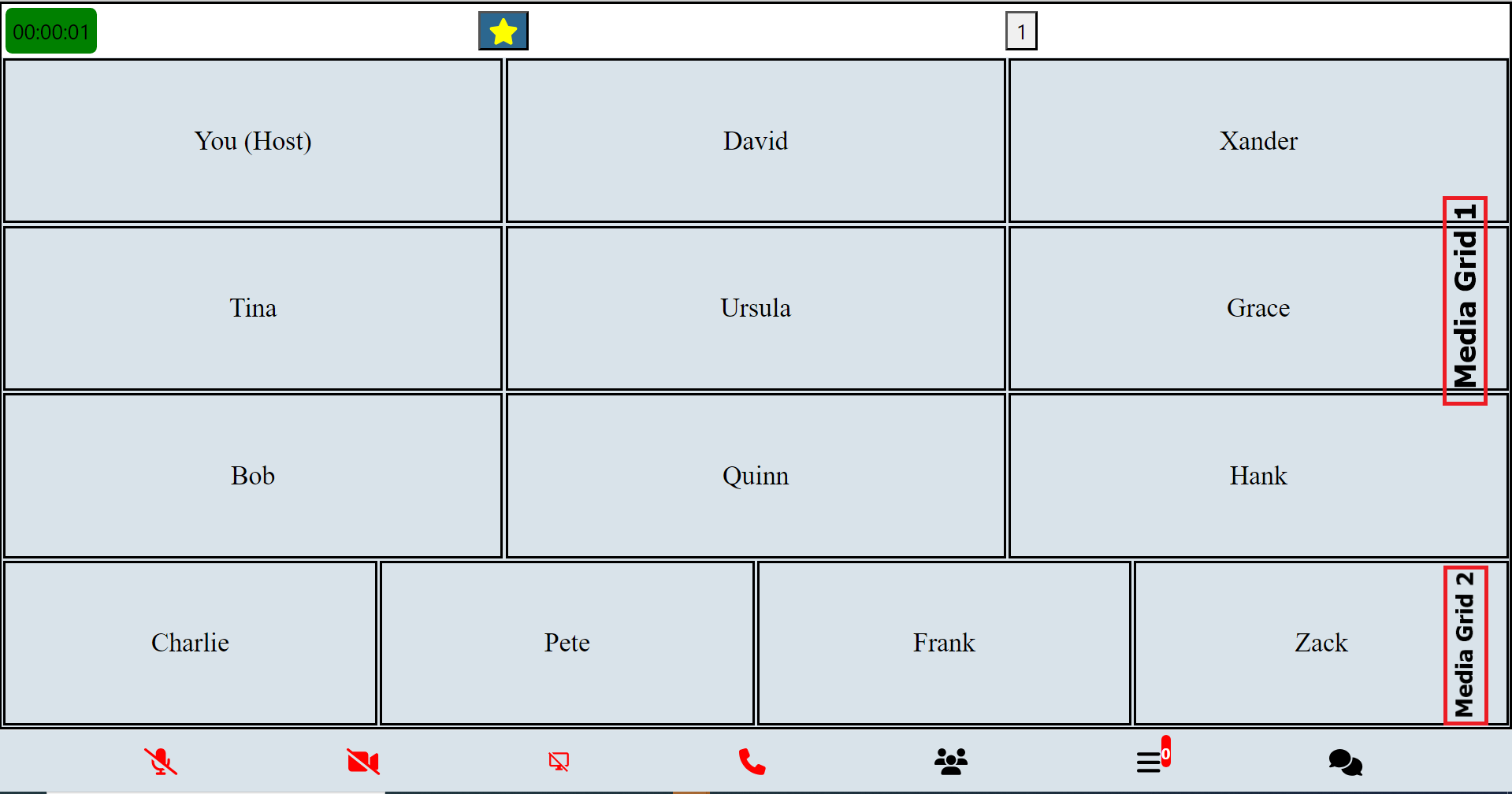
<img src="https://mediasfu.com/images/conference2.png" alt="Preview of Prejoin Page" title="Prejoin Page" style="max-height: 500px;">

</div>
<br/>

# Advanced Usage Guide <a name="advanced-usage-guide"></a>

In-depth documentation for advanced users, covering complex functionalities and customization options.

**Introduction to Advanced Media Control Functions:**

In advanced usage scenarios, users often encounter complex tasks related to media control, connectivity, and streaming management within their applications. To facilitate these tasks, a comprehensive set of functions is provided, offering granular control over various aspects of media handling and communication with servers.

These advanced media control functions encompass a wide range of functionalities, including connecting to and disconnecting from WebSocket servers, joining and updating room parameters, managing device creation, switching between different media streams, handling permissions, processing consumer transports, managing screen sharing, adjusting layouts dynamically, and much more.

This robust collection of functions empowers developers to tailor their applications to specific requirements, whether it involves intricate media streaming setups, real-time communication protocols, or sophisticated user interface interactions. With these tools at their disposal, developers can create rich and responsive media experiences that meet the demands of their users and applications.

Here's a tabulated list of advanced control functions along with brief explanations (click the function(link) for full usage guide):

| Function                         | Explanation                                                                                             |
|----------------------------------|---------------------------------------------------------------------------------------------------------|
| [`connectSocket`](https://www.mediasfu.com/reactnative/functions/connectSocket)                  | Connects to the WebSocket server.                                                                       |
| [`disconnectSocket`](https://www.mediasfu.com/reactnative/functions/disconnectSocket)               | Disconnects from the WebSocket server.                                                                  |
| [`joinRoomClient`](https://www.mediasfu.com/reactnative/functions/joinRoomClient)                 | Joins a room as a client.                                                                               |
| [`updateRoomParametersClient`](https://www.mediasfu.com/reactnative/functions/updateRoomParametersClient)     | Updates room parameters as a client.                                                                    |
| [`createDeviceClient`](https://www.mediasfu.com/reactnative/functions/createDeviceClient)             | Creates a device as a client.                                                                           |
| [`switchVideoAlt`](https://www.mediasfu.com/reactnative/functions/switchVideoAlt)                 | Switches video/camera streams.                                                                          |
| [`clickVideo`](https://www.mediasfu.com/reactnative/functions/clickVideo)                     | Handles clicking on video controls.                                                                     |
| [`clickAudio`](https://www.mediasfu.com/reactnative/functions/clickAudio)                     | Handles clicking on audio controls.                                                                     |
| [`clickScreenShare`](https://www.mediasfu.com/reactnative/functions/clickScreenShare)               | Handles clicking on screen share controls.                                                              |
| [`streamSuccessVideo`](https://www.mediasfu.com/reactnative/functions/streamSuccessVideo)             | Handles successful video streaming.                                                                     |
| [`streamSuccessAudio`](https://www.mediasfu.com/reactnative/functions/streamSuccessAudio)             | Handles successful audio streaming.                                                                     |
| [`streamSuccessScreen`](https://www.mediasfu.com/reactnative/functions/streamSuccessScreen)            | Handles successful screen sharing.                                                                      |
| [`streamSuccessAudioSwitch`](https://www.mediasfu.com/reactnative/functions/streamSuccessAudioSwitch)       | Handles successful audio switching.                                                                     |
| [`checkPermission`](https://www.mediasfu.com/reactnative/functions/checkPermission)                | Checks for media access permissions.                                                                    |
| [`producerClosed`](https://www.mediasfu.com/reactnative/functions/producerClosed)                 | Handles the closure of a producer.                                                                      |
| [`newPipeProducer`](https://www.mediasfu.com/reactnative/functions/newPipeProducer)                | Creates receive transport for a new piped producer.                                                     |
| [`updateMiniCardsGrid`](https://www.mediasfu.com/reactnative/functions/updateMiniCardsGrid)            | Updates the mini-grids (mini cards) grid.                                                               |
| [`mixStreams`](https://www.mediasfu.com/reactnative/functions/mixStreams)                     | Mixes streams and prioritizes interesting ones together.                                                |
| [`dispStreams`](https://www.mediasfu.com/reactnative/functions/dispStreams)                    | Displays streams (media).                                                                              |
| [`stopShareScreen`](https://www.mediasfu.com/reactnative/functions/stopShareScreen)                | Stops screen sharing.                                                                                  |
| [`checkScreenShare`](https://www.mediasfu.com/reactnative/functions/checkScreenShare)               | Checks for screen sharing availability.                                                                |
| [`startShareScreen`](https://www.mediasfu.com/reactnative/functions/startShareScreen)               | Starts screen sharing.                                                                                 |
| [`requestScreenShare`](https://www.mediasfu.com/reactnative/functions/requestScreenShare)             | Requests permission for screen sharing.                                                                |
| [`reorderStreams`](https://www.mediasfu.com/reactnative/functions/reorderStreams)                 | Reorders streams (based on interest level).                                                            |
| [`prepopulateUserMedia`](https://www.mediasfu.com/reactnative/functions/prepopulateUserMedia)           | Populates user media (for main grid).                                                                  |
| [`getVideos`](https://www.mediasfu.com/reactnative/functions/getVideos)                      | Retrieves videos that are pending.                                                                     |
| [`rePort`](https://www.mediasfu.com/reactnative/functions/rePort)                         | Handles re-porting (updates of changes in UI when recording).                                           |
| [`trigger`](https://www.mediasfu.com/reactnative/functions/trigger)                        | Triggers actions (reports changes in UI to backend for recording).                                      |
| [`consumerResume`](https://www.mediasfu.com/reactnative/functions/consumerResume)                 | Resumes consumers.                                                                                     |
| [`connectSendTransportAudio`](https://www.mediasfu.com/reactnative/functions/connectSendTransportAudio)      | Connects send transport for audio.                                                                     |
| [`connectSendTransportVideo`](https://www.mediasfu.com/reactnative/functions/connectSendTransportVideo)      | Connects send transport for video.                                                                     |
| [`connectSendTransportScreen`](https://www.mediasfu.com/reactnative/functions/connectSendTransportScreen)    | Connects send transport for screen sharing.                                                            |
| [`processConsumerTransports`](https://www.mediasfu.com/reactnative/functions/processConsumerTransports)      | Processes consumer transports to pause/resume based on the current active page.                         |
| [`resumePauseStreams`](https://www.mediasfu.com/reactnative/functions/resumePauseStreams)             | Resumes or pauses streams.                                                                             |
| [`readjust`](https://www.mediasfu.com/reactnative/functions/readjust)                       | Readjusts display elements.                                                                            |
| [`checkGrid`](https://www.mediasfu.com/reactnative/functions/checkGrid)                      | Checks the grid sizes to display.                                                                      |
| [`getEstimate`](https://www.mediasfu.com/reactnative/functions/getEstimate)                    | Gets an estimate of grids to add.                                                                      |
| [`calculateRowsAndColumns`](https://www.mediasfu.com/reactnative/functions/calculateRowsAndColumns)        | Calculates rows and columns for the grid.                                                              |
| [`addVideosGrid`](https://www.mediasfu.com/reactnative/functions/addVideosGrid)                  | Adds videos to the grid.                                                                               |
| [`onScreenChanges`](https://www.mediasfu.com/reactnative/functions/onScreenChanges)                | Handles screen changes (orientation and resize).                                                        |
| [`sleep`](https://www.mediasfu.com/reactnative/functions/sleep)                          | Pauses execution for a specified duration.                                                             |
| [`changeVids`](https://www.mediasfu.com/reactnative/functions/changeVids)                     | Changes videos.                                                                                        |
| [`compareActiveNames`](https://www.mediasfu.com/reactnative/functions/compareActiveNames)             | Compares active names (for recording UI changes reporting).                                             |
| [`compareScreenStates`](https://www.mediasfu.com/reactnative/functions/compareScreenStates)           | Compares screen states (for recording changes in grid sizes reporting).                                 |
| [`createSendTransport`](https://www.mediasfu.com/reactnative/functions/createSendTransport)            | Creates a send transport.                                                                              |
| [`resumeSendTransportAudio`](https://www.mediasfu.com/reactnative/functions/resumeSendTransportAudio)       | Resumes a send transport for audio.                                                                    |
| [`receiveAllPipedTransports`](https://www.mediasfu.com/reactnative/functions/receiveAllPipedTransports)      | Receives all piped transports.                                                                         |
| [`disconnectSendTransportVideo`](https://www.mediasfu.com/reactnative/functions/disconnectSendTransportVideo)   | Disconnects send transport for video.                                                                  |
| [`disconnectSendTransportAudio`](https://www.mediasfu.com/reactnative/functions/disconnectSendTransportAudio)   | Disconnects send transport for audio.                                                                  |
| [`disconnectSendTransportScreen`](https://www.mediasfu.com/reactnative/functions/disconnectSendTransportScreen)  | Disconnects send transport for screen sharing.                                                         |
| [`connectSendTransport`](https://www.mediasfu.com/reactnative/functions/connectSendTransport)           | Connects a send transport.                                                                             |
| [`getPipedProducersAlt`](https://www.mediasfu.com/reactnative/functions/getPipedProducersAlt)           | Gets piped producers.                                                                                  |
| [`signalNewConsumerTransport`](https://www.mediasfu.com/reactnative/functions/signalNewConsumerTransport)     | Signals a new consumer transport.                                                                      |
| [`connectRecvTransport`](https://www.mediasfu.com/reactnative/functions/connectRecvTransport)           | Connects a receive transport.                                                                          |
| [`reUpdateInter`](https://www.mediasfu.com/reactnative/functions/reUpdateInter)                   | Re-updates the interface based on audio decibels.                                                      |
| [`updateParticipantAudioDecibels`](https://www.mediasfu.com/reactnative/functions/updateParticipantAudioDecibels) | Updates participant audio decibels.                                                                    |
| [`closeAndResize`](https://www.mediasfu.com/reactnative/functions/closeAndResize)                 | Closes and resizes the media elements.                                                                 |
| [`autoAdjust`](https://www.mediasfu.com/reactnative/functions/autoAdjust)                     | Automatically adjusts display elements.                                                                 |
| [`switchUserVideoAlt`](https://www.mediasfu.com/reactnative/functions/switchUserVideoAlt)             | Switches user video (alternate) (back/front).                                                          |
| [`switchUserVideo`](https://www.mediasfu.com/reactnative/functions/switchUserVideo)                | Switches user video (specific video id).                                                               |
| [`switchUserAudio`](https://www.mediasfu.com/reactnative/functions/switchUserAudio)                | Switches user audio.                                                                                   |
| [`receiveRoomMessages`](https://www.mediasfu.com/reactnative/functions/receiveRoomMessages)            | Receives room messages.                                                                                |
| [`formatNumber`](https://www.mediasfu.com/reactnative/functions/formatNumber)                   | Formats a number (for broadcast viewers).                                                              |
| [`connectIps`](https://www.mediasfu.com/reactnative/functions/connectIps)                     | Connects IPs (connect to consuming servers)                                                            |
| [`startMeetingProgressTimer`](https://www.mediasfu.com/reactnative/functions/startMeetingProgressTimer)      | Starts the meeting progress timer.       |
| [`stopRecording`](https://www.mediasfu.com/reactnative/functions/stopRecording)                  | Stops the recording process. |
| [`pollUpdated`](https://www.mediasfu.com/reactnative/functions/pollUpdated)                    | Handles updated poll data. |
| [`handleVotePoll`](https://www.mediasfu.com/reactnative/functions/handleVotePoll)                 | Handles voting in a poll. |
| [`handleCreatePoll`](https://www.mediasfu.com/reactnative/functions/handleCreatePoll)               | Handles creating a poll. |
| [`handleEndPoll`](https://www.mediasfu.com/reactnative/functions/handleEndPoll)                 | Handles ending a poll. |
| [`breakoutRoomUpdated`](https://www.mediasfu.com/reactnative/functions/breakoutRoomUpdated)           | Handles updated breakout room data. |
| [`captureCanvasStream`](https://www.mediasfu.com/reactnative/functions/captureCanvasStream)            | Captures a canvas stream. |
| [`resumePauseAudioStreams`](https://www.mediasfu.com/reactnative/functions/resumePauseAudioStreams)        | Resumes or pauses audio streams. |
| [`processConsumerTransportsAudio`](https://www.mediasfu.com/reactnative/functions/processConsumerTransportsAudio)  | Processes consumer transports for audio. |

### Media Device and Stream Utility Methods

MediaSFU provides utility methods for accessing media devices and participant streams programmatically. These methods are especially useful when building custom UI components or implementing advanced media management features.

#### Available Utility Methods

| Method | Description |
|--------|-------------|
| `getMediaDevicesList` | Retrieves available media devices (cameras/microphones) on the user's system. |
| `getParticipantMedia` | Gets the media stream of a specific participant by ID or name. |

#### Usage Examples

##### 1. Get Available Media Devices

Use `getMediaDevicesList` to enumerate available video or audio input devices:

```typescript
// Get available video input devices (cameras)
const videoDevices = await getMediaDevicesList("videoinput");
console.log("Available cameras:", videoDevices);

// Get available audio input devices (microphones)  
const audioDevices = await getMediaDevicesList("audioinput");
console.log("Available microphones:", audioDevices);

// Example response format:
// [
//   { deviceId: "abc123", kind: "videoinput", label: "FaceTime HD Camera" },
//   { deviceId: "def456", kind: "videoinput", label: "External USB Camera" }
// ]
```

##### 2. Get Participant Media Streams

Use `getParticipantMedia` to retrieve a participant's video or audio stream:

```typescript
// Get participant's video stream by producer ID
const participantVideoStream = await getParticipantMedia("producerId123", "", "video");
if (participantVideoStream) {
  // Use the stream (e.g., attach to video element, process, etc.)
  console.log("Got participant video stream:", participantVideoStream);
}

// Get participant's audio stream by name
const participantAudioStream = await getParticipantMedia("", "John Doe", "audio");
if (participantAudioStream) {
  // Use the audio stream
  console.log("Got participant audio stream:", participantAudioStream);
}

// Get participant's video stream by name (if producer ID not available)
const videoByName = await getParticipantMedia("", "Alice Smith", "video");
```

#### Method Parameters

**`getMediaDevicesList(kind)`**
- `kind`: `"videoinput"` | `"audioinput"` - Type of media device to enumerate

**`getParticipantMedia(id, name, kind)`**
- `id`: `string` - Producer ID of the participant's media (optional if name provided)
- `name`: `string` - Participant's display name (optional if ID provided)  
- `kind`: `string` - Media type, either `"video"` or `"audio"` (default: `"video"`)

#### Common Use Cases

- **Device Selection UI**: Build custom device picker components
- **Advanced UI Components**: Create sophisticated media display components with stream access
- **Accessibility Features**: Implement custom audio/video processing for accessibility

These utility methods provide low-level access to MediaSFU's media management system, enabling advanced customizations while maintaining compatibility with the core MediaSFU functionality.


### Room Socket Events

In the context of a room's real-time communication, various events occur, such as user actions, room management updates, media controls, and meeting status changes. To effectively handle these events and synchronize the application's state with the server, specific functions are provided. These functions act as listeners for socket events, allowing the application to react accordingly.

#### Provided Socket Event Handling Functions

| Function                      | Explanation                                                                                             |
|-------------------------------|---------------------------------------------------------------------------------------------------------|
| [`userWaiting`](https://www.mediasfu.com/reactnative/functions/userWaiting)                 | Triggered when a user is waiting.                                                                       |
| [`personJoined`](https://www.mediasfu.com/reactnative/functions/personJoined)                | Triggered when a person joins the room.                                                                 |
| [`allWaitingRoomMembers`](https://www.mediasfu.com/reactnative/functions/allWaitingRoomMembers)       | Triggered when information about all waiting room members is received.                                  |
| [`roomRecordParams`](https://www.mediasfu.com/reactnative/functions/roomRecordParams)            | Triggered when room recording parameters are received.                                                  |
| [`banParticipant`](https://www.mediasfu.com/reactnative/functions/banParticipant)              | Triggered when a participant is banned.                                                                 |
| [`updatedCoHost`](https://www.mediasfu.com/reactnative/functions/updatedCoHost)               | Triggered when the co-host information is updated.                                                      |
| [`participantRequested`](https://www.mediasfu.com/reactnative/functions/participantRequested)        | Triggered when a participant requests access.                                                            |
| [`screenProducerId`](https://www.mediasfu.com/reactnative/functions/screenProducerId)            | Triggered when the screen producer ID is received.                                                       |
| [`updateMediaSettings`](https://www.mediasfu.com/reactnative/functions/updateMediaSettings)         | Triggered when media settings are updated.                                                               |
| [`producerMediaPaused`](https://www.mediasfu.com/reactnative/functions/producerMediaPaused)         | Triggered when producer media is paused.                                                                 |
| [`producerMediaResumed`](https://www.mediasfu.com/reactnative/functions/producerMediaResumed)        | Triggered when producer media is resumed.                                                                |
| [`producerMediaClosed`](https://www.mediasfu.com/reactnative/functions/producerMediaClosed)         | Triggered when producer media is closed.                                                                 |
| [`controlMediaHost`](https://www.mediasfu.com/reactnative/functions/controlMediaHost)            | Triggered when media control is hosted.                                                                  |
| [`meetingEnded`](https://www.mediasfu.com/reactnative/functions/meetingEnded)                | Triggered when the meeting ends.                                                                         |
| [`disconnectUserSelf`](https://www.mediasfu.com/reactnative/functions/disconnectUserSelf)          | Triggered when a user disconnects.                                                                       |
| [`receiveMessage`](https://www.mediasfu.com/reactnative/functions/receiveMessage)              | Triggered when a message is received.                                                                    |
| [`meetingTimeRemaining`](https://www.mediasfu.com/reactnative/functions/meetingTimeRemaining)        | Triggered when meeting time remaining is received.                                                        |
| [`meetingStillThere`](https://www.mediasfu.com/reactnative/functions/meetingStillThere)           | Triggered when the meeting is still active.                                                              |
| [`startRecords`](https://www.mediasfu.com/reactnative/functions/startRecords)                | Triggered when recording starts.                                                                         |
| [`reInitiateRecording`](https://www.mediasfu.com/reactnative/functions/reInitiateRecording)         | Triggered when recording needs to be re-initiated.                                                       |
| [`getDomains`](https://www.mediasfu.com/reactnative/functions/getDomains)                  | Triggered when domains are received.                                                                     |
| [`updateConsumingDomains`](https://www.mediasfu.com/reactnative/functions/updateConsumingDomains)      | Triggered when consuming domains are updated.                                                            |
| [`recordingNotice`](https://www.mediasfu.com/reactnative/functions/recordingNotice)             | Triggered when a recording notice is received.                                                           |
| [`timeLeftRecording`](https://www.mediasfu.com/reactnative/functions/timeLeftRecording)           | Triggered when time left for recording is received.                                                       |
| [`stoppedRecording`](https://www.mediasfu.com/reactnative/functions/stoppedRecording)           | Triggered when recording stops.                                                                          |
| [`hostRequestResponse`](https://www.mediasfu.com/reactnative/functions/hostRequestResponse)         | Triggered when the host request response is received.                                                    |
| [`allMembers`](https://www.mediasfu.com/reactnative/functions/allMembers)                  | Triggered when information about all members is received.                                                 |
| [`allMembersRest`](https://www.mediasfu.com/reactnative/functions/allMembersRest)              | Triggered when information about all members is received (rest of the members).                           |
| [`disconnect`](https://www.mediasfu.com/reactnative/functions/disconnect)                  | Triggered when a disconnect event occurs.                                                                |
| [`pollUpdated`](https://www.mediasfu.com/reactnative/functions/pollUpdated)                 | Triggered when a poll is updated.                                                                        |
| [`breakoutRoomUpdated`](https://www.mediasfu.com/reactnative/functions/breakoutRoomUpdated)         | Triggered when a breakout room is updated.  

#### Sample Usage

```javascript
// Example usage of provided socket event handling functions

import { participantRequested, screenProducerId, updateMediaSettings } from 'mediasfu-reactnative'

socket.current.on(
"participantRequested",
async ({ userRequest }: { userRequest: Request }) => {
    await participantRequested({
    userRequest,
    requestList: requestList.current,
    waitingRoomList: waitingRoomList.current,
    updateTotalReqWait,
    updateRequestList,
    });
}
);

socket.current.on(
"screenProducerId",
async ({ producerId }: { producerId: string }) => {
    screenProducerId({
    producerId,
    screenId: screenId.current,
    membersReceived: membersReceived.current,
    shareScreenStarted: shareScreenStarted.current,
    deferScreenReceived: deferScreenReceived.current,
    participants: participants.current,
    updateScreenId,
    updateShareScreenStarted,
    updateDeferScreenReceived,
    });
}
);

socket.current.on(
"updateMediaSettings",
async ({ settings }: { settings: Settings }) => {
    updateMediaSettings({
    settings,
    updateAudioSetting,
    updateVideoSetting,
    updateScreenshareSetting,
    updateChatSetting,
    });
}
);
```

These functions enable seamless interaction with the server and ensure that the application stays synchronized with the real-time events occurring within the room.

### Customizing Media Display in MediaSFU

MediaSFU now supports **comprehensive custom component integration** that allows you to completely customize the appearance of participant video cards, audio cards, and mini cards throughout the interface.

#### New Custom Component System (Recommended)

For the latest and most comprehensive customization options, refer to the **[Custom Components Guide](#custom-components-guide)** which provides:

- ✅ **Complete Visual Control**: Custom VideoCard, AudioCard, and MiniCard components
- ✅ **TypeScript Support**: Fully typed interfaces for all custom components  
- ✅ **React Native CLI Compatible**: Uses react-native-vector-icons and standard RN components
- ✅ **Universal Integration**: Works with all MediaSFU components (Generic, Broadcast, Conference, Chat, Webinar)
- ✅ **Simple Implementation**: Just pass your custom components as props
- ✅ **Multiple Themes**: Support for conditional theming and multiple component sets

**Example Usage:**
```typescript
<MediasfuGeneric
  credentials={credentials}
  customVideoCard={MyCustomVideoCard}
  customAudioCard={MyCustomAudioCard}
  customMiniCard={MyCustomMiniCard}
/>
```

#### Legacy Custom Implementation (Advanced Users)

For advanced users who need deeper customization, you can still modify the core functions:

- **`prepopulateUserMedia`**: Controls the main media grid (MainGrid)
- **`addVideosGrid`**: Manages the mini grid's media (MiniCards, AudioCards, VideoCards)

**Note**: The new Custom Component System is recommended as it provides easier implementation, better maintainability, and full TypeScript support while achieving the same level of customization.

# API Reference <a name="api-reference"></a>

For detailed information on the API methods and usage, please refer to the [MediaSFU API Documentation](https://mediasfu.com/developers).

If you need further assistance or have any questions, feel free to ask!

For sample codes and practical implementations, visit the [MediaSFU Sandbox](https://www.mediasfu.com/sandbox).

# Troubleshooting <a name="troubleshooting"></a>

If you encounter issues while setting up or running the `mediasfu-reactnative` module in a standard React Native CLI project, the following solutions may help resolve common problems.

## 1. Metro Bundler Issues

### a. Clear Metro Cache

Sometimes, Metro bundler cache can cause unexpected issues. Clearing the cache often resolves these problems.

```bash
npx react-native start --reset-cache
```

### b. Verify `metro.config.js`

Ensure your `metro.config.js` is correctly configured. It should merge the default Metro configuration with any custom settings.

```javascript
const { getDefaultConfig, mergeConfig } = require('@react-native/metro-config');

/**
 * Metro configuration
 * https://reactnative.dev/docs/metro
 *
 * @type {import('metro-config').MetroConfig}
 */
const config = {};

module.exports = mergeConfig(getDefaultConfig(__dirname), config);
```

## 2. Babel Configuration Errors

Incorrect Babel configuration can lead to syntax errors or issues with plugins like Reanimated.

### a. Verify `babel.config.js`

Ensure your `babel.config.js` includes the necessary presets and plugins.

```javascript
module.exports = {
  presets: ['module:@react-native/babel-preset'],
  plugins: [
    '@babel/plugin-transform-block-scoping',
    'react-native-reanimated/plugin',
  ],
};
```

### b. Rebuild After Changes

After modifying Babel configuration, always rebuild the project to apply changes.

```bash
npx react-native run-android
# or
npx react-native run-ios
```

### c. **Clear Android Studio Cache**
   - Open Android Studio.
   - Go to **File** > **Invalidate Caches / Restart**.
   - Select **Invalidate and Restart** to clear cached files and restart Android Studio.


## 3. Permission Issues

Missing or incorrectly configured permissions can prevent functionalities like camera access, audio recording, or Bluetooth from working.

### a. Android Permissions

Ensure all necessary permissions are added to your `AndroidManifest.xml`:

```bash
<!-- Permissions -->
<uses-permission android:name="android.permission.INTERNET" />
<uses-permission android:name="android.permission.CAMERA" />
<uses-permission android:name="android.permission.RECORD_AUDIO" />
<uses-permission android:name="android.permission.ACCESS_NETWORK_STATE" />
<uses-permission android:name="android.permission.CHANGE_NETWORK_STATE" />
<uses-permission android:name="android.permission.MODIFY_AUDIO_SETTINGS" />
<uses-permission android:name="android.permission.BLUETOOTH" android:maxSdkVersion="30" />
<uses-permission android:name="android.permission.BLUETOOTH_ADMIN" android:maxSdkVersion="30" />
<uses-permission android:name="android.permission.BLUETOOTH_CONNECT" />

<!-- Features -->
<uses-feature android:name="android.hardware.camera" />
<uses-feature android:name="android.hardware.camera.autofocus" />
<uses-feature android:name="android.hardware.audio.output" />
<uses-feature android:name="android.hardware.microphone" />
```

### b. iOS Permissions

Ensure all necessary permissions are added to your `Info.plist`:

```xml
<!-- Permissions -->
<key>NSCameraUsageDescription</key>
<string>Your message to the user about why the app needs camera access</string>
<key>NSMicrophoneUsageDescription</key>
<string>Your message to the user about why the app needs microphone access</string>
<key>NSBluetoothAlwaysUsageDescription</key>
<string>Your message to the user about why the app needs Bluetooth access</string>
```

**Note:** Customize the permission descriptions to clearly inform users why these permissions are required.

## 4. Dependency Issues

Certain dependencies might not install correctly or may require additional linking.

### a. Ensure All Dependencies Are Installed

Verify that all required dependencies are installed. If not, install them manually:

```bash
npm install @react-native-clipboard/clipboard @react-native-async-storage/async-storage react-native-webrtc react-native-safe-area-context react-native-orientation-locker react-native-picker-select @react-native-picker/picker react-native-reanimated react-native-gesture-handler react-native-sound
```

### b. Link Native Modules

For React Native versions below 0.60, you might need to link native modules manually:

```bash
npx react-native link
```

**Note:** React Native 0.60 and above support auto-linking, but if you encounter issues, manual linking might be necessary.

## 5. Vector Icons Configuration

Improper setup of `react-native-vector-icons` can lead to missing icons or build failures.

### a. Android Configuration

Ensure that the fonts are linked correctly by adding the following line to your `android/app/build.gradle`:

```gradle
apply from: "../../node_modules/react-native-vector-icons/fonts.gradle"
```

### b. iOS Configuration

1. Open your project in Xcode.
2. Drag the `react-native-vector-icons` folder from `node_modules` into your project.
3. Ensure that the fonts are included in your project’s **Build Phases** under **Copy Bundle Resources**.

For detailed instructions, refer to the [react-native-vector-icons documentation](https://github.com/oblador/react-native-vector-icons#installation).

## 6. Reanimated Issues

`react-native-reanimated` requires additional setup to work correctly.

### a. Enable Reanimated's Babel Plugin

Ensure that `'react-native-reanimated/plugin'` is added as the last plugin in your `babel.config.js`:

```javascript
module.exports = {
  presets: ['module:@react-native/babel-preset'],
  plugins: [
    '@babel/plugin-transform-block-scoping',
    'react-native-reanimated/plugin',
  ],
};
```

For more details, refer to the [Reanimated installation guide](https://docs.swmansion.com/react-native-reanimated/docs/fundamentals/installation/).

## 7. React Native WebRTC Issues

Issues with `react-native-webrtc` can arise due to incorrect setup or platform-specific configurations.

### a. Verify Installation

Ensure that `react-native-webrtc` is installed correctly:

```bash
npm install react-native-webrtc
npx react-native link react-native-webrtc
```

### b. iOS Pod Installation

Navigate to the `ios` directory and install pods:

```bash
cd ios
pod install
```

### c. Android Configuration

Ensure that your `AndroidManifest.xml` includes all necessary permissions (refer to [Permission Issues](#3-permission-issues)).

For more information, refer to the [react-native-webrtc documentation](https://github.com/react-native-webrtc/react-native-webrtc).

## 8. Audio Playback Issues with `react-native-sound`

If you experience issues with audio playback, ensure that `react-native-sound` is linked correctly.

### a. Installation

```bash
npm install react-native-sound
npx react-native link react-native-sound
```

### b. iOS Pod Installation

Navigate to the `ios` directory and install pods:

```bash
cd ios
pod install
```

### c. Verify Permissions

Ensure that microphone and audio permissions are correctly set up (refer to [Permission Issues](#3-permission-issues)).

## 9. General Build Errors

### a. Rebuild the Project

Sometimes, rebuilding the project can resolve build-related issues.

```bash
npx react-native run-android
# or
npx react-native run-ios
```

### b. Check for Missing Dependencies

Ensure all dependencies are installed and linked correctly. Reinstall node modules if necessary:

```bash
rm -rf node_modules
npm install
npx react-native run-android
# or
npx react-native run-ios
```

### c. Update Dependencies

Ensure that all dependencies are up-to-date to avoid compatibility issues.

```bash
npm outdated
npm update
```

## 10. Debugging Tips

- **Use Console Logs:** Insert `console.log` statements to trace the flow of your application and identify where issues occur.
- **Enable Debugging:** Use React Native's debugging tools to step through your code.
- **Check Device Logs:** Use `adb logcat` for Android or Xcode's console for iOS to view device logs and error messages.
- **Consult Documentation:** Refer to the official documentation of the libraries you are using for specific setup instructions and troubleshooting tips.

## Additional Resources

- [React Native Documentation](https://reactnative.dev/docs/getting-started)
- [mediasfu-reactnative GitHub Repository](https://github.com/MediaSFU/mediasfu-reactnative)
- [React Native Vector Icons](https://github.com/oblador/react-native-vector-icons#installation)
- [React Native Reanimated Documentation](https://docs.swmansion.com/react-native-reanimated/)
- [React Native WebRTC Documentation](https://github.com/react-native-webrtc/react-native-webrtc)

If you continue to experience issues, consider reaching out to the community through forums or the GitHub repository's issue tracker for additional support.


## 11. Reanimated Color Picker Warnings

If you experience Reanimated color picker warnings (`[Reanimated] Reading from "value" during component render.`), you can configure the Reanimated logger to suppress or manage these warnings effectively.

### a. Create a Reanimated Configuration

Create a configuration file (e.g., `reanimated.config.js`) with the following content:

```javascript
// reanimated.config.js
import {
  configureReanimatedLogger,
  ReanimatedLogLevel,
} from 'react-native-reanimated';

configureReanimatedLogger({
  level: ReanimatedLogLevel.warn,
  strict: false, // Disable strict mode
});
```

### b. Import the Configuration at the Top Level

Import this configuration at the top level of your application, such as in your `App.js` or the entry point where you use `mediasfu-reactnative` UI components.

```javascript
// App.js
import './reanimated.config'; // Import the Reanimated configuration

import React from 'react';
import { View } from 'react-native';
import { MediasfuGeneric } from 'mediasfu-reactnative';

const App = () => {
  return (
    <View style={{ flex: 1 }}>
      <MediasfuGeneric />
    </View>
  );
};

export default App;
```

**Explanation:**

1. **Create Configuration File:**  
   The `reanimated.config.js` file sets up the Reanimated logger to display warnings without enforcing strict mode. This helps in managing and suppressing unnecessary warnings related to the color picker or other Reanimated components.

2. **Import Configuration:**  
   By importing `./reanimated.config` at the top of your `App.js`, you ensure that the configuration is applied before any other components are rendered. This setup is crucial for effectively managing Reanimated warnings throughout your application.

**Additional Notes:**

- **Customization:**  
  You can adjust the `level` and `strict` properties in the `configureReanimatedLogger` function to control the verbosity and strictness of the Reanimated warnings based on your development needs.

- **Placement:**  
  Ensure that the import statement for the Reanimated configuration is placed **before** any other imports that might use Reanimated, especially components from `mediasfu-reactnative`.

For more details on configuring Reanimated, refer to the [React Native Reanimated Documentation](https://docs.swmansion.com/react-native-reanimated/docs/fundamentals/installation/).


## 12. **Interactive Testing with MediaSFU's Frontend**

   Users can interactively join MediaSFU's frontend in the same room to analyze if various events or media transmissions are happening as expected. For example, adding a user there to check changes made by the host and vice versa.

These troubleshooting steps should help users address common issues and optimize their experience with MediaSFU. If the issues persist or additional assistance is needed, users can refer to the [documentation](https://mediasfu.com/docs) or reach out to the support team for further assistance.


https://github.com/user-attachments/assets/310cb87c-dade-445d-aee7-dea1889d6dc4

# Contributing <a name="contributing"></a>

We welcome contributions from the community to improve the project! If you'd like to contribute, please check out our [GitHub repository](https://github.com/MediaSFU-ReactNative) and follow the guidelines outlined in the README.

If you encounter any issues or have suggestions for improvement, please feel free to open an issue on GitHub.

We appreciate your interest in contributing to the project!

If you need further assistance or have any questions, feel free to ask!