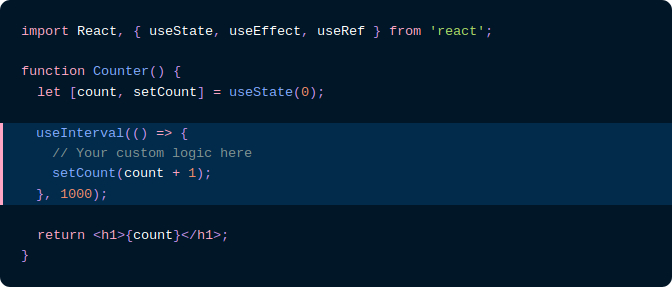
 [rehype](https://github.com/wooorm/rehype) plugin to highlight code blocks in HTML with [Prism] (via [refractor]).
(If you would like to highlight code blocks with [highlight.js](https://github.com/isagalaev/highlight.js), instead, check out [rehype-highlight](https://github.com/wooorm/rehype-highlight).)
**Best suited for usage in Node.**
If you would like to perform syntax highlighting _in the browser_, you should look into [less heavy ways to use refractor](https://github.com/wooorm/refractor#browser).
## Installation
```bash
npm install mdx-prism-2
```
## API
`rehype().use(rehypePrism, [options])`
Syntax highlights `pre > code`.
Under the hood, it uses [refractor], which is a virtual version of [Prism].
The code language is configured by setting a `language-{name}` class on the `
[rehype](https://github.com/wooorm/rehype) plugin to highlight code blocks in HTML with [Prism] (via [refractor]).
(If you would like to highlight code blocks with [highlight.js](https://github.com/isagalaev/highlight.js), instead, check out [rehype-highlight](https://github.com/wooorm/rehype-highlight).)
**Best suited for usage in Node.**
If you would like to perform syntax highlighting _in the browser_, you should look into [less heavy ways to use refractor](https://github.com/wooorm/refractor#browser).
## Installation
```bash
npm install mdx-prism-2
```
## API
`rehype().use(rehypePrism, [options])`
Syntax highlights `pre > code`.
Under the hood, it uses [refractor], which is a virtual version of [Prism].
The code language is configured by setting a `language-{name}` class on the `` element.
You can use any [language supported by refractor].
If no `language-{name}` class is found on a `` element, it will be skipped.
### options
| Parameter | Type | Default | Description |
| :------------------------ | :----------------------------------------------------------------------------------: | :----------: | :------------------------------------------------------------------------------------------------------------------------------------------------------------------------------------------------------------------ |
| `ignoreMissing` | `boolean` | `false` | By default, if `{name}` does not correspond to a [language supported by refractor] an error will be thrown. If you would like to silently skip `` elements with invalid languages, set this option to `true`. |
| `lineHighlight.component` | `string` ([HTML element](https://developer.mozilla.org/en-US/docs/Web/HTML/Element)) | `div` | The HTML tag used to wrap the highlight line. |
| `lineHighlight.className` | `string` | `mdx-marker` | CSS class applied to highlight line. |
## Usage
Use this package [as a rehype plugin](https://github.com/rehypejs/rehype/blob/master/doc/plugins.md#using-plugins).
Some examples of how you might do that:
```js
const rehype = require('rehype');
const mdxPrism = require('mdx-prism-2');
rehype().use(mdxPrism).process(/* some html */);
```
```js
const rehype = require('rehype');
const mdxPrism = require('mdx-prism-2');
rehype()
.use(mdxPrism, {
lineHighlight: {
component: 'span',
className: 'my-line-highlight-class',
},
})
.process(/* some html */);
```
```js
const unified = require('unified');
const rehypeParse = require('rehype-parse');
const mdxPrism = require('mdx-prism-2');
unified().use(rehypeParse).use(mdxPrism).processSync(/* some html */);
```
If you'd like to get syntax highlighting in Markdown, parse the Markdown (with remark-parse), convert it to rehype, then use this plugin.
```js
const unified = require('unified');
const remarkParse = require('remark-parse');
const remarkRehype = require('remark-rehype');
const mdxPrism = require('mdx-prism-2');
unified()
.use(remarkParse)
.use(remarkRehype)
.use(mdxPrism)
.process(/* some markdown */);
```
## FAQ
Why does mdx-prism-2 copy the language- class to the <pre> tag?
[Prism recommends](https://prismjs.com/#basic-usage) adding the `language-` class to the `` tag like this:
```html
p { color: red }
```
It bases this recommendation on the HTML5 spec. However, an undocumented behavior of their JavaScript is that, in the process of highlighting the code, they also copy the `language-` class to the `` tag:
```html
p { color: red }
```
This resulted in many [Prism themes](https://github.com/PrismJS/prism-themes) relying on this behavior by using CSS selectors like `pre[class*="language-"]`. So in order for people using mdx-prism-2 to get the most out of these themes, we decided to do the same.
[prism]: http://prismjs.com/
[refractor]: https://github.com/wooorm/refractor
[language supported by refractor]: https://github.com/wooorm/refractor#syntaxes