
Strapi Menus
A plugin for Strapi CMS to customize the structure of menus and menu items.
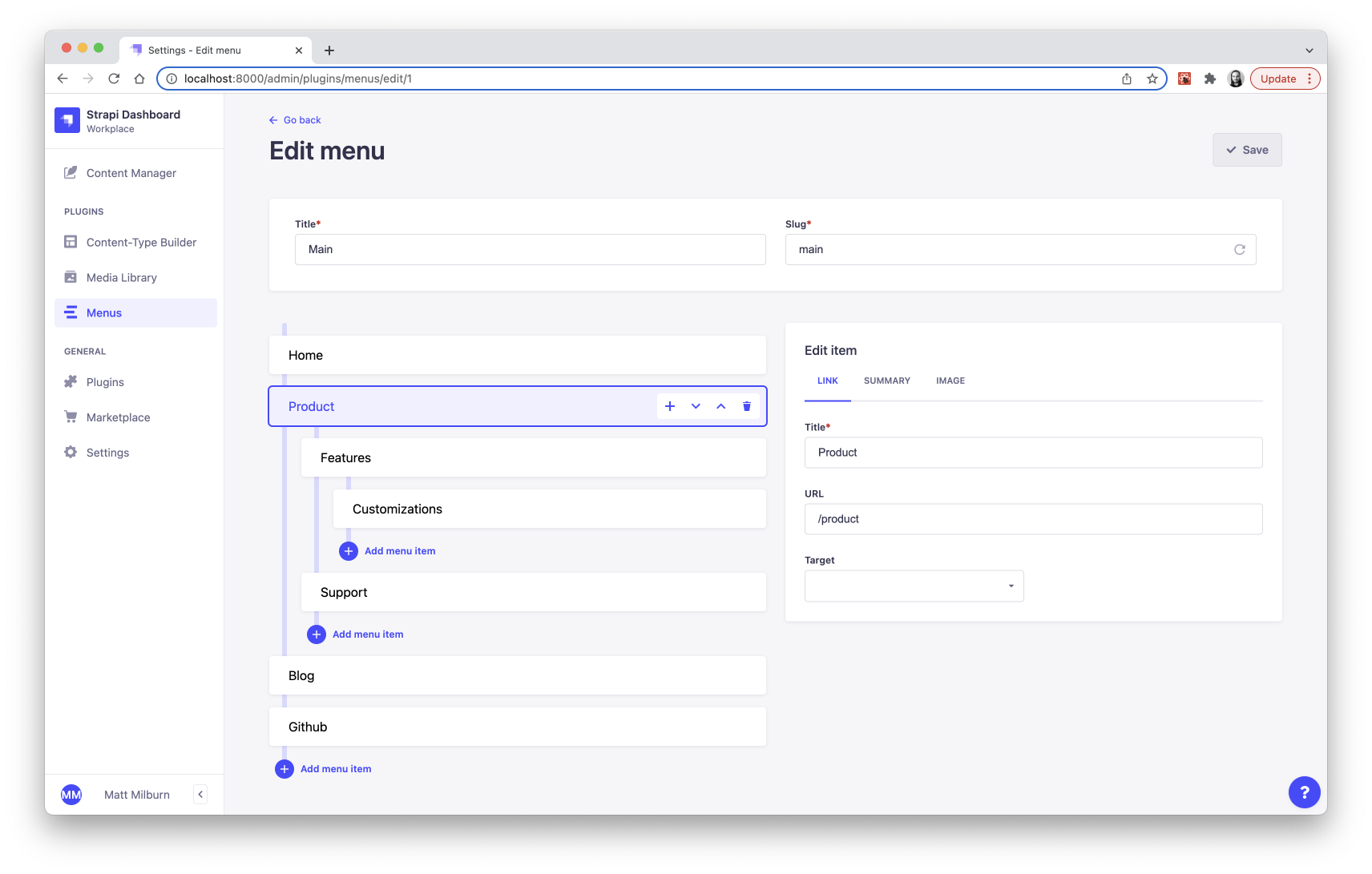
A plugin for Strapi CMS to customize the structure of menus and menu items.


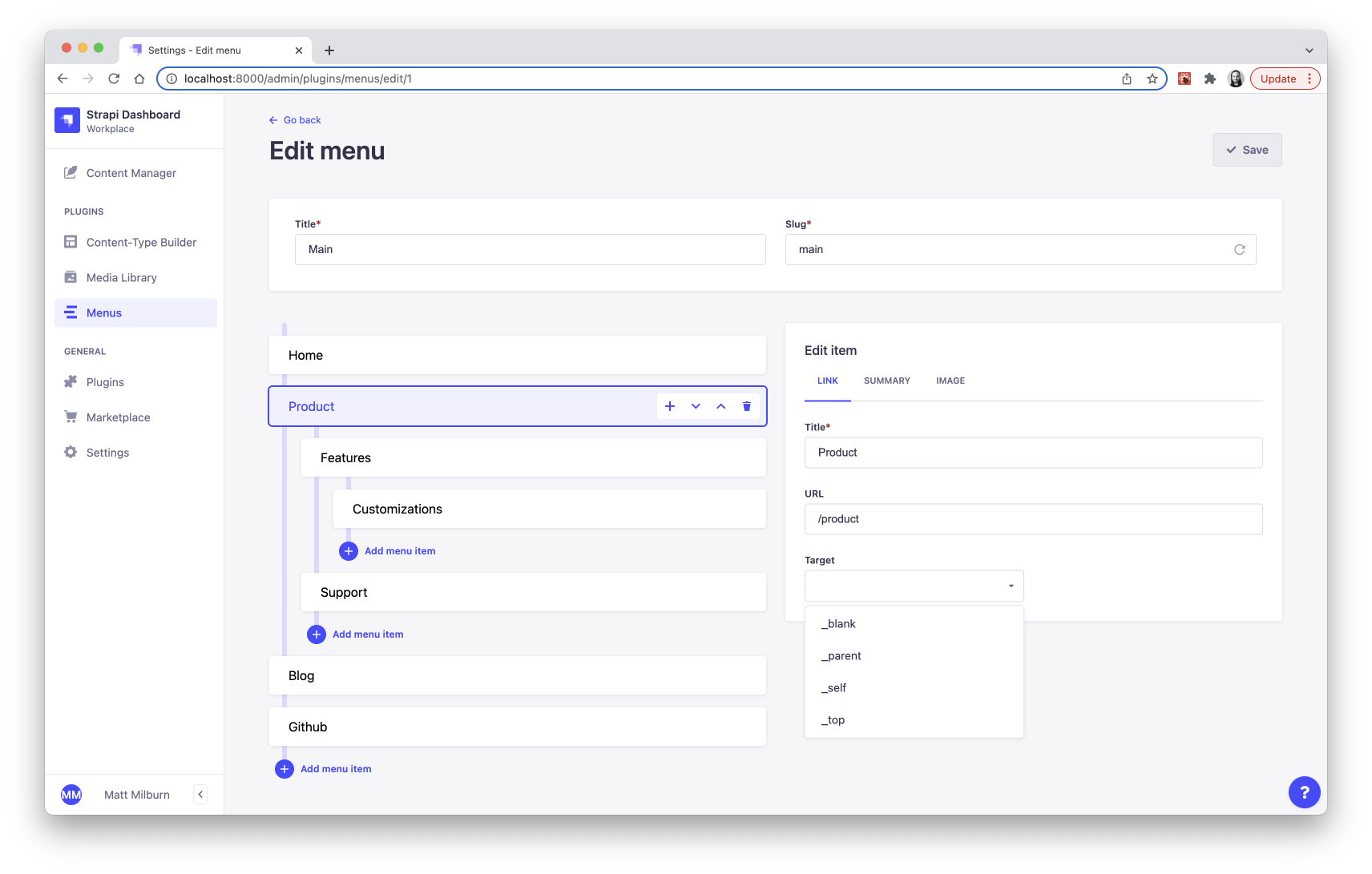
 ### Endpoints
| request | endpoint | description |
| - | - | - |
| `GET` | `/api/menus` | Fetch all menus. |
| `GET` | `/api/menus/:id` | Fetch one menu. |
| `POST` | `/api/menus/:id` | Create a menu. |
| `PUT` | `/api/menus/:id` | Update a menu. |
| `DELETE` | `/api/menus/:id` | Delete a menu. |
### Params
| name | description |
| - | - |
| `nested` | Serialize menu items into a nested format, otherwise they are returned as a flat list. |
#### Basic example
Fetch a menu with the ID 3. Nothing is populated by default.
```js
await fetch( '/api/menus/3' );
```
##### Response
```json
{
"data": {
"id": 3,
"attributes": {
"title": "Main Menu",
"slug": "main-menu",
"createdAt": "2022-07-24T01:51:19.115Z",
"updatedAt": "2022-07-24T01:55:16.153Z"
}
},
"meta": {}
}
```
#### Example with population
Fetch a menu with the ID 3 with `populate` params included.
```js
await fetch( '/api/menus/3?populate=*' );
```
##### Response
```json
{
"data": {
"id": 3,
"attributes": {
"title": "Main Menu",
"slug": "main-menu",
"createdAt": "2022-07-24T01:51:19.115Z",
"updatedAt": "2022-07-24T01:55:16.153Z",
"items": {
"data": [
{
"id": 10,
"attributes": {
"order": 0,
"title": "Parent Page",
"url": "/parent-page",
"target": null,
"createdAt": "2022-07-24T03:33:03.416Z",
"updatedAt": "2022-07-24T19:49:38.949Z"
}
},
{
"id": 11,
"attributes": {
"order": 0,
"title": "Child Page",
"url": "/child-page",
"target": null,
"createdAt": "2022-07-24T03:33:03.416Z",
"updatedAt": "2022-07-24T19:49:38.949Z"
}
},
{
"id": 12,
"attributes": {
"order": 0,
"title": "Grandchild Page",
"url": "/grandchild-page",
"target": null,
"createdAt": "2022-07-24T03:33:03.416Z",
"updatedAt": "2022-07-24T19:49:38.949Z"
}
},
{
"id": 13,
"attributes": {
"order": 0,
"title": "Another Page",
"url": "/another-page",
"target": null,
"createdAt": "2022-07-24T03:33:03.416Z",
"updatedAt": "2022-07-24T19:49:38.949Z",
"children": []
}
}
]
}
}
},
"meta": {}
}
```
#### Example with population and nested params
Fetch a menu with the ID 3 with the `nested` param included.
```js
await fetch( '/api/menus/3?nested&populate=*' );
```
##### Response
```json
{
"data": {
"id": 3,
"attributes": {
"title": "Main Menu",
"slug": "main-menu",
"createdAt": "2022-07-24T01:51:19.115Z",
"updatedAt": "2022-07-24T01:55:16.153Z",
"items": {
"data": [
{
"id": 10,
"attributes": {
"order": 0,
"title": "Parent Page",
"url": "/parent-page",
"target": null,
"createdAt": "2022-07-24T03:33:03.416Z",
"updatedAt": "2022-07-24T19:49:38.949Z",
"children": [
{
"id": 11,
"attributes": {
"order": 0,
"title": "Child Page",
"url": "/child-page",
"target": null,
"createdAt": "2022-07-24T03:33:03.416Z",
"updatedAt": "2022-07-24T19:49:38.949Z",
"children": [
{
"id": 12,
"attributes": {
"order": 0,
"title": "Grandchild Page",
"url": "/grandchild-page",
"target": null,
"createdAt": "2022-07-24T03:33:03.416Z",
"updatedAt": "2022-07-24T19:49:38.949Z",
"children": []
}
}
]
}
}
]
}
},
{
"id": 13,
"attributes": {
"order": 0,
"title": "Another Page",
"url": "/another-page",
"target": null,
"createdAt": "2022-07-24T03:33:03.416Z",
"updatedAt": "2022-07-24T19:49:38.949Z",
"children": []
}
}
]
}
}
},
"meta": {}
}
```
#### Example with nested param and custom relations populated
Custom relation fields are not populated by default. Here we fetch a menu with the ID 3 with custom relation fields populated.
> The [qs library](https://github.com/ljharb/qs) is highly recommended for building the request URL for complicated population objects.
```js
import qs from 'qs';
const params = {
nested: true,
populate: {
items: {
populate: {
example_relation: true,
another_relation: true,
},
},
},
};
const query = qs.stringify( params, { addQueryPrefix: true } );
// The params above will parse into this query string.
// ?nested&populate[items][populate][0]=example_relation&populate[items][populate][1]=another_relation
await fetch( `/api/menus/3${query}` );
```
##### Response
```json
{
"data": {
"id": 3,
"attributes": {
"title": "Main Menu",
"slug": "main-menu",
"createdAt": "2022-07-24T01:51:19.115Z",
"updatedAt": "2022-07-24T01:55:16.153Z",
"items": {
"data": [
{
"id": 10,
"attributes": {
"order": 0,
"title": "Parent Page",
"url": "/parent-page",
"target": null,
"example_relation": {
"id": 1,
"title": "Example Relation",
},
"another_relation": {
"id": 2,
"title": "Another Relation",
},
"createdAt": "2022-07-24T03:33:03.416Z",
"updatedAt": "2022-07-24T19:49:38.949Z",
"children": [
{
"id": 11,
"attributes": {
"order": 0,
"title": "Child Page",
"url": "/child-page",
"target": null,
"example_relation": null,
"another_relation": null,
"createdAt": "2022-07-24T03:33:03.416Z",
"updatedAt": "2022-07-24T19:49:38.949Z",
"children": [
{
"id": 12,
"attributes": {
"order": 0,
"title": "Grandchild Page",
"url": "/grandchild-page",
"target": null,
"example_relation": null,
"another_relation": null,
"createdAt": "2022-07-24T03:33:03.416Z",
"updatedAt": "2022-07-24T19:49:38.949Z",
"children": []
}
}
]
}
}
]
}
},
{
"id": 13,
"attributes": {
"order": 0,
"title": "Another Page",
"url": "/another-page",
"target": null,
"example_relation": {
"id": 1,
"title": "Example Relation",
},
"another_relation": null,
"createdAt": "2022-07-24T03:33:03.416Z",
"updatedAt": "2022-07-24T19:49:38.949Z",
"children": []
}
}
]
}
}
},
"meta": {}
}
```
## 💩 Troubleshooting
#### In general
Remember to **rebuild your app** after making changes to some config or other code.
```bash
yarn build
# OR
yarn develop
```
#### Custom `MenuItem` attributes don't save or appear in the database table schema.
Custom attributes require both the **form layout** extension as well as the **schema** extension. Please make sure both of these are configured as described in the [Extending](#extending) section.
#### Some users cannot view menus, as if they do not have permissions.
Currently, this plugin does not even support RBAC (role-based access controls). If it appears as if a users does not have permissions to view menus, try to update that user's profile in Strapi or even change their password. This should kick something into place that fixes that user's permissions.
#### The screen goes white when I try to use the menus plugin.
Either something in your menus plugin configuration is setup incorrectly or you may have custom middlewares, plugins, or lifecycle hooks that could be interfering. Check your developer console to gain more insight into the error.
## 🚌 Migration
Follow the [migration guides](MIGRATION.md) to keep your menus plugin up-to-date.
## ❤️ Support or Donate
If you are enjoying this plugin and feel extra appreciative, you can [buy me a beer or 3 🍺🍺🍺](https://www.buymeacoffee.com/mattmilburn).
## 🚧 Roadmap
* Localization support
* RBAC support
* Drag and drop items
* Populate `url` via relation
* Restore deleted items (before saving)
* More translations
### Endpoints
| request | endpoint | description |
| - | - | - |
| `GET` | `/api/menus` | Fetch all menus. |
| `GET` | `/api/menus/:id` | Fetch one menu. |
| `POST` | `/api/menus/:id` | Create a menu. |
| `PUT` | `/api/menus/:id` | Update a menu. |
| `DELETE` | `/api/menus/:id` | Delete a menu. |
### Params
| name | description |
| - | - |
| `nested` | Serialize menu items into a nested format, otherwise they are returned as a flat list. |
#### Basic example
Fetch a menu with the ID 3. Nothing is populated by default.
```js
await fetch( '/api/menus/3' );
```
##### Response
```json
{
"data": {
"id": 3,
"attributes": {
"title": "Main Menu",
"slug": "main-menu",
"createdAt": "2022-07-24T01:51:19.115Z",
"updatedAt": "2022-07-24T01:55:16.153Z"
}
},
"meta": {}
}
```
#### Example with population
Fetch a menu with the ID 3 with `populate` params included.
```js
await fetch( '/api/menus/3?populate=*' );
```
##### Response
```json
{
"data": {
"id": 3,
"attributes": {
"title": "Main Menu",
"slug": "main-menu",
"createdAt": "2022-07-24T01:51:19.115Z",
"updatedAt": "2022-07-24T01:55:16.153Z",
"items": {
"data": [
{
"id": 10,
"attributes": {
"order": 0,
"title": "Parent Page",
"url": "/parent-page",
"target": null,
"createdAt": "2022-07-24T03:33:03.416Z",
"updatedAt": "2022-07-24T19:49:38.949Z"
}
},
{
"id": 11,
"attributes": {
"order": 0,
"title": "Child Page",
"url": "/child-page",
"target": null,
"createdAt": "2022-07-24T03:33:03.416Z",
"updatedAt": "2022-07-24T19:49:38.949Z"
}
},
{
"id": 12,
"attributes": {
"order": 0,
"title": "Grandchild Page",
"url": "/grandchild-page",
"target": null,
"createdAt": "2022-07-24T03:33:03.416Z",
"updatedAt": "2022-07-24T19:49:38.949Z"
}
},
{
"id": 13,
"attributes": {
"order": 0,
"title": "Another Page",
"url": "/another-page",
"target": null,
"createdAt": "2022-07-24T03:33:03.416Z",
"updatedAt": "2022-07-24T19:49:38.949Z",
"children": []
}
}
]
}
}
},
"meta": {}
}
```
#### Example with population and nested params
Fetch a menu with the ID 3 with the `nested` param included.
```js
await fetch( '/api/menus/3?nested&populate=*' );
```
##### Response
```json
{
"data": {
"id": 3,
"attributes": {
"title": "Main Menu",
"slug": "main-menu",
"createdAt": "2022-07-24T01:51:19.115Z",
"updatedAt": "2022-07-24T01:55:16.153Z",
"items": {
"data": [
{
"id": 10,
"attributes": {
"order": 0,
"title": "Parent Page",
"url": "/parent-page",
"target": null,
"createdAt": "2022-07-24T03:33:03.416Z",
"updatedAt": "2022-07-24T19:49:38.949Z",
"children": [
{
"id": 11,
"attributes": {
"order": 0,
"title": "Child Page",
"url": "/child-page",
"target": null,
"createdAt": "2022-07-24T03:33:03.416Z",
"updatedAt": "2022-07-24T19:49:38.949Z",
"children": [
{
"id": 12,
"attributes": {
"order": 0,
"title": "Grandchild Page",
"url": "/grandchild-page",
"target": null,
"createdAt": "2022-07-24T03:33:03.416Z",
"updatedAt": "2022-07-24T19:49:38.949Z",
"children": []
}
}
]
}
}
]
}
},
{
"id": 13,
"attributes": {
"order": 0,
"title": "Another Page",
"url": "/another-page",
"target": null,
"createdAt": "2022-07-24T03:33:03.416Z",
"updatedAt": "2022-07-24T19:49:38.949Z",
"children": []
}
}
]
}
}
},
"meta": {}
}
```
#### Example with nested param and custom relations populated
Custom relation fields are not populated by default. Here we fetch a menu with the ID 3 with custom relation fields populated.
> The [qs library](https://github.com/ljharb/qs) is highly recommended for building the request URL for complicated population objects.
```js
import qs from 'qs';
const params = {
nested: true,
populate: {
items: {
populate: {
example_relation: true,
another_relation: true,
},
},
},
};
const query = qs.stringify( params, { addQueryPrefix: true } );
// The params above will parse into this query string.
// ?nested&populate[items][populate][0]=example_relation&populate[items][populate][1]=another_relation
await fetch( `/api/menus/3${query}` );
```
##### Response
```json
{
"data": {
"id": 3,
"attributes": {
"title": "Main Menu",
"slug": "main-menu",
"createdAt": "2022-07-24T01:51:19.115Z",
"updatedAt": "2022-07-24T01:55:16.153Z",
"items": {
"data": [
{
"id": 10,
"attributes": {
"order": 0,
"title": "Parent Page",
"url": "/parent-page",
"target": null,
"example_relation": {
"id": 1,
"title": "Example Relation",
},
"another_relation": {
"id": 2,
"title": "Another Relation",
},
"createdAt": "2022-07-24T03:33:03.416Z",
"updatedAt": "2022-07-24T19:49:38.949Z",
"children": [
{
"id": 11,
"attributes": {
"order": 0,
"title": "Child Page",
"url": "/child-page",
"target": null,
"example_relation": null,
"another_relation": null,
"createdAt": "2022-07-24T03:33:03.416Z",
"updatedAt": "2022-07-24T19:49:38.949Z",
"children": [
{
"id": 12,
"attributes": {
"order": 0,
"title": "Grandchild Page",
"url": "/grandchild-page",
"target": null,
"example_relation": null,
"another_relation": null,
"createdAt": "2022-07-24T03:33:03.416Z",
"updatedAt": "2022-07-24T19:49:38.949Z",
"children": []
}
}
]
}
}
]
}
},
{
"id": 13,
"attributes": {
"order": 0,
"title": "Another Page",
"url": "/another-page",
"target": null,
"example_relation": {
"id": 1,
"title": "Example Relation",
},
"another_relation": null,
"createdAt": "2022-07-24T03:33:03.416Z",
"updatedAt": "2022-07-24T19:49:38.949Z",
"children": []
}
}
]
}
}
},
"meta": {}
}
```
## 💩 Troubleshooting
#### In general
Remember to **rebuild your app** after making changes to some config or other code.
```bash
yarn build
# OR
yarn develop
```
#### Custom `MenuItem` attributes don't save or appear in the database table schema.
Custom attributes require both the **form layout** extension as well as the **schema** extension. Please make sure both of these are configured as described in the [Extending](#extending) section.
#### Some users cannot view menus, as if they do not have permissions.
Currently, this plugin does not even support RBAC (role-based access controls). If it appears as if a users does not have permissions to view menus, try to update that user's profile in Strapi or even change their password. This should kick something into place that fixes that user's permissions.
#### The screen goes white when I try to use the menus plugin.
Either something in your menus plugin configuration is setup incorrectly or you may have custom middlewares, plugins, or lifecycle hooks that could be interfering. Check your developer console to gain more insight into the error.
## 🚌 Migration
Follow the [migration guides](MIGRATION.md) to keep your menus plugin up-to-date.
## ❤️ Support or Donate
If you are enjoying this plugin and feel extra appreciative, you can [buy me a beer or 3 🍺🍺🍺](https://www.buymeacoffee.com/mattmilburn).
## 🚧 Roadmap
* Localization support
* RBAC support
* Drag and drop items
* Populate `url` via relation
* Restore deleted items (before saving)
* More translations