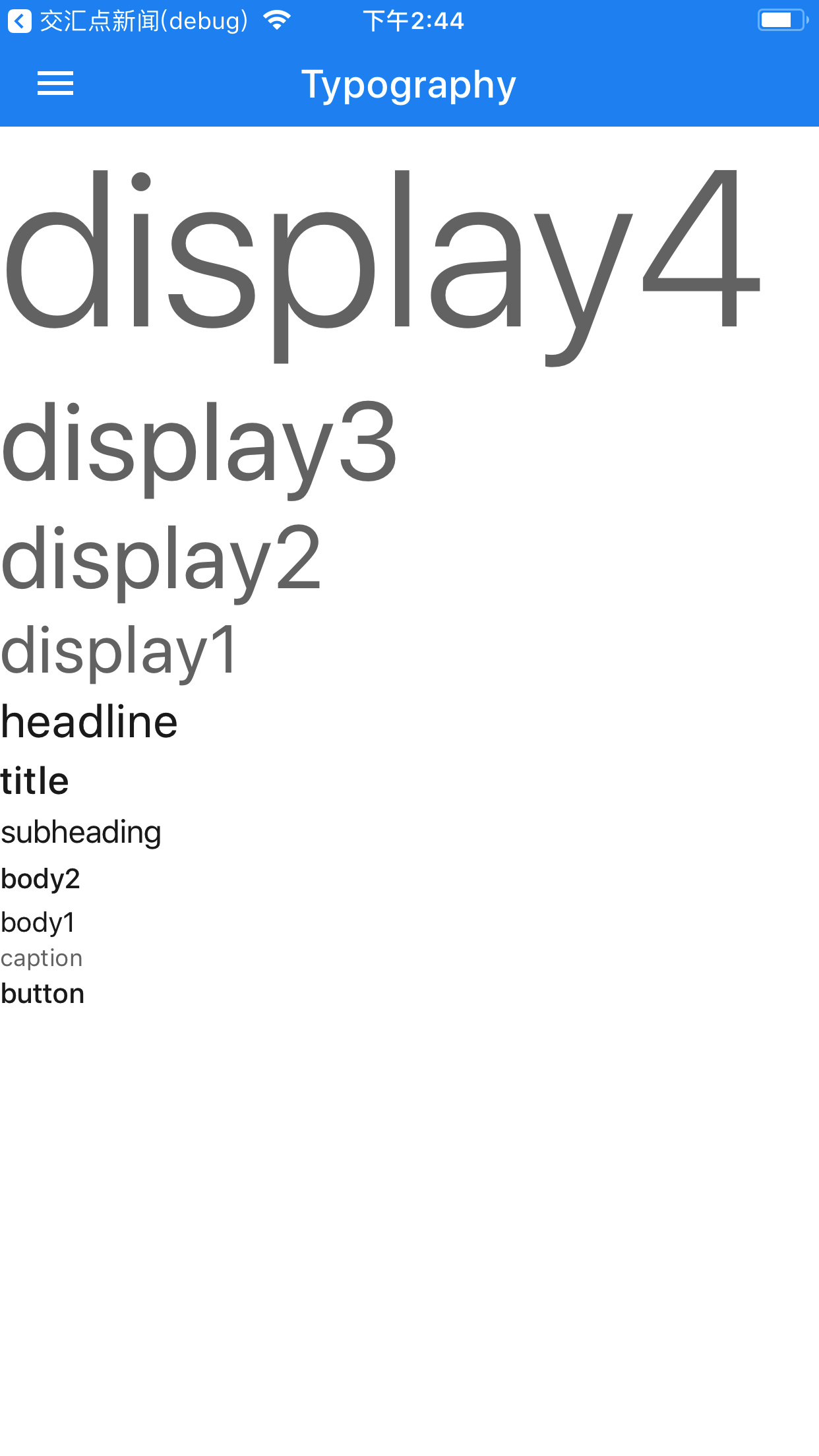
# Typography

### 属性表格

|属性名|参数|描述|
|:---:|:---:|:---:|
|variant|string|Typography的样式名|
|style|{text:Text.style}|Typography自定义样式|

##### variant可选参数：button/caption/body1/body2/subheading/title/headline/display1/display2/display3/display4

# 使用

```<Typography variant="display4">display4</Typography>
<Typography variant="display3">display3</Typography>
<Typography variant="display2">display2</Typography>
<Typography variant="display1">display1</Typography>
<Typography variant="headline">headline</Typography>
<Typography variant="title">title</Typography>
<Typography variant="subheading">subheading</Typography>
<Typography variant="body2">body2</Typography>
<Typography>body1</Typography>
<Typography variant="caption">caption</Typography>
<Typography variant="button">button</Typography>
```

<img src="https://raw.githubusercontent.com/react-native-studio/material-elements/master/Images/Typography/index.png" width="285">