# markmap-lib
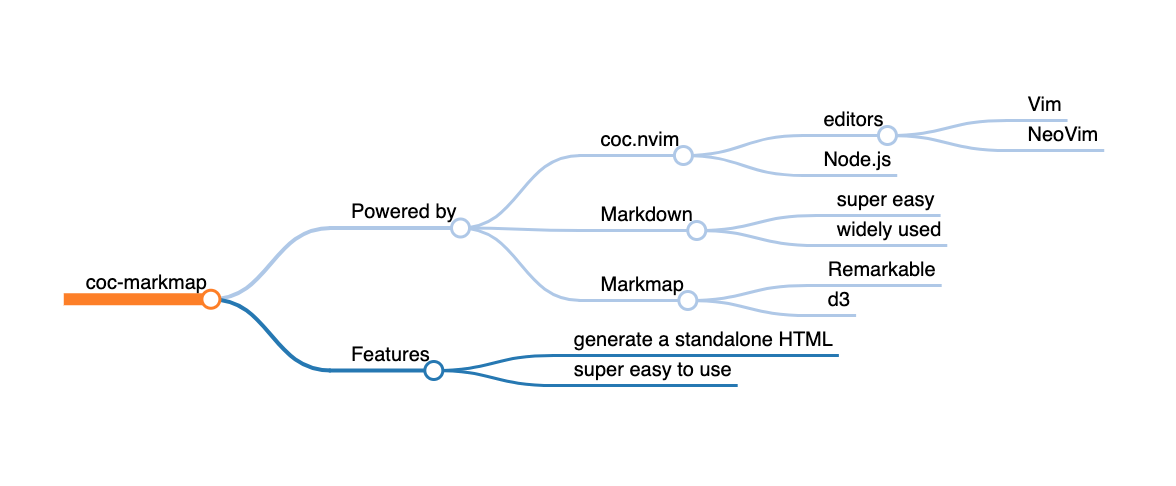
Visualize your Markdown as mindmaps.
This project is heavily inspired by [Markmap](https://github.com/dundalek/markmap).
It is a complete reimplementation with some additional features:
- command-line usage
- multiline text
- text styles
- links
- friendly to browsers

 ## Installation
```sh
$ yarn global add markmap-lib
# or
$ npm i markmap-lib -g
```
## Usage
Suppose you have a Markdown file named `README.md`.
Run the command below:
```sh
$ markmap README.md
# without installation
$ npx markmap-lib README.md
```
Then you will get a `README.html` in the same directory, and hopefully it will be open in your default browser.
## Related
- [coc-markmap](https://github.com/gera2ld/coc-markmap) - Vim / NeoVim plugin powered by [coc.nvim](https://github.com/neoclide/coc.nvim)
## Installation
```sh
$ yarn global add markmap-lib
# or
$ npm i markmap-lib -g
```
## Usage
Suppose you have a Markdown file named `README.md`.
Run the command below:
```sh
$ markmap README.md
# without installation
$ npx markmap-lib README.md
```
Then you will get a `README.html` in the same directory, and hopefully it will be open in your default browser.
## Related
- [coc-markmap](https://github.com/gera2ld/coc-markmap) - Vim / NeoVim plugin powered by [coc.nvim](https://github.com/neoclide/coc.nvim)