# maplibre-grid
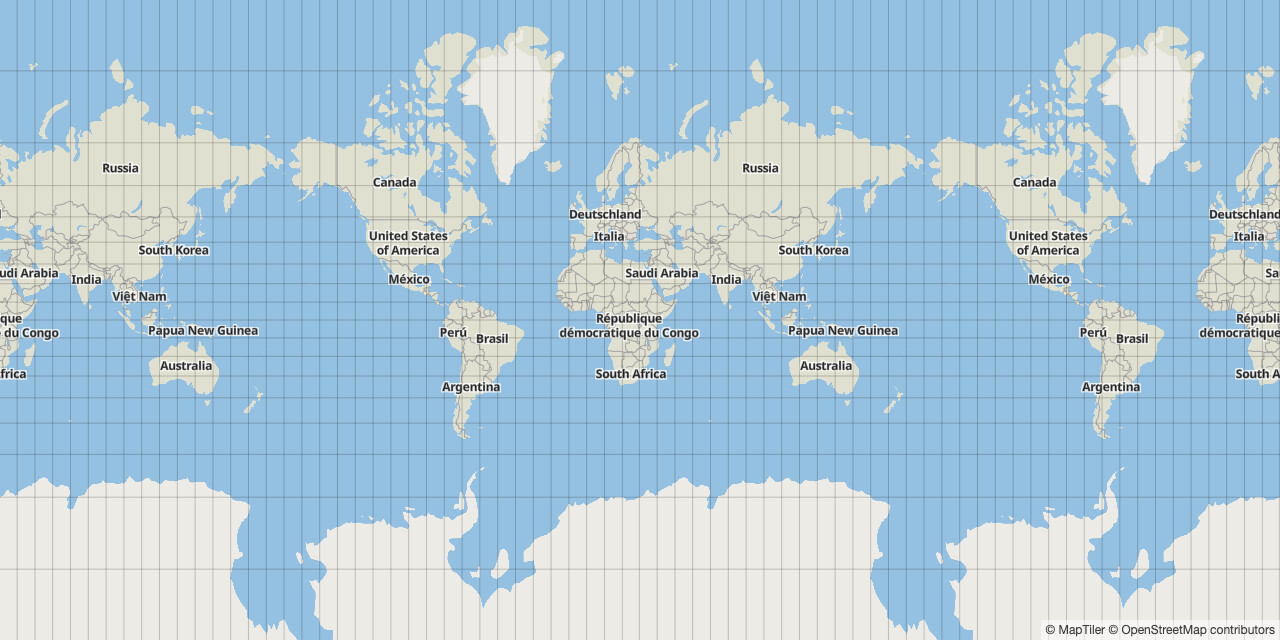
Grid / graticule plugin for MapLibre GL JS / Mapbox GL JS
[Demo](https://labs.maptiler.com/maplibre-grid/)
 ## Install
```
npm install maplibre-gl maplibre-grid
```
or
```
```
## Usage
```
import Maplibre from 'maplibre-gl';
import * as MaplibreGrid from 'maplibre-grid';
```
### API
```
export interface GridConfig {
gridWidth: number;
gridHeight: number;
units: Units;
minZoom?: number;
maxZoom?: number;
paint?: maplibregl.LinePaint;
}
const grid = new MaplibreGrid.Grid(config: GridConfig);
```
- `gridWidth` - number, **required**
- `gridHeight` - number, **required**
- `units` - 'degrees' | 'radians' | 'miles' | 'kilometers', grid width/height units, **required**
- `minZoom` - number, min zoom to display the grid
- `maxZoom` - number, max zoom to display the grid
- `paint` - maplibregl.LinePaint, layer line paint properties
Multiple grids can be added to display major and minor grid together, or different grids depending on zoom level.
### Basic
```
const grid = new MaplibreGrid.Grid({
gridWidth: 10,
gridHeight: 10,
units: 'degrees',
paint: {
'line-opacity': 0.2
}
});
map.addControl(grid);
```
### Multiple grids
```
const grid1 = new MaplibreGrid.Grid({
gridWidth: 10,
gridHeight: 10,
units: 'degrees',
paint: {
'line-opacity': 0.2
}
});
map.addControl(grid1);
const grid2 = new MaplibreGrid.Grid({
gridWidth: 5,
gridHeight: 5,
units: 'degrees',
paint: {
'line-opacity': 0.2
}
});
map.addControl(grid2);
```
### Click event
```
map.on(MaplibreGrid.GRID_CLICK_EVENT, event => {
console.log(event.bbox);
});
```
Click event can be used to implement grid cell selection. Create a polygon feature from `event.bbox`, and add it to your custom layer. See [demo](https://labs.maptiler.com/maplibre-grid/) for details.
### Destroy
```
map.removeControl(grid);
```