# Lucid Mongo
lucid-mongo is a mongo query builder and ORM. It also has support for database migrations, seeds and factories as @adonis/lucid.
[](https://www.npmjs.com/package/lucid-mongo)
[](http://standardjs.com/)
[](https://travis-ci.org/duyluonglc/lucid-mongo)
[](https://coveralls.io/github/duyluonglc/lucid-mongo?branch=develop)
[](https://greenkeeper.io/)
[](https://app.fossa.io/projects/git%2Bgithub.com%2Fduyluonglc%2Flucid-mongo?ref=badge_shield)
> :pray: This repository is base on @adonis/lucid and only work with mongodb.
## Features?
Apart from being just a query builder, lucid-mongo has following features.
1. ES6 classes based data Models.
2. Model Hooks
3. Associations
4. Serializers ( Vanilla and JSON API )
5. Migrations
6. Factories and Seeds
Lucid-mongo version 2.0 now can be used as standalone or used with AdonisJS
You can learn more about AdonisJS and all of its awesomeness on http://adonisjs.com :evergreen_tree:
You can see example with AdonisJS framework here [adonis-mongodb-boilerplate](https://github.com/duyluonglc/adonis-mongodb-boilerplate)
## Node/OS Target
This repo/branch is supposed to run fine on all major OS platforms and targets `Node.js >=8.0`
## Installation
## Use with AdonisJS framework
Install npm using `adonis` command.
```js
adonis install lucid-mongo
```
### Breaking update
| Adonis version | Lucid Mongo version |
| -------------- | ------------------- |
| 3.x.x | 1.x.x |
| 4.x.x | 2.x.x |
| 4.x.x | 3.x.x |
- From version 2 lucid-mongo use async, await instead generator function which used in version 1
[See the doc of v1.x here](https://github.com/duyluonglc/lucid-mongo/blob/1.x/README.md)
- From version 3 change pattern of the condition object when passing to where method
```js
// version 2 style
const users = await User
.where({ or: [{ age: { gte: 18, lte: 30 }}, { is_blocked: { exists: false } }] })
.sort({ age: -1 })
.fetch()
// version 3 style
const users = await User
.where({ $or: [{ age: { $gte: 18, $lte: 30 }}, { is_blocked: { $exists: false } }] })
.sort({ age: -1 })
.fetch()
```
Make sure to register the lucid provider to make use of `Database` and `LucidMongo` models. The providers are registered inside `start/app.js`
```js
const providers = [
// ...
'lucid-mongo/providers/LucidMongoProvider'
]
const aceProviders = [
// ...
'lucid-mongo/providers/MigrationsProvider'
]
```
the config automatic create to `config/database.js` file
```js
module.exports = {
/*
|--------------------------------------------------------------------------
| Default Connection
|--------------------------------------------------------------------------
|
| Connection defines the default connection settings to be used while
| interacting with Mongodb databases.
|
*/
connection: Env.get('DB_CONNECTION', 'mongodb'),
/*-------------------------------------------------------------------------*/
mongodb: {
client: 'mongodb',
connectionString: Env.get('DB_CONNECTION_STRING', ''),
connection: {
host: Env.get('DB_HOST', 'localhost'),
port: Env.get('DB_PORT', 27017),
username: Env.get('DB_USER', 'admin'),
password: Env.get('DB_PASSWORD', ''),
database: Env.get('DB_DATABASE', 'adonis'),
options: {
// replicaSet: Env.get('DB_REPLICA_SET', '')
// ssl: Env.get('DB_SSL, '')
// connectTimeoutMS: Env.get('DB_CONNECT_TIMEOUT_MS', 15000),
// socketTimeoutMS: Env.get('DB_SOCKET_TIMEOUT_MS', 180000),
// w: Env.get('DB_W, 0),
// readPreference: Env.get('DB_READ_PREFERENCE', 'secondary'),
// authSource: Env.get('DB_AUTH_SOURCE', ''),
// authMechanism: Env.get('DB_AUTH_MECHANISM', ''),
// other options
}
}
}
}
```
### Configuring Auth serializer
Edit the config/auth.js file for including the serializer. For example on the api schema
```js
session: {
serializer: 'LucidMongo',
model: 'App/Models/User',
scheme: 'session',
uid: 'email',
password: 'password'
},
basic: {
serializer: 'LucidMongo',
model: 'App/Models/User',
scheme: 'basic',
uid: 'email',
password: 'password'
},
jwt: {
serializer: 'LucidMongo',
model: 'App/Models/User',
token: 'App/Models/Token',
scheme: 'jwt',
uid: 'email',
password: 'password',
expiry: '20m',
options: {
secret: 'self::app.appKey'
}
},
api: {
serializer: 'LucidMongo',
scheme: 'api',
model: 'App/Models/User',
token: 'App/Models/Token',
uid: 'username',
password: '',
expiry: '30d',
},
```
## Use standalone (still in development)
To setup this package as standalone package
```bash
$ npm i --save lucid-mongo
```
```js
const config = {
connection: 'mongodb',
mongodb: {
client: 'mongodb',
connectionString: 'mongo://username:password@localhost/my_database',
connection: {
host: 'localhost',
port: 27017,
username: 'my_user',
password: 'my_password',
database: 'my_database'
options: {
}
}
}
}
```
```js
// Models/User.js
const { Models, Model } = require('./')(config)
class User extends Model {
}
Models.add('App/Model/User', User)
module.exports = User
```
```js
// index.js
async function test () {
const users = await User.where({ isActive: false }).fetch()
console.log(users.toJSON())
}
test()
```
### Query
```js
const users = await User.all()
const users = await User.where('name', 'peter').fetch()
const users = await User.where({ name: 'peter' })
.limit(10).skip(20).fetch()
const users = await User.where({
$or: [
{ gender: 'female', age: { $gte: 20 } },
{ gender: 'male', age: { $gte: 22 } }
]
}).fetch()
const user = await User
.where('name').eq('peter')
.where('age').gt(18).lte(60)
.sort('-age')
.first()
const users = await User
.where({ age: { $gte: 18 } })
.sort({ age: -1 })
.fetch()
const users = await User
.where('age', '>=', 18)
.fetch()
const users = await User
.where('age').gt(18)
.paginate(2, 100)
const users = await User.where(function() {
this.where('age', '>=', 18)
}).fetch()
// to query geo near you need add 2d or 2dsphere index in migration file
const images = await Image
.where(location)
.near({ center: [1, 1] })
.maxDistance(5000)
.fetch()
const images = await Image
.where(location)
.near({ center: [1, 1], sphere: true })
.maxDistance(5000)
.fetch()
```
[More Documentation of mquery](https://github.com/aheckmann/mquery)
### Aggregation
```js
// count without group by
const count = await Customer.count()
// count group by `position`
const count_rows = await Customer
.where({ invited: { $exist: true } })
.count('position')
// max age without group by
const max = await Employee.max('age')
// sum `salary` group by `department_id`
const total_rows = await Employee
.where(active, true)
.sum('salary', 'department_id')
// average group by `department_id` and `role_id`
const avg_rows = await Employee
.where(active, true)
.avg('salary', { department: '$department_id', role: '$role_id' })
```
### Relations
This package support relations like adonis-lucid:
- hasOne
- belongsTo
- hasMany
- hasManyThrough
- belongsToMany
[More Documentation of adonis relationships](http://adonisjs.com/docs/4.0/relationships)
mongodb has no join query so this package has no query like: `has`, `whereHas`, `doesntHave`, `whereDoesntHave`
### Addition relations
1. `morphMany:` A model can belong to more than one other model, on a single association. For example, you might have a Picture model that belongs to either an Author model or a Reader model
```js
class Author extends Model {
pictures () {
return this.morphMany('App/Model/Picture', 'pictureableType', 'pictureableId')
}
}
class Reader extends Model {
pictures () {
return this.morphMany('App/Model/Picture', 'pictureableType', 'pictureableId')
}
}
class Picture extends Model {
imageable () {
return this.morphTo('App/Model', 'pictureable_type', 'pictureable_id')
}
}
```
2. `embedsOne:` EmbedsOne is used to represent a model that embeds another model, for example, a Customer embeds one billingAddress.
```js
class Customer extends Model {
billingAddress () {
return this.embedsOne('App/Model/Address', '_id', 'billingAddress')
}
}
```
3. `embedsMany:` Use an embedsMany relation to indicate that a model can embed many instances of another model. For example, a Customer can have multiple email addresses and each email address is a complex object that contains label and address.
```js
class Customer extends Model {
emails () {
return this.embedsMany('App/Model/Email', '_id', 'emails')
}
}
```
4. `referMany:` Population is the process of automatically replacing the specified paths in the document with document(s) from other collection(s)
```js
class Bill extends Model {
items () {
return this.referMany('App/Model/Item', '_id', 'items')
}
}
```
### Query relationships
```js
const users = await User.with('emails').fetch()
const user = await User.with('emails', query => {
query.where({ status: 'verified' })
}).first()
const user = await User.with(['emails', 'phones']).first()
const user = await User.with({
emails: {
where: { verified: true },
sort: '-created_at'
}
}).first()
const user = await User.with({
emails: query => {
query.where('active', true)
}
}).first()
```
### Query logging
To show query logs run this command:
- Linux, MacOS `DEBUG=mquery npm run dev`
- Windows `setx DEBUG mquery && npm run dev`
### Migration
Current only support create, drop, rename collection and index
```js
up () {
this.create('articles', (collection) => {
collection.index('title_index', {title: 1})
})
this.collection('users', (collection) => {
collection.index('email_index', {email: 1}, {unique: true})
})
this.collection('image', (collection) => {
collection.index('location_index', {location: '2dsphere'}, {'2dsphereIndexVersion': 2})
})
this.rename('articles', 'posts')
this.create('posts', (collection) => {
collection.dropIndex('title_index')
})
this.drop('articles', 'posts')
}
```
### Field type
> Type of `mongodb.ObjectID`
The objectId fields will be converted to mongodb.ObjectID before save to db.
```js
class Article extends LucidMongo {
static get objectIDs() { return ['_id', 'categoryId'] } //default return ['_id']
}
```
The where query conditions will be converted to objectId too
```js
const article = await Article.find('58ccb403f895502b84582c63')
const articles = await Article
.where({ department_id: '58ccb403f895502b84582c63' })
.fetch()
```
> Type of `date`
```js
class Staff extends LucidMongo {
static get dates() { return ['dob'] }
}
```
The field declare as date will be converted to moment js object after get from db
```js
const staff = await Staff.first()
const yearAgo = staff.dob.fromNow()
```
You can set attribute of model as moment|Date|string, this field will be converted to date before save to db
```js
staff.dob = moment(request.input('dob'))
```
The where query conditions will be converted to date too
```js
const user = await User
.where({ created_at: { $gte: '2017-01-01' } })
.fetch()
```
Date type is UTC timezone
> Type of `geometry`
```js
class Image extends LucidMongo {
static get geometries() { return ['location'] }
}
```
When declare field type as geometry the field will be transformed to geoJSON type
```js
const image = await Image.create({
fileName: fileName,
location: {
latitude: 1,
longitude: 2
}
})
```
Result:
```json
{ "type" : "Point", "coordinates" : [ 2, 1 ] }
```
After get from db it will be retransformed to
```js
{
latitude: 1,
longitude: 2
}
```
### Use mquery builder
```js
const Database = use('Database')
const db = await Database.connect('mongodb')
const users = await db.collection('users').find()
const phone = await db.collection('phones')
.where({userId: ObjectID('58ccb403f895502b84582c63')}).findOne()
const count = await db.collection('user')
.where({active: true}).count()
```
### Get mongodb client object
In case the query builder does not match your requirement you can get mongodbClient to do your custom query
```js
const Database = use('Database')
const mongoClient = await Database.connect()
const result = await mongoClient.collection('inventory').find( { size: { h: 14, w: 21, uom: "cm" } } ).toArray()
```
### Contribution Guidelines
In favor of active development we accept contributions for everyone. You can contribute by submitting a bug, creating pull requests or even improving documentation.
## License
[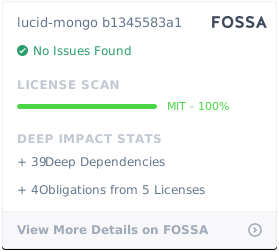](https://app.fossa.io/projects/git%2Bgithub.com%2Fduyluonglc%2Flucid-mongo?ref=badge_large)