* path: string
* animationData: JSON object
Modifies the animation data in place, by replacing the value found at that path. Similar to `replaceColor` above, it adjusts the values.
```javascript
import LottieWebParser from 'lottie-web-parser';
import animationData from './data.js';
let path = 'layers.5.shapes.2.c.k.0';
LottieWebParser.replaceColor([255, 0, 0, 1], path, animationData);
```
### getKeyframeColors(path, animationData)
Params:
* path: string
* animationData: JSON object
Returns the color values at `path`. If the values are in `[0, 1]` interval it will adjust them to the RGB interval `[0-255]`.
### parseTexts(animationData) : Array<{name: string, text: string, fontFamily: string, fontName: string, path: string}>
Parses the animationData and returns an array of text information.
```javascript
import LottieWebParser from 'lottie-web-parser';
import animationData from './data.js';
if (LottieWebParser.hasTextLayers(animationData)) {
let textInfo = LottieWebParser.parseTexts(animationData);
console.log(textInfo);
}
```
```js
// Example response
[{
name: 't1',
text: 'Type something here',
fontName: 'Roboto-Black',
fontFamily: 'Roboto',
path: `layers.2.t.d.k.0.s.t`
}]
```
Made with ❤ by Pava for Flixier
PS: special thanks to [sonaye/lottie-editor](https://github.com/sonaye/lottie-editor), whose code was the foundation of this package.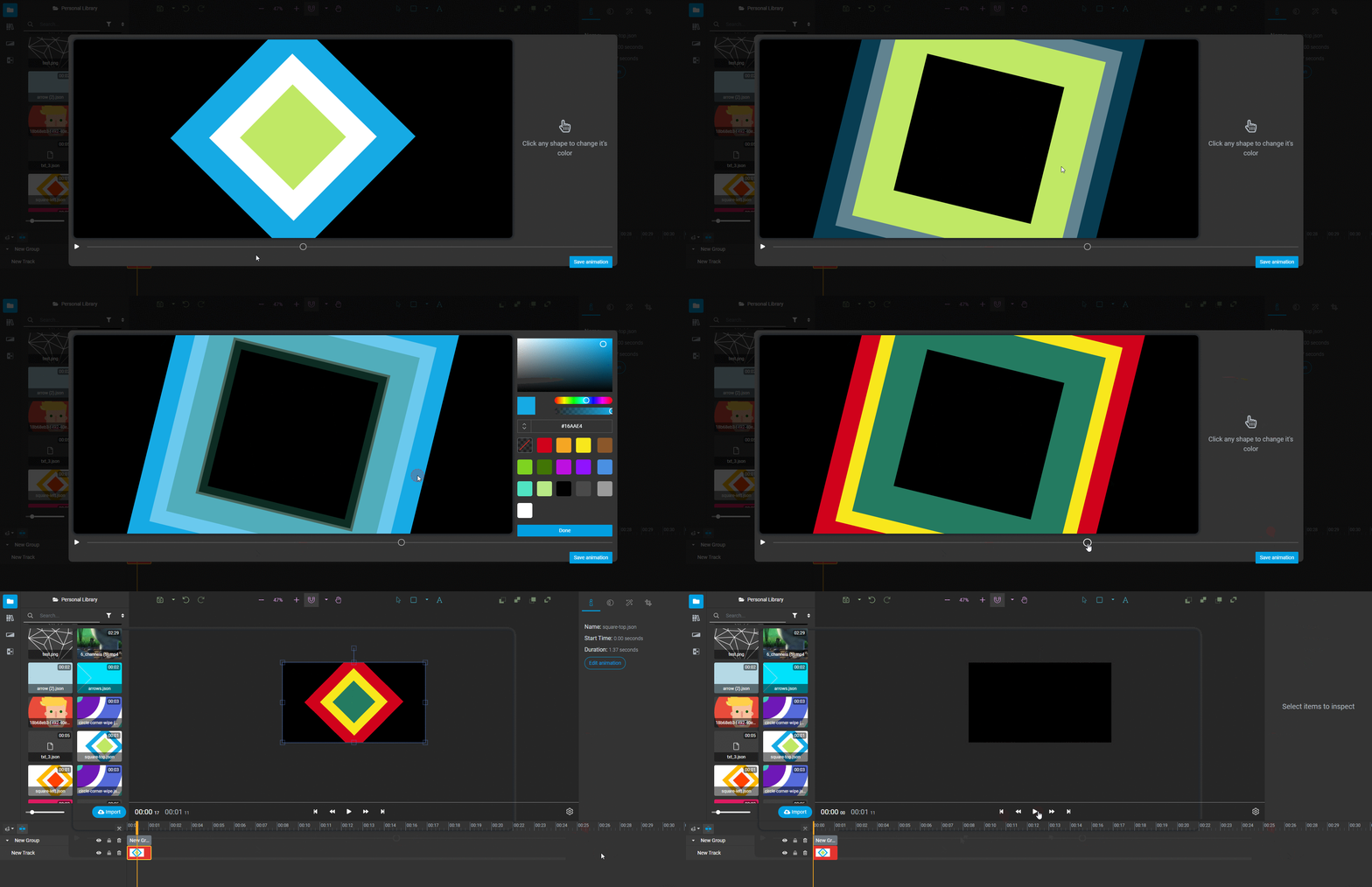 The hardest part was understanding the JSON format and parsing/modifying it in such a way that
1) it's still valid
2) it produces the result we want.
## Features
* determine if the lottie has text information or not
* find and replace all shape colors (fill or stroke), including those that have the color specified as an [JavaScript expression](https://helpx.adobe.com/after-effects/using/expression-basics.html)
* parse texts
## Installation
```bash
$ npm install lottie-web-parser
```
Then, import this package into your app (you might need a build tool like [webpack](https://webpack.js.org/) if wanting to run in the browser.
## API
### hasTextLayers(animaitonData): boolean
Checks if the animation data passed as argument has text information or not.
```javascript
import LottieWebParser from 'lottie-web-parser';
import animationData from './data.js';
LottieWebParser.hasTextLayers();
```
### parseColors(animationData): Array<{ name: string, path: string, color: number[] }>
Parses the animationData and returns an array of color information, including the name of the shape/layer.
```javascript
import LottieWebParser from 'lottie-web-parser';
import animationData from './data.js';
let colorInfo = LottieWebParser.parseColors(animationData);
console.log(colorInfo);
```
### replaceColor(rgba, path, animationData)
Params:
* rgba: Array
The hardest part was understanding the JSON format and parsing/modifying it in such a way that
1) it's still valid
2) it produces the result we want.
## Features
* determine if the lottie has text information or not
* find and replace all shape colors (fill or stroke), including those that have the color specified as an [JavaScript expression](https://helpx.adobe.com/after-effects/using/expression-basics.html)
* parse texts
## Installation
```bash
$ npm install lottie-web-parser
```
Then, import this package into your app (you might need a build tool like [webpack](https://webpack.js.org/) if wanting to run in the browser.
## API
### hasTextLayers(animaitonData): boolean
Checks if the animation data passed as argument has text information or not.
```javascript
import LottieWebParser from 'lottie-web-parser';
import animationData from './data.js';
LottieWebParser.hasTextLayers();
```
### parseColors(animationData): Array<{ name: string, path: string, color: number[] }>
Parses the animationData and returns an array of color information, including the name of the shape/layer.
```javascript
import LottieWebParser from 'lottie-web-parser';
import animationData from './data.js';
let colorInfo = LottieWebParser.parseColors(animationData);
console.log(colorInfo);
```
### replaceColor(rgba, path, animationData)
Params:
* rgba: Array