---
icon: "material/rocket-launch"
---
Apps and modules offer quickstart [YAML config](https://doc.log10x.com/config/yaml/) files for local and online editing.
### :material-play-outline: Main Config
Each app defines a main config file which [+includes](https://doc.log10x.com/config/yaml/#include-directives)
the config files of its required modules (e.g., inputs, output).
Edit Main config files to select which different configurable modules comprising the app to load.
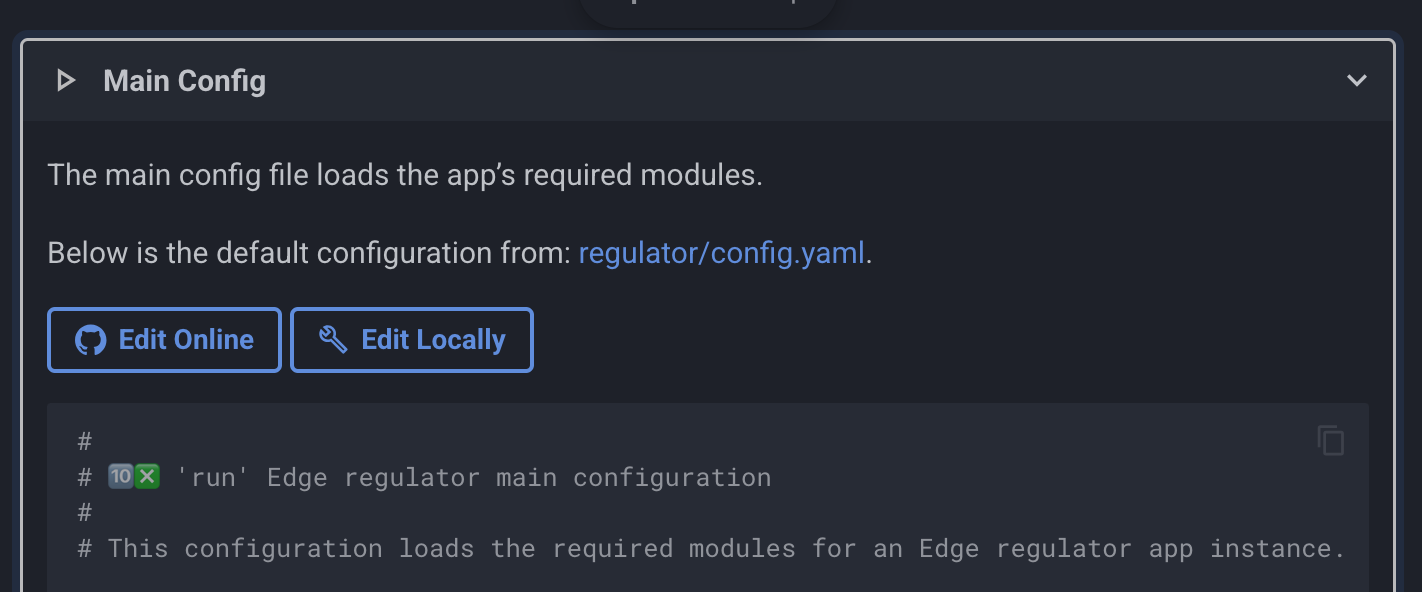{ style="float: left; margin-right: 1rem;"; width=90%; height=90% }
App main config files load required modules
For example, the [Edge reporter](https://doc.log10x.com/apps/reporter/run/#config-files) main config file loads metric output modules for publishing cost insight metrics to an array of time-series DBs (e.g., Prometheus, Datadog).
### :octicons-package-24: Module Config
Edit module config files to enable and configure input, processing and output modules.
Default values are provided where possible. Fields that require user input (e.g., api keys) are marked with `(# ❗ REQUIRED)`.
For example, to enable a [Datadog output](https://doc.log10x.com/run/output/metric/datadog/), ensure its Datadog api and app keys are set inline or (preferably) via environment variables, and any other optional value defined in its config file.
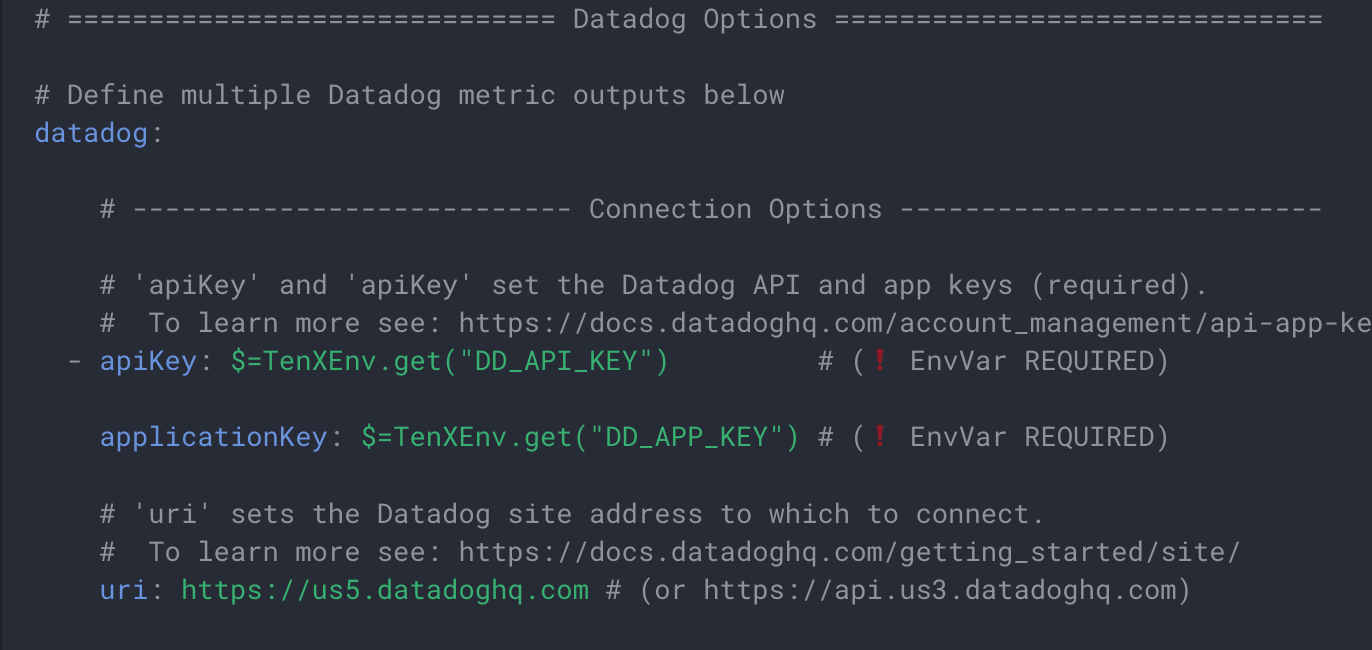{ style="float: left; margin-right: 1rem;"; width=90%; height=90% }
Edit module config files to enable and authenticate I/O modules
### :material-github: Edit Online
Manage configurations via a secure, centralized [GitOps](https://doc.log10x.com/engine/gitops/) workflow.
The 10x Engine can [pull](https://doc.log10x.com/config/github/) config and JavaScript files from GitHub at startup and on remote changes. In Kubernetes deployments, it can also [load them directly from a ConfigMap](https://doc.log10x.com/config/k8s/), picking up edits without a pod restart.
To edit modules files using the [github.dev](https://github.dev){:target="_blank"} online editor:
1. Select a module to edit and click its `Edit Online` button. For example, click the button below to edit the Datadog output config:
2. Edit the file on vscode.dev and press Save (Ctrl+S), which saves locally in the browser.
3. Open the Source Control panel (Ctrl+Shift+G), stage changes, and click Commit.
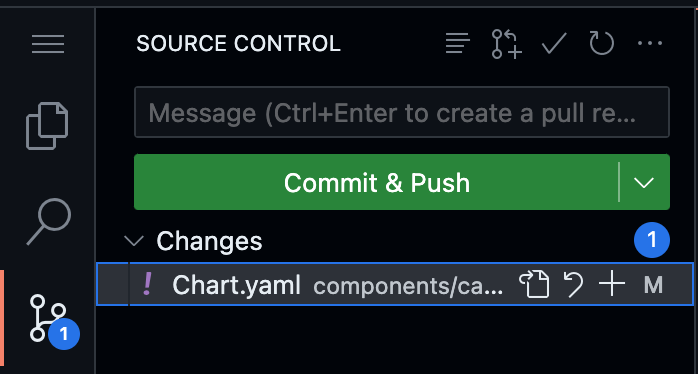{ style="float: left; margin-right: 1rem;"; width=50%; height=50% }
4. When promoted: “You don’t have write access. Fork this repository.”, click “Fork this repository,” to create a fork.
To learn more see [Source Control](https://docs.github.com/en/codespaces/the-githubdev-web-based-editor#using-source-control){:target="_blank"}.
5. Configure the 10x Engine to [pull](https://doc.log10x.com/config/github/) the forked branch at run time.
### :material-wrench-outline: Edit Locally
Click the `Edit Locally` button to open an embedded VS Code-style editor with YAML syntax highlighting and schema-based tooltips.
Use the toolbar buttons to:
- **Save** - View config file locations on disk and download the edited file
- **Copy** - Copy the config to clipboard
- **Fullscreen** - Expand the editor to full screen
{ style="float: left; margin-right: 1rem;"; width=90%; height=90% }
The Edit Locally dialog with embedded YAML editor and schema-based tooltips
### :simple-yaml: Structured Editing
Each config file is defined by a matching [schema.json](https://json-schema.org/){:target="_blank"} file which enables structured editing and rich tooltips within local/online IDEs.
{ style="float: left; margin-right: 1rem;"; width=90%; height=90% }
JSON schemas enable rich tooltips when editing yaml config files.
!!! tenx-vscode "VSCode Support"
To enable structured editing in VSCode or github.dev, install the [YAML language](https://marketplace.visualstudio.com/items?itemName=redhat.vscode-yaml){:target="_blank"} extension.